
artfone CS181
artfone CS181 Senior Mobile Phone User Manual
Model: CS181 | Brand: artfone
Introducció
This manual provides detailed instructions for the safe and efficient use of your artfone CS181 senior mobile phone. Please read this manual carefully before using the device and keep it for future reference. The artfone CS181 is designed for ease of use, featuring large buttons, clear display, and essential functions for reliable communication.
Contingut del paquet
- artfone CS181 Mobile Phone
- Bateria (800mAh)
- Cable de càrrega USB-C
- Manual d'usuari
- Lanyard (may vary by package)
Dispositiu acabatview
Familiarize yourself with the main components and design of your artfone CS181 phone.
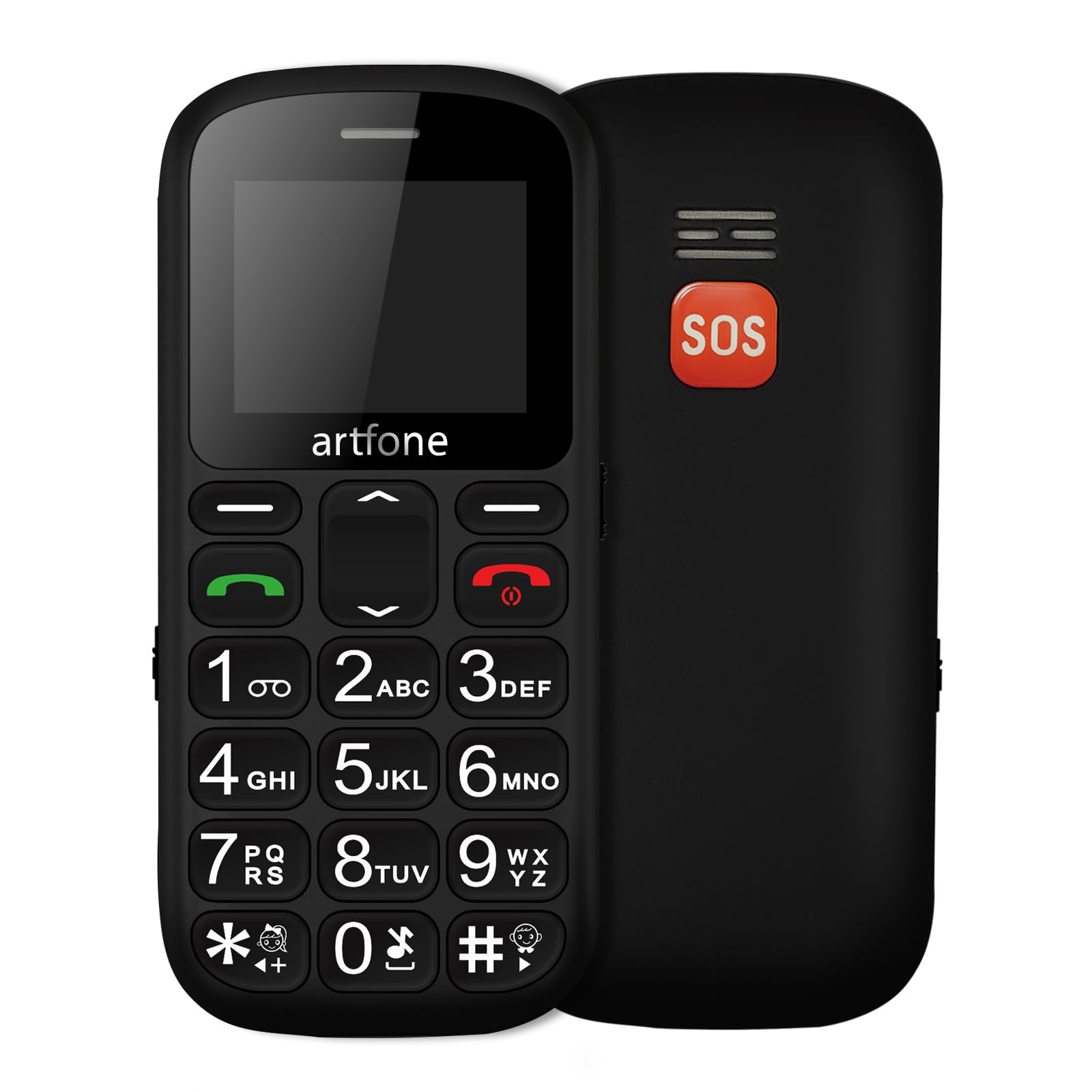
Imatge: Davant i darrere view of the artfone CS181 mobile phone, showcasing its large keypad and the SOS button on the rear.

Imatge: Diagram illustrating the dimensions of the artfone CS181 phone from various angles.
Configuració
1. Installing the Battery and SIM Cards
The artfone CS181 supports dual SIM cards (2G GSM network). Ensure the phone is powered off before installation.
- Traieu la tapa posterior del telèfon fent palanca suaument per obrir-la des de l'osca.
- Insert the 800mAh Lithium-ion battery into its compartment, ensuring the contacts align correctly.
- Locate the SIM card slots. Insert your 2G GSM SIM card(s) into the designated slots, ensuring the gold contacts face downwards and the cut corner aligns correctly.
- (Optional) If using a memory card, insert it into the memory card slot.
- Torneu a col·locar la coberta posterior fins que sentiu un clic i que quedi ben fixada al seu lloc.

Imatge: Interna view of the artfone CS181 showing the battery compartment, dual SIM card slots, and memory card slot.
2. Carregant el telèfon
Abans del primer ús, carregueu completament la bateria del telèfon.
- Connect the USB-C charging cable to the charging port on the phone.
- Connect the other end of the cable to a compatible USB power adapter (not always included) or a computer's USB port.
- The charging indicator on the phone's screen will show the charging status. Disconnect the charger once the battery is full.
3. Encès / apagat
- Per engegar: premeu i manteniu premut el botó Engegar/Finalitzar trucada botó (botó vermell) fins que la pantalla s'il·lumini.
- Per apagar: premeu i manteniu premut el botó Engegar/Finalitzar trucada button until the power-off options appear, then select "Power off".
4. Configuració inicial
Upon first power-on, you may be prompted to set the language, date, and time. Follow the on-screen instructions.
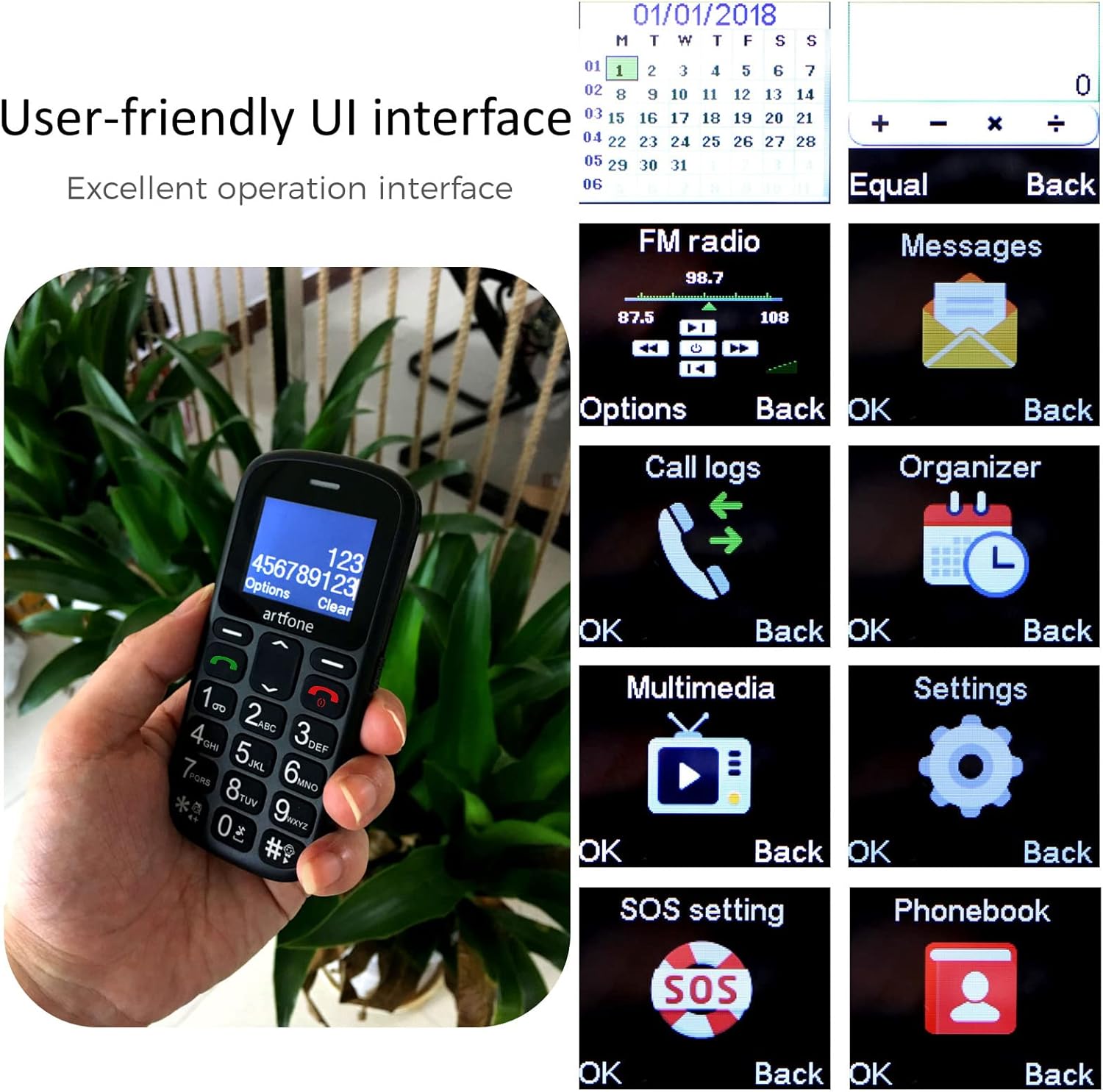
Imatge: The artfone CS181's user-friendly interface with large, clear menu icons for functions like FM radio, messages, call logs, and settings.
Instruccions de funcionament
1. Fer i rebre trucades
- Per fer una trucada: Introduïu el número de telèfon amb el teclat numèric i premeu la tecla Truca botó (botó verd).
- Per respondre una trucada: Premeu el botó Truca button (green button) when the phone rings.
- Per finalitzar una trucada: Premeu el botó Finalitzar la trucada button (red button).
- Anunci de veu: The phone can announce dialed numbers in English, German, French, Spanish, and Italian. This feature can be enabled or disabled in the settings menu.
2. Sending and Receiving SMS Messages
- Navegueu fins al menú "Missatges".
- Select "Write message" to compose a new SMS.
- Introdueix el número del destinatari o selecciona'l dels contactes i, a continuació, escriu el missatge.
- Premeu "Enviar" per transmetre el missatge.
3. SOS Emergency Call Function
The SOS button is located on the back of the phone and is designed for quick access to emergency contacts.
- Setting up SOS numbers: Vés a Menu > Settings > SOS Settings. You can pre-program up to five emergency numbers and an emergency SMS message.
- Activació de SOS: En cas d'emergència, premeu i manteniu premut el botó Botó SOS for 3 seconds. The phone will automatically dial the pre-programmed numbers in sequence and send the emergency SMS.
- Canceling SOS: If activated by mistake, you can cancel the SOS call within 3 seconds by pressing any key.

Imatge: A finger pressing the prominent orange SOS button located on the back of the artfone CS181 phone.
4. Llanterna
The phone includes a bright flashlight for convenience.
- To turn on/off: Press the dedicated flashlight button on the left side of the phone.

Imatge: The artfone CS181 phone with its flashlight illuminated, showing the light beam and the location of the flashlight LED.
5. Ràdio FM
Escolta les teves emissores de ràdio FM preferides.
- Navegueu fins al menú "Ràdio FM".
- Use the navigation keys to scan for stations or manually tune.
6. Bluetooth
Connecteu el telèfon a auriculars Bluetooth o altres dispositius.
- Vés a Menu > Settings > Bluetooth.
- Activa el Bluetooth i busca els dispositius disponibles.
- Select the desired device to pair.
7. Keypad Lock/Unlock
Prevent accidental key presses by locking the keypad.
- To lock: Press the dedicated keypad lock button on the right side of the phone.
- To unlock: Press the dedicated keypad lock button again.
8. Speed Dial Setup
Assign frequently called numbers to speed dial keys (1-9, *, #).
- Vés a Menu > Settings > Speed Dial.
- Select a key (e.g., "1") and assign a contact from your phonebook.
- To use: Press and hold the assigned speed dial key to call the contact.
Manteniment
1. Cura de la bateria
- Use only the original or approved charger and battery.
- Eviteu exposar la bateria a temperatures extremes.
- No punxeu, desmunteu o curtcircuiteu la bateria.
- If the phone will not be used for an extended period, charge it partially and store it in a cool, dry place.
2. Neteja i emmagatzematge
- Clean the phone with a soft, dry cloth. Do not use liquid cleaners.
- Keep the phone away from dust, moisture, and direct sunlight.
- Eviteu deixar caure el telèfon o sotmetre'l a impactes forts.
Resolució de problemes
| Problema | Causa possible | Solució |
|---|---|---|
| El telèfon no s'encén. | Battery is drained or not installed correctly. | Carregueu la bateria. Assegureu-vos que la bateria estigui inserida correctament. |
| No es poden fer ni rebre trucades. | No hi ha senyal de xarxa, no hi ha targeta SIM inserida o problema amb la targeta SIM. | Comproveu la cobertura de la xarxa. Torneu a inserir la targeta SIM. Poseu-vos en contacte amb el vostre proveïdor de serveis. |
| SOS button activated by mistake. | Accidental press. | Press any key within 3 seconds of activation to cancel. |
| Mala qualitat de trucada. | Weak signal or environmental interference. | Mou-te a una zona amb millor senyal. Evita els obstacles. |
| El teclat no respon. | El teclat està bloquejat. | Unlock the keypad using the dedicated side button. |
Especificacions
| Característica | Detall |
|---|---|
| Marca | artfone |
| Nom del model | CS181 |
| Sistema operatiu | artfone OS |
| Mida de la pantalla | 2.4 polzades |
| Connectivitat | 2G, GSM (850/900/1800/1900 MHz) |
| Suport de la targeta SIM | Doble SIM |
| Capacitat de la bateria | 800 mAh d'ions de liti |
| Temps d'espera | Fins a 7 dies |
| Temps de conversa | Fins a 5 hores |
| Memòria interna | 32MB + 24MB (RAM + ROM) |
| Port de càrrega | USB tipus C |
| Característiques especials | SOS Button, Large Keys, FM Radio, Bluetooth, Flashlight, Voice Announcement |
| Dimensions (L x A x A) | 121.6 mm x 55.4 mm x 14.3 mm (4.78 polzades x 2.18 polzades x 0.56 polzades) |
Garantia i Suport
Your artfone CS181 mobile phone comes with a standard manufacturer's warranty. Please refer to the warranty card included in your package for specific terms and conditions. For technical support, troubleshooting assistance, or warranty claims, please contact artfone customer service through their official weblloc web o el venedor on vau comprar el producte.
Per a més informació, visiteu el artfone Brand Store.
Ask a question about this manual
Ask about setup, troubleshooting, compatibility, parts, safety, or missing instructions. Manuals+ will review the question and use this page’s manual context to help answer it.