
1. Introducció
This manual provides detailed instructions for the safe and efficient use of your new artfone G3 4G Senior Flip Phone. Please read this manual carefully before using the device and keep it for future reference.
2. Què hi ha a la caixa
- artfone G3 4G Senior Flip Phone
- Cable USB-C
- Base de càrrega (si s'inclou amb el vostre model)
- Bateria
- Manual d'usuari

Image: artfone G3 4G Senior Flip Phone with its charging dock and cable.
3. Configuració
3.1. Installing SIM Card and Battery
- Traieu la coberta posterior: Obriu suaument la tapa posterior del telèfon amb una palanca.
- Inseriu la targeta(es) SIM: Locate the SIM card slot(s). Insert your Nano-SIM card(s) into the designated slot(s) with the gold contacts facing down, ensuring it clicks into place. The phone supports European 2G, 3G, and 4G networks.
- Inseriu la targeta Micro SD (opcional): If you wish to expand storage, insert a Micro SD card into its dedicated slot.
- Introduïu la bateria: Align the battery contacts with the phone's contacts and gently press the battery into place.
- Substituïu la coberta posterior: Securely attach the back cover until it clicks into place.

Imatge: Detallada view of the artfone G3's internal compartment for SIM, Micro SD, and battery installation.
Video: A demonstration on how to insert the SIM card into a flip phone. This video is provided by a seller and is relevant to the product's setup.
3.2. Càrrega inicial
Before first use, fully charge your artfone G3. You can use the provided USB-C cable directly or place the phone in the charging dock.
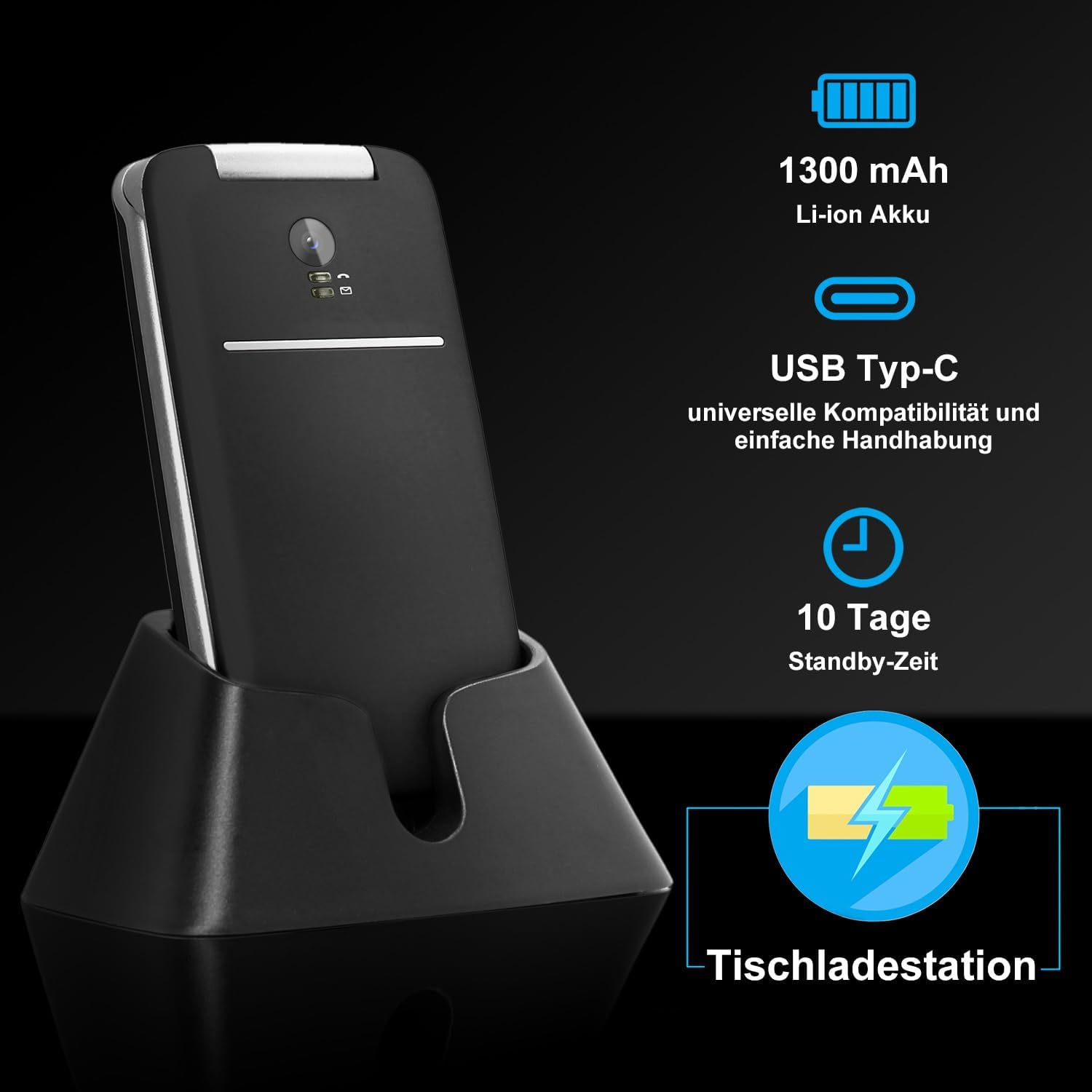
Image: The artfone G3 phone placed in its charging dock, illustrating the charging process and battery life.
4. Instruccions de funcionament
4.1. Encendre/apagar
- Per encendre: Press and hold the red "End Call" button until the screen lights up.
- Per apagar: Press and hold the red "End Call" button until the power off options appear, then select "Power Off".
4.2. Fer i rebre trucades
- Fer una trucada: Dial the number using the large keypad and press the green "Call" button.
- Recepció d'una trucada: Flip open the phone to automatically answer, or press the green "Call" button when the phone rings.
- Finalització d'una trucada: Press the red "End Call" button or close the flip.
4.3. SOS Emergency Function
The SOS button is located on the back of the phone. In an emergency, press and hold the SOS button for 3 seconds to automatically dial up to 5 pre-set emergency contacts and send an emergency SMS.
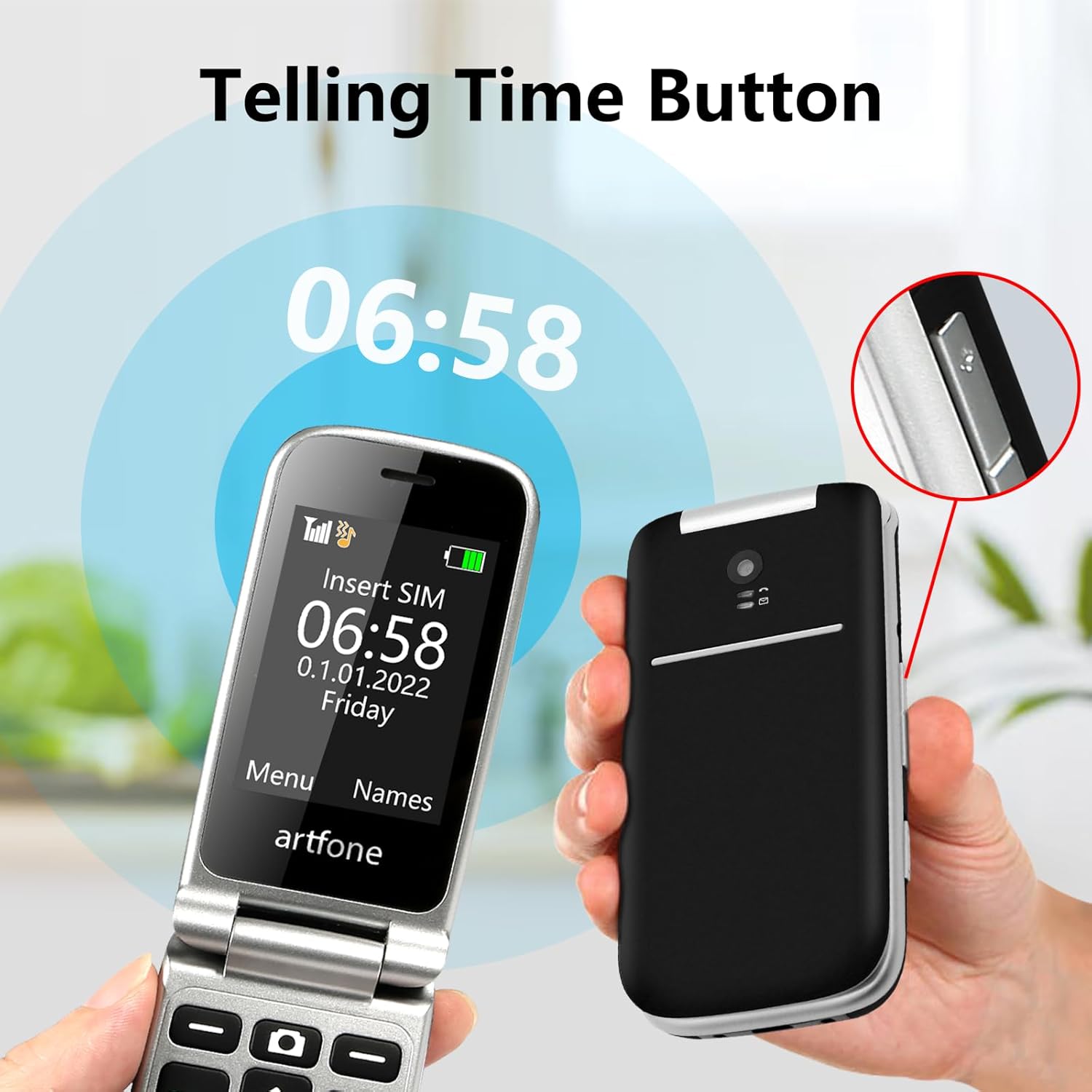
Image: The artfone G3 with its SOS button highlighted, showing how it connects to emergency contacts.
Video: A demonstration of the SOS emergency function on a senior flip phone, showing how it contacts pre-set numbers. This video is provided by a seller and is relevant to the product's safety features.
4.4. Speed Dial Contacts (M1/M2/*/#2-9)
Assign frequently called numbers to speed dial keys (M1, M2, *, #, and numbers 2-9) for quick access. Refer to the phone's settings menu to configure these contacts.

Image: Close-up of the artfone G3 keypad, highlighting the M1 and M2 speed dial buttons.
4.5. Time Announcement Function
Press and hold the "+" button for two seconds to hear the current time announced vocally. This feature is ideal for users with visual impairments.

Image: The artfone G3 showing the time announcement feature in action, with a user pressing the designated button.
4.6. Multimedia and FM Radio
The phone includes audio/video playback capabilities and an FM radio. You can listen to the radio through the loud speaker or by connecting headphones (Bluetooth or wired).

Image: Collage showing the artfone G3's FM radio interface and a user enjoying multimedia.
4.7. Llanterna
Activate the built-in flashlight for convenience in low-light conditions. Refer to your phone's quick access settings or manual for specific activation steps.

Image: The artfone G3 with its flashlight illuminated, demonstrating its utility.
5. Característiques acabadesview
- Innovative Dual Screen with Voice Alarm: 6.1 cm main screen and multilingual voice alarm on the outer screen for visually impaired users.
- Bateria de llarga durada i càrrega flexible: 1300 mAh battery (5-6 hours talk time, 10 days standby). Convenient charging dock and USB-C port for wired fast charging.
- Senior-Friendly Design: Large, illuminated keys, clear menu with simple symbols, extra-loud speaker, and hands-free function.
- Funcions de seguretat completes: SOS button for up to 5 emergency contacts, blacklist for up to 50 unwanted numbers, 2G/3G/4G network compatibility with VoLTE.
- Comunicació avançada: Photo recognition for contacts, Nano-SIM compatibility, speed dial keys (M1/M2/*/#2-9).
- Personalized Contacts & Multifunctional Design: Up to 1,000 contacts with individual photos, audio/video playback, Bluetooth, FM radio, calculator, alarm clock, calendar, and T9 predictive text.

Imatge: Un cop mésview of the artfone G3's key features, including battery, FM radio, loud volume, large keys, charging station, SOS button, Bluetooth, flashlight, and alarm.
6. Manteniment
- Keep the phone dry and away from extreme temperatures.
- Clean the screen and body with a soft, dry cloth.
- Avoid dropping the phone or subjecting it to strong impacts. The robust casing has passed 120,000 folding tests, but excessive force can still cause damage.
- Utilitzeu només accessoris originals o certificats.
7. Solució De Problemes
| Problema | Solució |
|---|---|
| El telèfon no s'encén | Assegureu-vos que la bateria estigui inserida correctament i completament carregada. |
| No puc fer/rebre trucades | Check if the SIM card is correctly inserted and activated. Verify network signal strength. |
| Poca qualitat de trucada | Move to an area with better network coverage. Ensure the speaker is not obstructed. |
| SOS function not working | Ensure emergency contacts are correctly configured in the settings. |
8. Especificacions
- Marca: artfone
- Model: G3 Negre
- Tipus de producte: Telèfon Flip
- Sistema operatiu: artfone Mocor RTOS
- Pantalla: 2.4 polzades
- Connexions: USB tipus C
- Característiques especials: 4G VoLTE, SOS Button, Large Keys, Charging Station, FM Radio
- Tipus de bateria: Ió de liti (1300 mAh)
- Effective Fixed Resolution: 1.0 (likely camera resolution)
9. Garantia i Suport
- Garantia del fabricant: 2 anys.
- For technical support or warranty claims, please contact your retailer or visit the official artfone weblloc.