
1. Introducció
Thank you for choosing the CINMOORE CM-C2U 3K Indoor Security Camera. This manual provides essential information for setting up, operating, and maintaining your camera to ensure optimal performance and security. This camera is designed for indoor use, offering advanced features such as 3K UHD video, AI-powered detection, pan-tilt-zoom functionality, and dual-band Wi-Fi connectivity.
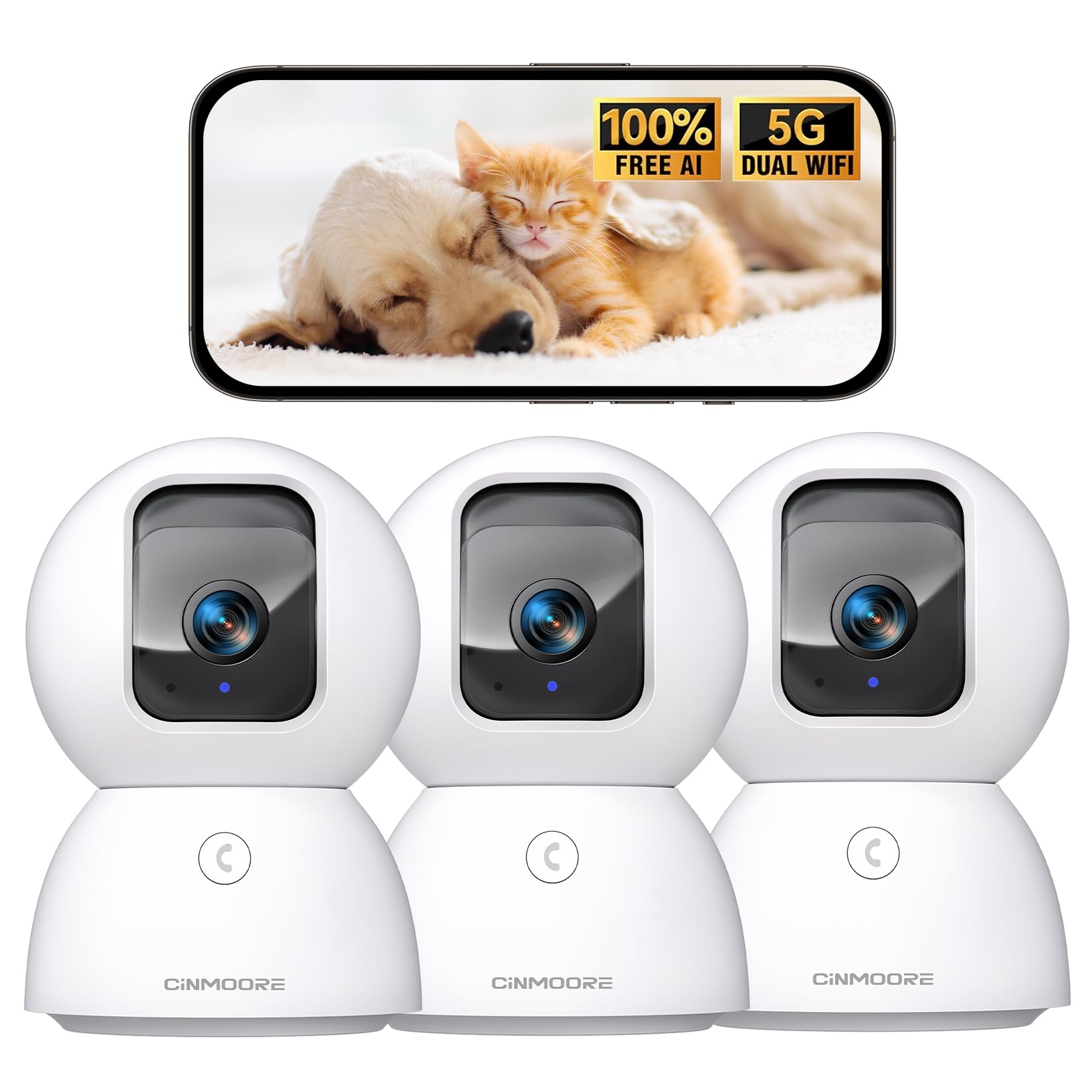
Figure 1: CINMOORE CM-C2U 3K Indoor Security Camera
2. Què hi ha a la caixa
- CINMOORE Security Camera (x3)
- Mounting Bracket Base (x3)
- Adaptador de corrent (x3)
- Data Cable (x3)
- Ancores de cargol (x3)
- Manual d'usuari (x1)
3. Instruccions de configuració
3.1 Engegada inicial
- Connect the data cable to the camera's power port.
- Connecteu l'adaptador d'alimentació a una presa de corrent estàndard.
- The camera will power on, and an indicator light will blink, signaling it's ready for setup.
3.2 Descàrrega i connexió de l'aplicació
- Download the official CINMOORE app from your smartphone's app store (iOS or Android).
- Creeu un compte o inicieu sessió si ja en teniu un.
- Follow the in-app instructions to add your new camera. This typically involves scanning a QR code located on the camera's base.
- Connect the camera to your home Wi-Fi network. The camera supports Dual-Band 2.4GHz/5GHz Wi-Fi 6 for a stable connection.
Video: C2U Indoor Camera 1-minute Setup. This video demonstrates the quick and easy setup process for the CINMOORE C2U Indoor Camera, guiding users through connecting the device to the power supply and linking it to the mobile application.
4. Instruccions de funcionament
4.1 Monitorització de vídeo en directe
Access the live feed from your camera anytime, anywhere via the CINMOORE app. The 3K UHD resolution provides clear and detailed visuals.

Figure 2: Demonstrates the superior 3K clarity of the camera's video feed compared to 2K resolution, highlighting vivid detail for monitoring.
4.2 Control de panoràmica, inclinació i zoom (PTZ)
Use the virtual joystick in the app to remotely control the camera's movement. Enjoy a 360° horizontal pan and a 109° vertical tilt to cover every corner of your room. The camera also features AI auto-tracking to follow detected movement.

Figure 3: Illustrates the camera's comprehensive 360° pan and tilt capabilities, along with other key features like 3K Ultra HD, sound/crying alerts, and local facial recognition.
4.3 Àudio bidireccional
Engage in real-time conversations using the full-duplex two-way audio feature. Speak through the app and hear responses from the camera's location. A one-click call button can trigger family alerts.
4.4 AI Detection and Tracking
The camera offers free AI detections for facial recognition (stores up to 5 faces locally), person detection, pet detection, baby crying detection, and smoke/gas alarm recognition. Receive instant alerts on your smartphone when activity is detected. Customize detection zones to focus on specific areas.

Figure 4: Highlights the camera's no-subscription local AI detection features, including recognition of up to 5 faces and 6 types of detections (person, pet, motion, noise, loitering, facial) while ensuring 100% privacy.
4.5 Visió nocturna
The 0-Glow Night Vision 2.0 provides clear monitoring in low-light conditions without emitting a visible red glow, ensuring undisturbed sleep for babies and pets. The night vision range is up to 33 feet.

Figure 5: Compares the CINMOORE camera's 0-Glow Night Vision with a traditional camera's red glow, emphasizing safe and undisturbed monitoring for infants and pets.
4.6 Opcions d'emmagatzematge
Choose between local storage via an SD card (up to 512GB, not included) for 24/7 recording, or optional AWS Cloud storage with bank-level security (30-day free trial available). SD card encryption ensures footage is only viewable within the CINMOORE App.

Figure 6: Details the camera's encrypted and secure storage options, including SD card support (up to 512GB, not included) and optional AWS Cloud Storage with a 30-day free trial.
4.7 Mode de privadesa
Activate the one-tap privacy mode, which physically covers the camera lens, ensuring your privacy when you are home.
5. Opcions de muntatge
The CINMOORE CM-C2U camera offers flexible mounting options to suit your needs:
- Muntatge de taula: Simplement col·loqueu la càmera sobre qualsevol superfície plana com una taula, un prestatge o un escriptori.
- Muntatge en paret: Use the included mounting bracket base and screw anchors to securely attach the camera to a wall.
- Muntatge al sostre: The camera can also be mounted to the ceiling using the provided bracket for an overhead view.
Ensure the camera is positioned to provide the optimal viewing angle for your desired monitoring area.
Video: Setup Guide for IMILAB indoor camera. This video provides a step-by-step guide on how to set up an IMILAB indoor camera, including unboxing, connecting to power, app setup, and mounting options.
6. Especificacions
| Nom del model | CM-C2U |
| Ús interior/exterior | Interior |
| Resolució de captura de vídeo | 3K/4MP |
| Protocol de connectivitat | Wi-Fi (Dual-Band 2.4GHz/5GHz Wi-Fi 6) |
| Font d'alimentació | Elèctric amb cable |
| Tipus de controlador | Amazon Alexa |
| Tipus de muntatge | Muntatge de sostre / Muntatge de taula / Muntatge de paret |
| Gamma de visió nocturna | 33 Feet (0-Glow) |
| Emmagatzematge local | SD card (up to 512GB, not included) |
| Dimensions | 3 x 4.5 x 3 polzades |
| Pes de l'article | 2.33 lliures |
7. Manteniment
- Neteja: Netegeu suaument la lent i el cos de la càmera amb un drap suau i sec. Eviteu utilitzar productes químics agressius o materials abrasius.
- Actualitzacions de firmware: Consulteu regularment l'aplicació CINMOORE per veure si hi ha actualitzacions de firmware disponibles per assegurar-vos que la càmera tingui les darreres funcions i millores de seguretat.
- Cicle d'alimentació: If the camera experiences connectivity issues, try unplugging it from the power source for 10 seconds and then plugging it back in.
- Gestió de la targeta SD: If using an SD card, periodically review i gestionar foo gravattage to prevent the card from becoming full.
8. Solució De Problemes
- La càmera no es connecta a la Wi-Fi:
- Ensure your Wi-Fi network is 2.4GHz or 5GHz.
- Comproveu que la contrasenya del Wi-Fi estigui introduïda correctament.
- Apropa la càmera al teu encaminador Wi-Fi.
- Reinicieu el router i la càmera.
- Poca qualitat de vídeo:
- Comproveu la velocitat de la vostra connexió a Internet.
- Assegureu-vos que la lent de la càmera estigui neta.
- Adjust video quality settings in the app if available.
- Sense alertes de detecció de moviment:
- Verifiqueu que la detecció de moviment estigui activada a la configuració de l'aplicació.
- Adjust motion sensitivity levels.
- Revisa la configuració de notificacions de l'aplicació al teu telèfon intel·ligent.
- Problemes d'àudio bidireccional:
- Ensure your phone's microphone is enabled for the app.
- Comproveu la configuració del volum a l'aplicació.
- Minimitzar el soroll de fons per a una comunicació més clara.
9. Garantia i Suport
The CINMOORE CM-C2U camera comes with a 24-month warranty. For any issues or inquiries, please contact CINMOORE customer support. We offer free replacement for eligible issues, extended warranty options, and professional support to ensure your satisfaction.
For further assistance, refer to the help section within the CINMOORE app or visit our official weblloc.