
Introducció
This manual provides instructions for the setup, operation, and maintenance of your DC Wireless Keyboard and Mouse Combo. This full-size ergonomic keyboard features a wrist rest and a silent 6-button mouse, designed for comfortable and efficient use with various devices.
Contingut del paquet
- Teclat sense fil
- Ratolí sense fil
- 2-in-1 USB Receiver (USB-A and USB-C compatible)
- Manual d'usuari (aquest document)
Note: AAA batteries for the keyboard (1x) and mouse (2x) are not included and must be purchased separately.
Configuració
1. Instal·lació de la bateria
Install the required batteries into both the keyboard and mouse. Ensure correct polarity.
- Teclat: Requires 1x AAA battery. Locate the battery compartment on the underside of the keyboard.
- Ratolí: Requires 2x AAA batteries. Locate the battery compartment on the underside of the mouse.
After installing batteries, turn on the keyboard and mouse using their respective ON/OFF switches.

Image: Underside of the mouse, illustrating the battery compartment, the USB receiver storage slot, and the ON/OFF switch. The USB-C adapter is also visible.

Image: Diagram showing the battery requirements (1 AAA for keyboard, 2 AAA for mouse) and the auto-sleep feature for power saving.
2. Connexió del receptor USB
The keyboard and mouse share a single USB receiver for connection. This receiver supports both USB-A and USB-C ports.
- Localitza el receptor USB, que normalment es guarda al compartiment de la bateria del ratolí.
- Plug the USB receiver into an available USB-A or USB-C port on your computer or device. Use the included USB-C adapter if necessary.
- The keyboard and mouse will automatically connect to your device. No additional software or drivers are required.
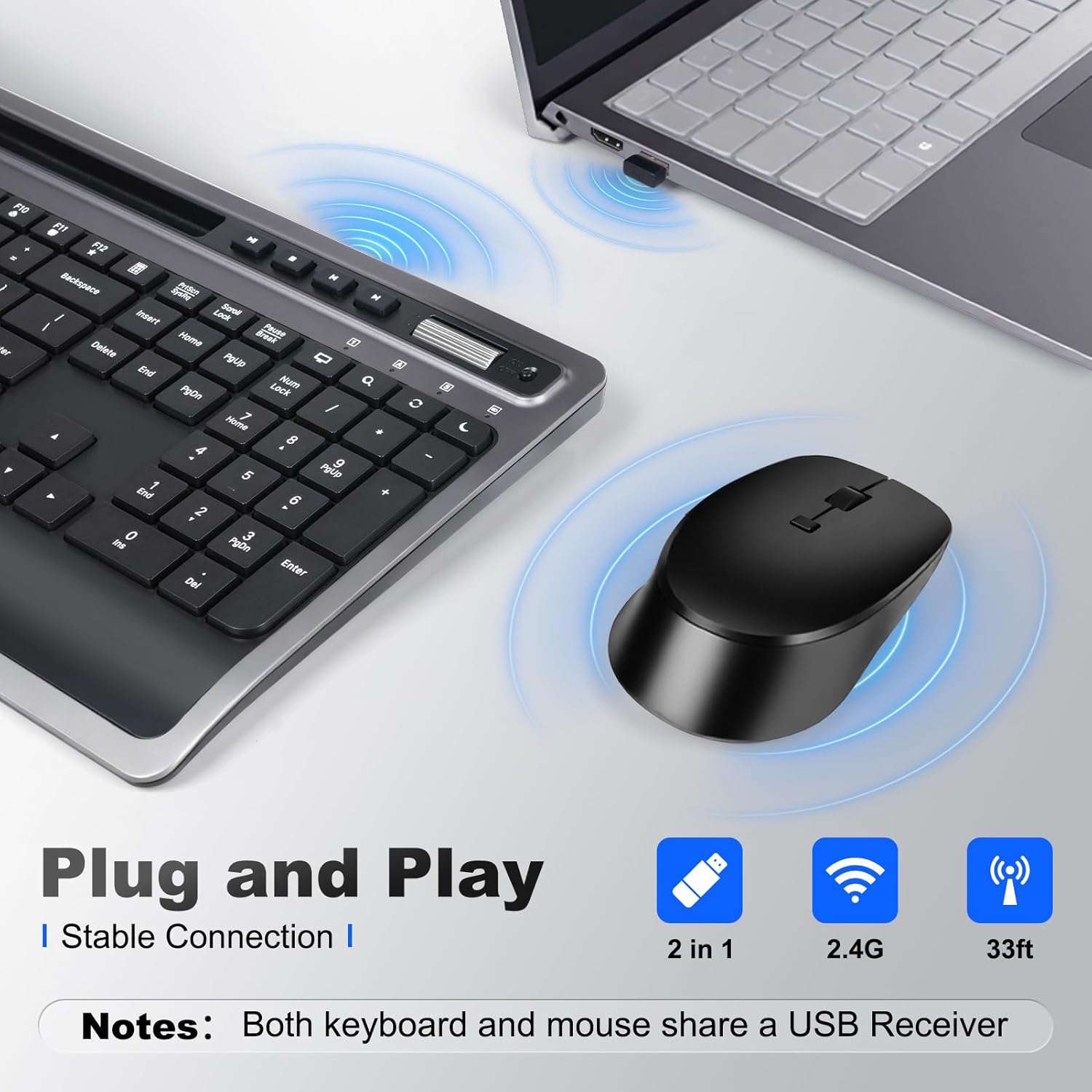
Image: A close-up of the keyboard and mouse, showing the USB receiver plugged into a laptop, indicating a stable 2.4G wireless connection.
3. Adjusting Keyboard Tilt
For optimal typing comfort, the keyboard features foldable stands on the underside. Extend these stands to achieve an 8-degree tilt, which can help reduce wrist strain during prolonged use.

Image: A visual comparison demonstrating the ergonomic benefit of the integrated wrist rest, promoting a more natural hand position.

Image: The keyboard shown with its foldable stand extended, providing an 8-degree tilt for improved ergonomic comfort.
Instruccions de funcionament
Funcions del teclat
The keyboard features a full-size layout with dedicated function keys and multimedia shortcuts.
- Tecles multimèdia: Dedicated keys for Play/Pause, Stop, Previous Track, Next Track, Volume Up, Volume Down.
- Function (Fn) Combinations: Use the 'Fn' key in combination with F1-F12 for additional shortcuts such as Media Player, Volume control, Mute, Search, Refresh, Dormancy, My Computer, and Email.
- Suport integrat per a telèfon/tauleta: A slot above the function keys allows you to securely hold your smartphone or tablet for easy viewing i multitasca.
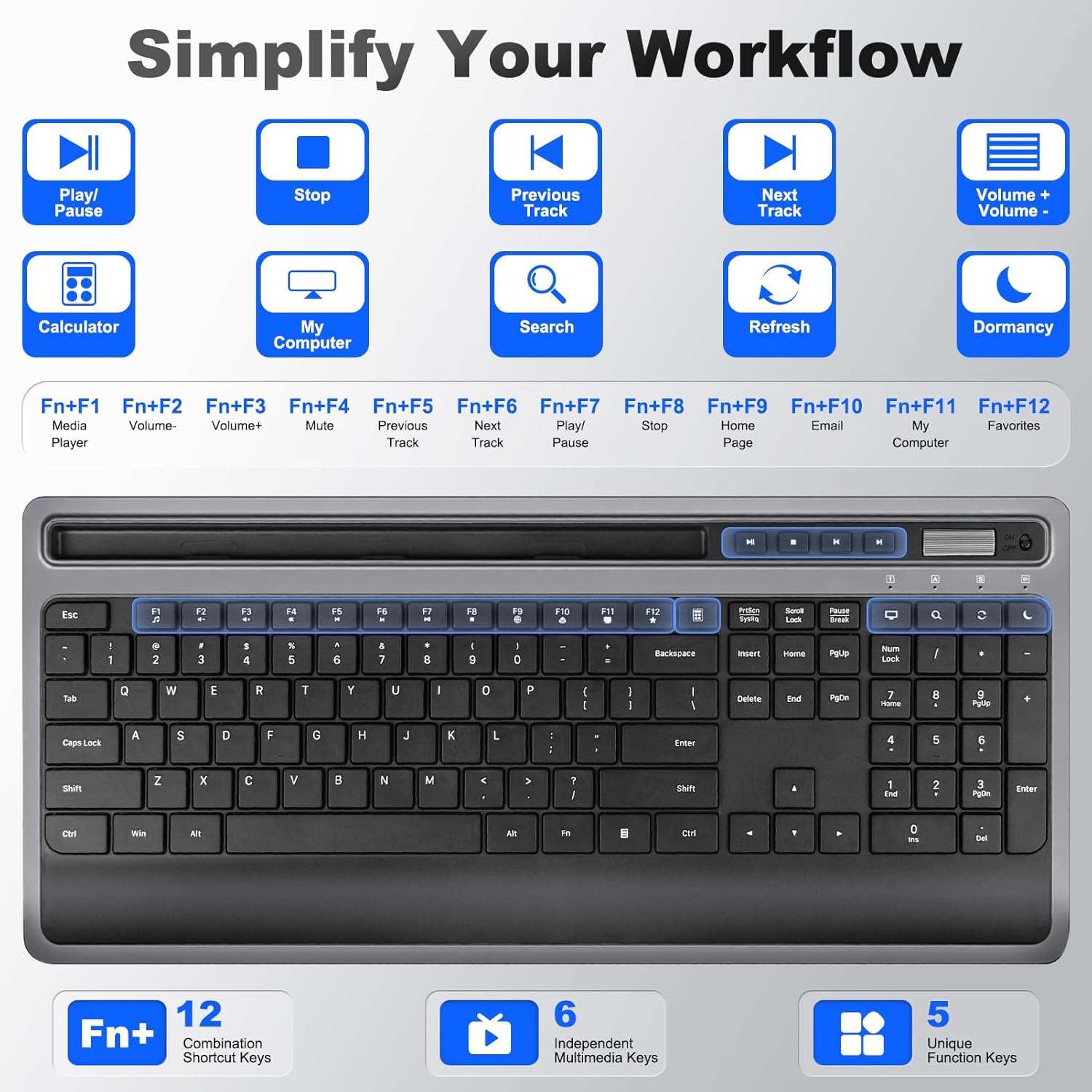
Imatge: Una imatge detallada view of the keyboard, illustrating the dedicated multimedia keys and the various functions accessible via the 'Fn' key combinations (F1-F12).

Image: A user operating the keyboard, with a smartphone and tablet placed in the integrated holder, demonstrating its utility for multitasking.
Imatge: Un primer pla view of the integrated phone/tablet holder on the keyboard, showing a tablet securely placed within the slot.
Funcions del ratolí
The silent 6-button mouse offers precise control and quiet operation.
- Botons: Left Click, Right Click, Scroll Wheel, DPI Adjustment, Forward, Back.
- Ajust de DPI: Cycle through DPI settings (800, 1200, 1600) to adjust cursor sensitivity.
- Clics silenciosos: Designed for quiet operation, minimizing distractions.

Imatge: Una explosió view diagram of the mouse, labeling its six buttons (Left, Right, Scroll Wheel, DPI, Forward, Back) and indicating the adjustable DPI settings (800, 1200, 1600).
Compatibilitat
This combo is broadly compatible with various operating systems and devices:
- Windows
- macOS
- iOS
- Android
- Chrome OS
Compatible devices include desktops, laptops, tablets, Macbook, Personal Computer, Surface, and iMac.
Image: A graphic displaying the logos of Windows, Chrome OS, Mac OS, iOS, and Android, signifying the broad operating system compatibility of the keyboard and mouse combo.
Mode de repòs automàtic
To conserve battery life, both the keyboard and mouse feature an auto-sleep mode. If inactive for a period (e.g., 5 minutes), they will enter a low-power state. To wake them up, simply press any key on the keyboard or move/click the mouse.
Manteniment
Neteja
Per netejar el teclat i el ratolí:
- Assegureu-vos que els dos dispositius estiguin apagats.
- Utilitzeu un drap suau i sense pelusa lleugerament dampamb aigua o una solució de neteja suau.
- Eviteu la humitat excessiva i no ruixeu productes de neteja directament sobre els dispositius.
- For crevices, use compressed air or a soft brush.
Canvi de bateria
When the devices become unresponsive or exhibit intermittent connectivity, it may be time to replace the batteries. Follow the battery installation steps in the Setup section.
Resolució de problemes
- Sense connexió/No respon:
- Assegureu-vos que les bateries estiguin instal·lades i carregades correctament.
- Verify both keyboard and mouse are switched ON.
- Assegureu-vos que el receptor USB estigui ben connectat a un port USB que funcioni. Proveu-ho amb un altre port USB.
- Move the devices closer to the receiver to rule out interference.
- Reinicieu l'ordinador o el dispositiu.
- Lagging/Delayed response:
- Canvieu les piles si estan baixes.
- Reduir la distància entre els dispositius i el receptor.
- Avoid using the devices on metallic surfaces, which can interfere with the wireless signal.
- Cursor del ratolí erràtic:
- Netegeu el sensor del ratolí a la part inferior.
- Feu servir el ratolí sobre una superfície neta i no reflectant o sobre una alfombrilla de ratolí.
- Adjust DPI settings if the cursor is too fast or too slow.
Especificacions
| Dimensions del producte | 11.2 x 5.2 x 0.7 polzades (teclat) |
| Pes de l'article | 2.18 lliures |
| Tecnologia de connectivitat | 2.4G Wireless (USB-A, USB-C) |
| Característiques especials | Ergonomic design, USB-C compatible, Volume Roller, Wrist Rest, Phone Holder |
| Dispositius compatibles | Macbook, Personal Computer, Surface, iMac, Windows, macOS, iOS, Android, Chrome OS |
| Configuració de DPI del ratolí | 800, 1200, 1600 |
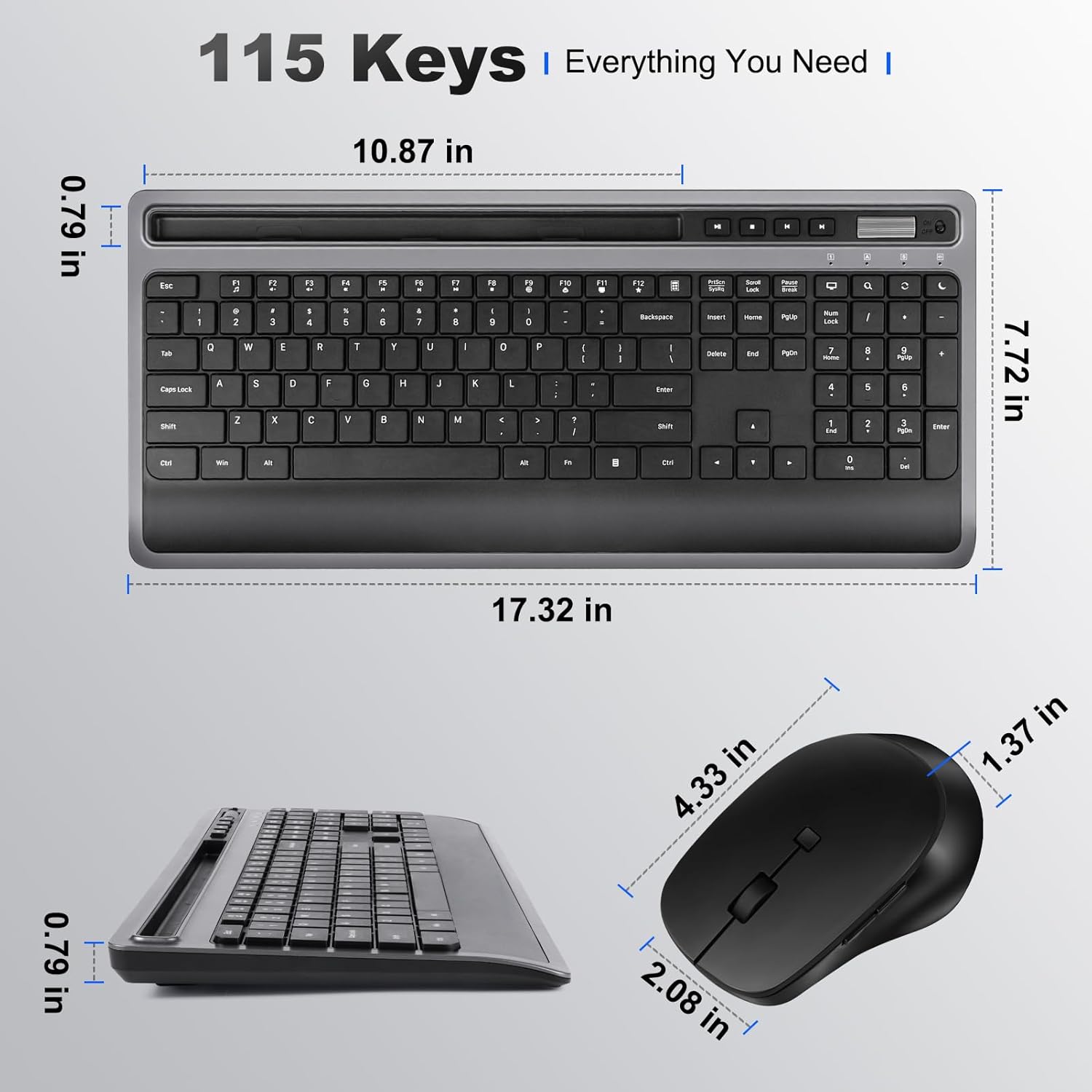
Image: Technical drawing illustrating the precise dimensions of both the keyboard and the mouse.
Informació de la garantia
Please refer to the product packaging or the seller's information for specific warranty details. Typically, products come with a limited warranty covering manufacturing defects from the date of purchase.
Suport
For further assistance or technical support, please contact the seller directly through your purchase platform or refer to the contact information provided on the product packaging.