
Alta Labs S12
Alta Labs S12 12-Port SFP+ Distribution Switch
Manual d'usuari
1. Introducció
The Alta Labs S12 is a high-performance 12-port SFP+ distribution switch designed for demanding enterprise and commercial network environments. It offers flexible connectivity options and advanced management features to ensure secure and efficient traffic handling.
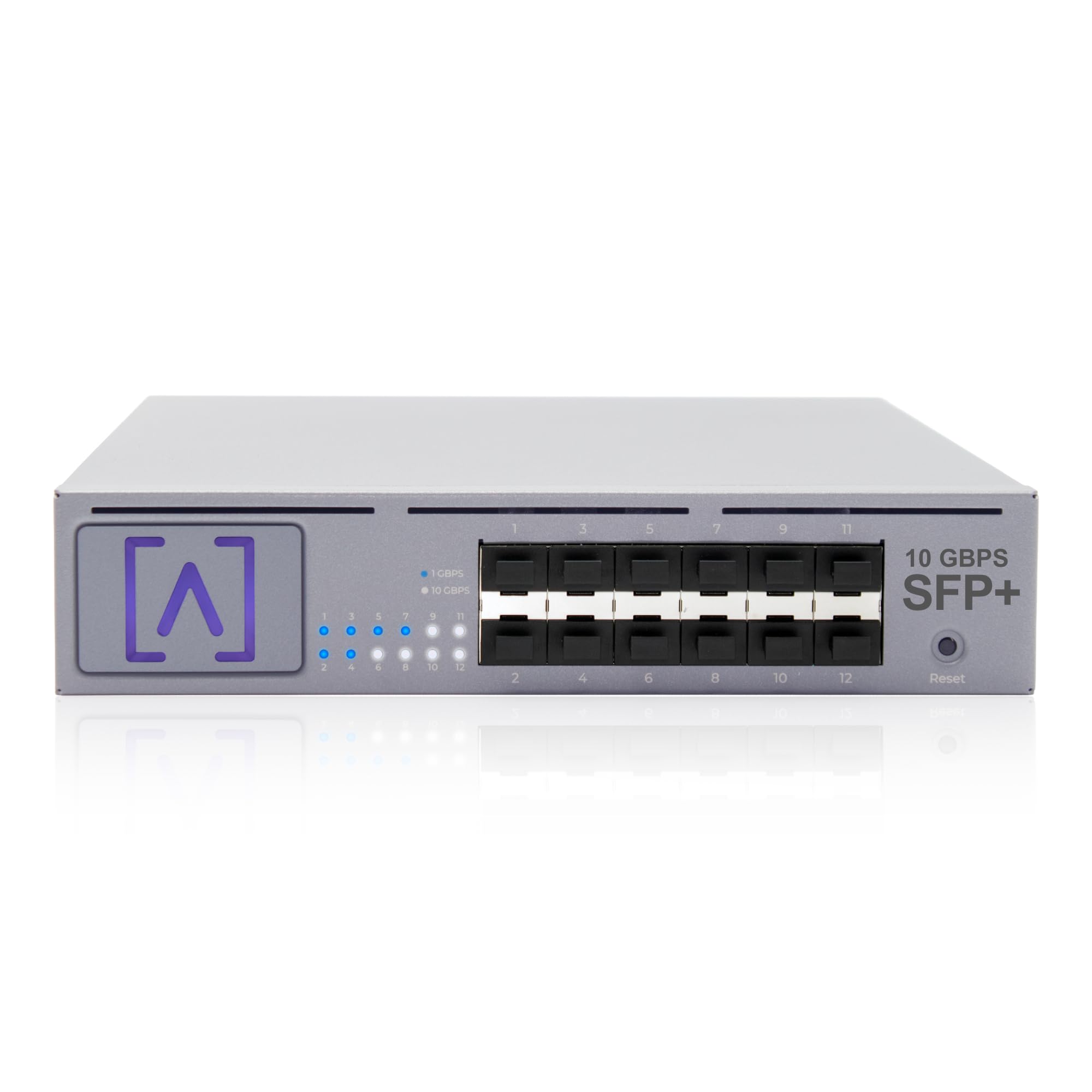
Figure 1: Alta Labs S12 12-Port SFP+ Distribution Switch.
Característiques principals:
- High-Speed 10 Gbps Networking: Equipped with twelve SFP+ ports supporting 1/2.5/5/10 Gbps, the S12 delivers ultra-fast throughput.
- Enterprise-Grade Switching Performance: Features advanced VLAN stacking, egress and ingress rate limiting, and 802.1X authentication.
- Smart Cloud & Local Management: Seamlessly manage the S12 through the Alta Labs Cloud interface or locally with Alta Control software.
- Simplified Installation & Setup: Bluetooth connectivity allows quick setup from the Alta Labs mobile app. Includes rack and wall mounting hardware.
- Intelligent Network Optimization: Supports IGMP snooping and QoS prioritization for smooth data streaming, video surveillance, and VoIP.
- Designed for Large-Scale Deployments: Ideal for enterprise, hospitality, education, and commercial sites requiring reliable high-bandwidth distribution.
2. Contingut del paquet
Verifiqueu que tots els elements siguin presents al vostre paquet:
- Alta Labs S12 Distribution Switch
- Guia d'inici ràpid
- Cable d'alimentació
- Hardware Kit (includes rack ears, screws, and rack studs duo)
Vídeo 1: Desempaquetatge i primera impressióview of the Alta Labs S12 Distribution Switch.
3. Sobrecàrrega físicaview
Panell frontal:
The front panel features twelve SFP+ ports, each capable of 1, 2.5, 5, or 10 Gbps speeds. Adjacent to each port are LED indicators providing status information.
- Port LED (Off): Link is off or down.
- Port LED (Blue): Indicates a 1 Gbps link speed.
- Port LED (White): Indicates a 10 Gbps link speed.
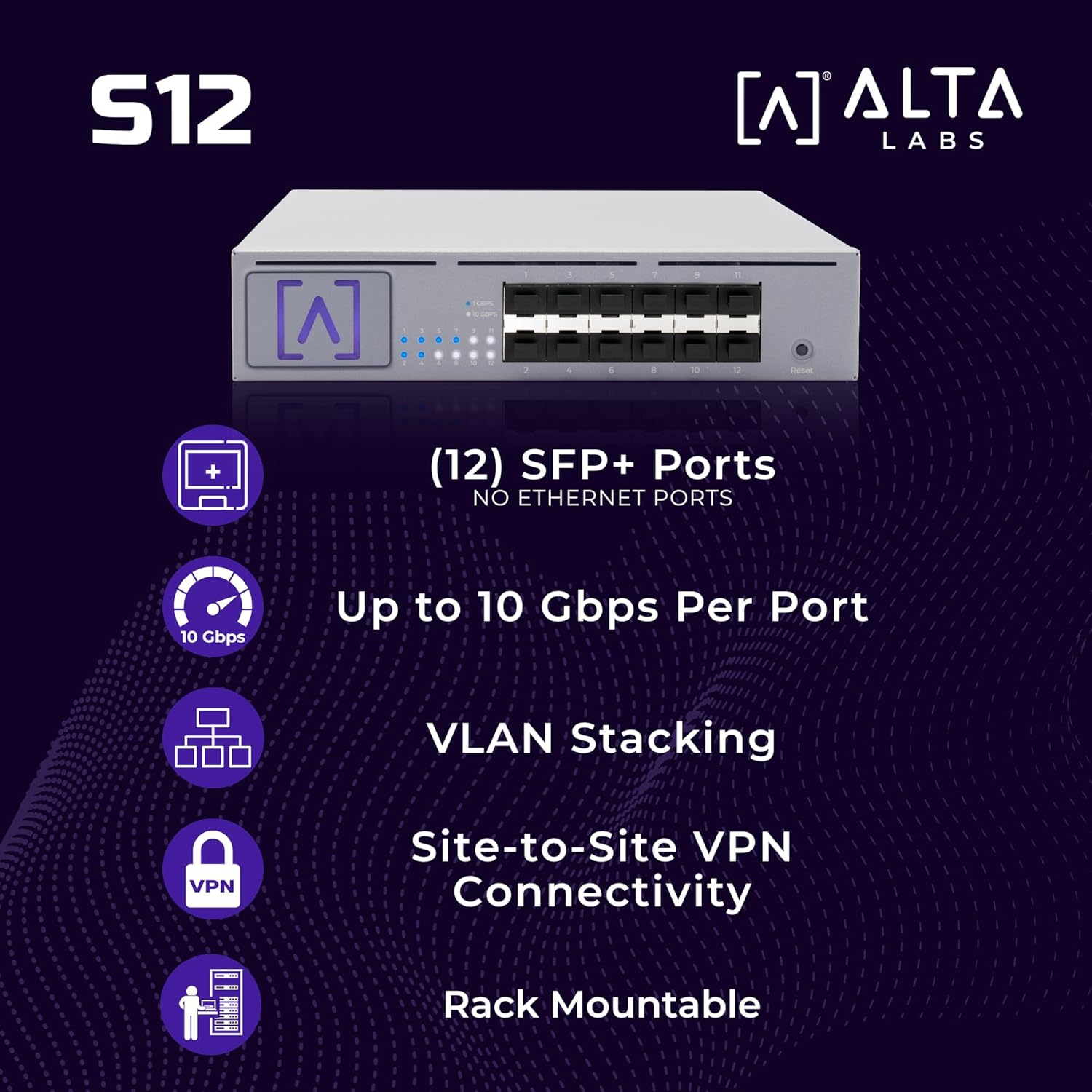
Figure 2: Front panel of the S12 switch with SFP+ ports and status LEDs.
Panell posterior:
The rear panel includes the power input and a cooling fan for optimal thermal management.

Figure 3: Rear panel of the S12 switch.
4. Instal·lació
The Alta Labs S12 offers versatile installation options, including rack mounting and wall mounting.
4.1 Muntatge en bastidor
The S12 is designed to fit comfortably in a 1U rack space. Use the included rack ears and screws for installation.
- Attach the long rack ear to one side of the S12 to position it on either the left or right side of your rack.
- For side-by-side installation of two S12 units in a single 1U rack space, use the optional bracket (not included) between the two S12s and two short rack ears on the outside of each S12.

Figure 4: Rack mounting options for the S12 switch.
4.2 Muntatge a la paret
To wall mount the S12, install the rack ears so they face either the top or bottom of the unit. Secure the unit to the wall using appropriate fasteners (not included).

Figura 5: Example of the S12 switch wall mounted.
5. Configuració i configuració
Follow these steps to set up your Alta Labs S12 switch:
- Encès: Connect the power cord to the S12 and a power outlet.
- Connexió de xarxa: Connect the S12 to your router or existing network switch with an internet connection using an SFP+ module and compatible cable.
- Configuració de l'aplicació mòbil: Download the Alta Labs mobile app. Leverage the built-in Bluetooth radio for easy adoption and initial configuration.
- Cloud/Local Management: Manage the S12 from anywhere using the Alta Labs Cloud interface or locally with Alta Control software.

Figure 6: Alta Labs mobile application for simplified setup and management.
6. Funcionament de l'interruptor
The Alta Labs S12 provides robust features for optimizing network performance and security.
6.1 High-Performance Connectivity
Each of the twelve SFP+ ports supports flexible speeds of 1, 2.5, 5, or 10 Gbps, allowing for high-capacity fiber or copper connections. This ensures ultra-fast data transfer for demanding applications.

Figure 7: The S12 switch providing high-performance connectivity.
6.2 Funcions de xarxa avançades
- VLAN Stacking: Configure VLANs to segment network traffic and enhance security.
- Egress/Ingress Rate Limiting: Control bandwidth usage on specific ports to prevent network congestion.
- 802.1X Authentication: Implement robust port-based network access control.
- Snooping IGMP: Optimize multicast traffic delivery, crucial for video streaming and VoIP.
- QoS Prioritization: Prioritize critical network traffic to ensure consistent performance for sensitive applications.
6.3 Site-to-Site VPN Connectivity
Utilize a pair of S12 Distribution Switches with Alta Labs Route10 10 Gbps routers for high-speed site-to-site VPN connections, enabling secure and efficient communication between geographically dispersed locations.

Figure 8: Diagram illustrating site-to-site VPN connectivity using S12 switches.
7. Especificacions
| Característica | Descripció |
|---|---|
| Marca | Alta Labs |
| Número de model | S12 |
| Nombre de Ports | 12 |
| Interfície | SFP+ |
| Velocitat de transferència de dades | 1/2.5/5/10 Gbps per Port (240 Gbps total switching capacity) |
| Tipus de canvi | Gestionat |
| Components inclosos | Switch, Quick Start Guide, Power Cord, Hardware Kit (rack ears, screws, rack studs duo) |
| Dispositius compatibles | Escriptori, portàtil, servidor |
| Consum màxim d'energia | 35 watts |
| Classificació de temperatura superior | 40 graus centígrads |
| Dimensions de l'article (L x A x A) | 13.03 cm de llargada x 9.01 cm d'amplada x 1.73 cm d'alçada |
| Color | Negre |
8. Manteniment
To ensure optimal performance and longevity of your Alta Labs S12 switch, consider the following maintenance guidelines:
- Actualitzacions de firmware: Regularly check for and apply firmware updates through the Alta Labs Cloud interface or Alta Control software to benefit from the latest features and security enhancements.
- Condicions ambientals: Ensure the switch is operated within its specified temperature range (up to 40°C) and in a well-ventilated area to prevent overheating.
- Neteja: Keep the device free from dust and debris. Use a soft, dry cloth for cleaning. Avoid liquid cleaners.
- Gestió de cables: Maintain organized cabling to prevent accidental disconnections and improve airflow around the device.
9. Solució De Problemes
If you encounter issues with your Alta Labs S12 switch, refer to the following common troubleshooting steps:
- Sense energia: Assegureu-vos que el cable d'alimentació estigui connectat correctament tant a l'interruptor com a una presa de corrent que funcioni. Verifiqueu que la presa de corrent estigui activa.
- Sense llum d'enllaç: Check that the SFP+ module is correctly inserted and the network cable is securely connected at both ends. Confirm the connected device is powered on and functioning.
- Velocitat de connexió lenta: Verify that the SFP+ module and connected device support the desired speed (1/2.5/5/10 Gbps). Check cable quality and length specifications.
- Unable to Access Management Interface: Ensure the switch has an active internet connection (for cloud management) or is on the same local network as your management device (for local control). Check network settings and firewall configurations.
- El dispositiu no respon: Perform a soft reset by power cycling the device. If the issue persists, locate the reset button on the front panel and use a paperclip to press and hold it for 5-10 seconds to restore factory defaults (note: this will erase all configurations).
For more detailed troubleshooting or persistent issues, please contact Alta Labs Support.
10. Informació de la garantia
The Alta Labs S12 Distribution Switch comes with a garantia limitada de dos anys. Please retain your proof of purchase for warranty claims. For full details regarding warranty terms and conditions, visit the official Alta Labs weblloc.
11. Suport
For technical assistance, product inquiries, or additional resources, please visit the Alta Labs official weblloc web o poseu-vos en contacte amb el nostre equip d'assistència:
- Oficial Weblloc: www.altalabs.com
- Portal de suport: Refer to the support section on our website for FAQs, documentation, and contact options.
- Botiga Amazon: Visit the Alta Labs Store on Amazon
Ask a question about this manual
Ask about setup, troubleshooting, compatibility, parts, safety, or missing instructions. Manuals+ will review the question and use this page’s manual context to help answer it.