
Generic TT01 Selfie Stick Tripod User Manual
Model: TT01
1. Introducció
Thank you for choosing the Generic TT01 Selfie Stick Tripod. This device combines the functionality of a selfie stick and a tripod, offering convenience and versatility for capturing photos and videos. It features an automatic pop-up tripod, a remote control, and an adjustable aluminum alloy shaft. Please read this manual carefully before use to ensure proper operation and to maximize your experience with the product.
2. Producte acabatview
The TT01 is designed for ease of use and portability. Its integrated design allows for quick transitions between selfie stick and tripod modes. The remote control provides wireless shutter functionality, enhancing your ability to take group photos or stable shots.
Característiques principals:
- Automatic Pop-up Tripod: The tripod legs automatically deploy when the stick is placed on a flat surface.
- Integrated Remote Control: Detachable Bluetooth remote for convenient photo and video capture.
- Aluminum Alloy Shaft: Lightweight yet durable construction for stability.
- Alçada ajustable: Extends up to 1.77 meters (77 centimeters) for various shooting angles.
- Disseny multifuncional: Seamlessly switches between selfie stick and tripod modes.

Image: The TT01 Selfie Stick Tripod shown both in its retail packaging and as a standalone unit, highlighting its compact design.

Image: A display of the TT01 product from multiple angles, including a close-up of the remote control, demonstrating its design and features.
3. Contingut del paquet
Si us plau, comproveu el paquet per veure si hi ha els elements següents:
- 1x TT01 Selfie Stick Tripod
- 1x Remote Control (CR1632 battery included)
- 1 x manual d'usuari
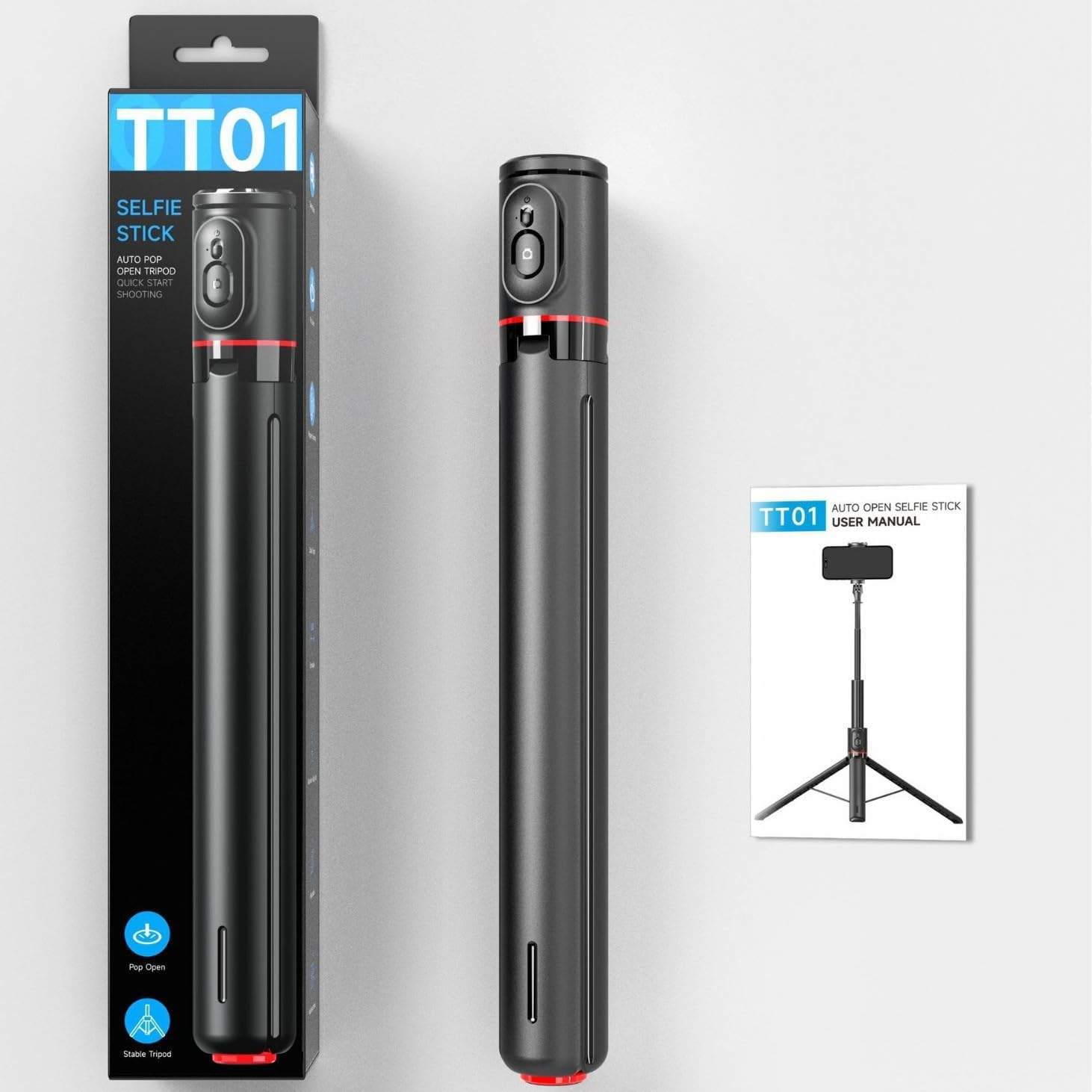
Image: The TT01 Selfie Stick Tripod alongside its packaging and a graphic representation of the user manual, indicating included items.
4. Configuració
4.1 Desplegament del trípode
- Hold the selfie stick vertically.
- Place the base of the stick firmly on a flat, stable surface. The tripod legs will automatically pop out and stabilize the device.

Image: Illustration showing the automatic pop-up mechanism of the tripod legs when the device is placed down, contrasting with manual opening.
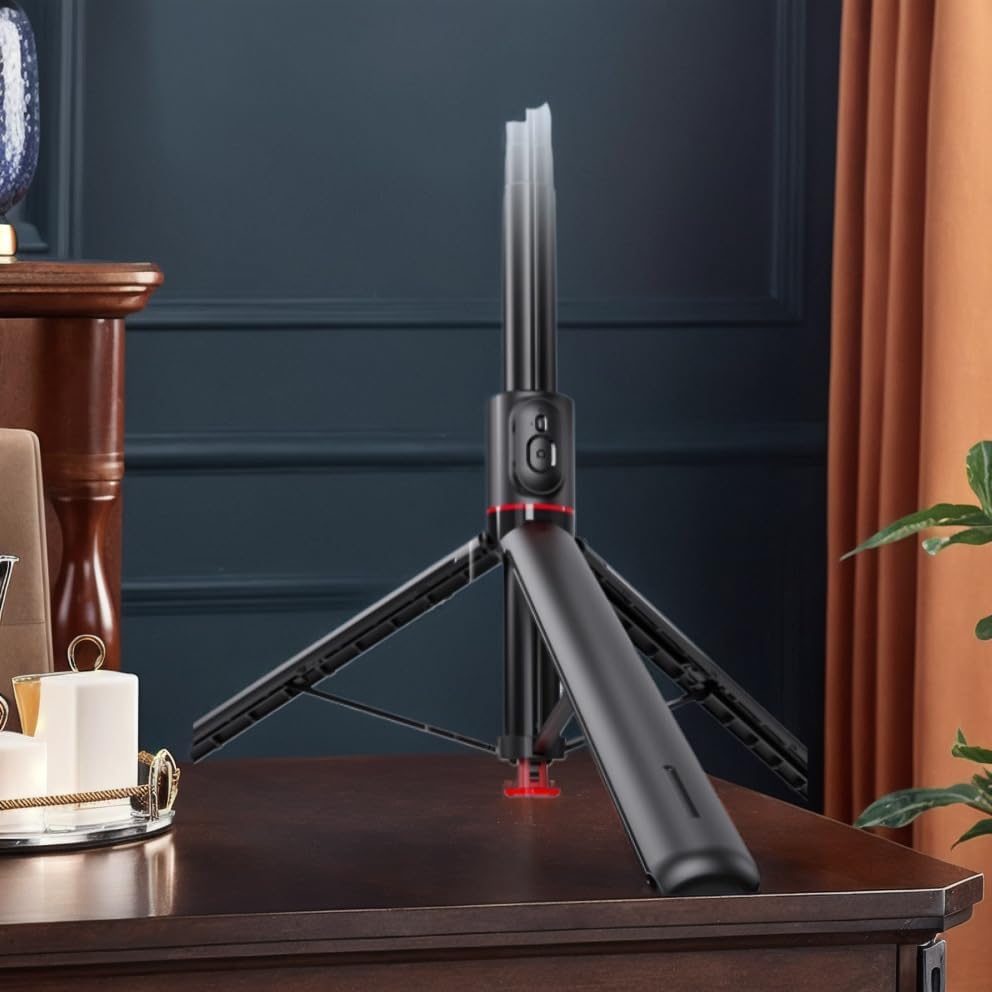
Image: The TT01 Selfie Stick Tripod deployed on a table, demonstrating its stability in tripod mode.
4.2 Estendre el pal de selfie
- Gently pull the top section of the stick upwards to extend the aluminum alloy shaft.
- Extend to your desired height, up to 1.77 meters. Ensure all sections are securely locked in place.

Image: The TT01 Selfie Stick Tripod fully extended to 1.77 meters, illustrating its maximum height capability and the pop-up tripod base.
4.3 Muntatge del telèfon intel·ligent
- Obre el telèfon clamp at the top of the stick.
- Col·loca amb cura el teu telèfon intel·ligent a la tapa.amp, assegurant-se que estigui ben subjectat. El clamp distance supports phones between 60-95mm width.
- Ajusteu l'angle del suport del telèfon segons calgui.
4.4 Emparellament del control remot
- The remote control is located on the handle of the selfie stick. Gently slide it out to detach.
- Press and hold the button on the remote control until the indicator light starts flashing, indicating it is in pairing mode.
- Al teu telèfon intel·ligent, vés a la configuració de Bluetooth i busca els dispositius disponibles.
- Select "TT01" (or similar name) from the list to pair. The indicator light on the remote will stop flashing once successfully paired.
- The remote control is compatible with Android 5.0+ and iOS 5.0+ devices.
5. Instruccions de funcionament
5.1 Taking Photos/Videos with Remote Control
- Assegureu-vos que el telèfon intel·ligent estigui ben muntat i que el comandament a distància estigui emparellat.
- Obre l'aplicació de càmera del teu telèfon intel·ligent.
- Press the button on the remote control to trigger the shutter and take a photo or start/stop video recording.
5.2 Switching Between Selfie Stick and Tripod Modes
- Mode de pal de selfie: Hold the handle firmly and extend the shaft to your desired length.
- Mode trípode: Place the base on a flat surface to deploy the tripod legs. Adjust the height by extending the shaft.

Image: The TT01 Selfie Stick Tripod in use, demonstrating its application for both video instructions and creative low-angle shots.
6. Manteniment
- Neteja: Netegeu el dispositiu amb un drap suau i sec. No utilitzeu productes químics agressius ni netejadors abrasius.
- Emmagatzematge: Store the selfie stick tripod in a cool, dry place when not in use.
- Substitució de la bateria (control remot): The remote control uses a CR1632 battery. To replace, gently pry open the remote control casing, traieu la pila antiga i inseriu-ne una de nova CR1632 amb la polaritat correcta.
- Eviteu l'aigua: Aquest dispositiu no és impermeable. Eviteu l'exposició a l'aigua o a una humitat elevada.
7. Solució De Problemes
- El comandament a distància no es vincula:
- Assegureu-vos que la pila del comandament a distància no estigui esgotada. Substituïu-la si cal.
- Assegureu-vos que el Bluetooth estigui habilitat al vostre telèfon intel·ligent.
- Restart both your smartphone and the remote control (by removing and reinserting the battery).
- Assegureu-vos que no hi hagi altres dispositius Bluetooth que interfereixin.
- Selfie Stick Not Extending/Retracting Smoothly:
- Check for any obstructions or debris in the shaft sections.
- Do not force the extension; apply gentle, even pressure.
- Tripod Legs Not Deploying Automatically:
- Ensure the base is placed firmly and flat on a surface.
- Check for any damage or obstruction to the automatic deployment mechanism.
8. Especificacions
| Paràmetre | Valor |
|---|---|
| Model | TT01 |
| Material | ABS + aliatge d'alumini |
| Telèfon Clamp Distància | 60-95 mm |
| Bateria de control remot | CR1632 (replaceable, included) |
| Compatibilitat | Android 5.0+/iOS 5.0+ |
| Mida plegada | 338.5 x 46.5 x 40.6 mm (approx. 36 x 8 x 5 cm for parcel) |
| Altura màxima | 1.77 meters (77 centimeters) |
| Pes del producte | 430g (approx. 500g with packaging) |
| Fabricant | Genèric |
| País d'origen | Xina |
9. Garantia i Suport
Aquest producte ve amb un Garantia limitada d'1 any. For warranty claims or technical support, please contact your retailer or the manufacturer directly with your purchase details.
For returns, please refer to the retailer's return policy, which typically allows for refunds or replacements within 30 days of purchase.


