
1. Introducció
Welcome to the NIMO N15A 15.6" Laptop User Manual. This guide provides essential information for setting up, operating, maintaining, and troubleshooting your new laptop. Please read this manual thoroughly to ensure optimal performance and longevity of your device.

Figure 1: NIMO N15A 15.6" Laptop
2. Informació de seguretat
To prevent damage to your NIMO N15A laptop and ensure your safety, please observe the following guidelines:
- Use only original chargers and regularly inspect cables for any signs of damage.
- Handle the laptop by its base and consider using a protective case to prevent physical damage.
- Eviteu col·locar objectes pesats sobre l'ordinador portàtil.
- Ensure the laptop is placed on a hard, flat surface to allow for proper ventilation and prevent overheating.
- Keep the device away from extreme temperatures and moisture.
- Do not overcharge the battery. Discontinue use immediately if the battery shows signs of swelling or damage.
- Set strong passwords, keep your software updated, use antivirus protection, and regularly back up your data.
- En cas de vessament de líquid, desendolleu immediatament el portàtil i deixeu-lo assecar completament abans d'intentar encendre'l.
- For any issues, consult qualified professionals. Do not attempt to disassemble or repair the laptop yourself, as this may void the warranty and cause further damage.
3. Què hi ha a la caixa
Your NIMO N15A laptop package includes the following items:
- 1 x Portàtil NIMO N15A
- 1 x Carregador ràpid tipus C 100 W PD
- 1 x Manual d'usuari (aquest document)
- Windows 11 Home (pre-installed)
- Informació de garantia (2 anys de garantia, 90 dies de devolució)
Video 1: Unboxing and Initial Setup of the NIMO 15.6" Laptop. This video demonstrates the contents of the package and the first steps to power on the device.
4. Producte acabatview
4.1. Característiques físiques
The NIMO N15A laptop features a durable metal shell, combining a sleek aesthetic with robust protection. Its slim profile and lightweight design (3.75 lbs) make it highly portable.
4.2. Ports i connectivitat
The laptop is equipped with a variety of ports for versatile connectivity:
- Lector de targetes Micro SD
- Port USB 2.0
- USB 3.2 Ports (multiple)
- Conector d'auriculars
- Ranura de bloqueig de Kensington
- Port HDMI
- Type-C (Multifunction) Ports (multiple, supporting 100W PD fast charging)

Figure 2: High-Speed Interfaces and Ports
Video 2: NIMO Laptop Overview. This video highlights the laptop's design, display, camera, keyboard, and various ports.
5. Configuració
5.1. Engegada inicial
- Unpack your NIMO N15A laptop and all accessories from the box.
- Connect the 100W Type-C PD Fast Charger to the laptop's Type-C port and a power outlet.
- Obriu la tapa del portàtil. És possible que el portàtil s'encengui automàticament o que hàgiu de prémer el botó d'engegada.
- Seguiu les instruccions que apareixen a la pantalla per completar la configuració del Windows 11 Home, incloent-hi l'idioma, la regió, la connexió de xarxa i la creació del compte d'usuari.
5.2. Connexió a Wi-Fi
During the initial setup or at any time, you can connect to a Wi-Fi network:
- Feu clic a la icona Wi-Fi a la barra de tasques (a la cantonada inferior dreta de la pantalla).
- Seleccioneu la xarxa Wi-Fi que vulgueu de la llista.
- Introduïu la contrasenya de xarxa si se us demana i feu clic a "Connecta".
6. Com fer servir el portàtil
6.1. Visualització
The NIMO N15A features a 15.6" Full HD (1920x1080) IPS anti-glare display with an 85% screen-to-body ratio, providing clear and vibrant visuals for work, entertainment, and light gaming.
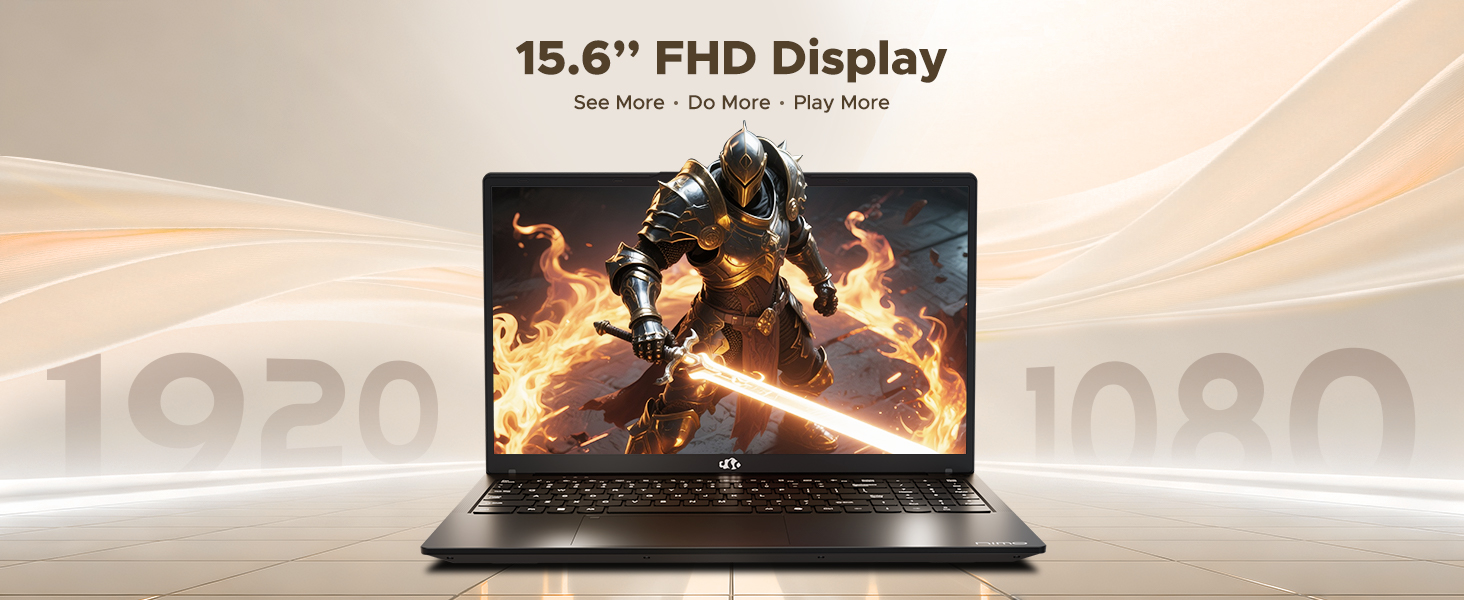
Figure 3: 15.6" FHD IPS Display
6.2. Teclat i touchpad
The laptop includes an ergonomic backlit keyboard for comfortable typing in various lighting conditions and a precision gesture touchpad for smooth navigation.
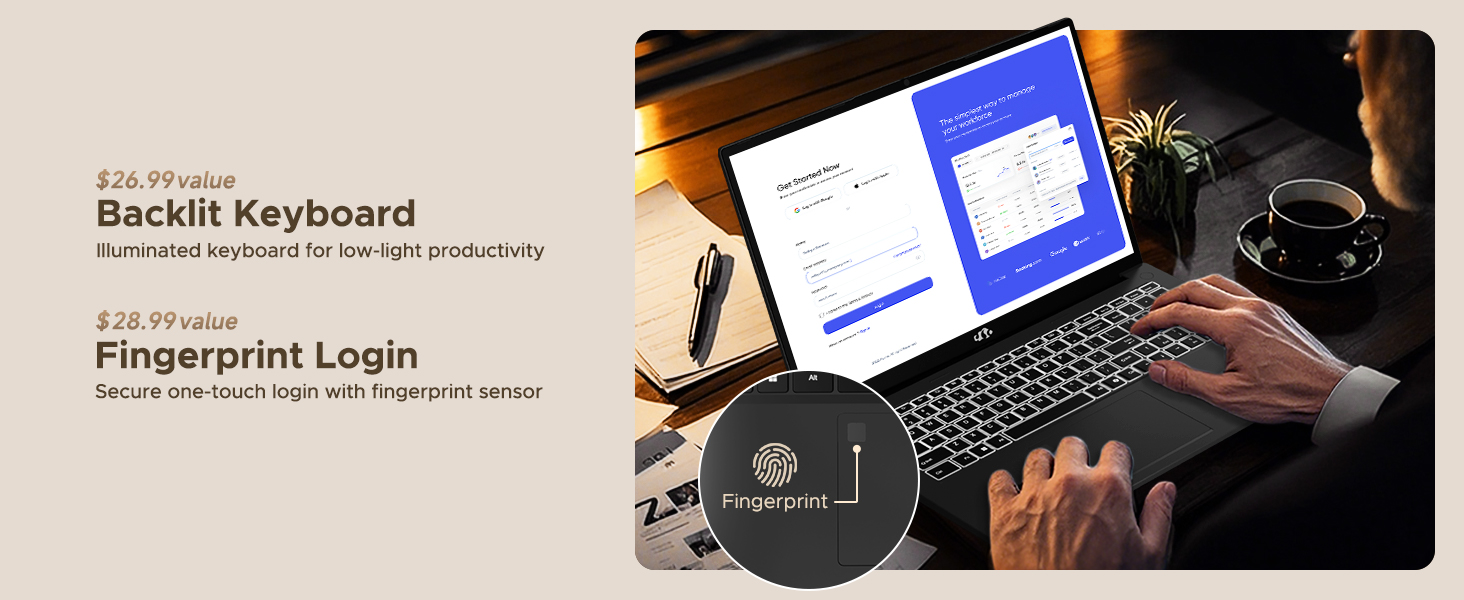
Figure 4: Backlit Keyboard and Fingerprint Sensor
6.3. Fingerprint Login
For enhanced security and convenience, the laptop features a fingerprint reader integrated into the touchpad. You can set up fingerprint login through Windows Settings for quick and secure access.
6.4. Càmera
The integrated 2MP front camera is suitable for video calls and online meetings. It includes a privacy shutter for when the camera is not in use.

Figure 5: Privacy-Focused Camera Convenience
6.5. Rendiment
Powered by the AMD Ryzen 7 Pro 6850U processor (8 cores, 16 threads, up to 4.7GHz) and AMD Radeon 680M GPU, the NIMO N15A delivers balanced performance for productivity, content creation, and light gaming.
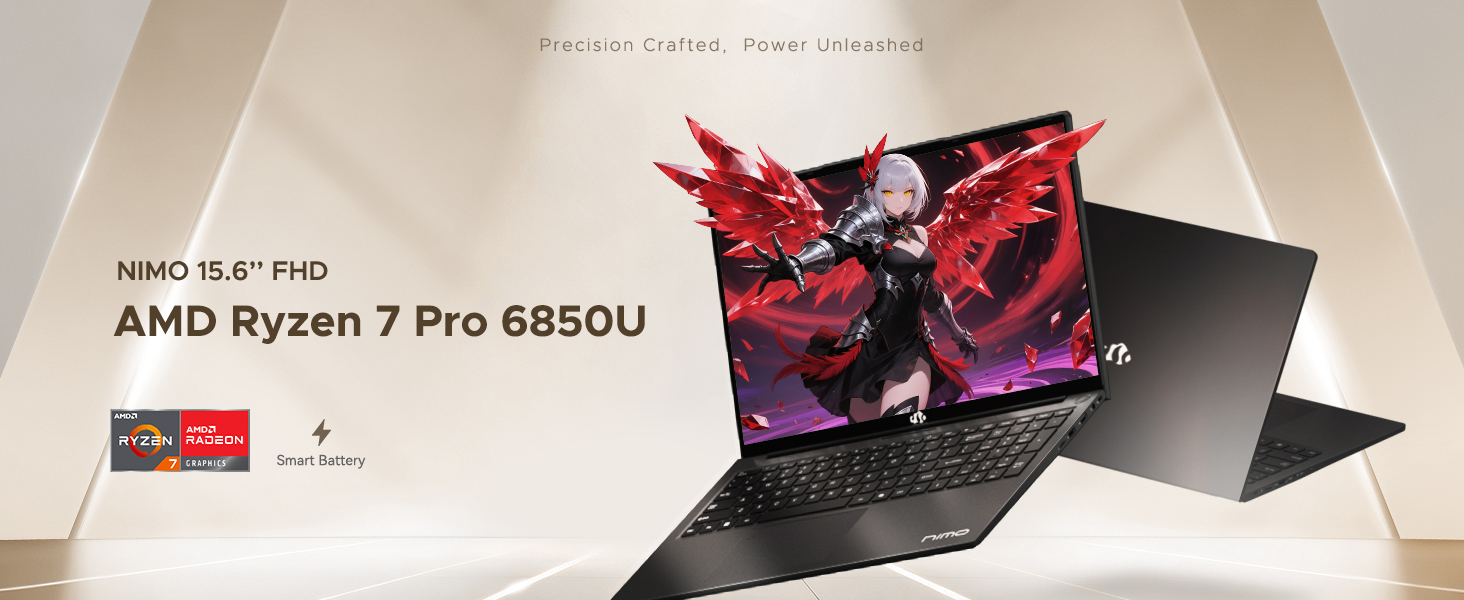
Figure 6: AMD Ryzen 7 Pro 6850U Processor Details
Video 3: NIMO Gaming Laptop Demonstration. This video showcases the laptop's performance in gaming and creative applications.
7. Càrrega i bateria
The NIMO N15A is equipped with a 53.58 Watt-Hour Lithium Polymer battery, offering up to 9 hours of typical use and 12.75 hours of standby time. It supports 100W USB-C PD fast charging, allowing for approximately 2 hours of use from just a 15-minute charge.
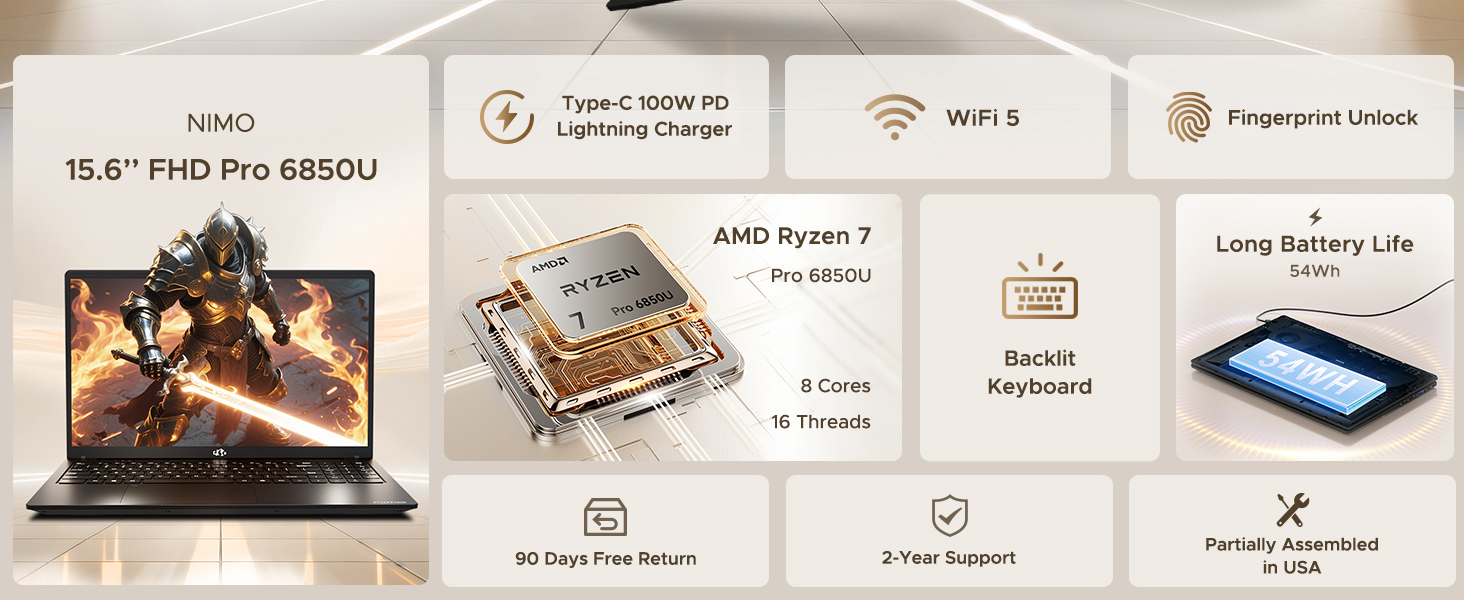
Figure 7: 100W USB-C Fast Charging
8. Emmagatzematge i memòria
The laptop features 16GB of lightning-fast LPDDR5 RAM (6400 MHz) for seamless multitasking and a pre-installed 1TB PCIe 4.0 SSD for rapid boot times and file transferències.
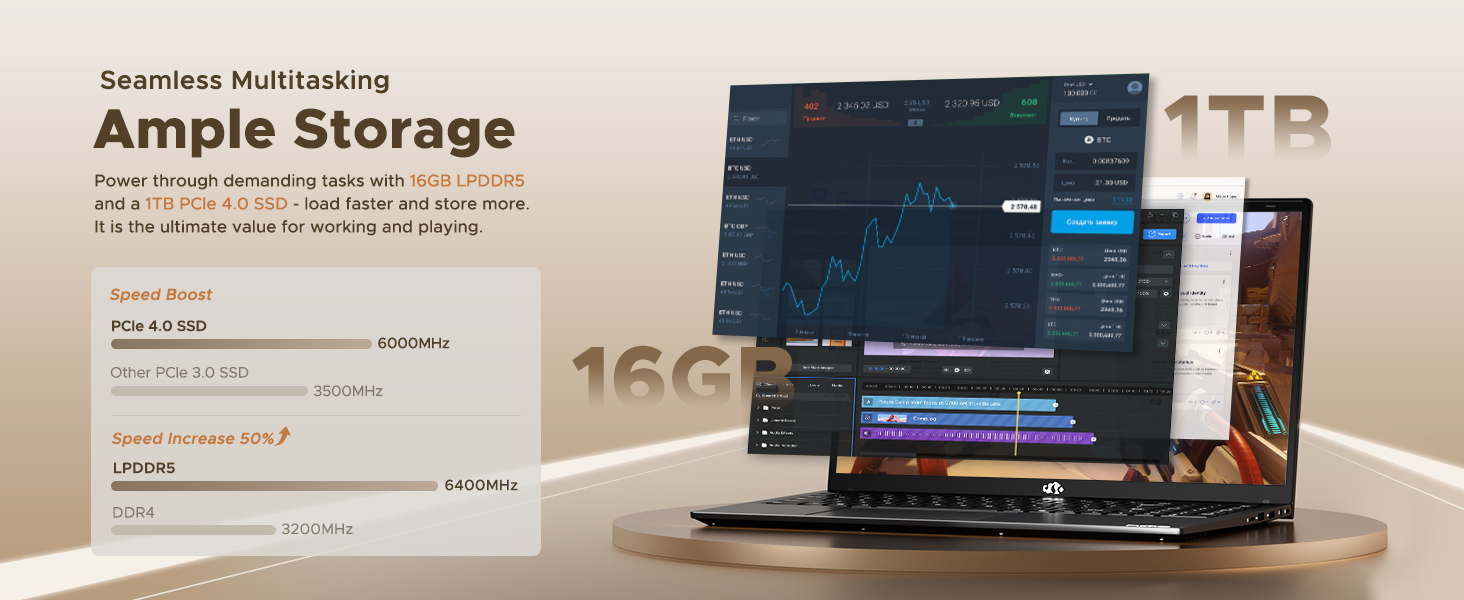
Figure 8: 16GB LPDDR5 RAM and 1TB PCIe 4.0 SSD
9. Manteniment
Regular maintenance helps ensure the longevity and optimal performance of your NIMO N15A laptop:
- Neteja: Feu servir un drap suau i sense borrissol per netejar la pantalla i l'exterior. Per a taques difícils, fregueu lleugeramentampNetegeu el drap amb aigua o un netejador de pantalles. Eviteu productes químics agressius.
- Actualitzacions de programari: Regularly install operating system and driver updates to ensure security and performance improvements.
- Ventilació: Keep the ventilation openings clear of obstructions to prevent overheating. Avoid using the laptop on soft surfaces like beds or couches for extended periods.
- Cura de la bateria: To prolong battery life, avoid fully discharging the battery frequently. If storing the laptop for a long time, charge it to about 50-60%.
- Còpia de seguretat de dades: Feu una còpia de seguretat periòdica dels vostres elements importants filea una unitat externa o a un emmagatzematge al núvol per evitar la pèrdua de dades.
10. Solució De Problemes
If you encounter issues with your NIMO N15A laptop, try the following basic troubleshooting steps:
- El portàtil no s'encén: Ensure the charger is securely connected and the power outlet is functional. Try a different outlet or charger if available.
- La pantalla està en blanc: Connect an external monitor to check if the display is the issue. If the external monitor works, the laptop's screen may require service.
- Rendiment lent: Close unnecessary applications, check for malware, ensure sufficient free storage space, and update drivers.
- Problemes de connectivitat Wi-Fi: Restart your router and modem. Ensure Wi-Fi is enabled on your laptop and try reconnecting to the network.
- El teclat o el touchpad no responen: Restart the laptop. If the issue persists, check for driver updates.
For more complex issues, please refer to the support section or contact NIMO customer service.
11. Especificacions
Below are the detailed specifications for the NIMO N15A laptop:
| Característica | Especificació |
|---|---|
| Marca | NIMO |
| Nom del model | NIMO N15A |
| Mida de la pantalla | 15.6 polzades |
| Resolució | 1920 x 1080 píxels (FHD IPS) |
| Color | Negre |
| Model de CPU | AMD Ryzen 7 Pro 6850U (8 nuclis, 16 fils de treball, fins a 4.7 GHz) |
| Coprocessador gràfic | AMD Radeon 680M (integrada) |
| Mida instal·lada de la memòria RAM | 16 GB de LPDDR5 (6400 MHz) |
| Mida del disc dur | 1024 GB (1TB PCIe 4.0 SSD) |
| Sistema operatiu | Windows 11 Home |
| Característiques especials | Teclat retroil·luminat, lector d'empremtes dactilars, àudio HD, teclat numèric |
| Tecnologia de connectivitat | Bluetooth, Wi-Fi (802.11a/b/g/n/ac) |
| Ports USB totals | 5 |
| Ports HDMI totals | 1 |
| Durada de la bateria | 9 Hours (typical use), 12.75 Hours (standby) |
| Contingut d'energia de la bateria | 53.58 watts-hora |
| Webcam Capability | Yes (2 MP Front Camera) |
| Pes de l'article | 3.75 lliures |
| Item Dimensions L x W x Thickness | 8.98 cm de llargada x 14.07 cm d'amplada x 0.76 cm de gruix |
12. Garantia i Suport
12.1. Informació de la garantia
El teu portàtil NIMO N15A inclou un Garantia del fabricant de 2 anys from NIMO Direct Inc. This warranty covers manufacturing defects and ensures peace of mind for your purchase.
12.2. Política de devolució
A Política de devolució sense complicacions de 90 dies is provided, allowing you to return the product if you are not completely satisfied.
12.3. Atenció al client
For any technical assistance, warranty claims, or support inquiries, please contact NIMO customer service. Our dedicated support team is ready to provide quick and effective assistance.
Please visit the official NIMO website or refer to the contact information provided with your product for the most up-to-date support details.