
1. Introducció
Gràcies per la compraasing the LG 27G411A UltraGear Gaming Monitor. This manual provides essential information for the safe and efficient use of your monitor. Please read it thoroughly before operating the product and retain it for future reference. This 27-inch Full HD (1920 x 1080) IPS display is designed for an immersive gaming experience, featuring a 144Hz refresh rate, 1ms Motion Blur Reduction (MBR), HDR10 support, and compatibility with NVIDIA G-Sync and AMD FreeSync technologies.
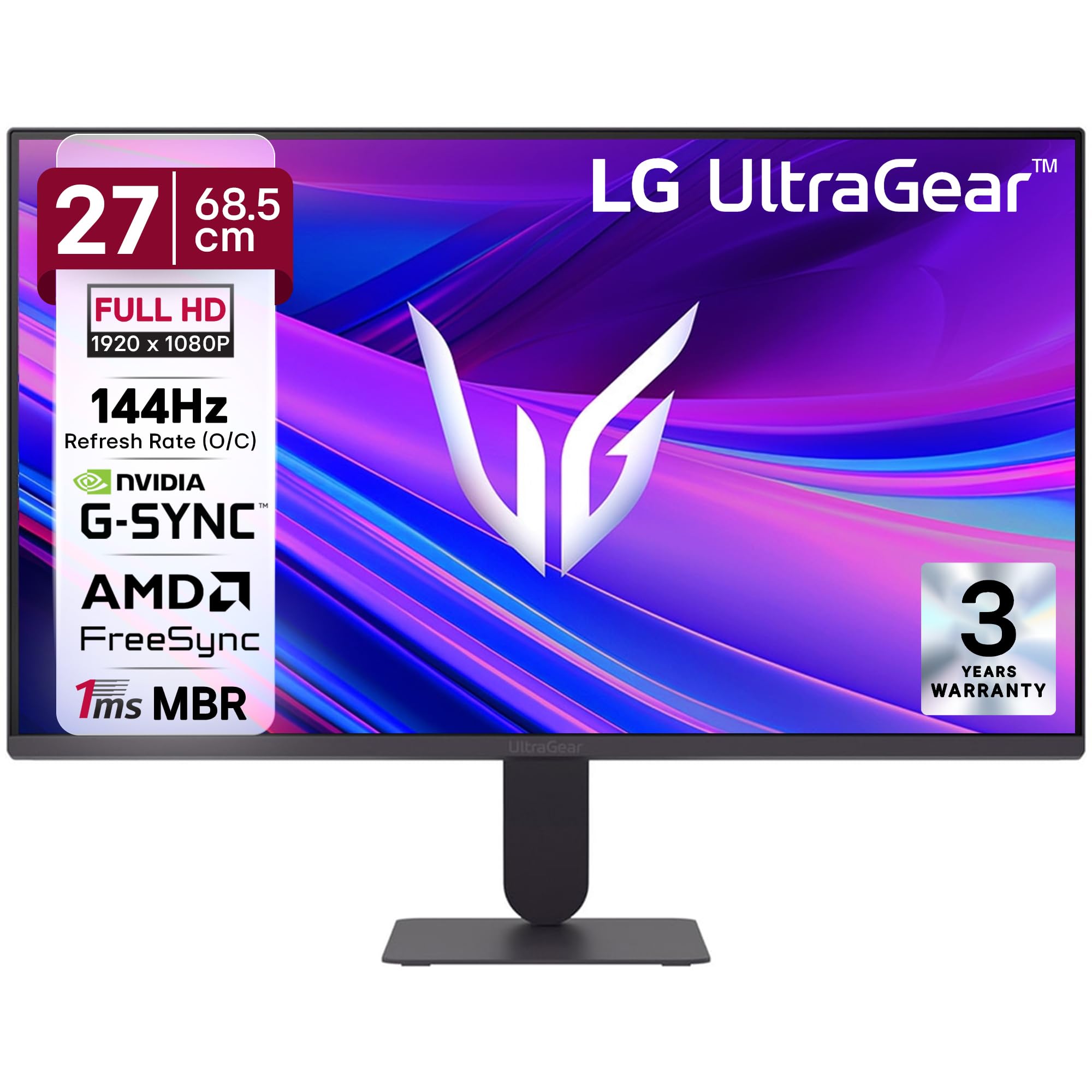
Figura 1: Frontal view of the LG 27G411A UltraGear Gaming Monitor.
2. Informació de seguretat
Observeu les següents precaucions de seguretat per evitar danys al producte o lesions a vosaltres mateixos o a altres persones.
- Potència: Use only the power cord and adapter supplied with the monitor. Do not overload power outlets.
- Col·locació: Place the monitor on a stable, level surface. Avoid direct sunlight, heat sources, and areas with high humidity or dust. Ensure adequate ventilation around the monitor.
- Manipulació: Do not drop the monitor or subject it to strong impacts. Avoid touching the screen with sharp objects.
- Neteja: Desconnecteu el cable d'alimentació abans de netejar. Feu servir un drap suau i sec. No utilitzeu netejadors líquids ni aerosols.
- Reparacions: No intenteu atendre aquest producte vosaltres mateixos. Consulteu tots els serveis a personal de servei qualificat.
3. Contingut del paquet
Verifiqueu que tots els elements siguin presents a la caixa del producte:
- LG 27G411A UltraGear Monitor
- Cable d'alimentació
- Cable HDMI
- Suport de monitor (base i coll)
- Manual d'usuari (aquest document)
4. Configuració
4.1 Muntatge del monitor
Follow these steps to assemble the monitor stand and attach it to the display panel.
- Carefully place the monitor face down on a soft cloth or cushion to prevent scratches.
- Attach the stand neck to the base, securing it with the captive screw.
- Align the assembled stand with the mounting slot on the back of the monitor panel and push until it clicks into place.
- Alternatively, the monitor supports VESA 100x100mm wall mounting. Remove the stand if using a wall mount.

Figure 2: Illustration of the monitor's ultra-slim design, tilt adjustment, and VESA wall mount compatibility.
4.2 Connexió del monitor
Connecteu els vostres dispositius al monitor mitjançant els cables adequats.
- Connexió d'alimentació: Connecteu el cable d'alimentació a l'entrada d'alimentació del monitor i després a una presa de corrent.
- Connexió HDMI: Use the supplied HDMI cable to connect your computer or gaming console to the HDMI port on the monitor.
- Connexió DisplayPort: For optimal performance, especially for 144Hz refresh rate, connect your computer to the DisplayPort (DP) on the monitor using a DisplayPort cable (not always included).
- Sortida d'auriculars: Connect headphones or external speakers to the 3-pole headphone out port for audio output.

Figura 3: posterior view of the monitor displaying the power input, HDMI, DisplayPort, and headphone out ports.

Figura 4: Detallada view of the DisplayPort (DP-IN), HDMI, and Headphone (HP) ports.
5. Instruccions de funcionament
5.1 Encès/Apagat
Press the joystick button located at the bottom center of the monitor to turn it on or off. A short press will bring up the OSD menu, while a long press will power off the monitor.
5.2 Menú de visualització en pantalla (OSD)
El menú OSD us permet ajustar diversos paràmetres del monitor. Feu servir el botó del joystick per navegar:
- Mou el joystick amunt/avall/esquerra/dreta per navegar per les opcions del menú.
- Premeu el joystick per seleccionar una opció o confirmar una configuració.
5.3 Modes d'imatge
The monitor offers several preset picture modes optimized for different content types:
- Personalitzat: Allows manual adjustment of all picture settings.
- Gamer1/Gamer2: User-configurable modes for gaming preferences.
- FPS/RTS: Optimized for First-Person Shooter and Real-Time Strategy games.
- Viu: Enhances color and contrast for general viewing.
- Lector: Redueix la llum blava per a una lectura còmoda.
- Efecte HDR: Simulates HDR content for non-HDR sources.
- Debilitat del color: Adjusts color settings to assist users with color vision deficiency.
5.4 Millores de joc
The LG 27G411A is equipped with features to enhance your gaming experience:
- 144Hz Refresh Rate & 1ms MBR: Experience fluid motion and reduced ghosting. The monitor supports a native 120Hz refresh rate and up to 144Hz in overclock mode via DisplayPort 1.4 (HDMI 2.0 supports up to 144Hz).
- AMD FreeSync & NVIDIA G-Sync Compatible: Sincronitza la freqüència d'actualització del monitor amb la freqüència d'imatges de la GPU per eliminar el trencament i les entrebancades de la pantalla.
- Estabilitzador negre: Brightens dark areas to help you spot enemies hiding in shadows.
- Sincronització d'acció dinàmica (DAS): Minimitza el retard d'entrada per a l'acció en temps real.
- Punt de mira: Col·loca una creu fixa al centre de la pantalla per millorar la punteria en jocs FPS.
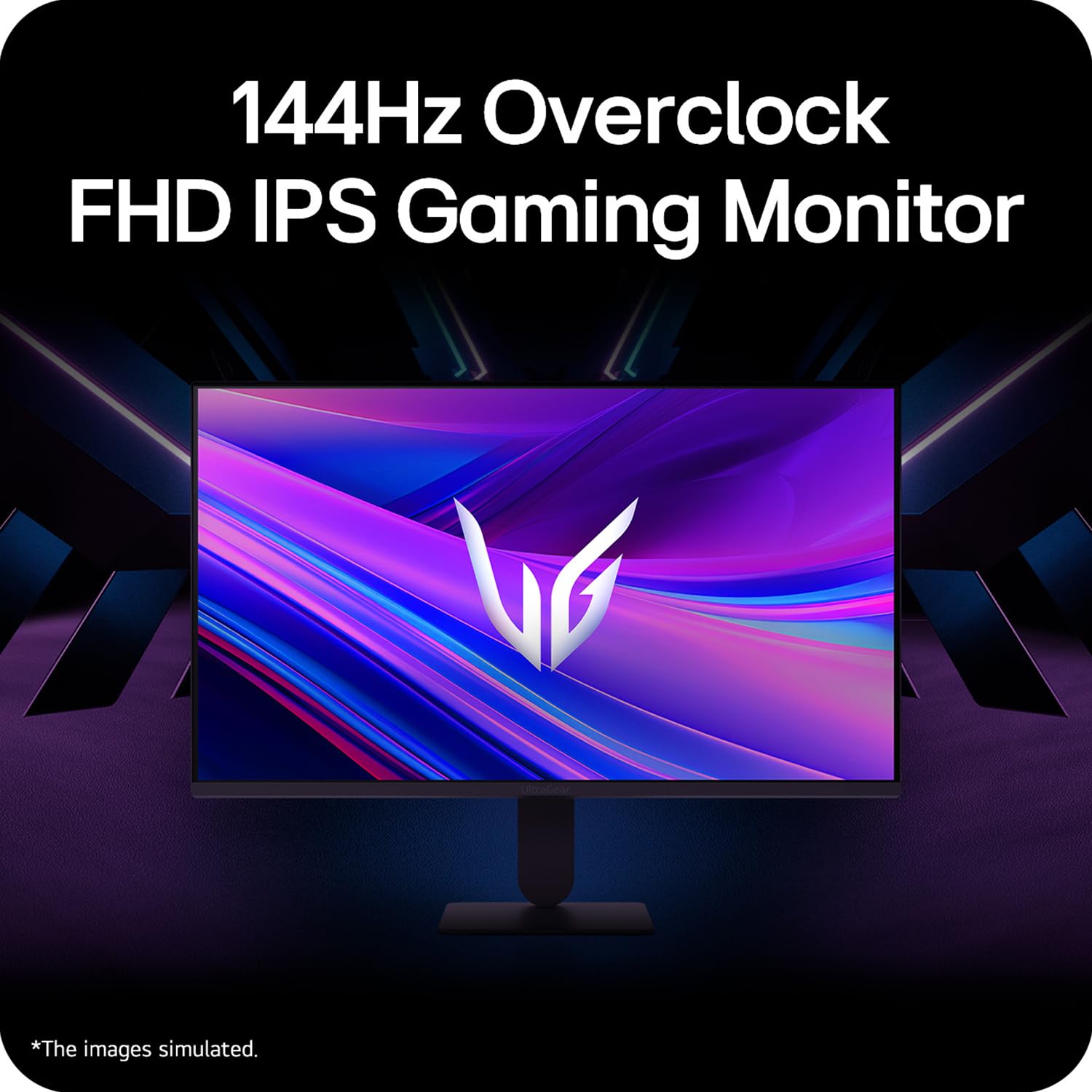
Figure 5: Visual representation of 144Hz overclock for fluid gaming motion.

Figure 6: Illustration of 1ms Motion Blur Reduction (MBR) for fast-paced gaming. Note: 1ms MBR causes lowered luminance and cannot be used with AMD FreeSync/DAS. Flicker may occur during 1ms MBR operation.

Figure 7: The monitor is certified compatible with NVIDIA G-Sync and AMD FreeSync technologies.

Figure 8: Precision Gaming Mode features: Dynamic Action Sync (DAS), Black Stabilizer, and Crosshair.
5.5 Eye-Care Features
To reduce eye strain during prolonged use, the monitor includes:
- Parpelleig segur: Reduces screen flicker to minimize eye fatigue.
- Mode lector: Adjusts color temperature and brightness to simulate paper, making it easier on the eyes for reading tasks.
- Debilitat del color: Provides color adjustments for users with color vision deficiencies.
5.6 Smart Convenience (LG Switch App)
The LG Switch app offers enhanced control and customization options for your monitor directly from your computer. Features include Dual mode, Smart screen split, Launch a video call, and Personalized Picture Wizard.

Figure 9: The LG Switch app provides smarter control and seamless switching between various display modes and settings.
6. Manteniment
6.1 Neteja del monitor
Per mantenir l'aspecte i el rendiment del monitor:
- Desendolleu sempre el monitor de la presa de corrent abans de netejar-lo.
- Feu servir un drap suau i sense borrissol per netejar suaument la pantalla i les superfícies exteriors.
- Per a marques difícils, esbandiu lleugeramentampNetegeu el drap amb aigua o un netejador de pantalles suau i no abrasiu. No ruixeu líquid directament sobre la pantalla.
- Avoid using benzene, alcohol, or other volatile solvents, as they may damage the monitor.
7. Solució De Problemes
Si teniu problemes amb el monitor, consulteu les solucions habituals següents:
| Problema | Possible causa/solució |
|---|---|
| Sense poder | Ensure the power cable is securely connected to the monitor and a working power outlet. Check if the power outlet is functional. |
| Sense senyal / Pantalla en blanc | Verify that the video cable (HDMI or DisplayPort) is securely connected to both the monitor and your computer/device. Ensure the correct input source is selected in the OSD menu. Check if the computer is powered on and not in sleep mode. |
| Imatge parpellejant o distorsionada | Check the video cable for damage or loose connections. Try a different video cable or port. Adjust the refresh rate settings on your computer. Disable 1ms MBR if flicker is observed. |
| Backlight leakage on corners | Minor backlight leakage can be a characteristic of IPS panels, especially visible on a completely black screen in a dark environment. This is generally not considered a defect unless it significantly impacts normal viewing. |
| Monitor not recognized by PC | Update your graphics card drivers. Restart your computer. |
8. Especificacions
Key technical specifications for the LG 27G411A UltraGear Gaming Monitor:
- Mida de la pantalla: 27 polzades (68.5 cm)
- Tipus de panell: IPS
- Resolució: FHD (1920 x 1080)
- Relació d'aspecte: 16:9
- Freqüència d'actualització: 144 Hz (Overclock)
- Temps de resposta: 1ms MBR (5ms GTG)
- Brillantor: 250 cd/m² (típic)
- Relació de contrast: 1500:1
- Gamma de colors: sRGB 99%
- Suport HDR: HDR10
- Sincronització adaptativa: NVIDIA G-Sync Compatible, AMD FreeSync
- Viewangle: 178° (H/V)
- Connectivitat: 1 x HDMI, 1 x DisplayPort, 1 x Sortida d'auriculars
- Dimensions (with stand, WxHxD): 61.2 x 45.2 x 22 cm (24.07 x 17.81 x 8.66 polzades)
- Pes (amb suport): 3.8 kg
- Consum d'energia: 20 W (típic)
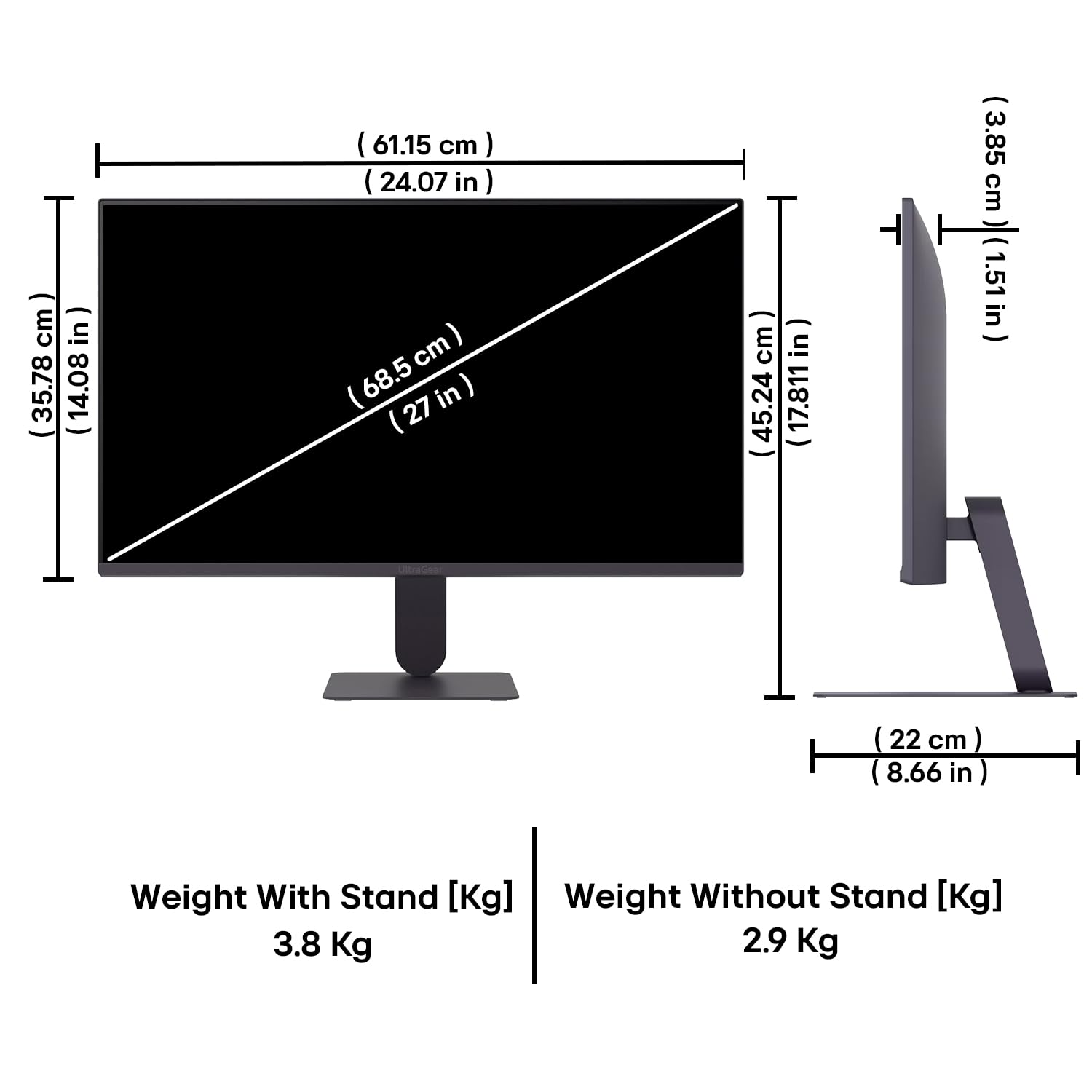
Figure 10: Physical dimensions and weight of the LG 27G411A monitor with and without the stand.
9. Informació de la garantia
This LG 27G411A UltraGear Gaming Monitor comes with a 3 anys de garantia del fabricant covering parts and labor. Please retain your proof of purchase for warranty claims. For detailed terms and conditions, refer to the warranty card included in your product packaging or visit the official LG weblloc.
10. Atenció al client
For further assistance, technical support, or service inquiries, please contact LG Customer Service. You can find contact information on the official LG weblloc web o a la documentació que s'inclou amb el monitor.
LG Electronics India Pvt. Ltd.
PLOT NO. A-5, MIDC RANJANGAON.
TALUKA SHIRUR, PUNE, MAHRASHTRA (INDIA), 412220