
1. Introducció
This manual provides instructions for the Adesso WKB-7010 Bluetooth Keyboard Case, designed for use with iPad Pro 11-inch and iPad Air 10.9-inch models. This product combines a protective case with a detachable wireless keyboard and integrated touchpad, transforming your tablet into a portable workstation.

Image 1.1: The Adesso WKB-7010 Bluetooth Keyboard Case with an iPad in use.
2. Contingut del paquet
Si us plau, verifiqueu que tots els elements siguin presents al vostre paquet:
- Adesso WKB-7010 Bluetooth Keyboard Case
- Cable de càrrega USB-C
- Manual d'usuari (aquest document)
3. Compatibilitat
The Adesso WKB-7010 Bluetooth Keyboard Case is compatible with the following Apple iPad models:
- iPad Pro 11-inch: 1st generation (2018), 2nd generation (2020), 3rd generation (2021), 4th generation (2022)
- iPad Air 10.9-inch: 4th generation (2020), 5th generation (2022), 6th generation (2024 M2 models)
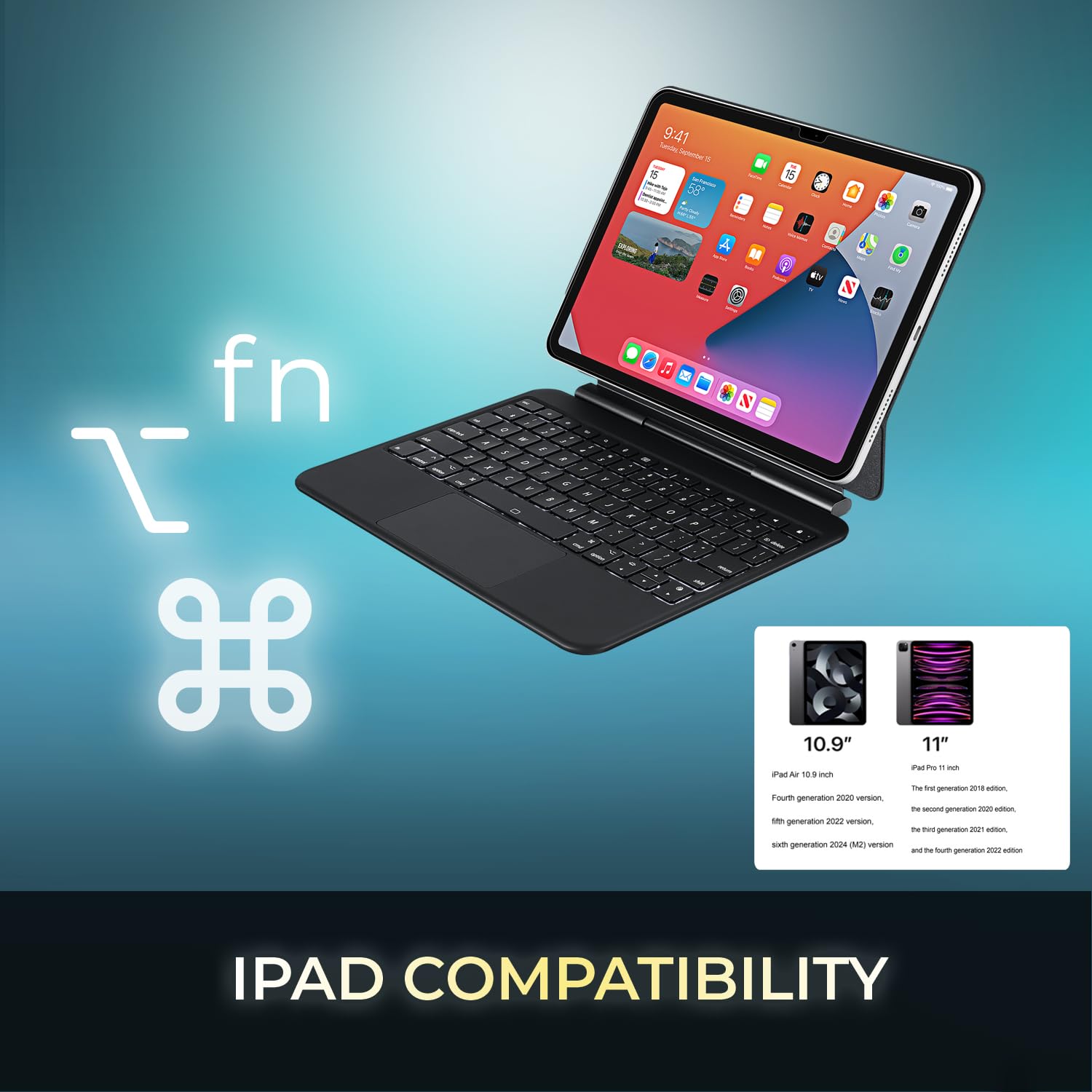
Image 3.1: Visual representation of compatible iPad models (10.9" and 11").
4. Característiques
- Disseny desmuntable: The keyboard can be separated from the case for flexible use.
- Suport ajustable: The case converts into a stand with multiple viewangles d'ajust.
- Panell tàctil integrat: Provides precise navigation and multi-touch gesture support.
- Connectivitat Bluetooth 5.1: Offers stable wireless connection up to 30 feet with low power consumption.
- Bateria recarregable: Built-in 450 mAh lithium polymer battery for extended use.
- Tecles de tisora: Pro baixfile keys designed for comfortable and responsive typing.
- Construcció duradora: Ultra-slim aluminum design for portability and protection.

Image 4.1: The case allows for various adjustable viewing angles for the iPad.

Image 4.2: The keyboard case features an ultra-slim and compact design, as shown with a ruler for scale.
5. Configuració
5.1. Càrrega del teclat
Before initial use, fully charge the keyboard. Connect the included USB-C cable to the keyboard's charging port and the other end to a USB power source (e.g., computer, wall adapter). The charging indicator light will illuminate during charging and turn off when fully charged.

Image 5.1: The keyboard features a built-in rechargeable battery and charges via USB-C.
5.2. Inserting Your iPad
Carefully place your iPad into the protective case, ensuring it is securely seated. The magnetic closure will help secure the tablet and keyboard when closed.
5.3. Emparellament Bluetooth
- Assegureu-vos que el teclat estigui encès i completament carregat.
- Turn on the keyboard by sliding the power switch to the "ON" position.
- Premeu el botó Fn + C keys simultaneously to activate Bluetooth pairing mode. The Bluetooth indicator light will flash.
- Al teu iPad, vés a Configuració > Bluetooth.
- Activa el Bluetooth.
- Locate "Adesso WKB-7010" (or similar) in the list of available devices and tap to connect.
- Once connected, the Bluetooth indicator light on the keyboard will stop flashing.

Image 5.2: The keyboard utilizes Bluetooth 5.1 wireless technology for connection.
6. Instruccions de funcionament
6.1. Funcions del teclat
The keyboard features standard QWERTY layout keys and dedicated function keys for iPad control. Use the Fn key in combination with other keys for special functions (e.g., media control, volume, screen brightness).
6.2. Ús del touchpad
The integrated touchpad supports various gestures for navigation and interaction with your iPad. Ensure that "AssistiveTouch" or "Trackpad & Mouse" settings are configured on your iPad for optimal performance.
- Toc amb un sol dit: Feu clic amb el botó esquerre.
- Toc amb dos dits: Right-click (context menu).
- Desplaçament amb dos dits: Desplaça't amunt/avall o esquerra/dreta.
- Pessiga per fer zoom: Feu servir dos dits per ampliar o reduir la imatge.
- Lliscament cap amunt amb tres dits: Vés a la pantalla d'inici.
- Three Finger Swipe Left/Right: Canvia entre les aplicacions obertes.
7. Càrrega del teclat
The keyboard is equipped with a 450 mAh rechargeable lithium polymer battery. A full charge takes approximately 3 hours using the provided USB-C cable.
- Continuous Use (backlight off): Fins a 150 hores
- Continuous Use (backlight on): Fins a 2.5 hores
- Temps d'espera: Fins a 90 dies
When the battery is low, the power indicator light may flash or turn red. Connect the keyboard to a power source to recharge.
8. Manteniment
- Keep the keyboard and case clean by wiping with a soft, dry cloth.
- Eviteu exposar el dispositiu a temperatures extremes, humitat o llum solar directa.
- No utilitzeu productes químics ni productes de neteja abrasius.
- Guardeu el dispositiu en un lloc fresc i sec quan no el feu servir durant períodes prolongats.
9. Solució De Problemes
9.1. El teclat no es connecta
- Assegureu-vos que el teclat estigui encès i completament carregat.
- Verify Bluetooth is enabled on your iPad.
- Put the keyboard into pairing mode (Fn + C).
- Forget the device on your iPad's Bluetooth settings and attempt to re-pair.
- Reinicieu tant l'iPad com el teclat.
9.2. El touchpad no respon
- Assegureu-vos que el teclat estigui connectat mitjançant Bluetooth.
- Check iPad settings for "Trackpad & Mouse" or "AssistiveTouch" to ensure external input devices are enabled.
- Reinicieu el teclat i l'iPad.
9.3. Keys Not Working
- Assegureu-vos que el teclat estigui completament carregat.
- Verify a stable Bluetooth connection.
- Netegeu els voltants de les tecles afectades per eliminar qualsevol residu.
10. Especificacions
| Número de model | WKB-7010 |
| Tecnologia de connectivitat | Bluetooth 5.1 |
| Dispositius compatibles | iPad Pro 11-inch, iPad Air 10.9-inch |
| Tipus de bateria | Polímer de liti recarregable |
| Capacitat de la bateria | 450 mAh |
| Port de càrrega | USB-C |
| Distància d'operació | Fins a 30 peus (10 metres) |
| Tipus d'interruptor de clau | Interruptor de tisores |
| Material | Aluminum, Leather (case exterior) |
| Dimensions (L x A x A) | 10 x 7.8 x 0.55 polzades |
| Pes | 1.2 lliures |
11. Garantia i Suport
This Adesso product comes with a 1 any de garantia limitada del fabricant. For warranty claims or technical support, please contact Adesso customer service. You can find contact information on the official Adesso weblloc: www.adesso.com
Si us plau, conserveu el comprovant de compra per al servei de garantia.