
1. Introducció
Thank you for choosing the voijump Mini Karaoke Machine K304. This portable Bluetooth karaoke system is designed to provide an enjoyable audio experience with its compact speaker and two wireless microphones. This manual provides essential information for safe and effective use of your device.
2. Què hi ha a la caixa
- Micròfon sense fil *2
- Karaoke Machine *1
- Cable de càrrega *1
- Manual d'usuari *1
3. Producte acabatview
The voijump Mini Karaoke Machine K304 consists of a main speaker unit and two wireless microphones. The speaker features integrated LED lights and a compact design for portability. The microphones offer voice modulation and echo effects.

Image: The voijump Mini Karaoke Machine, including the main speaker unit and two wireless microphones.
3.1 Main Speaker Unit
The main speaker unit provides audio output and features control buttons for various functions. It includes a handle for easy carrying and a front panel with LED lights that react to music.

Image: Dimensions of the speaker (3.26 inches wide, 2.53 inches deep, 2.89 inches high) and microphone (5.3 inches long).
3.2 micròfons sense fils
Two wireless microphones are included, allowing for duets or shared singing. Each microphone has independent controls for volume, echo, and voice effects.

Image: Close-up of the two wireless microphones, highlighting their design and controls.
3.3 Sound Technology
The karaoke machine features a DSP chip, 3D surround sound, and HiFi sound quality for clear audio output.
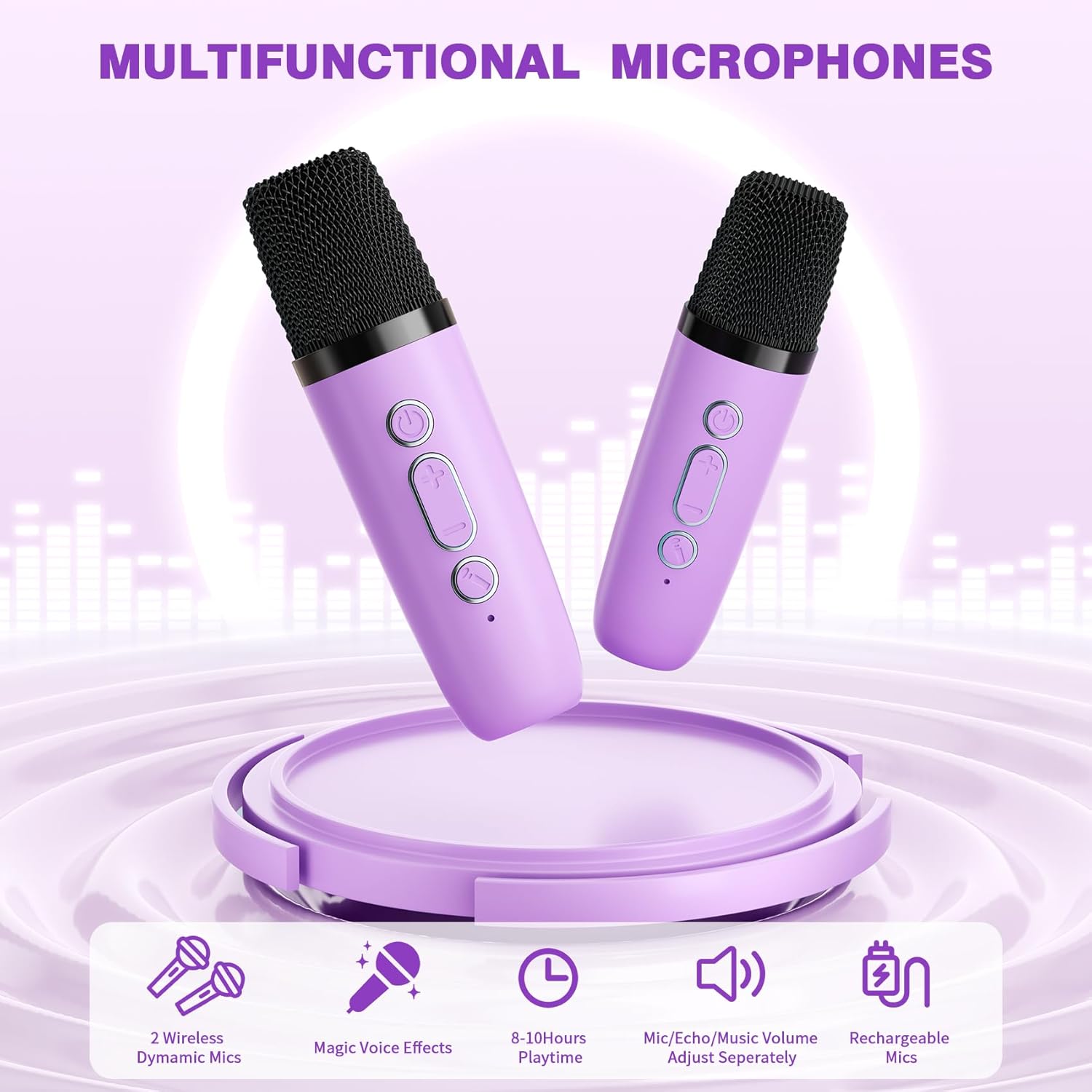
Image: Internal components of the speaker, illustrating the DSP chip and sound drivers.
4. Configuració
4.1 Càrrega del dispositiu
Before first use, fully charge the karaoke machine and both microphones using the provided USB Type-C charging cable. The built-in rechargeable battery provides 8-10 hours of playtime on a full charge.

Image: The speaker's side panel, indicating the 3.5mm port, TF card slot, and Type-C charging port.
4.2 Engegada/apagada
- Ponent: Long press the power button on the speaker unit to turn it on or off.
- Micròfons: Long press the power button on each microphone to turn it on or off.
4.3 Connexió Bluetooth
The speaker and microphones automatically connect to each other when powered on. To connect the karaoke machine to an external device (smartphone, tablet, laptop) via Bluetooth 5.4:
- Ensure the karaoke machine speaker is powered on.
- On your external device, enable Bluetooth and search for available devices.
- Select the 'voijump K304' (or similar) from the list to pair.
- A confirmation sound will indicate a successful connection.
The Bluetooth connection has an unobstructed range of up to 50 feet.

Image: Visual representation of the Bluetooth 5.3 connection process, showing the karaoke machine connecting to a smartphone, tablet, and laptop.
5. Instruccions de funcionament
5.1 Speaker Controls

Image: Detailed diagram of the speaker's top panel controls and their functions.
- Puja el volum (+): Short press to increase speaker volume. Long press for next song.
- Baixar el volum (-): Short press to decrease speaker volume. Long press for previous song.
- Play/Pause (►▮): Short press to play or pause music. Long press to power on/off.
- Mode (M): Short press to switch between TF Card and Bluetooth modes. Long press to turn LED lights on/off.
5.2 Controls del micròfon

Image: Detailed diagram of the microphone controls and their functions.
- Pujada de volum del micròfon: Short press to increase microphone volume (5 levels). Long press (2s) to increase echo volume (5 levels).
- Baixa el volum del micròfon: Short press to decrease microphone volume (5 levels). Long press (2s) to decrease echo volume (5 levels).
- Canvi de veu: Short press to switch between 5 magic voice effects. Long press to remove/restore music vocals.
5.3 Efectes de veu
The microphones offer 5 distinct voice effects:
- Veu original
- Veu de nadó
- Veu de monstre
- Veu Femenina
- Veu Masculina
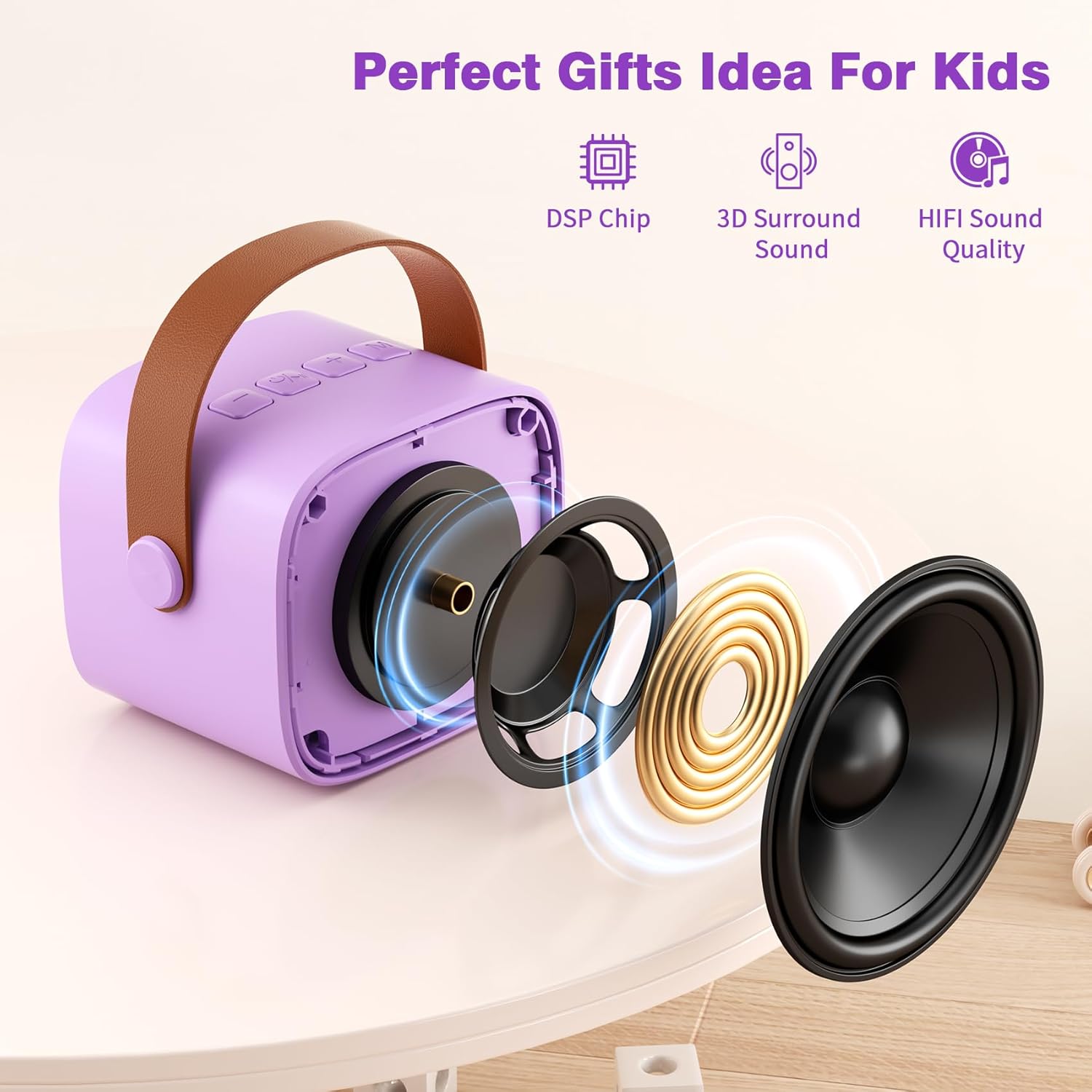
Image: Visual representation of the five available voice effects.
5.4 llums LED
The speaker unit features colorful LED lights that beat with the rhythm of the music. These lights can be turned on or off by long-pressing the 'M' (Mode) button on the speaker.
5.5 Vídeo del producteview
Vídeo: Un overview demonstrating the features and usage of the voijump Mini Karaoke Machine, including its compact size, dual wireless microphones, LED lights, and voice-changing functions.
6. Manteniment
6.1 Neteja
Wipe the device with a soft, dry cloth. Do not use abrasive cleaners or solvents. Avoid exposing the device to excessive moisture.
6.2 Emmagatzematge
Store the karaoke machine and microphones in a cool, dry place away from direct sunlight and extreme temperatures when not in use.
6.3 Cura de la bateria
To prolong battery life, fully charge the device before long periods of storage and recharge it at least once every three months.
7. Solució De Problemes
| Problema | Causa possible | Solució |
|---|---|---|
| No hi ha so de l'altaveu | Speaker is off; Volume is too low; Not connected via Bluetooth. | Ensure speaker is on; Increase speaker volume; Re-pair Bluetooth device. |
| El micròfon no funciona | Microphone is off; Microphone volume is too low; Not paired with speaker. | Ensure microphone is on; Increase microphone volume; Microphones should auto-pair with speaker when both are on. |
| Connexió Bluetooth inestable | Device is out of range; Interference; Low battery. | Move device closer to speaker (within 50ft); Avoid obstacles; Charge the device. |
| Els llums LED no funcionen | Els llums estan apagats. | Long press the 'M' button on the speaker to toggle LED lights. |
8. Especificacions
| Característica | Detall |
|---|---|
| Marca | voijump |
| Número de model | K304 |
| Dimensions del producte | 12.6 x 5.1 x 9.8 polzades |
| Pes de l'article | 1.17 lliures |
| Font d'alimentació | Funciona amb bateria |
| Tecnologia de connectivitat | Bluetooth 5.4 |
| Tipus de connector | TF Card/Headphone, USB Type C |
| Recompte de parlants | 1 |
| Dispositius compatibles | Headphone, Laptop, Smartphone, Tablet |
| UPC | 797465845870 |
9. Garantia i assistència
voijump is committed to providing quality products and customer satisfaction.
- Garantia: Aquest producte ve amb una garantia de 365 dies.
- Substitució: Free replacement is available for eligible issues.
- Suport tècnic: Es proporciona assistència tècnica de per vida.
For any questions, concerns, or technical assistance, please contact voijump customer support through the retailer's platform or the official voijump weblloc.