
Introducció
Gràcies per la compraasing the Shark Clean & Empty Cordless Stick Vacuum. This manual provides essential information for the safe operation, maintenance, and troubleshooting of your new vacuum cleaner. Please read these instructions thoroughly before first use and retain for future reference.
Què hi ha a la caixa
Your Shark Clean & Empty Cordless Stick Vacuum package includes the following components:
- Unitat principal de buit (de mà)
- Vareta
- Motorized Floor Nozzle with Anti-Hair Wrap brush-roll
- Auto-Empty Charging Dock (1.3L capacity)
- Eina múltiple per a mascotes
- Eina per esquerdes
- Adaptador d'alimentació
Configuració
Segueix aquests passos per muntar i preparar l'aspiradora per al primer ús:
- Muntar l'aspiradora: Insert the wand into the motorized floor nozzle until it clicks securely into place. Then, insert the main vacuum unit (handheld) onto the top of the wand until it clicks.
- Set up the Auto-Empty Dock: Place the Auto-Empty Dock on a flat, stable surface near a power outlet. Connect the power adapter to the dock and plug it into the wall outlet.
- Càrrec inicial: Place the assembled vacuum onto the Auto-Empty Dock. Ensure it is properly seated for charging. The LED display on the vacuum will indicate charging status. Allow approximately 5 hours for a full charge before first use.

Image: The Shark Clean & Empty Cordless Stick Vacuum docked for charging and automatic emptying.

Image: Visual representation of the three steps for auto-empty convenience: returning the full vacuum to its base, automatic emptying, and the sealed anti-allergen system.
Instruccions de funcionament
Your Shark Clean & Empty vacuum offers versatile cleaning modes and features:
Engegada/Apagada i Selecció de Mode
- Press the power button on the handheld unit to turn the vacuum on or off.
- Use the mode selection button to cycle through ECO, AUTO, and BOOST cleaning modes. The LED display will show the selected mode and remaining battery life.

Image: Close-up of the simple LED display indicating battery status and cleaning modes (Eco, Auto, Boost).
Modes de neteja
- Mode ECO: Provides extended runtime for lighter cleaning tasks.
- Mode AUTOMÀTIC: Automatically adjusts suction power based on floor type and debris level.
- Mode BOOST: Delivers maximum suction for tough messes and deep cleaning.
Neteja de múltiples superfícies
The motorized floor nozzle features a self-cleaning brush-roll that automatically adjusts its speed and suction for optimal performance on both carpets and hard floors. This ensures effective pickup of dust, debris, and pet hair.

Image: The vacuum cleaning across different floor types, demonstrating its multi-surface capability.
S'utilitza com a aspiradora de mà
Detach the main vacuum unit from the wand to use it as a powerful handheld vacuum for cleaning stairs, upholstery, car interiors, and other tight spaces.

Imatge: Un cop mésview of the vacuum's key features, including its lightweight design, removable handvac, ability to clean all floor types, and up to 40 minutes of runtime.
Ús d'arxius adjunts
- Pet Multi-Tool: Attach to the handheld vacuum or wand for effective removal of pet hair and embedded dirt from various surfaces.
- Eina per esquerdes: Use with the handheld vacuum or wand to clean narrow gaps, corners, and hard-to-reach areas.

Image: The Pet Multi-Tool attached to the handheld vacuum, effectively cleaning pet hair from upholstery.

Image: The Duster Crevice Tool attached to the handheld vacuum, reaching into tight spaces on a shelf.
Manteniment
Un manteniment regular garanteix un rendiment òptim i allarga la vida útil de l'aspiradora.
Base de buida automàtica
- The Auto-Empty Base automatically empties the vacuum's dustbin after each cleaning session.
- The base has a 1.3L capacity, allowing for hands-free emptying for up to 30 days, depending on usage.
- When the Auto-Empty Base is full, dispose of the collected debris responsibly.

Image: Comparison showing reduced dust exposure when using the Auto-Empty System versus manual emptying.
Neteja de filtres
The sealed HEPA system captures 99.9% of dust and allergens. Regularly clean the filters to maintain suction power.
- Refer to the full instruction manual for detailed steps on accessing and cleaning the pre-motor and post-motor HEPA filters.
- Wash filters with cold water only. Allow them to air dry completely for at least 24 hours before reinstalling. Do not use a hairdryer or other heating methods.
Anti-Hair Wrap Brush-roll
The self-cleaning brush-roll is designed to prevent hair wrap. If any hair or debris remains wrapped around the brush-roll, carefully remove it using scissors or by hand.

Image: A comparison showing a traditional brush-roll with hair wrap versus the Shark Anti-Hair Wrap brush-roll.
Resolució de problemes
If you encounter issues with your vacuum, refer to the following common solutions:
| Problema | Causa possible | Solució |
|---|---|---|
| L'aspirador no s'encén | La bateria no està carregada o està inserida incorrectament. | Ensure the battery is fully charged and correctly seated in the handheld unit. |
| Pèrdua de succió | Clogged filter, full dustbin, or obstruction in the nozzle/hose. | Clean filters, empty the dustbin, and check for blockages in the floor nozzle, wand, or handheld unit. |
| Brush-roll not spinning | Obstruction in the brush-roll or incorrect mode. | Clear any debris from the brush-roll. Ensure the vacuum is in a mode suitable for floor cleaning (e.g., AUTO or BOOST). |
| Auto-Empty Dock not emptying | Vacuum not properly seated on the dock, or dock bin is full. | Ensure the vacuum is fully seated on the dock. Check and empty the dock's debris bin if full. |
Si els problemes persisteixen, poseu-vos en contacte amb l'atenció al client.
Especificacions
- Model: BU3521INT
- Motor Wattage: 240 watts
- Auto-Empty Base Capacity: 1.3 litres
- Vacuum Bin Capacity: 0.42 litres
- Temps d'execució: Up to 40 minutes (in ECO mode with non-motorized tool)
- Tipus de bateria: Ió de liti
- Temps de càrrega de la bateria: Aproximadament 5 hores
- Filtració: HEPA (captures 99.9% of dust and allergens)
- Pes: 2660 grams
- Dimensions (L x A x A): 37.3 x 26.5 x 110.5 centímetres
- Característiques especials: Cordless, HEPA, Headlight, High Power, Portable, Anti-Hair Wrap
Garantia i suport
Your Shark Clean & Empty Cordless Stick Vacuum comes with a manufacturer's warranty and dedicated customer support.
Informació de la garantia
Aquest producte està cobert per a Garantia del fabricant de 2 anys. Please retain your proof of purchase for warranty claims. For detailed terms and conditions, refer to the warranty card included with your product or visit the official Shark weblloc.
Registre del producte
Register your product to receive important updates and to activate your warranty:
Registre en línia: https://sharkninja.in/pages/register-warranty
Atenció al client
For assistance, technical support, or service inquiries, please contact Shark customer service:
- Telèfon: 18002960076
- Correu electrònic: customerservice@sharkninja.in
- Horari de funcionament: Monday to Saturday, 10:00 AM to 7:00 PM
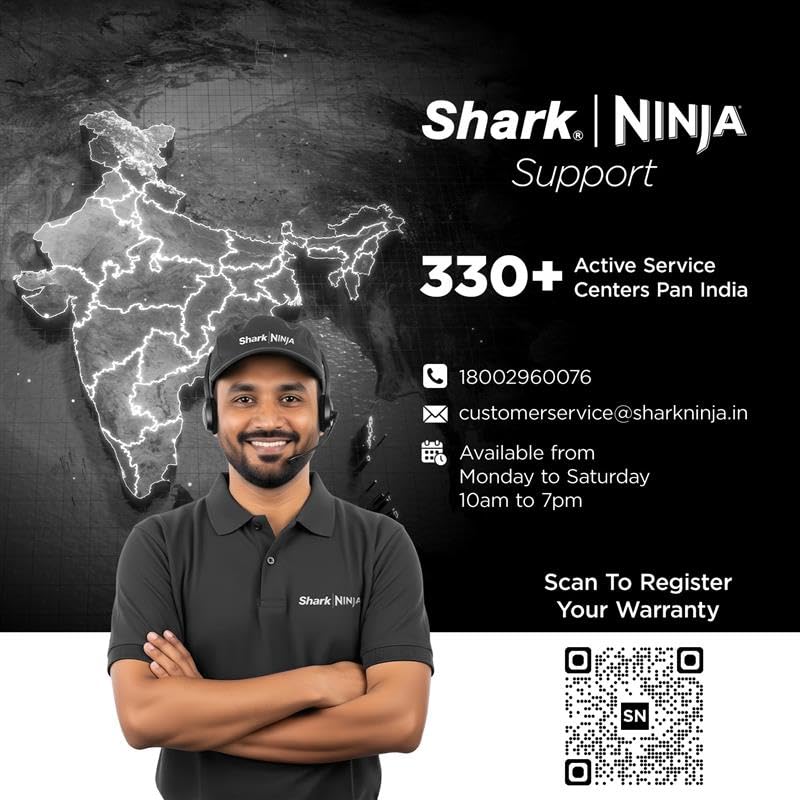
Image: Shark | NINJA Support information, including contact number, email, operating hours, and a QR code for warranty registration.