
1. Producte acabatview
The Mars Gaming MC-Pulsar is an ATX gaming case designed for optimal performance and aesthetics. It features a panoramic tempered glass design and a front LCD display for real-time system monitoring. The chassis includes a Cablehatch system for efficient cable management and offers versatile connectivity options.
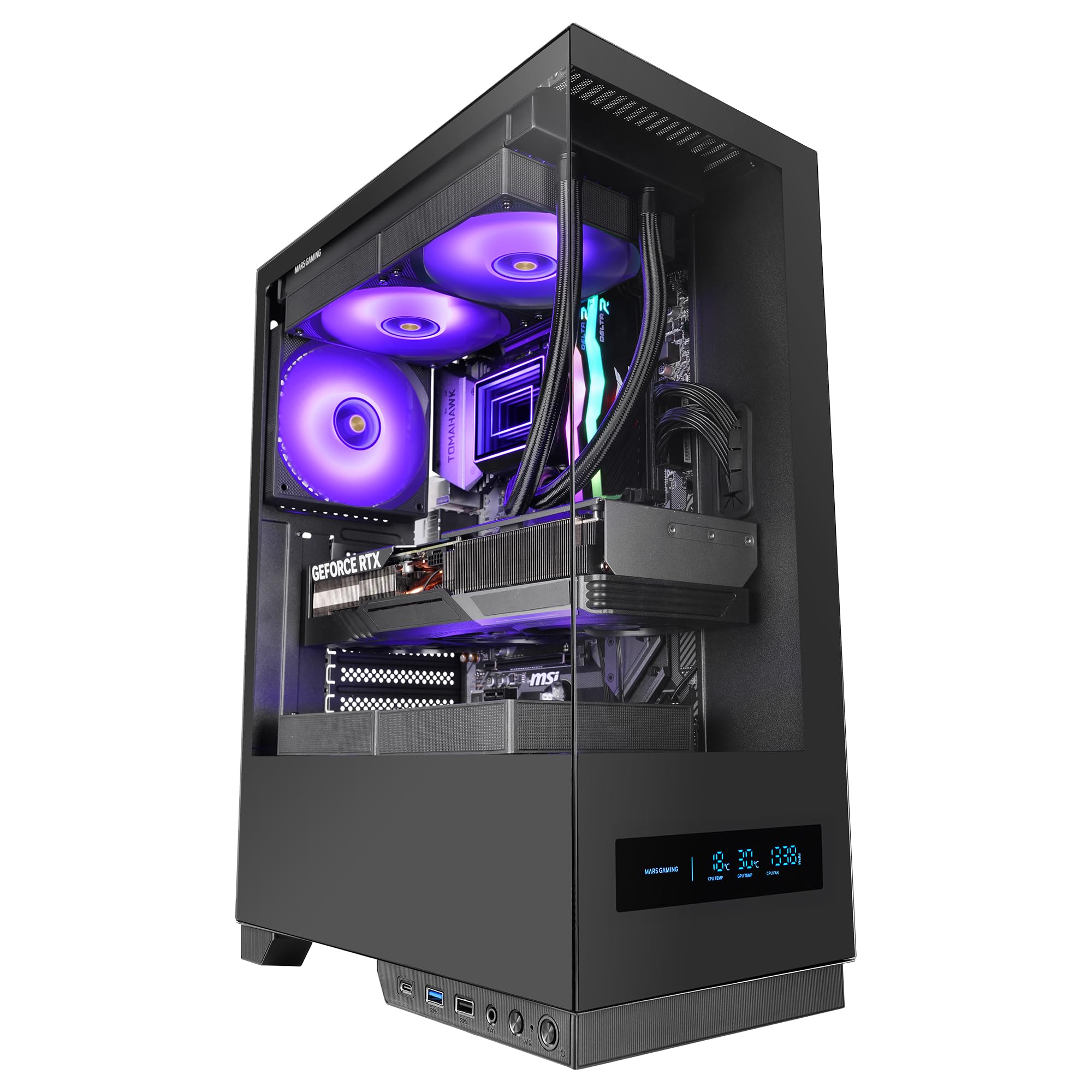
Figure 1: Mars Gaming MC-Pulsar ATX Gaming Case, front view.
Característiques principals:
- Real-Time Front LCD Display: Monitor CPU/GPU temperatures and fan RPM directly on the case.
- Double Tempered Glass: Front and side panels provide a clear view de components interns.
- Cablehatch System: Side cable bay with tool-free quick access for simplified cable management.
- Interior optimitzat: Admet plaques base ATX, MicroATX i Mini-ITX, amb ample space for graphics cards and CPU coolers.
- Suport de refrigeració líquida: Accommodates liquid cooling radiators up to 240mm at the top and bottom, and 120mm at the rear.
- Connectivitat moderna: Includes USB-C, USB 3.0, USB 2.0, and HD audio ports on the I/O panel.

Figure 2: The MC-Pulsar case features dual tempered glass panels on the front and side.
2. Configuració i instal·lació
Follow these steps for proper installation of your computer components into the MC-Pulsar case.
2.1 Preparació del cas
- Unpack the MC-Pulsar case and place it on a stable, flat surface.
- Carefully remove the tempered glass side panel by unscrewing the thumb screws, if present, or by releasinel mecanisme de tancament.
- Identify the internal layout for motherboard, power supply, and drive installation.

Figure 3: Internal layout showing maximum CPU cooler height (162mm), VGA length (332mm), and VGA width (152mm) clearances, along with fan and radiator mounting points.
2.2 Instal·lació de la placa base
- Install the necessary standoffs for your ATX, MicroATX, or Mini-ITX motherboard.
- Place the motherboard into the case, aligning it with the standoffs and the I/O shield opening.
- Fixeu la placa base amb cargols.
2.3 Instal·lació de la font d'alimentació
- The power supply mounts at the bottom of the case. Slide the ATX power supply into its designated bay.
- Fixeu la font d'alimentació amb els cargols de la part posterior de la carcassa.
2.4 Instal·lació de la unitat d'emmagatzematge
- Install 3.5" HDDs in the designated drive cage.
- Install 2.5" SSDs in their respective mounting points. The case supports 1x 3.5" HDD and 2x 2.5" SSDs.
2.5 Targeta gràfica i targetes d'expansió
- Remove the necessary expansion slot covers.
- Insert your graphics card (up to 332mm length, 152mm width) and other expansion cards into the PCIe slots on the motherboard.
- Fixeu les targetes amb cargols.
2.6 Instal·lació del sistema de refrigeració
- Install CPU coolers (up to 162mm height).
- For liquid cooling, radiators up to 240mm can be installed at the top and bottom, and a 120mm radiator at the rear.
- Install additional fans as needed: top (2x 120mm or 2x 140mm), bottom (2x 120mm), rear (1x 120mm).
2.7 Gestió de cables
Utilize the Cablehatch system for organized cable routing. This side cable bay offers tool-free quick access to manage and hide cables, ensuring optimal airflow and a clean interior.

Figure 4: The Cablehatch system provides convenient side access for cable management without tools.
3. Funcionament
This section details the operational aspects of your MC-Pulsar gaming case.
3.1 Connectivitat del panell frontal
The front I/O panel provides convenient access to various ports:
- Port USB-C: For modern peripherals and fast data transfer.
- Ports USB 3.0: Two ports for high-speed USB devices.
- Ports USB 2.0: Connectivitat USB estàndard.
- Preses d'àudio HD: Separate ports for microphone and headphones.
- Botó d'encesa: Per encendre/apagar el sistema.
- Botó de restabliment: Per reiniciar el sistema.
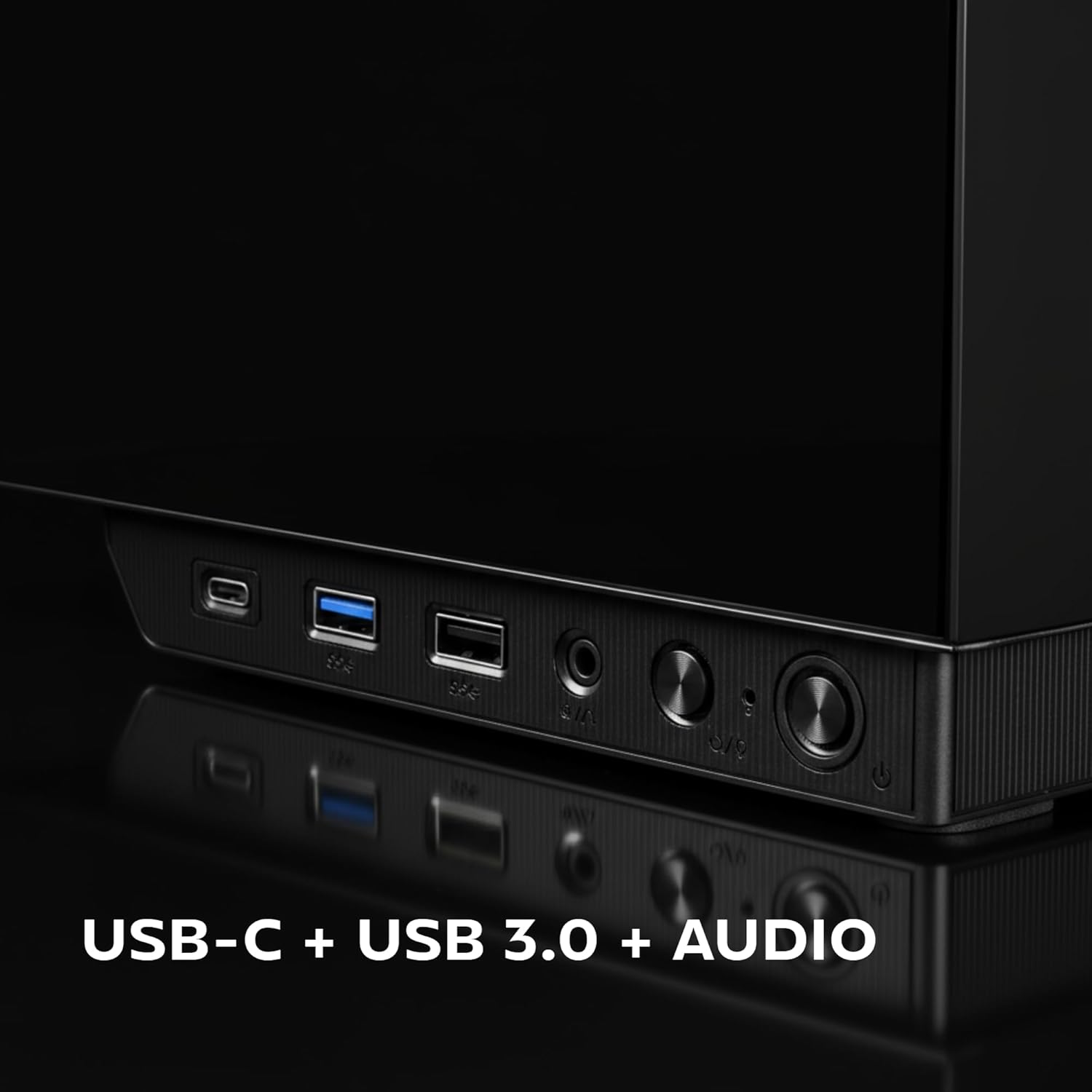
Figure 5: Close-up of the front I/O panel, showing USB-C, USB 3.0, and audio ports.
3.2 Front LCD Display
The integrated rectangular LCD display on the front panel provides real-time monitoring of critical system parameters. This includes:
- Temperatura de la CPU: Displays the current temperature of your Central Processing Unit.
- GPU Temperature: Displays the current temperature of your Graphics Processing Unit.
- Fan RPM: Shows the rotational speed of your system fans.
Ensure the necessary internal connections from the case to your motherboard are made for the LCD display to function correctly. Refer to your motherboard manual for specific header locations.
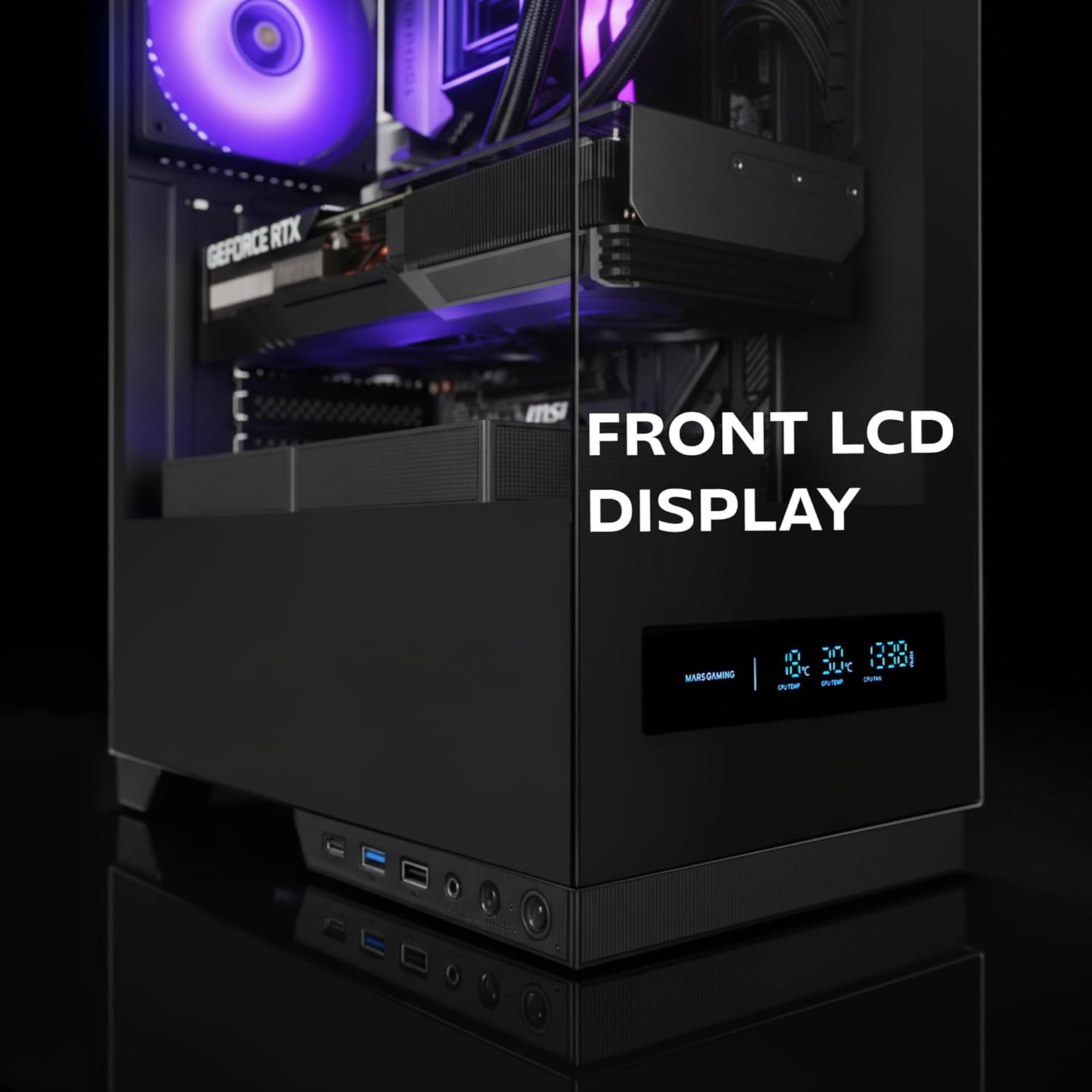
Figure 6: The front LCD display provides real-time system information.
4. Manteniment
Regular maintenance helps ensure the longevity and optimal performance of your MC-Pulsar case and its components.
4.1 Neteja del filtre de pols
- The MC-Pulsar case includes a magnetic dust filter at the top.
- Periodically remove and clean this filter to prevent dust buildup inside the case, which can impede airflow and component cooling.
- Netejar amb aire comprimit o un raspall suau.
4.2 Neteja interior
- With the system powered off and unplugged, carefully open the side panel.
- Use compressed air to remove dust from internal components and surfaces.
- Ensure all cables remain neatly managed using the Cablehatch system to maintain good airflow.
4.3 Tempered Glass Care
- Clean tempered glass panels with a soft, lint-free cloth and a non-abrasive glass cleaner.
- Avoid harsh chemicals or abrasive materials that could scratch the glass.
5. Solució De Problemes
This section provides solutions to common issues you might encounter with your MC-Pulsar case.
5.1 El sistema no s'encén
- Comproveu les connexions d'alimentació: Ensure the power supply is properly connected to the wall outlet and the motherboard.
- Connectors del panell frontal: Verify that the power button cable from the case is correctly connected to the motherboard's front panel header. Refer to your motherboard manual.
- Interruptor d'alimentació: Confirm the power supply's main switch is in the "ON" position.
5.2 Front LCD Display Not Working
- Connexions internes: Ensure all necessary data and power cables for the LCD display are securely connected from the case to the motherboard or power supply.
- Programari/Controladors: Check if any specific software or drivers are required for the display and install them if necessary (refer to Mars Gaming weblloc).
5.3 USB Ports or Audio Jacks Not Functioning
- Internal Header Connections: Verify that the USB and audio cables from the front I/O panel are correctly connected to the corresponding headers on your motherboard.
- Motherboard Drivers: Ensure your motherboard's USB and audio drivers are up to date.
5.4 Poor Airflow or Overheating
- Filtres de pols: Clean the magnetic dust filter and any other mesh areas regularly.
- Orientació del ventilador: Ensure case fans are installed with correct airflow direction (intake/exhaust).
- Gestió de cables: Improve cable routing using the Cablehatch system to reduce obstructions to airflow.
- Component Clearance: Verify that large components like CPU coolers or GPUs are not blocking critical airflow paths.
6. Especificacions tècniques
Below are the detailed specifications for the Mars Gaming MC-Pulsar ATX Gaming Case.
| Característica | Detall |
|---|---|
| Marca | Mars Gaming |
| Nom del model | MCPULSAR |
| Tipus de cas | Torre mitja |
| Compatibilitat amb la placa base | ATX, MicroATX, Mini-ITX |
| Material | Vidre temperat, acer |
| Color | Negre |
| Pes de l'article | 4.21 quilos |
| Dimensions de l'article (D x W x H) | 45.3D x 35W x 19.6H centímetres |
| Longitud màxima de VGA | 332 mm |
| Amplada màxima de VGA | 152 mm |
| Alçada màxima del refrigerador de la CPU | 162 mm |
| Suport de refrigeració líquida | Top: 240mm, Bottom: 240mm, Rear: 120mm |
| Capacitat del ventilador | Top: 2x 120mm or 2x 140mm, Bottom: 2x 120mm, Rear: 1x 120mm |
| Badies d'unitats internes | 1 discs durs de 3.5", 2 discs SSD de 2.5" |
| Ports d'E / S frontals | 1x USB-C, 2x USB 3.0, 1x USB 2.0, HD Audio (Mic/Headphone) |
| Característiques especials | Front LCD Display, Cablehatch System, Magnetic Dust Filter |

Figure 7: External dimensions of the MC-Pulsar case.
7. Garantia i Suport
7.1 Informació de la garantia
Mars Gaming products are manufactured to high quality standards. For specific warranty terms and conditions, please refer to the warranty card included with your product or visit the official Mars Gaming weblloc web. Conserveu el comprovant de compra per a reclamacions de garantia.
Note: A 30-day return policy may be available through your retailer. This is separate from the manufacturer's warranty.
7.2 Suport tècnic
If you encounter any issues not covered in this manual or require further assistance, please contact Mars Gaming customer support through their official website. You may need to provide your product model (MCPULSAR) and serial number.
Oficial Weblloc: www.marsgaming.eu