
Introducció
The FREEWOLF K100 is a versatile 99-key wireless membrane keyboard designed for various computing environments. It offers three connectivity modes: Bluetooth, 2.4GHz wireless, and USB-C wired, ensuring compatibility with a wide range of devices including PCs, Macs, laptops, tablets, and phones. Key features include customizable RGB backlighting, a convenient multimedia control knob, durable PBT keycaps with side-printed legends, and a long-lasting 4000mAh battery.
Característiques del producte
Connectivitat trimodal
Connect via Bluetooth (up to 3 devices), 2.4GHz wireless (with included receiver), or USB-C wired mode. Seamlessly switch between devices for enhanced productivity and gaming.

This image illustrates the three available connection modes: Bluetooth, 2.4GHz wireless, and USB-C wired, highlighting the flexibility for various devices.
Il·luminació de fons RGB
Experience vibrant 16.8 million color RGB lighting with multiple dynamic effects. Customize your keyboard's appearance to match your setup or mood.

This image demonstrates the various RGB backlight effects and the key combinations used to control them, including switching modes, colors, brightness, and speed.
Botó de control multimèdia
An intuitive rotary knob allows for quick volume adjustments (rotate) and instant muting (press). Dedicated media keys for play/pause, previous, and next track are also included.

Aquesta imatge ofereix un detall view of the multimedia knob and its functions, including volume control and mute, alongside the dedicated media playback buttons.
Durable PBT Gradient Keycaps
Crafted from high-quality PBT material, these gradient keycaps resist shine, oil, and wear. Double-shot injection molding ensures legends never fade, with side-printed characters for a clean look and radiant backlighting.

This image highlights the gradient PBT keycaps, showcasing their side-printed legends and how they allow backlight to shine through for improved visibility.
4000mAh Battery & Smart Sleep Mode
A large 4000mAh rechargeable battery provides extended wireless usage. Intelligent sleep modes conserve power: backlight off after 2 minutes of inactivity, deep sleep after 30 minutes (2.4G/BT), and wired mode follows computer sleep.

This image details the keyboard's 4000mAh battery and its intelligent sleep features designed to maximize battery life during wireless operation.
Compact 99-Key Layout & Anti-Ghosting
The 99-key layout includes a crucial number pad while saving desk space. Full 26-key rollover (NKRO) ensures every keystroke is registered accurately, ideal for fast typing and gaming.
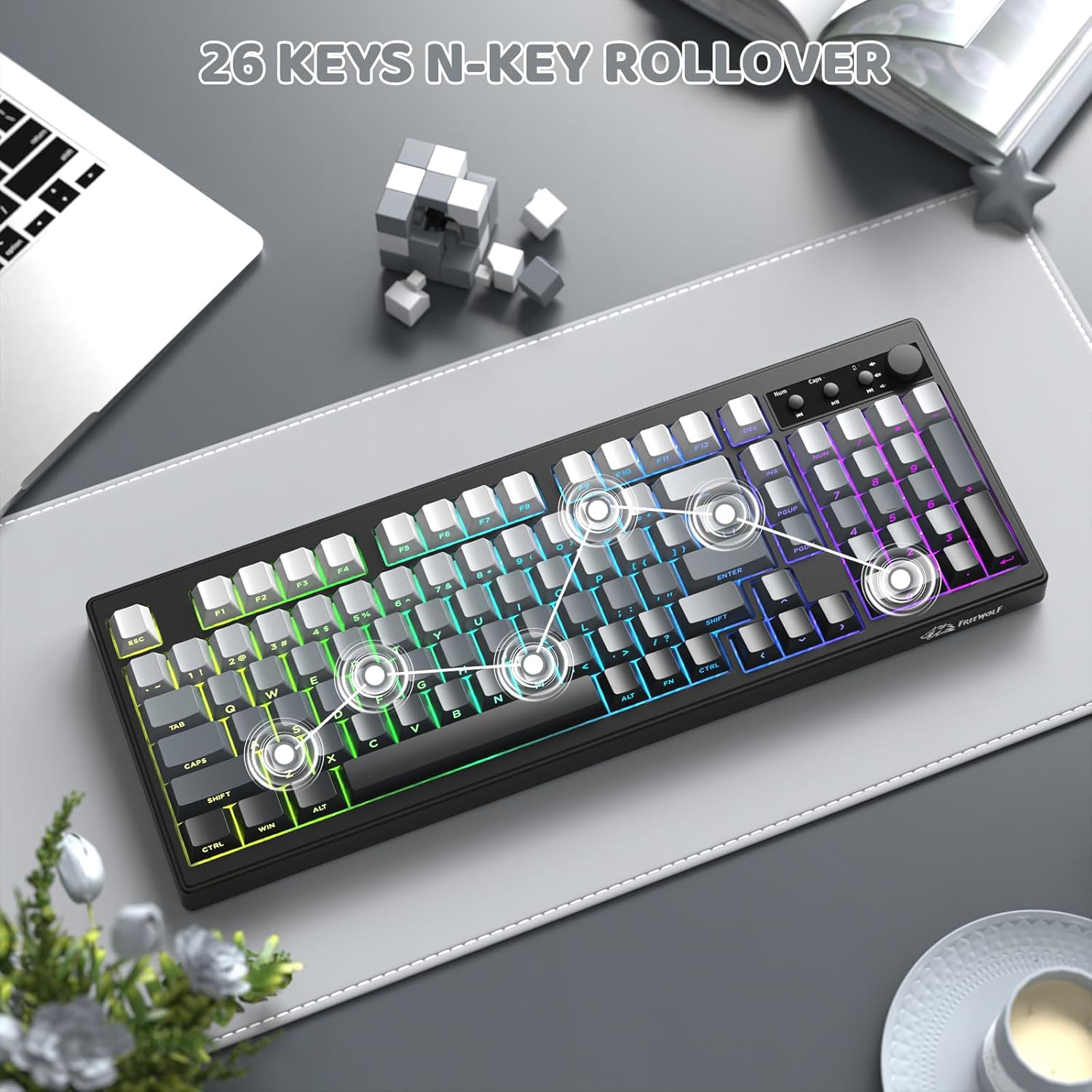
This image shows the compact 99-key layout of the keyboard, emphasizing its N-key rollover capability for precise input.
Disseny ergonòmic
The keyboard features adjustable double leg braces, allowing you to set the typing angle for optimal comfort. A built-in slot securely stores the 2.4G USB receiver when not in use.

This image illustrates the adjustable feet for ergonomic positioning and the convenient storage slot for the 2.4G USB receiver.
Instruccions de configuració
- Descomprimir el teclat: Carefully remove the keyboard and all accessories from the packaging. Ensure all components are present: keyboard, USB-C cable, and 2.4GHz USB receiver.
- Càrrega inicial: Connect the keyboard to a USB power source using the provided USB-C cable. The battery indicator light will show charging status. A full charge is recommended before first use.
- Select Connection Mode: Use the switch located on the back or side of the keyboard to select your desired connection mode:
- Mode sense fil de 2.4 GHz:
- Locate the 2.4GHz USB receiver, typically stored in a slot on the keyboard's underside.
- Connecteu el receptor a un port USB disponible de l'ordinador.
- Switch the keyboard to 2.4G mode. The keyboard should connect automatically.
- Mode Bluetooth:
- Switch the keyboard to BT mode.
- Mantén premut FN + 2 (o FN + 3, FN + 4) durant 3-5 segons fins que l'indicador lluminós parpellegi, cosa que indica el mode d'emparellament.
- On your device (PC, Mac, tablet, phone), go to Bluetooth settings and search for "K100 Keyboard" (or similar).
- Select the keyboard to pair. Repeat for up to three different Bluetooth devices using FN+2, FN+3, and FN+4.
- Mode amb cable USB-C:
- Connect the USB-C cable from the keyboard to your computer.
- Switch the keyboard to wired mode (if applicable, some keyboards automatically detect wired connection).
- Compatibilitat del sistema:
- Premeu FN + W to switch to Windows system layout.
- Premeu FN + M to switch to macOS system layout.
Instruccions de funcionament
Control d'il·luminació RGB
- FN + INS: Switch between different RGB lighting effects.
- FN + DEL: Switch between solid RGB colors.
- FN + Retrocés: Activa/desactiva la retroiluminació.
- FN + Re Pàg: Augmenta la brillantor de la retroiluminació.
- FN + Av Pàg: Reduir la brillantor de la retroiluminació.
- FN + - / =: Adjust lighting effect speed.
Multimedia Knob and Keys
- Girar el botó: Ajusteu el volum amunt o avall.
- Premeu el botó: Silencia o activa l'àudio.
- Tecles multimèdia dedicades: Use the buttons next to the knob for Play/Pause, Previous Track, and Next Track.
Sleep Mode Behavior
- Mode sense fil: Backlight turns off after 2 minutes of inactivity. The keyboard enters deep sleep (disconnected) after 30 minutes of inactivity. Wake by pressing any key.
- Mode per cable: The keyboard's sleep behavior follows your connected computer's sleep settings.
Manteniment
- Neteja del teclat: Utilitzeu un drap suau i sense pelusa lleugerament dampened with water or a mild cleaning solution to wipe down the surface of the keyboard. Avoid excessive moisture.
- Neteja de les tecles: For deeper cleaning, keycaps can be carefully removed (using a keycap puller if available) and washed with mild soap and water. Ensure they are completely dry before reattaching.
- Eliminació de pols: Use compressed air to remove dust and debris from between the keycaps and under the keyboard.
- Emmagatzematge: Quan no l'utilitzeu durant períodes prolongats, guardeu el teclat en un lloc sec i fresc, allunyat de la llum solar directa.
Resolució de problemes
- Keyboard not connecting via 2.4GHz wireless:
- Ensure the 2.4GHz USB receiver is securely plugged into a working USB port. Check that the keyboard is switched to 2.4G mode. Try re-pairing by unplugging and re-plugging the receiver, then restarting the keyboard.
- Problemes de connexió Bluetooth:
- Make sure the keyboard is in BT mode and in pairing mode (indicator light flashing after holding FN+2/3/4). Ensure Bluetooth is enabled on your device and try removing and re-pairing the keyboard in your device's Bluetooth settings. Check the keyboard's battery level.
- RGB backlight not working or dim:
- Premeu FN + retrocés to ensure the backlight is turned on. Use FN + PgUp to increase brightness. Check the battery level; low battery can affect backlight performance. If in wired mode, ensure the USB-C cable is fully connected.
- Les tecles no responen o hi ha un retard d'entrada:
- Ensure the keyboard is fully charged. If using wireless modes, try moving closer to the receiver/device or switching to wired mode to rule out interference. Clean any debris from under the affected keys. For multiple keys, check the connection mode.
- Multimedia knob not functioning:
- Ensure the keyboard is properly connected. Try restarting the keyboard. Verify that no software conflicts are present on your operating system that might override multimedia controls.
Especificacions
| Model | K100 |
| Marca | LLOP LLIURE |
| Connectivitat | Bluetooth, sense fil de 2.4 GHz, USB-C amb cable |
| Recompte de claus | 99 claus |
| Tipus de teclat | Membrana |
| Il·luminació de fons | RGB (16.8 million colors) |
| Taps de claus | PBT Gradient, Side-Printed Legends |
| Capacitat de la bateria | 4000 mAh |
| Anti-fantasma | 26-Key Rollover (NKRO) |
| Dimensions | 16.06 x 5.79 x 1.50 polzades (408 mm x 147 mm x 38 mm) |
| Pes de l'article | 1.98 lliures |
| Compatibilitat | Windows, macOS |

This image provides a visual representation of the keyboard's dimensions, including length, width, and height.
Producte acabatview Vídeo
Aquest vídeo ofereix una visió generalview of the FREEWOLF K100 Wireless Membrane Keyboard, showcasing its design, RGB lighting, multimedia knob, and connectivity options.
Garantia i Suport
The FREEWOLF K100 keyboard comes with a standard manufacturer's warranty. For specific warranty details, return policies, or technical support, please refer to the documentation included with your purchase or contact FREEWOLF customer service directly through their official weblloc web o el venedor on es va comprar el producte.