
1. Introducció
Thank you for choosing the VEGER W0582 Portable Charger. This versatile 6-in-1 device combines a 20W USB-C wired fast charger, a 15W magnetic wireless charger, a multi-angle phone stand, a secure RFID-blocking wallet, and a built-in global GPS tracker. Designed for convenience and efficiency, this manual provides essential information for safe and optimal use.
Contingut del paquet
- VEGER W0582 Portable Charger (5000mAh)
- Cable USB-C
- Manual d'usuari
- Bossa d'emmagatzematge
- VEGER Certificate

Figura 1: Contingut del paquet
2. Característiques del producte
- Disseny tot en un: Consolidates multiple functions into a single, compact device, measuring 3.85 x 2.7 x 0.58 inches and weighing 5.43 ounces.
- Càrrega ràpida amb cable de 20 W: Provides rapid power delivery via the USB-C port for Android and iPhone devices.
- 15W Magnetic Wireless Charging: Offers high-speed wireless charging with strong magnetic alignment for iPhone 12-17 series. Note: Magnetic function does NOT support normal phone cases.
- Secure Card Slot with RFID Blocking: Features hidden card slots for IDs and credit cards, protected by advanced RFID blocking technology against unauthorized scanning.
- Multi-Angle Phone Stand: Built-in adjustable kickstand allows for hands-free viewtant en mode vertical com horitzontal.
- Global GPS Tracker: Equipped with a global GPS tracker for location tracking via iPhone, iPad, or Mac.
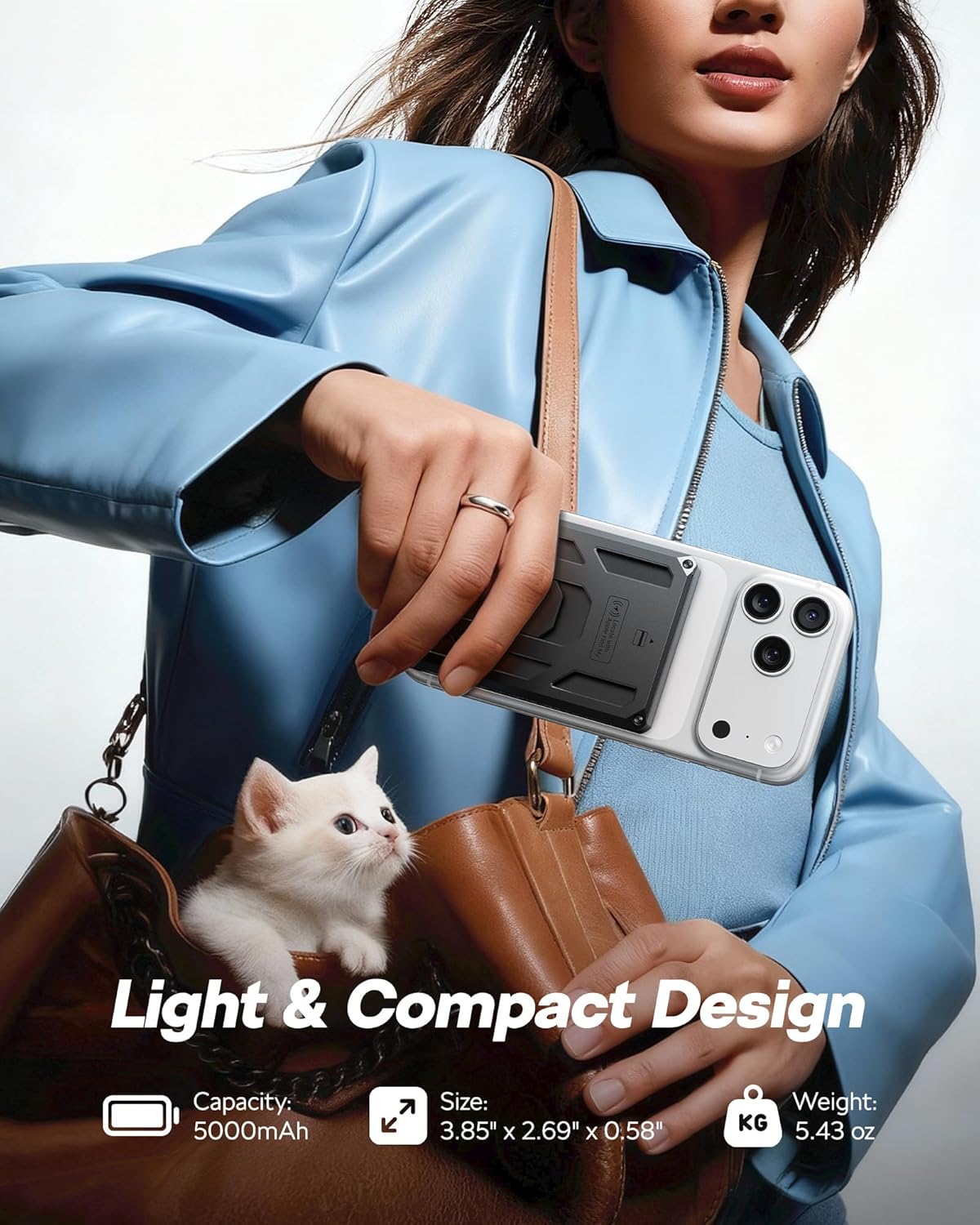
Figura 2: Disseny compacte i dimensions
3. Guia de configuració
Càrrega inicial del banc d'energia
- Connect the provided USB-C cable to the USB-C port on the VEGER W0582.
- Connecteu l'altre extrem del cable USB-C a un adaptador de corrent USB compatible (no inclòs).
- The LED indicators on the power bank will illuminate to show the charging status. A full charge is indicated when all LEDs are solid.
Attaching to Your Phone for Magnetic Charging
- Ensure your iPhone is a 12-17 series model or has a MagSafe-compatible case.
- Align the VEGER W0582 with the back of your iPhone. The strong magnets will snap it into place.

Figure 3: Magnetic Attachment
Setting Up Global Tracking (Compatible with Apple Find My)
- Refer to the specific instructions provided with your device for pairing with Apple Find My.
- Once paired, you can track the location of your VEGER W0582 using the Find My app on your iPhone, iPad, or Mac.
Video 1: VEGER Multi-functional Magnetic Portable Charger Overview. This video demonstrates the various features of the VEGER portable charger, including its magnetic attachment, card slot, and tracking capabilities.
4. Instruccions de funcionament
Càrrega per cable
To charge your device using the wired connection:
- Connect your device to the USB-C port on the VEGER W0582 using a compatible USB-C cable.
- El banc d'energia començarà a carregar automàticament el dispositiu fins a 20 W.

Figure 4: USB-C Fast Charging Port
Càrrega sense fils
Per carregar el dispositiu sense fils:
- Ensure your device supports magnetic wireless charging (e.g., iPhone 12-17 series).
- Align the VEGER W0582 to the back of your device. The magnetic connection will secure it in place.
- Wireless charging will commence automatically at up to 15W.

Figure 5: Magnetic Charging Compatibility
Ús del suport del telèfon
The integrated phone stand offers convenient hands-free viewing:
- Locate the foldable kickstand on the back of the power bank.
- Gently pull out the kickstand to deploy it.
- Adjust the angle (0-90 degrees) to your preferred viewing position for portrait or landscape mode.

Figure 6: Foldable Phone Stand
Video 2: VEGER Magnetic Power Bank with Phone Stand. This video demonstrates how to use the integrated phone stand for various activities like working, cooking, and watching videos.
Using the Card Slot with RFID Blocking
The card slot provides secure storage for your essential cards:
- Slide your ID or credit cards into the designated card slots on the back of the power bank.
- The RFID blocking technology will automatically protect your cards from unauthorized electronic scanning.

Figure 7: Card Slot with RFID Blocking
Video 3: VEGER Portable Charger with RFID Blocking Card Slot. This video highlights the secure card slot and its RFID blocking feature, showing a user making a payment and protecting their cards.
Using Global Tracking
To locate your VEGER W0582:
- Open the Apple Find My app on your paired iPhone, iPad, or Mac.
- Select your VEGER W0582 from the list of devices to view its current location on a map.
- You can also activate a sound to help locate the device if it's nearby.

Figure 8: Global Tracking with Apple Find My
Video 4: VEGER Global Tracking Portable Charger. This video demonstrates the global tracking feature, showing a user locating their charger using the Find My app.
5. Manteniment
- Neteja: Feu servir un drap suau i sec per netejar la superfície del banc d'energia. Eviteu utilitzar productes químics agressius o materials abrasius.
- Emmagatzematge: Guardeu el banc d'energia en un lloc fresc i sec, allunyat de la llum solar directa i de temperatures extremes.
- Cura de la bateria: Per allargar la durada de la bateria, carregueu completament el banc d'energia almenys un cop cada tres mesos si no l'utilitzeu regularment.
6. Solució De Problemes
- El dispositiu no es carrega:
- Assegureu-vos que el banc d'energia estigui prou carregat.
- Comproveu que el cable de càrrega estigui connectat correctament tant al banc d'energia com al dispositiu.
- For wireless charging, verify your phone is MagSafe compatible or has a MagSafe case, and is correctly aligned.
- Weak magnetic connection:
- Ensure your phone does not have a thick or non-magnetic case that interferes with the magnetic connection.
- Clean the magnetic surface of both the power bank and your phone/case to remove any debris.
- Global tracking not working:
- Confirm the power bank is paired correctly with your Apple Find My account.
- Ensure the power bank has some charge, as tracking features may require power.
7. Especificacions
| Característica | Detall |
|---|---|
| Número de model | W0582 |
| Dimensions del producte | 3.85 x 2.69 x 0.58 polzades |
| Pes de l'article | 5.4 unces |
| Capacitat de la bateria | 5000 milionsamp Hores (mAh) |
| Composició de les cèl·lules de la bateria | Polímer de liti |
| Sortida de càrrega per cable | USB-C 20W |
| Sortida de càrrega sense fils | 15W |
| Color | Negre |
| Fabricant | Dong guan Utopia-Originality Technology Co., Ltd |
8. Informació de seguretat
- Do not expose the power bank to extreme temperatures (above 60°C/140°F or below 0°C/32°F) or direct sunlight.
- No desmunteu, modifiqueu ni intenteu reparar el dispositiu.
- Mantenir allunyat de l'aigua, la humitat i els materials inflamables.
- Do not drop, puncture, or apply excessive force to the power bank.
- Mantenir fora de l'abast dels nens.
- Desfeu-vos del banc d'energia d'acord amb la normativa local per a residus electrònics.
9. Garantia i Suport
VEGER products come with a standard warranty. For detailed warranty information, product support, or technical assistance, please refer to the warranty card included in your package or visit the official VEGER website. You may also contact VEGER customer service directly through the retailer where you purchased the product.