
1. Introducció
Welcome to your MorePro Health Fitness Tracker Air 2. This manual provides essential information for setting up, operating, and maintaining your device to help you monitor your health and fitness activities effectively.
2. Què hi ha a la caixa
- MorePro Health Fitness Tracker Air 2 device
- Milanese steel band
- Banda de silicona
- Cable de càrrega USB magnètic
- Manual d'usuari

Image: Contents of the MorePro Health Fitness Tracker Air 2 packaging.
3. Configuració
- Carregueu el dispositiu: Connect the magnetic charging cable to the back of the tracker and a USB power source. Ensure the device is fully charged before first use. A full charge can last up to 7 days depending on usage.
- Descarrega l'aplicació: Scan the QR code provided in the quick start guide or search for "FitCloudPro" in your smartphone's app store (compatible with Android 6.0+ and iOS 10+ with Bluetooth LE 5.2).
- Vincular el dispositiu: Open the FitCloudPro app, create an account or log in as a guest. Follow the in-app instructions to connect your MorePro Health Fitness Tracker Air 2 via Bluetooth.
- Personalitza la configuració: Within the app, set your personal profile (height, weight, age, gender) and preferences (metric/imperial units, 12/24-hour format).
4. Funcionament del dispositiu
4.1 Navegació bàsica
The tracker features a 1.57-inch high-definition touchscreen. Swipe up, down, left, or right to navigate through menus and features. Press the side button to return to the main screen or wake the device.
4.2 Vigilància de la salut
- Freqüència cardíaca: The tracker provides 24/7 heart rate monitoring. Access the heart rate function on the device or through the app to view real-time data and historical trends. The app can alert you if your heart rate is too high.
- Pressió arterial: Monitor your blood pressure directly from the device or app. Note: This device is not a medical device; readings are for reference only. Consult a medical professional for accurate medical advice.
- Oxigen en sang (SpO2): Measure your blood oxygen levels. This feature helps you keep track of your health status.
- Monitorització del son: The tracker automatically monitors your sleep patterns, including time spent awake, in light sleep, and deep sleep. View detailed sleep analysis in the FitCloudPro app to understand and improve your sleep quality.
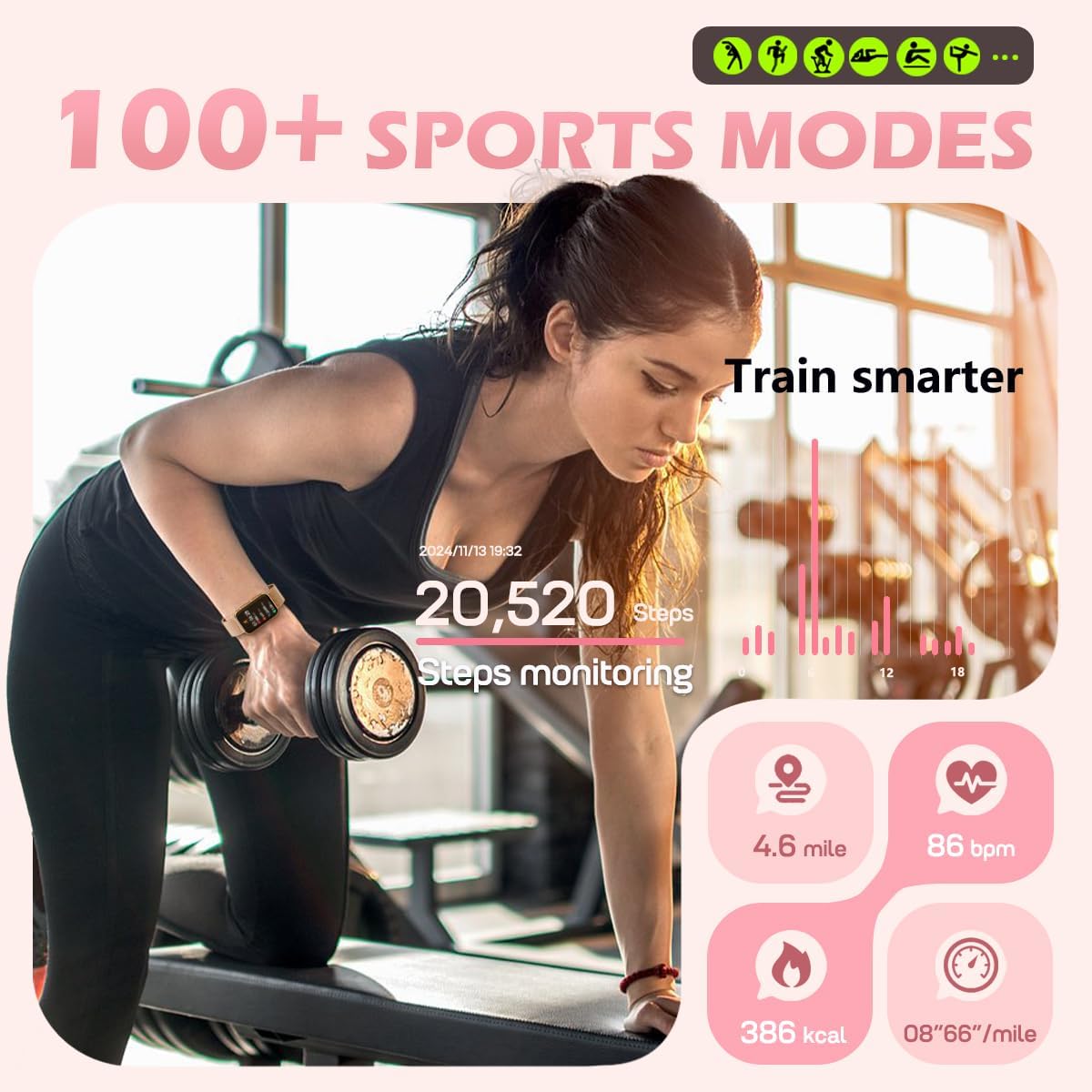
Image: Health monitoring features on the tracker.
4.3 Seguiment d'activitat
- Modes esportius: Choose from over 112 exercise modes to track specific activities like cycling, running, or gym workouts. The tracker records steps, distance, speed, and calorie consumption in real-time.
- Passos i calories: Automatically tracks your daily steps and estimated calories burned. Set personalized exercise goals through the app.

Image: Activity tracking during a workout.
4.4 Funcions intel·ligents
- Notificacions: Receive real-time call reminders (view information only), text messages, and app alerts (Facebook, WhatsApp, Instagram, Messenger) directament al canell.
- Recordatoris: Set sedentary reminders to encourage movement and water intake reminders to stay hydrated.
- Seguiment del cicle menstrual: For female users, the app offers menstrual cycle tracking to help manage your daily schedule.
- Actualitzacions meteorològiques: Get current weather forecasts on your tracker.
- Presa de fotos remota: Control your phone's camera remotely by shaking your wrist.
- Cerca el telèfon: Use the "Find Phone" function to locate your paired smartphone.
- Alarmes: Set customizable alarms directly from the app.

Imatge: Més deview of smart assistant features.
4.5 Personalització
- Cares de visualització: Choose from over 148 customizable watch faces via the FitCloudPro app to personalize your device's appearance.
- Bandes: The tracker comes with two interchangeable bands (Milanese steel and silicone) for different styles and activities.
5. App Integration (FitCloudPro)
The FitCloudPro app is your central hub for managing your MorePro Health Fitness Tracker Air 2. It allows you to:
- View dades detallades de salut i activitat.
- Set personalized goals and reminders.
- Customize watch faces and device settings.
- Manage notifications and alarms.
- Actualitza el firmware per a noves funcions i millores.
6. Manteniment
- Neteja: Regularly clean your tracker and bands with a soft, damp tela. Eviteu els productes químics durs.
- Resistència a l'aigua: The device has an IP68 waterproof rating, suitable for washing hands. It is not recommended for bathing, diving, or surfing.
- Càrrega: Ensure the charging contacts on the device and cable are clean and dry before charging to prevent corrosion.
7. Solució De Problemes
- El dispositiu no s'encén: Ensure the device is fully charged. Press and hold the side button for a few seconds.
- Not connecting to app: Ensure Bluetooth is enabled on your phone and the tracker is within range. Restart both the tracker and your phone. Check app permissions for Bluetooth access.
- Lectures inexactes: Ensure the tracker is worn snugly on your wrist, approximately one finger's width above the wrist bone. Readings are for reference and not medical diagnosis.
- Notificacions que no apareixen: Check app permissions for notifications on your phone. Ensure the FitCloudPro app is running in the background and notifications are enabled within the app settings.
8. Especificacions
| Mostra | Pantalla tàctil HD de 1.57 polzades |
| Capacitat de la bateria | 250 milionsamp Hours (up to 7 days battery life) |
| Connectivitat | Bluetooth LE 5.2 |
| Compatibilitat | Android 6.0+ i iOS 10+ |
| Resistència a l'aigua | IP68 |
| Emmagatzematge de memòria | 128 MB |
| Pes de l'article | 6 unces |
| Nom del model | Aire 2 |
| Fabricant | MésPro |
9. Garantia i Suport
For warranty information and technical support regarding your MorePro Health Fitness Tracker Air 2, please refer to the official MorePro website or contact customer service directly. Keep your purchase receipt as proof of purchase for any warranty claims.