
Introducció
This manual provides detailed instructions for the setup, operation, maintenance, and troubleshooting of your ATK Blazing Sky F1 V2 Wireless Gaming Mouse. Please read this guide thoroughly to ensure optimal performance and longevity of your device.

Image: The ATK Blazing Sky F1 V2 Wireless Gaming Mouse, showcasing el seu disseny ergonòmic.
Configuració
1. Desembalatge i càrrega inicial
Carefully remove the mouse and all accessories from the packaging. Before first use, it is recommended to fully charge the mouse.
- Connect the provided USB-C cable to the mouse's charging port and the other end to a USB power source (e.g., computer USB port, USB wall adapter).
- The charging indicator light will show the charging status. Refer to the LED indicator section for details.
- For F1 V2 Extreme models, fast charging requires a USB 3.0 port and the original USB data cable.

Image: Illustration of the high-density battery inside the ATK F1 V2 mouse, highlighting its capacity and fast charging capabilities.
2. Modes de connectivitat
The ATK Blazing Sky F1 V2 supports three connectivity modes: 2.4G Wireless, Bluetooth, and Wired.
2.1. Connexió sense fil 2.4G
- Locate the 8K Nano or GEM dongle included with your mouse.
- Connecteu el dongle a un port USB disponible de l'ordinador.
- Enceneu el ratolí amb l'interruptor d'encesa situat a la part inferior.
- The mouse should automatically connect to the dongle. If not, press the pairing button (if available) or refer to the software for pairing instructions.

Image: The ATK F1 V2 mouse alongside its new GEM 8K dongle, illustrating the wireless connection component.
2.2. Bluetooth Connection (V2 Ultra Max)
- Assegureu-vos que el Bluetooth de l'ordinador estigui activat.
- Switch the mouse to Bluetooth mode using the switch on the bottom of the mouse.
- Press and hold the Bluetooth pairing button (if applicable) until the indicator light flashes, indicating pairing mode.
- On your computer, search for Bluetooth devices and select "ATK F1 V2" to connect.
2.3. Connexió per cable
- Connecteu el cable USB-C proporcionat al port frontal del ratolí.
- Connecteu l'altre extrem del cable USB-C a un port USB de l'ordinador.
- El ratolí canviarà automàticament al mode amb cable i començarà a carregar-se.
3. Software Installation (ATK HUB)
For advanced customization, including DPI settings, button remapping, macro creation, and polling rate adjustments, download the ATK HUB software from the official ATK weblloc. Seguiu les instruccions que apareixen a la pantalla per a la instal·lació.
Instruccions de funcionament
1. Encendre/apagar
Use the switch on the bottom of the mouse to turn it ON or OFF. Turning the mouse off when not in use conserves battery life.
2. Ajust de DPI
The mouse features a dedicated DPI button (usually located on the top or bottom) to cycle through preset DPI levels. You can customize these levels using the ATK HUB software.
- PAW3395Ultra Sensor: 100-30,000 DPI.
- PAW3950Ultra Sensor: 10-30,000 DPI (adjustable in 10-step precision, overlockable up to 42,000 DPI).

Imatge: Primer pla view of the PAW3950 Ultra Flagship Sensor, illustrating its advanced tracking capabilities.
3. Taxa de votació
The ATK F1 V2 supports Wired/Wireless Dual 8000 Hz polling rate for instant tracking. This can be configured via the ATK HUB software.
4. Botons programables
The mouse features multiple programmable buttons. Use the ATK HUB software to assign custom functions, macros, or shortcuts to these buttons for enhanced control.
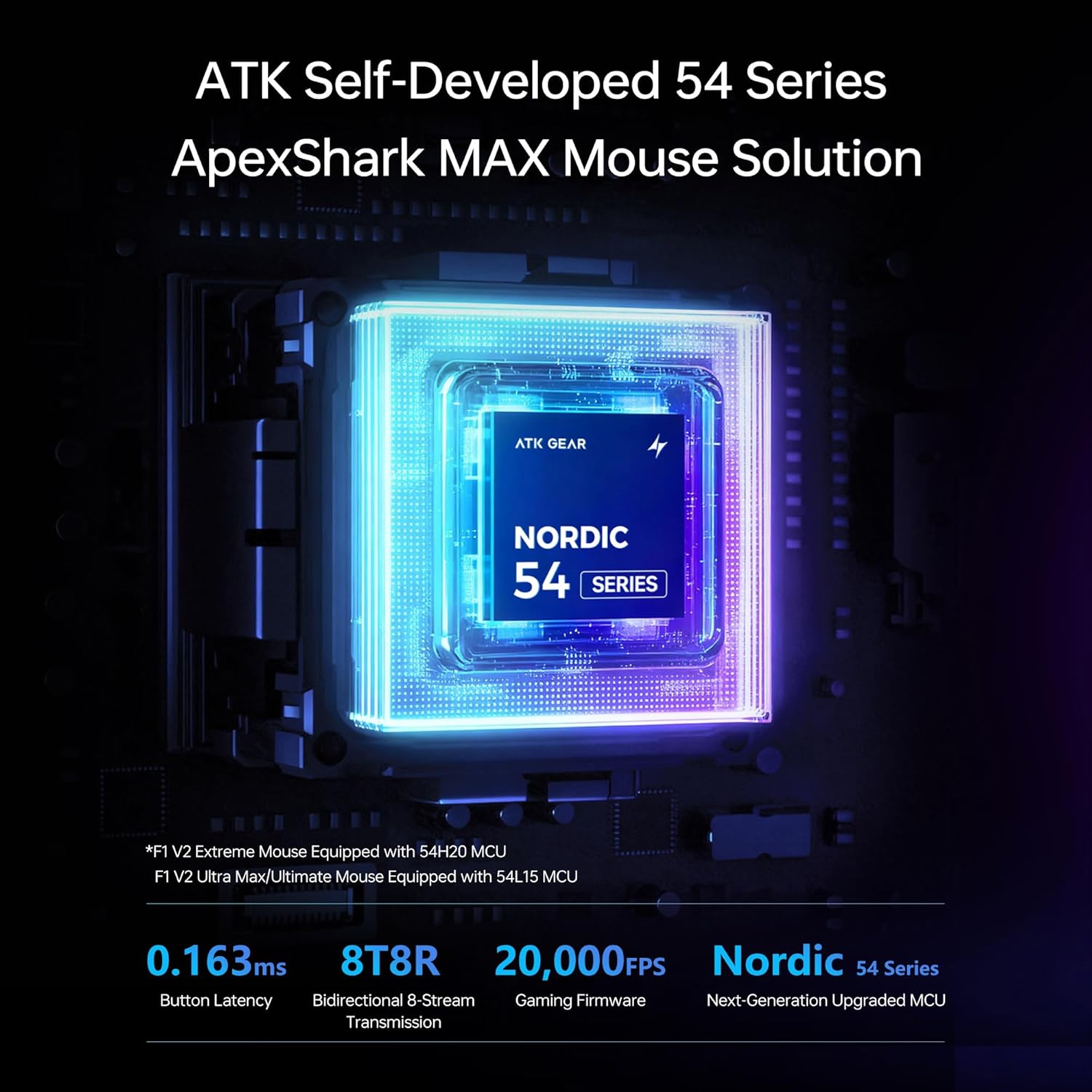
Image: Diagram showing the ATK Self-Developed 54 Series ApexShark MAX Mouse Solution with the Nordic 54 Series MCU, highlighting its high-speed processing.
Manteniment
1. Neteja
The ATK F1 V2 features an All-New Nano Coating, making it sweat-resistant, stain-resistant, and easy to clean.
- Feu servir un drap suau, sec i sense borrissol per netejar la superfície del ratolí.
- Per a la brutícia persistent, lleugerament dampal drap amb aigua o un netejador suau i no abrasiu.
- Avoid using harsh chemicals, solvents, or abrasive materials, as these can damage the coating and internal components.
- Regularly clean the optical sensor area on the bottom of the mouse with a cotton swab to ensure accurate tracking.

Image: Visual representation of the All-New Nano Coating on the ATK F1 V2 mouse, emphasizing its sweat-resistant and easy-to-clean properties.
2. Cura de la bateria
- To maximize battery lifespan, avoid completely draining the battery frequently.
- Charge the mouse using the provided USB-C cable.
- Guardeu el ratolí en un lloc fresc i sec quan no l'utilitzeu durant períodes prolongats.
Resolució de problemes
1. El ratolí no respon
- Comproveu la bateria: Ensure the mouse is charged. Connect it via USB-C cable to check if it powers on.
- Comproveu la connectivitat:
- Sense fil 2.4G: Ensure the dongle is securely plugged into a working USB port and the mouse is in 2.4G mode. Try a different USB port.
- Bluetooth: Verify Bluetooth is enabled on your computer and the mouse is correctly paired and in Bluetooth mode. Try re-pairing.
- Amb cable: Assegureu-vos que el cable USB-C estigui connectat correctament tant al ratolí com a l'ordinador.
- Cicle d'alimentació: Turn the mouse off, wait a few seconds, then turn it back on.
- Reinicieu l'ordinador: Sometimes a computer restart can resolve connectivity issues.
2. Inconsistent Tracking or Cursor Lag
- Neteja el sensor: Dust or debris on the optical sensor can cause tracking issues. Clean the sensor area on the bottom of the mouse.
- Superfície: Ensure you are using the mouse on a suitable surface. Highly reflective or uneven surfaces can affect tracking. A quality mouse pad is recommended.
- Interferència: In wireless modes, other wireless devices might cause interference. Try moving the dongle closer to the mouse or using a USB extender.
- Taxa de votació: Ensure the polling rate is set appropriately for your system. Very high polling rates (e.g., 8K Hz) might require sufficient CPU resources.
- Programari: Check the ATK HUB software for any sensor calibration options or firmware updates.
3. Els botons no responen
- Conflicte de programari: Ensure no other software is interfering with mouse button assignments.
- Restableix la configuració: Use the ATK HUB software to reset button assignments to default.
- Physical Check: Inspect buttons for any physical obstruction or damage.
Especificacions
The ATK Blazing Sky F1 V2 series offers several models with varying specifications:
| Característica | F1 V2 Ultra Max | F1 V2 Ultimate | F1 V2 Extreme |
|---|---|---|---|
| Dimensions | 118.2 × 62.4 × 38.8 mm (Optimized for Small to Medium Hands) | ||
| Pes | 54 ± 2 g | 39 ± 2 g | 38 ± 2 g |
| Sensor | PAW3395Ultra | PAW3950Ultra | PAW3950Ultra |
| MCU | Nordic 54L15 | Nordic 54L15 | Nordic 54H20 |
| Solució | ATK Self-Developed Nordic 54 Series ApexShark MAX Mouse Solution | ||
| Interruptors | ATK Lightblade Mechanical Switches | ATK Custom Optical Switches | Omron Optical Switches |
| Roda de desplaçament | TTC Or | ||
| Peus del ratolí | Standard White Double-Layer Anti-Dent Mouse Feet + Bonus Set | ||
| Dongle | All-New 8K Nano Dongle | All-New GEM 8K Dongle | All-New GEM 8K Dongle |
| Connectivitat | 2.4G / Bluetooth / Amb cable | 2.4G / Wired | 2.4G / Wired |
| Taxa de votació | Wired/Wireless Dual 8K | ||
| Button Latency | 0.18 ms | 0.18 ms | 0.16 ms |
| Capacitat de la bateria | 800 mAh | 300 mAh | 200mAh (Supports Fast Charging) |
| Durada de la bateria | Més de 600 hores | Més de 250 hores | Més de 80 hores |
| Revestiment | All-New Nano Coating | ||

Image: Detailed product specifications table comparing the F1 V2 Ultra Max, Ultimate, and Extreme models.
Garantia i Suport
ATK products are designed for durability and performance. For warranty information, please refer to the warranty card included in your product packaging or visit the official ATK weblloc.
Atenció al client
If you encounter any issues or have questions not covered in this manual, please contact ATK customer support through their official weblloc web o la informació de contacte que es proporciona a la documentació del producte. També podeu visitar el ATK Store on Amazon per obtenir recursos addicionals.