
Introducció
Thank you for choosing the Vention Open Ear Openbeat O12 Wireless Sport Headphones. These headphones are designed to provide a comfortable and secure audio experience during physical activities, allowing you to stay aware of your surroundings. This manual provides essential information for setting up, operating, maintaining, and troubleshooting your device.
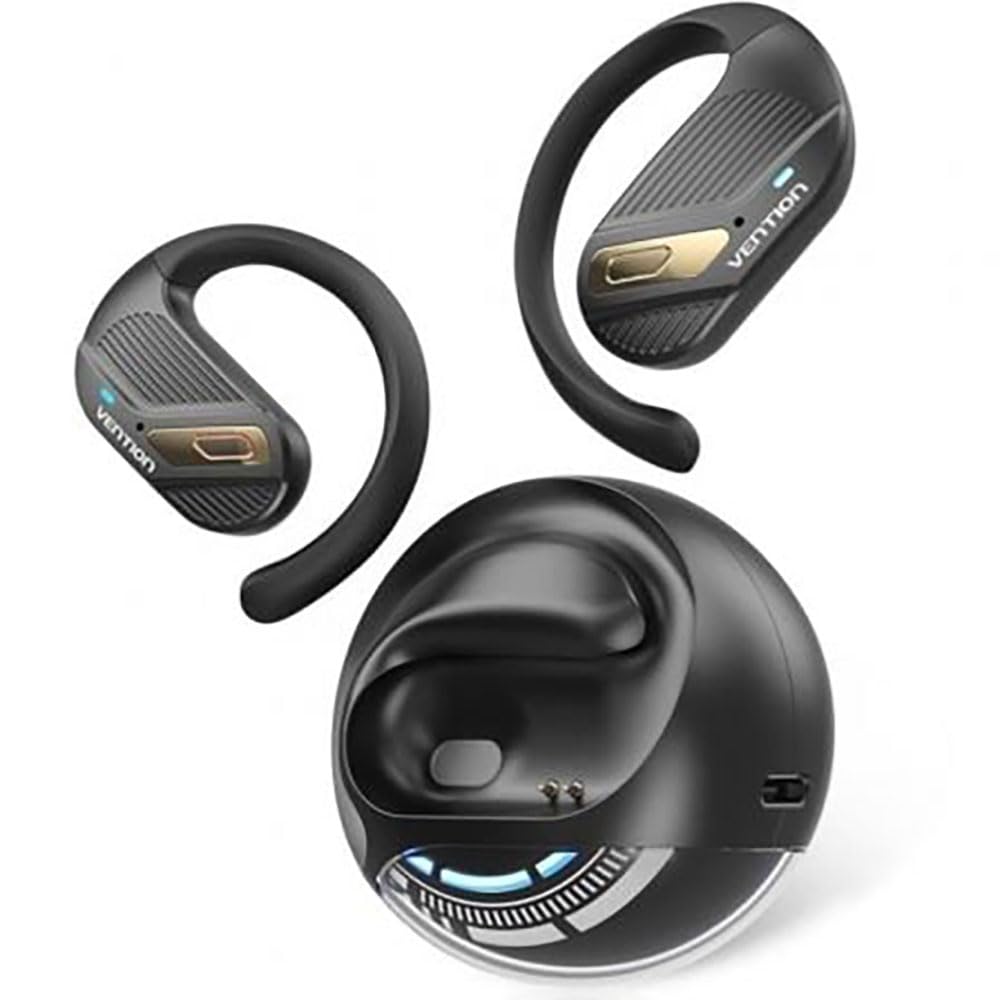
Image: Vention Open Ear Openbeat O12 Wireless Sport Headphones, showcasing the open-ear design and ergonomic fit.
Configuració
1. Contingut del paquet
Si us plau, comproveu el paquet per veure si hi ha els elements següents:
- Vention Open Ear Openbeat O12 Wireless Sport Headphones
- Cable de càrrega USB-C
- Manual d'usuari
2. Càrrega dels auriculars
- Connecteu el cable de càrrega USB-C al port de càrrega dels auriculars.
- Connecteu l'altre extrem del cable a un adaptador de corrent USB (es recomana 5 V/1 A) o al port USB d'un ordinador.
- The LED indicator will glow red during charging and turn blue or off when fully charged.
- Una càrrega completa sol trigar aproximadament entre 1.5 i 2 hores.
3. Emparellament Bluetooth
- Ensure the headphones are fully charged before initial use.
- Encès: Press and hold the Multi-function Button (MFB) for 3-5 seconds until the LED indicator flashes blue and red alternately, indicating pairing mode.
- Activa el Bluetooth: Al telèfon intel·ligent o dispositiu d'àudio, activeu el Bluetooth.
- Seleccioneu el dispositiu: Cerca "Vention Openbeat O12" in the list of available Bluetooth devices and select it.
- Confirmació: Once successfully paired, the LED indicator will flash blue slowly, and you will hear an audible confirmation.
- Els auriculars es tornaran a connectar automàticament al darrer dispositiu emparellat quan s'engeguin, si el Bluetooth del dispositiu està actiu i dins del seu abast.
Instruccions de funcionament
1. Encendre/apagar
- Encès: Manteniu premut el MFB durant 3 segons.
- Apagar: Manteniu premut el MFB durant 5 segons.
2. Reproducció de música
- Reproduir/pausa: Premeu el MFB una vegada.
- Pista següent: Press and hold the Volume + button for 2 seconds.
- Pista anterior: Press and hold the Volume - button for 2 seconds.
- Pujar el volum: Press the Volume + button once.
- Baixar el volum: Press the Volume - button once.
3. Gestió de trucades
- Respondre/Finalitzar la trucada: Premeu el MFB una vegada.
- Rebutja la trucada: Manteniu premut el MFB durant 2 segons.
- Assistent de veu: Triple-press the MFB to activate your device's voice assistant (e.g., Siri, Google Assistant).
4. Portar els auriculars
Position the headphones so that the ear hooks rest comfortably over your ears and the transducers sit just outside your ear canal. Adjust the band for a secure and stable fit during activity. The open-ear design ensures ambient sound awareness.
Manteniment
1. Neteja
- Netegeu els auriculars amb un drap suau, sec o lleugerament sec.amp tela.
- No utilitzeu netejadors abrasius, alcohol ni dissolvents químics.
- Assegureu-vos que el port de càrrega estigui sec abans de carregar.
2. Emmagatzematge
- Guardeu els auriculars en un lloc fresc i sec, allunyat de la llum solar directa i de temperatures extremes.
- Eviteu col·locar objectes pesats sobre els auriculars.
3. Cura de la bateria
- Carregueu els auriculars regularment, fins i tot si no els feu servir, per mantenir la bateria en bon estat.
- Eviteu descarregar completament la bateria amb freqüència.
Resolució de problemes
| Problema | Solució |
|---|---|
| Els auriculars no s'engeguen. |
|
| No es pot emparellar amb el dispositiu. |
|
| Sense so o amb un volum baix. |
|
| Connexió intermitent. |
|
Especificacions
- Model: Openbeat O12
- Versió Bluetooth: 5.3
- Interval sense fil: Fins a 10 metres (33 peus)
- Capacitat de la bateria: 150 mAh
- Temps de reproducció: Fins a 8 hores (amb un 60% de volum)
- Temps de càrrega: Aproximadament 1.5 - 2 hores
- Port de càrrega: USB-C
- Resposta de freqüència: 20 Hz - 20 kHz
- Resistència a l'aigua: IPX4 (resistent a la suor i a les esquitxades)
- Pes: Aproximadament 25 g
Garantia i Suport
Vention products are designed and manufactured to the highest quality standards. For detailed warranty information and customer support, please refer to the warranty card included in your product packaging or visit the official Vention weblloc web. Si us plau, conserveu el comprovant de compra per a reclamacions de garantia.
For technical assistance or inquiries, please contact Vention customer support through the channels provided on our official weblloc.