
1. Introducció
The EPOMAKER TH87 is a versatile 87-key Tenkeyless (TKL) mechanical keyboard designed for various computing environments. It features tri-mode connectivity (Wired USB-C, 2.4GHz Wireless, and Bluetooth), hot-swappable switches, PBT keycaps, and customizable RGB backlighting. This manual provides detailed instructions for setting up, operating, maintaining, and troubleshooting your keyboard.
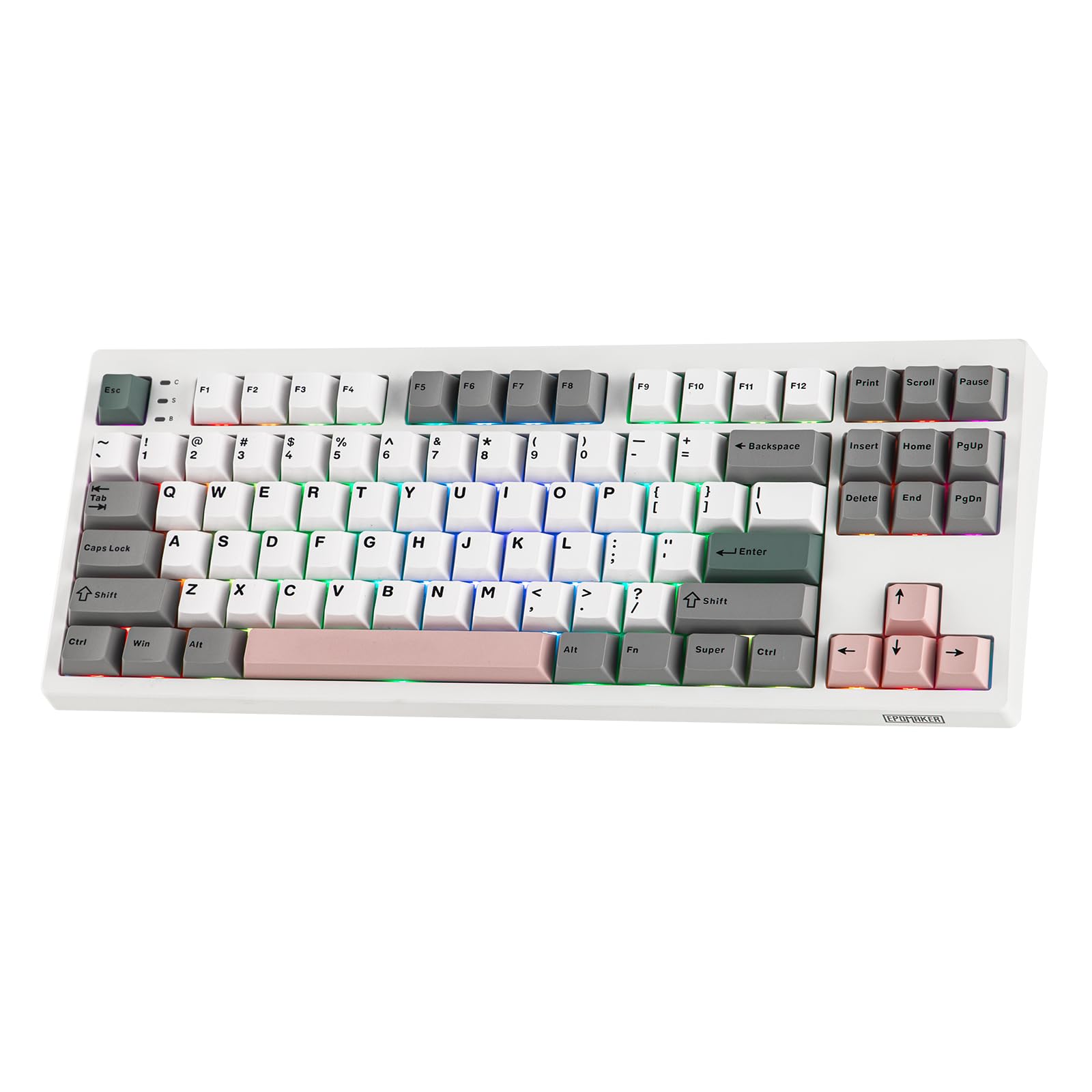
Figure 1: EPOMAKER TH87 Wireless Mechanical Keyboard
2. Contingut del paquet
Assegureu-vos que tots els elements estiguin presents al vostre paquet:
- TH87 Wireless Gaming Keyboard
- USB A-to-C Cable
- Extra Switches (for customization)
- Wireless 2.4Ghz Receiver (stored under the side kick-stand)
- Extractor d'interruptors i tecles 2 en 1
- Manual d'usuari (aquest document)
Video 1: EPOMAKER TH87 Unboxing & Overview & Typing Video. This video demonstrates the unboxing process and provides a general overview of the keyboard's features and typing experience.
3. Configuració
Follow these steps to set up your EPOMAKER TH87 keyboard:
3.1. Connexió per cable
- Localitza el port USB-C al teclat.
- Connect the provided USB A-to-C cable to the keyboard and your computer.
- Ensure the mode switch on the keyboard is set to 'USB'.
3.2. Connexió sense fil de 2.4 GHz
- Locate the 2.4GHz wireless receiver, typically stored in a compartment under the side kick-stand of the keyboard.
- Connecteu el receptor a un port USB disponible de l'ordinador.
- Set the mode switch on the keyboard to '2.4G'. The keyboard should automatically connect.
3.3. Connexió Bluetooth
- Poseu el selector de mode del teclat a "BT".
- On your device (PC, Mac, Tablet, Phone), open Bluetooth settings.
- Cerca new devices and select 'EPOMAKER TH87' to pair.
- The keyboard supports multiple Bluetooth profiles; refer to the full user manual for specific pairing instructions for each profile.
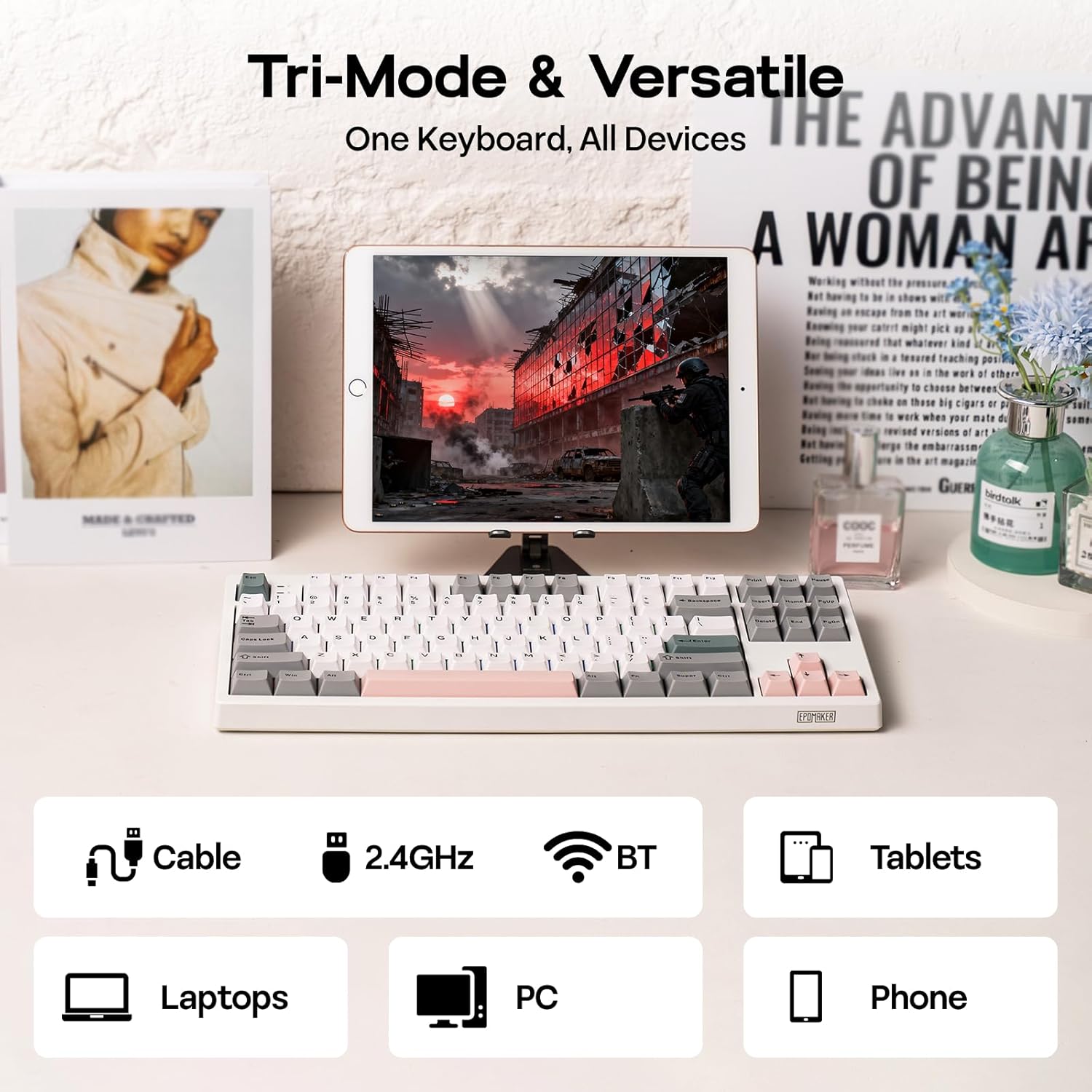
Figura 2: Opcions de connectivitat trimodal
4. Instruccions de funcionament
4.1. Funcions bàsiques
The TH87 features a standard 87-key TKL layout. All keys function as labeled in their default state.
4.2. Tecles de funció (combinacions Fn)
The keyboard includes an 'Fn' key to access secondary functions printed on certain keycaps. Common combinations include:
- Fn + F1-F12: Multimedia controls, volume adjustment, etc.
- Fn + Tecles de fletxa: Adjust RGB lighting effects (brightness, speed, direction).
- Fn + Win: Tecla de bloqueig/desbloqueig de Windows.
- Fn + Intro: Comproveu l'estat de la bateria.
4.3. Canvi de mode del sistema operatiu
Use the dedicated switch on the keyboard to toggle between Mac and Windows compatibility modes.
5. Personalització
The EPOMAKER TH87 offers extensive customization through its webprogramari de controladors basat en .
5.1. Web-Based Driver
The custom driver allows you to:
- Remap individual keys.
- Record and assign macros for complex key sequences.
- Adjust RGB lighting effects, colors, brightness, and speed.
- Configure advanced key functions like SOCD (Simultaneous Opposite Cardinal Directions) and Mod Tap.
Access the driver online via the official EPOMAKER website or the QR code provided in the brand card.
Video 2: How to Use TH87 Online Web Driver. This video guides you through connecting your keyboard to the web driver and customizing key functions, macros, and lighting settings.
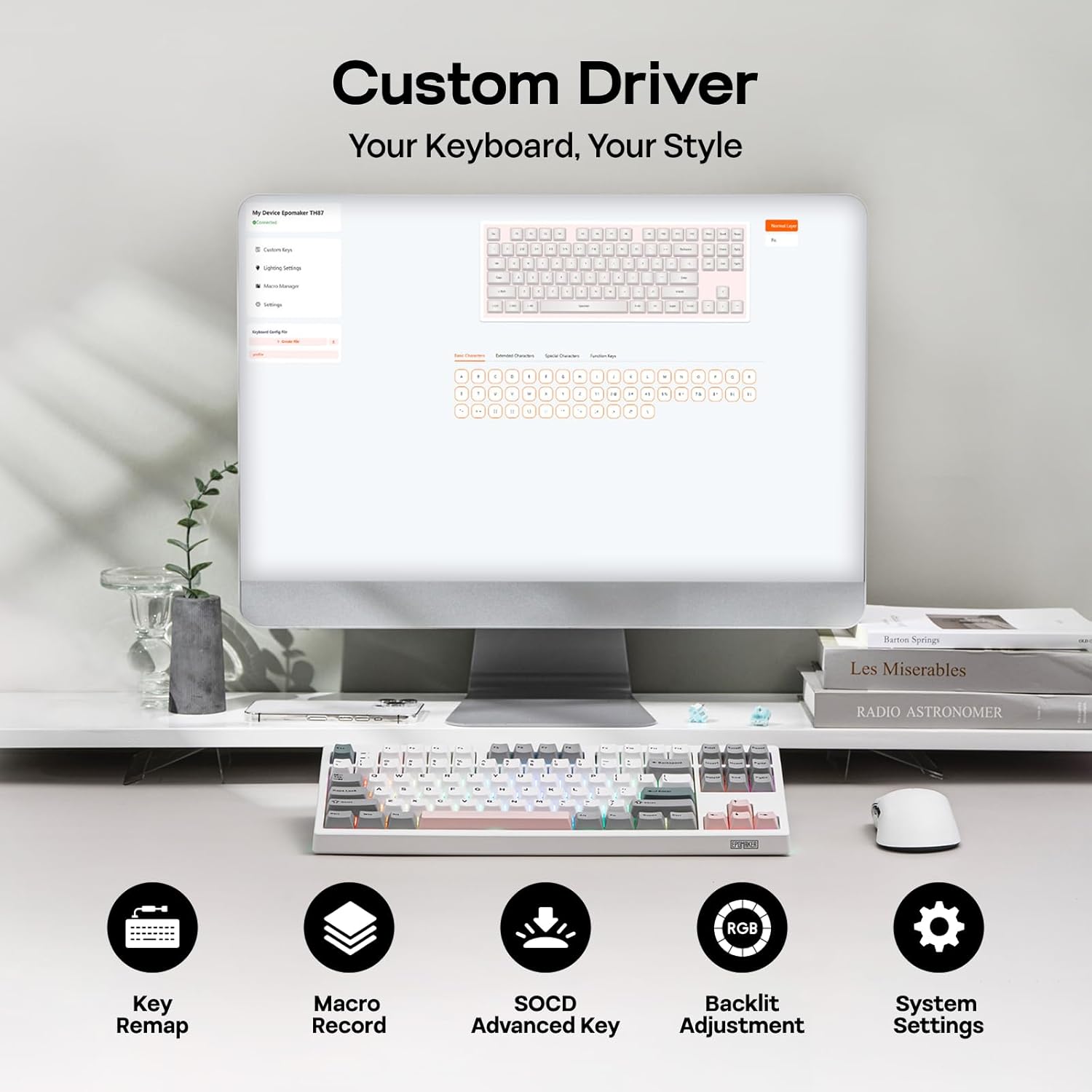
Figure 3: Custom Driver Interface
5.2. Commutadors intercanviables en calent
The TH87 features a hot-swappable PCB, allowing you to change mechanical switches without soldering. It is compatible with 3-pin and 5-pin switches.
Per substituir un interruptor:
- Use the provided keycap puller to remove the keycap.
- Use the provided switch puller to gently remove the switch from the PCB.
- Alineeu els pins del nou interruptor amb els forats de la placa de circuit imprès i premeu fermament fins que encaixi al seu lloc.
- Substitueix la tapa de les tecles.
The keyboard comes with pre-lubed EPOMAKER Sea Salt Silent V2 switches (Linear, 45±5gf Trigger Force, 51±5gf Bottom-Out Force, 1.8±0.4mm Pre-Travel, 3.5±0.4mm Total Travel).

Figure 4: Hot-Swappable Switches and Sea Salt Silent V2 Specifications
Video 3: EPOMAKER TH87 Typing with Creamy Jade/Sea Salt Silent Switch. This video demonstrates the sound profile of the included switches.
5.3. Retroil·luminació RGB
The TH87 features per-key RGB backlighting with various effects. You can adjust the saturation, brightness, and speed of the lighting through the Fn key combinations or the custom driver software.
6. Informació de la bateria
The keyboard is equipped with a 10000mAh battery, providing extended usage times:
- Up to 45 hours of continuous use with RGB backlight at brightest setting.
- Up to 200 hours of continuous use with RGB backlight off.
To charge the keyboard, connect it via the USB-C cable to a computer or a compatible USB power adapter. The keyboard charges when plugged in. Always use a computer USB port for charging. Using a power adapter directly may cause battery damage.
7. Manteniment
Un manteniment adequat garanteix la longevitat i el rendiment del teclat:
- Neteja: Regularly clean keycaps and the keyboard surface with a soft, dry cloth. For deeper cleaning, remove keycaps using the provided puller and use compressed air to clear debris.
- Emmagatzematge: Guardeu el teclat en un lloc fresc i sec, allunyat de la llum solar directa i de temperatures extremes.
- Manipulació: Eviteu deixar caure el teclat o exposar-lo a líquids.
8. Solució De Problemes
Si teniu problemes amb el teclat, consulteu les solucions habituals següents:
- El teclat no respon: Ensure the keyboard is charged and the correct connectivity mode (Wired, 2.4G, BT) is selected. Try reconnecting the cable or re-pairing the wireless connection.
- Claus que no es registren: Check if the switches are properly seated. If a specific key is not working, try replacing its switch with one of the extra switches provided.
- Il·luminació RGB no funciona/incorrecta: Verify lighting settings in the custom driver or cycle through effects using Fn key combinations. Ensure the keyboard is sufficiently charged.
- Problemes de connectivitat: For 2.4GHz, ensure the dongle is securely plugged in and close to the keyboard. For Bluetooth, ensure your device's Bluetooth is enabled and the keyboard is paired correctly. Avoid interference from other wireless devices.
- Problemes de programari: If the custom driver is not detecting the keyboard, ensure it is connected via USB-C and the mode switch is set to 'USB'.
9. Especificacions
| Característica | Detall |
|---|---|
| Marca | EPOMAKER |
| Número de model | TH87 |
| Descripció del teclat | TKL Layout Mechanical Keyboard |
| Nombre de claus | 87 |
| Tecnologia de connectivitat | 2.4Ghz Wireless, BT, USB A-to-C Wired |
| Font d'alimentació | Alimentat per bateria (10000 mAh) |
| Il·luminació del teclat | RGB |
| Tipus de canvi | Linear (EPOMAKER Sea Salt Silent Switch) |
| Característiques especials | Backlit, Ergonomic, Hot-Swappable, Programmable Keys, Rechargeable |
| Dimensions del producte | 14.43 cm de llargada x 5.59 cm d'amplada x 1.63 cm d'alçada |
| Material | Plàstic |
| Dispositius compatibles | Gaming Console, Laptop, PC, Projector, Tablet |

Figure 5: Technical Specifications and Layout
10. Garantia i Suport
The EPOMAKER TH87 Wireless Mechanical Keyboard comes with a 1 anys de garantia des de la data de compra.
For technical support, warranty claims, or any inquiries, please contact EPOMAKER customer service:
- Correu electrònic: support@epomaker.com
- Oficial Weblloc: www.epomaker.com
Please have your purchase receipt and product model number (TH87) ready when contacting support.