
Introducció
The OMOTON TP02-Pro is a versatile magnetic phone holder designed for content creators and everyday use. It features a powerful magnetic base, multi-functional expansion options including Arca-Swiss and 1/4" screw compatibility, and free-angle adjustment for optimal positioning. This manual provides instructions for setting up, operating, maintaining, and troubleshooting your device.
Contingut del paquet
- OMOTON TP02-Pro Magnetic Phone Holder
- Extra Metal Ring (for non-MagSafe compatible phones/cases)
Instruccions de configuració
1. Connectar el telèfon
The TP02-Pro is directly compatible with iPhone 12-17 series and MagSafe cases. Simply align your MagSafe-compatible phone or case with the magnetic ring on the holder until it snaps securely into place.
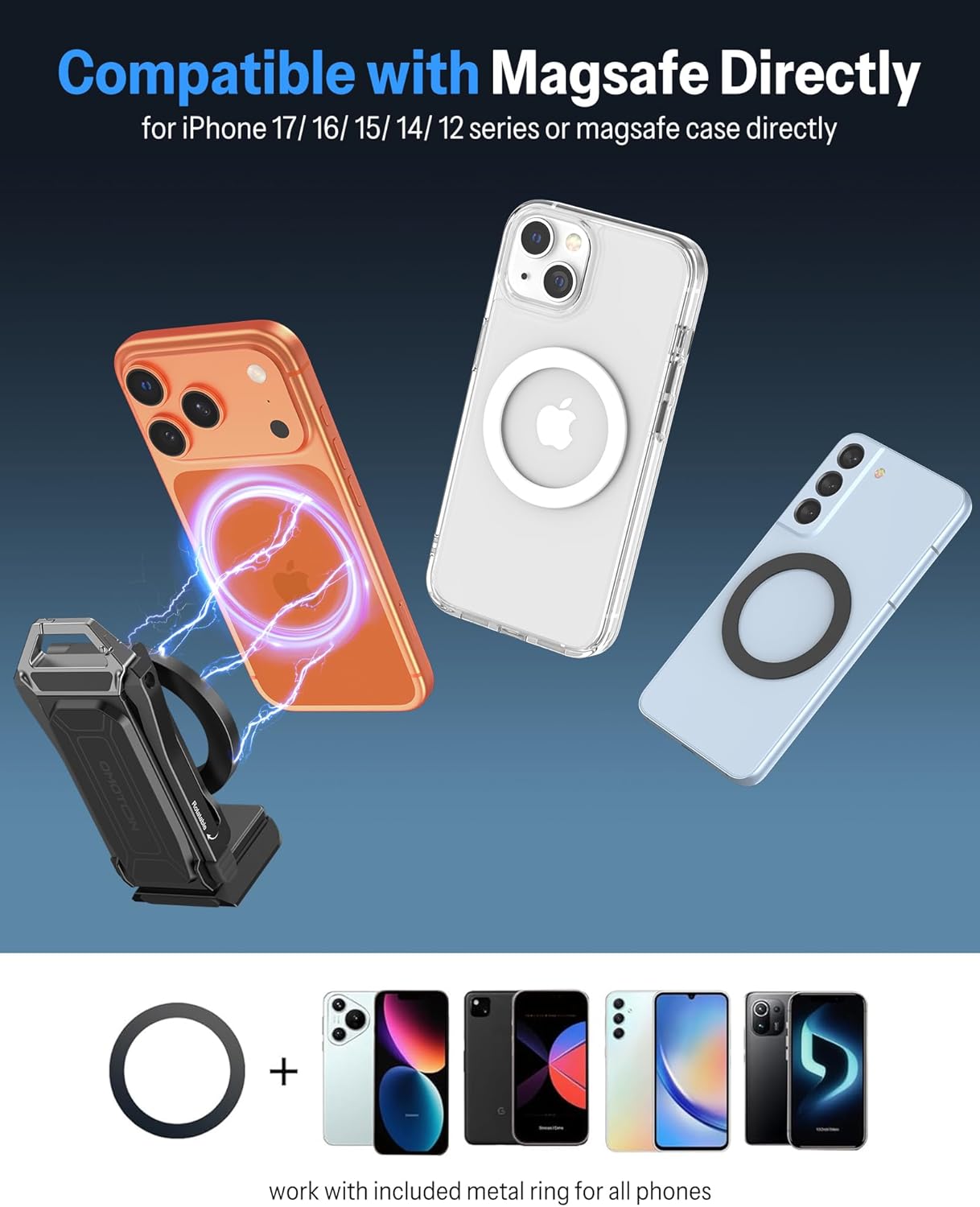
Image: Direct MagSafe compatibility and use of the included metal ring for other devices.
2. For Non-MagSafe Phones/Cases
If your phone or case is not MagSafe compatible, use the included extra metal ring. Peel off the adhesive backing and center the metal ring on the back of your phone or case. Ensure it is securely attached before mounting to the holder.
3. Expanding the Holder
The holder features a foldable design. Gently unfold the arms and extend the telescopic sections to achieve your desired length and angle. The joints are designed for smooth, stable adjustment.

Image: The holder extended for use as a selfie stick.
4. Tripod and Accessory Mounting
The TP02-Pro includes a 1/4" screw mount and Arca-Swiss standard compatibility at its base. This allows for easy integration with tripods, monopods, and other professional photography gear.

Image: The holder's base with 1/4" screw hole and Arca-Swiss plate compatibility.
Instruccions de funcionament
1. Muntatge magnètic
The powerful N52 industrial magnets allow the holder to securely attach to any metal surface. This is ideal for hands-free filming in various environments, such as a gym or kitchen.

Image: Magnetic attachment to gym equipment for recording.

Image: Magnetic attachment in a kitchen for hands-free cooking videos.
2. Free-Angle Adjustment
Utilize the 3-axis control and 360° rotation capabilities to achieve any desired viewing or shooting angle. Adjust the joints by hand until the phone is positioned correctly.
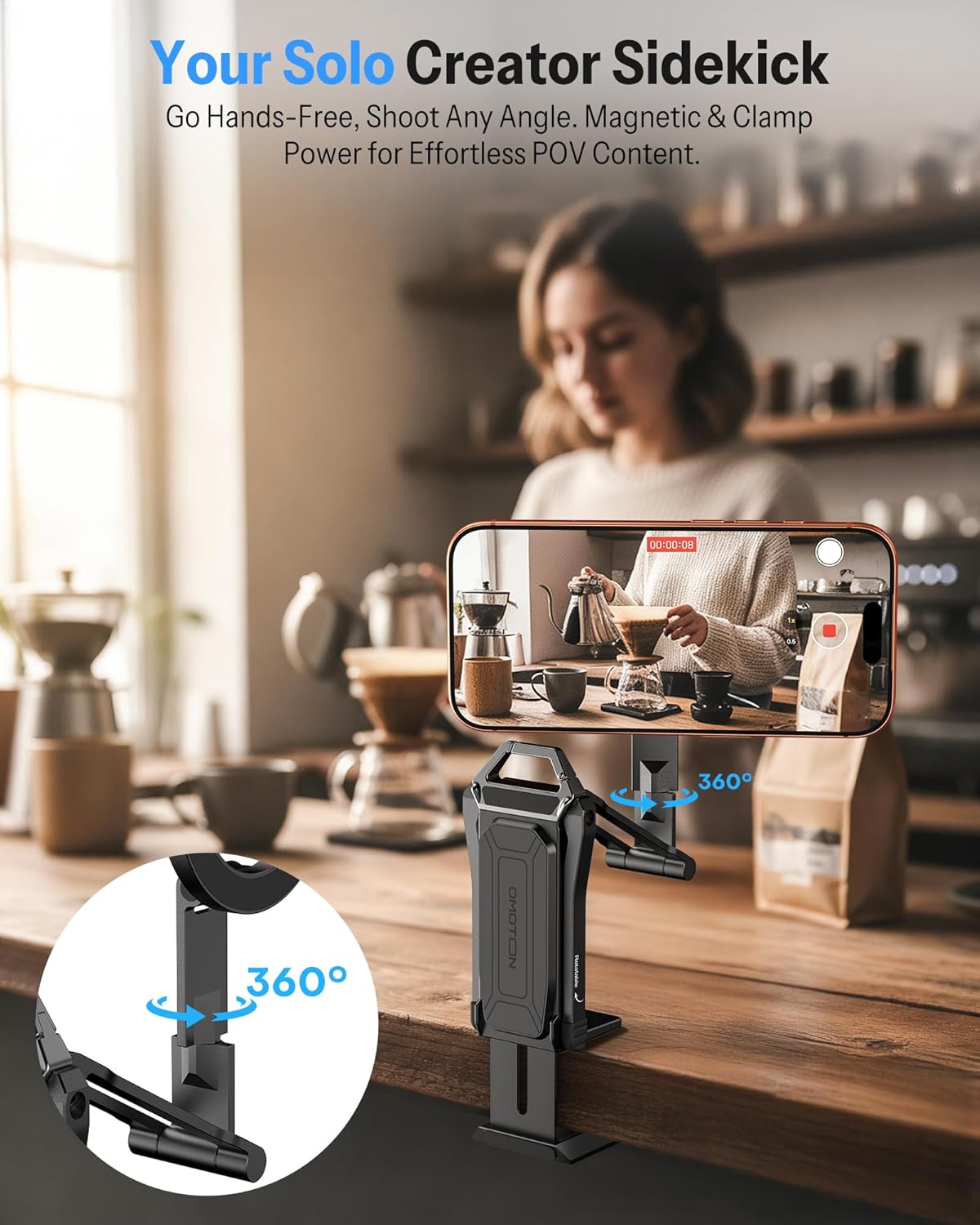
Image: Demonstrating 360-degree rotation and desk clamp funcionalitat.
3. Multiple Usage Modes
The TP02-Pro can be used in various configurations:
- Handheld Grip/Selfie Stick: Extend the holder and use it as a comfortable grip for stable selfies and vlogging.
- Suport d'escriptori: Fold out the base to create a stable desktop stand for watching videos or video calls.
- Clamp Muntatge: Utilitzeu el cl integratamp to attach the holder to tables, shelves, or other surfaces.
- Muntatge de trípode: Attach to any standard tripod using the 1/4" screw or Arca-Swiss plate.
- Muntatge magnètic: Securely attach to metal surfaces like gym equipment, refrigerators, or pegboards.

Image: Various usage scenarios including in-flight, selfie, low angle, desktop, overhead, and tripod modes.

Image: Magnetic mounting to a pegboard for hands-free crafting.

Image: Attached to a shopping cart for point-of-view gravació de vídeo.
4. Vídeo oficial del producte
Video: An official product video demonstrating the OMOTON Mini Selfie Stick for Content Creators, showcasing les seves característiques i versatilitat.
Manteniment
The OMOTON TP02-Pro is constructed from high-strength aluminum alloy for durability. To maintain its condition:
- Wipe the holder with a soft, dry cloth to remove dust and fingerprints.
- Eviteu utilitzar netejadors o dissolvents abrasius, ja que poden danyar l'acabat.
- Emmagatzemar en un lloc net i sec quan no estigui en ús.
- Ensure all moving parts are free of debris to maintain smooth operation.
Resolució de problemes
1. Phone Not Attaching Securely
- Check MagSafe Compatibility: Ensure your phone or case is MagSafe compatible.
- Use Metal Ring: If not MagSafe compatible, ensure the included metal ring is properly attached to your phone or case.
- Obstruccions: Verify there are no foreign objects between the phone/case and the holder's magnetic surface.
2. Holder Feels Unstable
- Apretar les juntes: Ensure all adjustable joints are tightened sufficiently to hold the desired position.
- Superfície estable: When using as a desktop stand or clamp, ensure the surface is flat and stable.
- Distribució de pes: Adjust the phone's position to balance the weight, especially when extended.
3. Difficulty Adjusting Angles
- Lubricació: If joints are stiff, a small amount of silicone lubricant can be applied (avoiding magnetic surfaces).
- restes: Check for any debris obstructing the movement of the joints.
Especificacions
| Marca | OMOTON |
| Nom del model | TP02-Pro |
| Dispositius compatibles | 4-8 inches Smartphones (iPhone 12-17 series, Samsung, etc.) |
| Tipus de muntatge | Tabletop Tripod Mount, Magnetic Mount, Clamp Muntanya |
| Material | Aliatge d'alumini |
| Característiques addicionals | Adjustable, Foldable, Hand Free, One-Hand Operation, 1/4" Screw, Arca-Swiss Compatible |
Garantia
The OMOTON TP02-Pro Magnetic Phone Holder comes with a 180 dies de garantia from the date of purchase. This warranty covers manufacturing defects under normal use. Please retain your proof of purchase for warranty claims. The warranty does not cover damage caused by misuse, accidents, or unauthorized modifications.
Suport
For further assistance, technical support, or warranty inquiries, please contact OMOTON customer service through the retailer where you purchased the product or visit the official OMOTON store online.
OMOTON Store: Visit the OMOTON Store on Amazon