
1. Introducció
Thank you for choosing Dpofirs Earphones Model Dpofirsuir40pg6nm-11. This manual provides essential information for the proper use, setup, and maintenance of your new earphones. Please read this guide thoroughly before using the product to ensure optimal performance and longevity.
2. Característiques del producte
- Pantalla intel·ligent de la bateria: Equipped with a low-power chip and a high-capacity lithium battery, providing approximately 7-8 hours of playback time. The smart display indicates battery status.
- Disseny únic sobre l'orella: Lightweight and comfortable over-ear hook design ensures a secure fit during various activities.
- So envoltant panoràmic ACS: Features professional acoustic tuning technology and a high-elastic composite diaphragm for high-fidelity sound quality and dynamic audio experience.
- Cancel·lació intel·ligent del soroll: Dual microphones with noise cancellation technology enhance clarity during video calls and conversations, even in noisy environments.
- Directional Sound Transmission Technology: Utilizes DT4.0 pulse directional sound transmission to accurately deliver audio and effectively reduce sound leakage by up to 99%.
3. Contingut del paquet
Si us plau, comproveu el paquet per veure si hi ha els elements següents:
- 1 Pair of Dpofirs Earphones
- 1 Estoig de càrrega
- 1 cable de càrrega USB

Image: The charging case and the included USB charging cable.
4. Instruccions de configuració
4.1 Càrrega dels auriculars i l'estoig
Abans del primer ús, carregueu completament els auriculars i l'estoig de càrrega.
- Connect the provided USB charging cable to the charging port on the case and to a USB power source (e.g., computer, wall adapter).
- Col·loca els auriculars a l'estoig de càrrega. Assegura't que estiguin correctament col·locats a les seves ranures respectives.
- The indicator lights on the case and earphones will show the charging status. Refer to the smart battery display for charge levels.
- A full charge typically takes approximately 1-2 hours for the earphones and 2-3 hours for the charging case.
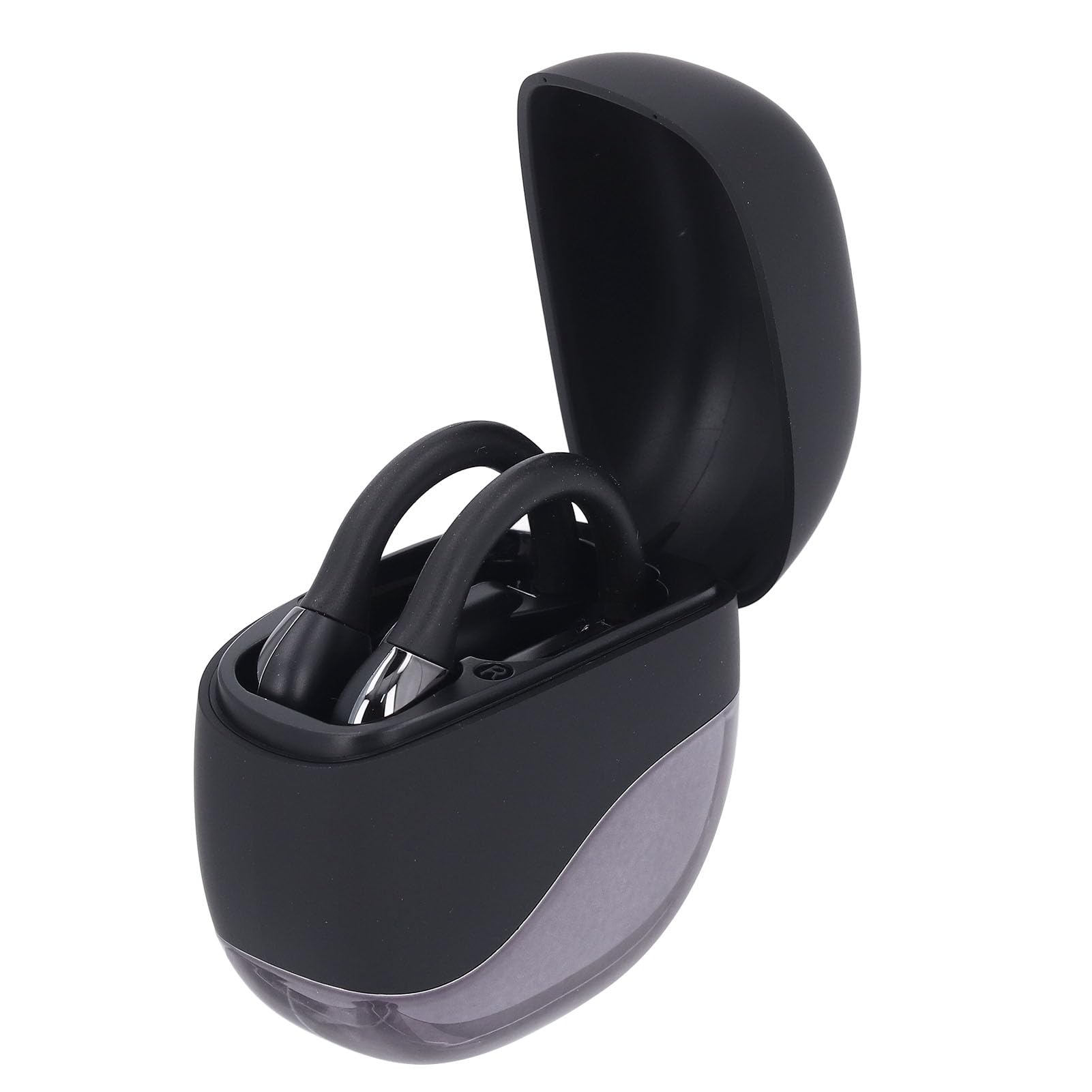
Image: Earphones placed inside the open charging case.
4.2 Vinculació Bluetooth
To connect your earphones to a device (smartphone, tablet, etc.):
- Ensure the earphones are charged. Open the charging case. The earphones will automatically enter pairing mode, indicated by a flashing LED light (if present).
- On your device, go to the Bluetooth settings.
- Activa el Bluetooth i busca els dispositius disponibles.
- Select "Dpofirs Earphones" (or similar name) from the list of found devices.
- Once connected, the earphone indicator light will stop flashing, and your device will confirm the connection.
- The earphones will automatically reconnect to the last paired device when removed from the case and within range.
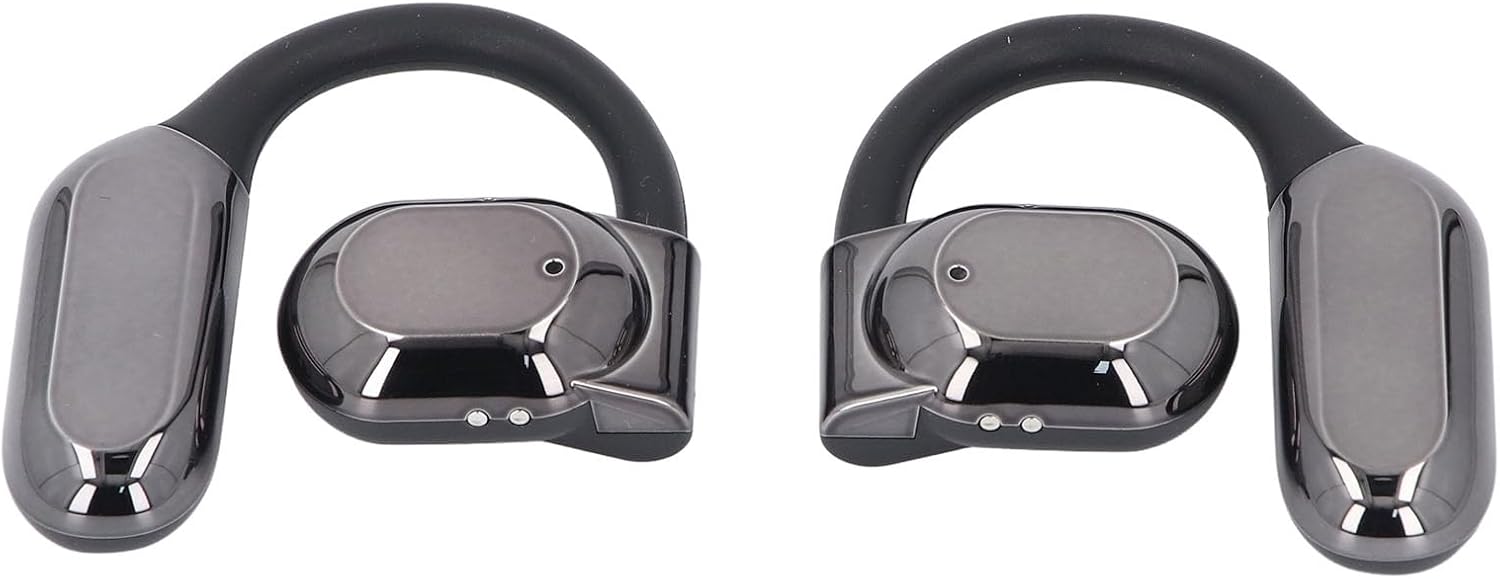
Imatge: Frontal view of both Dpofirs earphones, showing their design.
5. Instruccions de funcionament
5.1 Encès/Apagat
- Encès: Obriu la funda de càrrega i els auriculars s'encendran automàticament.
- Apagar: Torneu a col·locar els auriculars a l'estoig de càrrega i tanqueu la tapa. S'apagaran automàticament i començaran a carregar-se.
5.2 Reproducció de música
Control music playback through your connected device or via the touch controls on the earphones (if available, refer to specific product documentation for exact touch functions):
- Reproduir/pausa: Typically a single tap on either earphone.
- Pista següent: Often a double tap on the right earphone.
- Pista anterior: Often a double tap on the left earphone.
- Control de volum: May involve a long press or multiple taps; consult specific product instructions.
5.3 Gestió de trucades
Manage phone calls using the earphone controls:
- Respondre/Finalitzar la trucada: Typically a single tap on either earphone during an incoming call or an active call.
- Rebutja la trucada: Often a long press on either earphone during an incoming call.
The smart noise cancellation feature with dual microphones helps ensure clear communication during calls.
5.4 Directional Sound Transmission
The DT4.0 pulse directional sound transmission technology is designed to focus audio towards your ears, significantly reducing sound leakage to those around you. This allows for a more private listening experience.

Image: A person wearing the Dpofirs earphones, demonstrating the over-ear fit.
6. Manteniment
To ensure the longevity and optimal performance of your Dpofirs Earphones, follow these maintenance guidelines:
- Neteja: Regularly wipe the earphones and charging case with a soft, dry, lint-free cloth. Do not use abrasive cleaners, alcohol, or chemical solvents.
- Emmagatzematge: Quan no els utilitzeu, guardeu els auriculars a la seva funda de càrrega per protegir-los de la pols i els danys. Guardeu-los en un lloc fresc i sec, allunyat de temperatures extremes.
- Resistència a l'aigua: Avoid exposing the earphones to water or excessive moisture. They are not designed to be waterproof.
- Càrrega: Use only the provided charging cable or a certified equivalent. Avoid overcharging for extended periods.
7. Solució De Problemes
Si teniu problemes amb els auriculars, proveu les solucions següents:
- Sense so:
- Assegureu-vos que els auriculars estiguin carregats i encesos.
- Comproveu el nivell de volum tant del dispositiu com dels auriculars.
- Verify that the earphones are correctly paired and connected to your device.
- Prova de reproduir àudio des d'una altra aplicació o font.
- Error de vinculació:
- Assegureu-vos que el Bluetooth estigui habilitat al vostre dispositiu.
- Make sure the earphones are in pairing mode (out of the case, or by following specific reset instructions if available).
- Desactiva el Bluetooth en altres dispositius propers per evitar interferències.
- Forget the earphones from your device's Bluetooth list and try pairing again.
- Reinicieu tant el dispositiu com els auriculars.
- Problemes de càrrega:
- Assegureu-vos que el cable de càrrega estigui connectat correctament tant a la carcassa com a la font d'alimentació.
- Comproveu si la font d'alimentació està activa.
- Netegeu els contactes de càrrega tant dels auriculars com de la funda amb un bastonet de cotó sec.
- Proveu un cable USB o un adaptador d'alimentació diferent.
- Qualitat de trucada baixa:
- Assegureu-vos que els micròfons no estiguin obstruïts.
- Apropa't al dispositiu connectat per millorar la intensitat del senyal.
- Comproveu si hi ha soroll ambiental que pugui afectar la claredat de la trucada.
8. Especificacions
| Marca | Dpofirs |
| Nom del model | Dpofirsuir40pg6nm-11 |
| Connectivitat | Bluetooth v5.46 (USB for charging) |
| Factor de forma | Over-ear hook with in-ear component |
| Distància de transmissió | Fins a 10 metres (32.8 peus) |
| Capacitat de la bateria dels auriculars | 90 mAh (Li battery) |
| Caixa de càrrega Capacitat de la bateria | 300 mAh (Li battery) |
| Durada de la bateria (reproducció) | Aprox. 7-8 hores |
| Color | Negre |
| Material | PC, ABS |
9. Garantia i Suport
Per obtenir informació sobre la garantia i assistència al client, consulteu la documentació proporcionada amb la compra o poseu-vos en contacte directament amb el venedor. Conserveu el comprovant de compra per a qualsevol reclamació de garantia.
For further assistance, you may visit the Dpofirs brand store on Amazon: Dpofirs Store