
Moman Xview M4 Pro
Moman Xview M4 Pro Selfie Monitor User Manual
Model: Xview M4 Pro
1. Introducció
This manual provides comprehensive instructions for the safe and efficient use of your Moman Xview M4 Pro Selfie Monitor. Please read this manual thoroughly before operating the device and retain it for future reference.
2. Informació de seguretat
Per garantir un funcionament segur i evitar danys, observeu les precaucions següents:
- Do not expose the monitor to water or excessive humidity.
- Eviteu deixar caure o sotmetre el dispositiu a forts impactes.
- No intenteu desmuntar ni reparar el monitor vosaltres mateixos. Poseu-vos en contacte amb personal de servei qualificat.
- Mantingueu el monitor allunyat de la llum solar directa i de fonts de calor.
- Feu servir només l'adaptador de corrent i els accessoris especificats.
3. Contingut del paquet
Verifiqueu que tots els elements siguin presents al paquet:
- Moman Xview M4 Pro Selfie Monitor (main unit)
- Cable de càrrega USB-C
- Manual d'usuari (aquest document)
Nota: El contingut del paquet pot variar lleugerament segons la regió o el paquet específic comprat.
4. Configuració
4.1 Càrrega del monitor
Before first use, fully charge the Moman Xview M4 Pro monitor. Connect the provided USB-C cable to the monitor's charging port and the other end to a compatible USB power adapter (not included) or a computer's USB port.
The charging indicator light will typically show red while charging and turn green or off when fully charged.
4.2 Muntatge del monitor
The Moman Xview M4 Pro is designed to be mounted on various camera rigs or smartphone cages. It features a standard 1/4"-20 screw hole for attachment.
- Attach the monitor to a cold shoe mount or a compatible bracket (sold separately) using the 1/4"-20 screw.
- Securely fasten the monitor to your smartphone cage or camera setup.
- Ajusteu el viewangle segons sigui necessari.
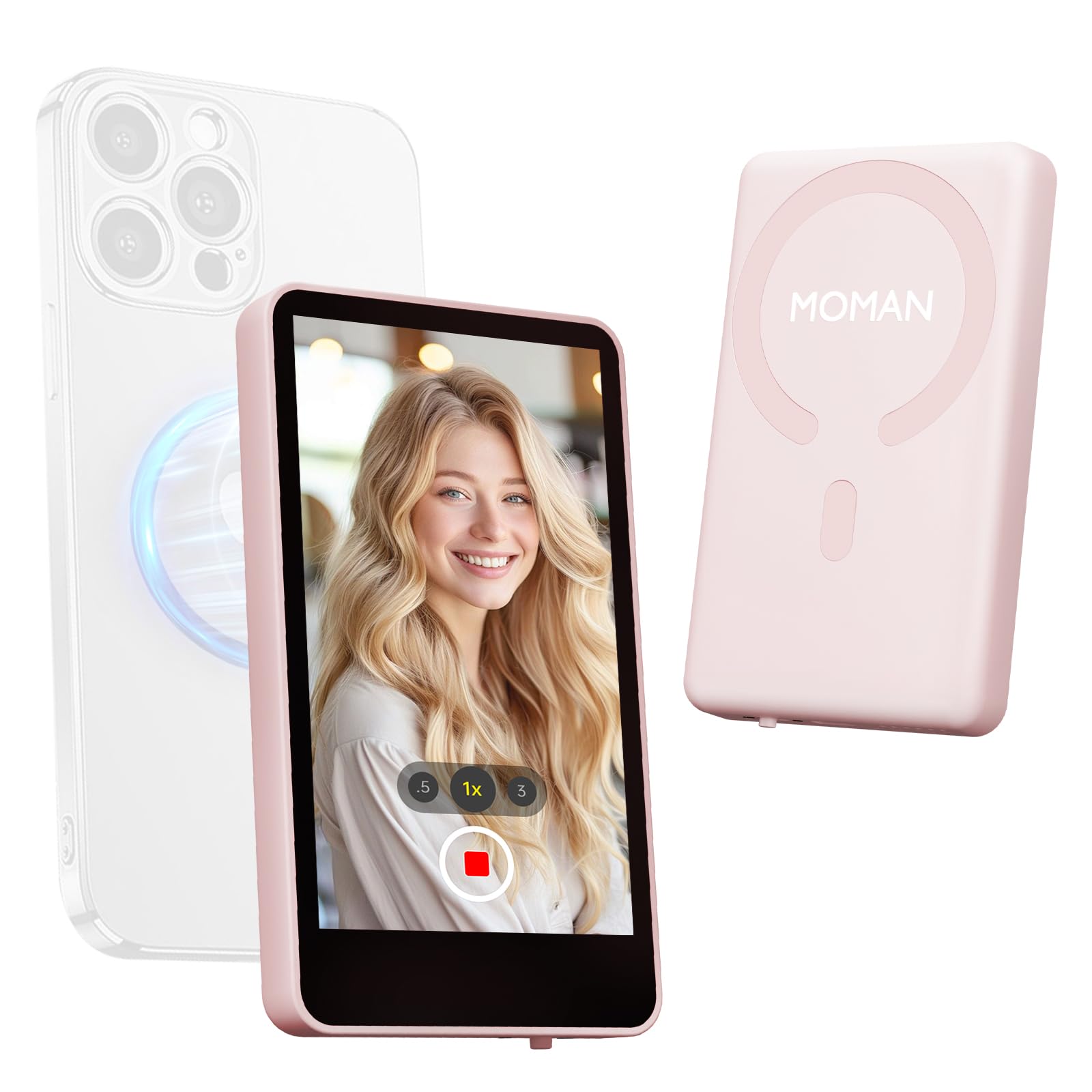
Image: The Moman Xview M4 Pro Selfie Monitor shown attached to a smartphone rig, demonstrating its compact size and mounting flexibility.
5. Instruccions de funcionament
5.1 Engegada/apagada
To power on the monitor, press and hold the power button located on the side/back of the device for approximately 3 seconds. The screen will illuminate. To power off, press and hold the power button again until the screen turns off.
5.2 Connexió a un telèfon intel·ligent
The Moman Xview M4 Pro connects wirelessly to your smartphone (iPhone 7-17 Series & Android). Follow these steps:
- Assegureu-vos que el Bluetooth i el Wi-Fi del vostre telèfon intel·ligent estiguin activats.
- Download and install the dedicated Moman Xview aplicació des de la botiga d'aplicacions del teu telèfon intel·ligent.
- Open the Moman Xview app and follow the on-screen instructions to pair with the M4 Pro monitor. The app will guide you through the connection process, typically involving selecting the monitor from a list of available devices.
- Once connected, your smartphone's camera feed will be mirrored on the M4 Pro monitor.
For optimal performance, ensure your smartphone and the monitor are within close proximity and free from wireless interference.
5.3 Funcions del monitor
The M4 Pro monitor provides various functions to enhance your selfie and video recording experience:
- Monitorització en temps real: View your smartphone's camera feed in real-time.
- Ajust de brillantor: Use the dedicated buttons or app controls to adjust screen brightness.
- Mirror/Flip Function: Some models or app versions may offer options to mirror or flip the display for specific shooting scenarios. Refer to the app for available features.
- Indicador de bateria: The monitor displays its current battery level.
6. Manteniment
6.1 Neteja
To clean the monitor, use a soft, dry, lint-free cloth. For stubborn smudges, lightly dampen the cloth with water or a screen-cleaning solution. Do not use harsh chemicals or abrasive materials.
6.2 Emmagatzematge
When not in use, store the monitor in a cool, dry place, away from direct sunlight and extreme temperatures. It is recommended to use the original packaging or a protective case to prevent scratches and damage.
7. Solució De Problemes
| Problema | Causa possible | Solució |
|---|---|---|
| El monitor no s'encén. | Bateria baixa. | Charge the monitor using the provided USB-C cable. |
| Cannot connect to smartphone. | Bluetooth/Wi-Fi off; App not installed; Monitor not in pairing mode; Interference. | Ensure Bluetooth/Wi-Fi are on. Install Moman Xview app. Restart monitor and app. Move closer to the monitor. |
| La pantalla està en blanc o parpelleja. | Loose connection; Software glitch. | Ensure secure connection. Restart monitor and smartphone. Check for app updates. |
If the problem persists after trying these solutions, please contact Moman customer support.
8. Especificacions
| Característica | Detall |
|---|---|
| Model | Xview M4 Pro |
| Connectivitat | Wireless (Bluetooth/Wi-Fi) |
| Compatibilitat | iPhone 7-17 Series & Android smartphones |
| Dimensions | 12.19 x 9.91 x 1.9 cm (aprox.) |
| Pes | 168 grams (aprox.) |
| Font d'alimentació | USB-C (internal rechargeable battery) |
Les especificacions estan subjectes a canvis sense previ avís.
9. Garantia i Suport
Moman products are covered by a limited warranty. For detailed warranty terms and conditions, please refer to the warranty card included with your product or visit the official Moman weblloc.
For technical support, troubleshooting assistance, or service inquiries, please contact Moman customer support through their official weblloc web o la informació de contacte que es proporciona a l'embalatge del producte.
Moman Official Weblloc: www.moman.co
Documents relacionatsXview M4 Pro


Ask a question about this manual
Ask about setup, troubleshooting, compatibility, parts, safety, or missing instructions. Manuals+ will review the question and use this page’s manual context to help answer it.