
1. Introducció
Thank you for choosing the Auxmir M4-WiFi Smart Bedside Lamp. This intelligent night light offers a wide range of customizable colors and brightness levels, controllable via touch, a dedicated mobile application, or voice commands through Alexa and Google Home. Please read this manual carefully to ensure proper setup, operation, and maintenance of your device.
2. Instruccions de seguretat
- Font d'alimentació: Aquesta lamp does not have a built-in battery. It must remain connected to a power source via the provided USB-C cable for continuous operation. An AC adapter is not included.
- Només per a ús interior: This product is designed for indoor use. Do not expose it to water or high humidity.
- Neteja: Disconnect the power before cleaning. Use a soft, dry cloth. Do not use liquid cleaners or aerosol sprays.
- Nens: Keep out of reach of small children unless under adult supervision. The lamp is designed to be child-friendly but is not a toy.
- Desmuntatge: No intenteu desmuntar ni reparar el lamp yourself. This will void the warranty and may cause damage or injury.
- Temperatura de funcionament: Avoid extreme temperatures. Operate the lamp within a normal room temperature range.
3. Contingut del paquet
Si us plau, comproveu el paquet per veure si hi ha els elements següents:
- Auxmir M4-WiFi Smart Bedside Lamp (1 unitat)
- USB-C Power Cable (1 unit)
- Manual d'usuari (1 unitat)
4. Producte acabatview
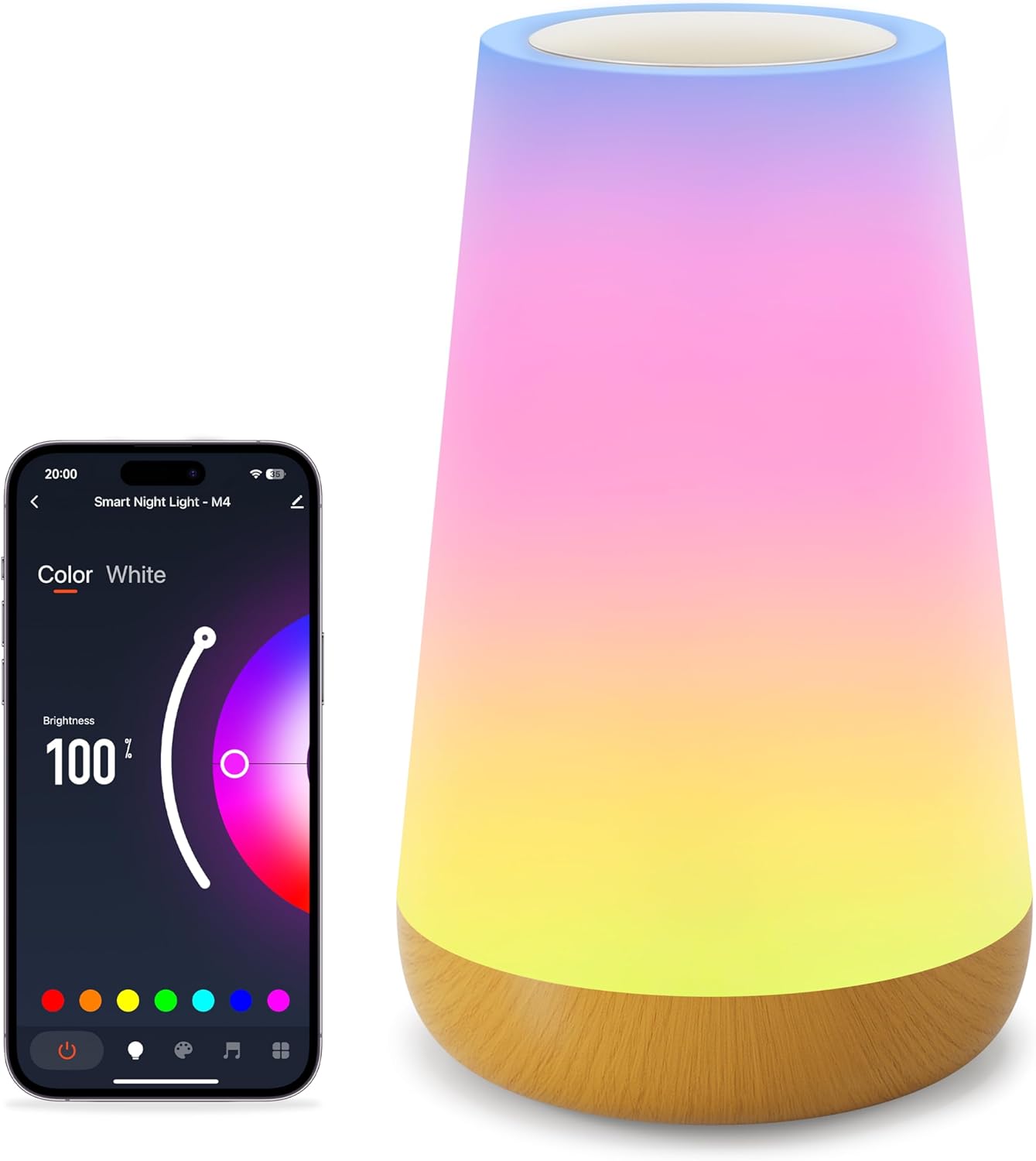
The Auxmir M4-WiFi Smart Bedside Lamp features a sleek, conical design with a touch-sensitive top panel and a wooden-look base. It provides 256 adjustable RGB colors and warm white light, suitable for various environments.
5. Configuració
5.1 Connexió d'alimentació
- Connecteu el cable USB-C proporcionat a l'entrada lamp's power port.
- Plug the other end of the USB-C cable into a compatible USB power adapter (not included) or a USB port on another device.
- Ensure the power source is stable. The lamp will illuminate briefly to indicate it has power.
5.2 App Installation and Wi-Fi Pairing
To unlock all smart features, download the dedicated mobile application and connect the lamp a la vostra xarxa Wi-Fi.

- Descarrega l'aplicació: Cerca the recommended app (e.g., 'Smart Life' or 'Tuya Smart') in your smartphone's app store (iOS or Android) and install it.
- Registra't/Iniciar sessió: Obriu l'aplicació i creeu un compte o inicieu sessió si ja en teniu un.
- Afegeix un dispositiu: In the app, tap '+' or 'Add Device'. Select 'Lighting' or 'Smart Lamp'.
- Introduïu el mode de vinculació: Amb la lamp powered on, long-press the touch panel for 5 seconds until the light starts blinking rapidly. This indicates it is in network configuration mode.
- Connecta't a Wi-Fi: Follow the on-screen instructions in the app. Ensure your phone is connected to a 2.4GHz Wi-Fi network (5GHz networks are not supported). Enter your Wi-Fi password when prompted.
- Finalització: Un cop connectat, el lamp will stop blinking and the app will confirm successful pairing. You can now rename your lamp for easier control.
6. Instruccions de funcionament
6.1 Control tàctil
El lamp features a touch-sensitive panel on its top for basic control.
- Activar: Short press the touch panel.
- Apagar: Long press the touch panel for 2 seconds.
- Switch Color and Mode: Short touch the panel after turning on the light to cycle through colors and modes.
- Ajusta la brillantor: Slide your finger across the touch panel to adjust brightness.
6.2 Control d'aplicacions
The mobile application provides comprehensive control over the lampcaracterístiques de.

- Ajust de color i brillantor: Use the app's interface to select from 256 RGB colors and adjust brightness from 1% to 100%.
- Modes d'escena: Choose from over 32 built-in lighting modes, including holiday, nature, and festive scenes.
- Il·luminació de bricolatge: Crea i desa els teus propis efectes d'il·luminació i seqüències de colors personalitzats.
Control de veu 6.3 (Alexa i Google Home)
Integrate your lamp with Amazon Alexa or Google Home Assistant for hands-free control.

- Enllaça el compte: In the Alexa or Google Home app, enable the skill for your smart lamp's app (e.g., 'Smart Life' or 'Tuya Smart') and link your accounts.
- Descobriu els dispositius: Demana al teu assistent de veu que descobreixi nous dispositius.
- Comandaments de veu: Utilitzeu ordres com ara:
- "Alexa/Hey Google, turn on [Lamp Nom]."
- "Alexa/Ei Google, configura [Lamp Nom] a blau."
- "Alexa/Hey Google, dim [Lamp Nom] al 50%."
6.4 Timer & Scheduling
Establir horaris per a la lamp to automatically turn on or off.

- Open the app and navigate to the lampconfiguració de .
- Select 'Timer' or 'Schedule' option.
- Set desired on/off times and repeat days.
6.5 Mode de música
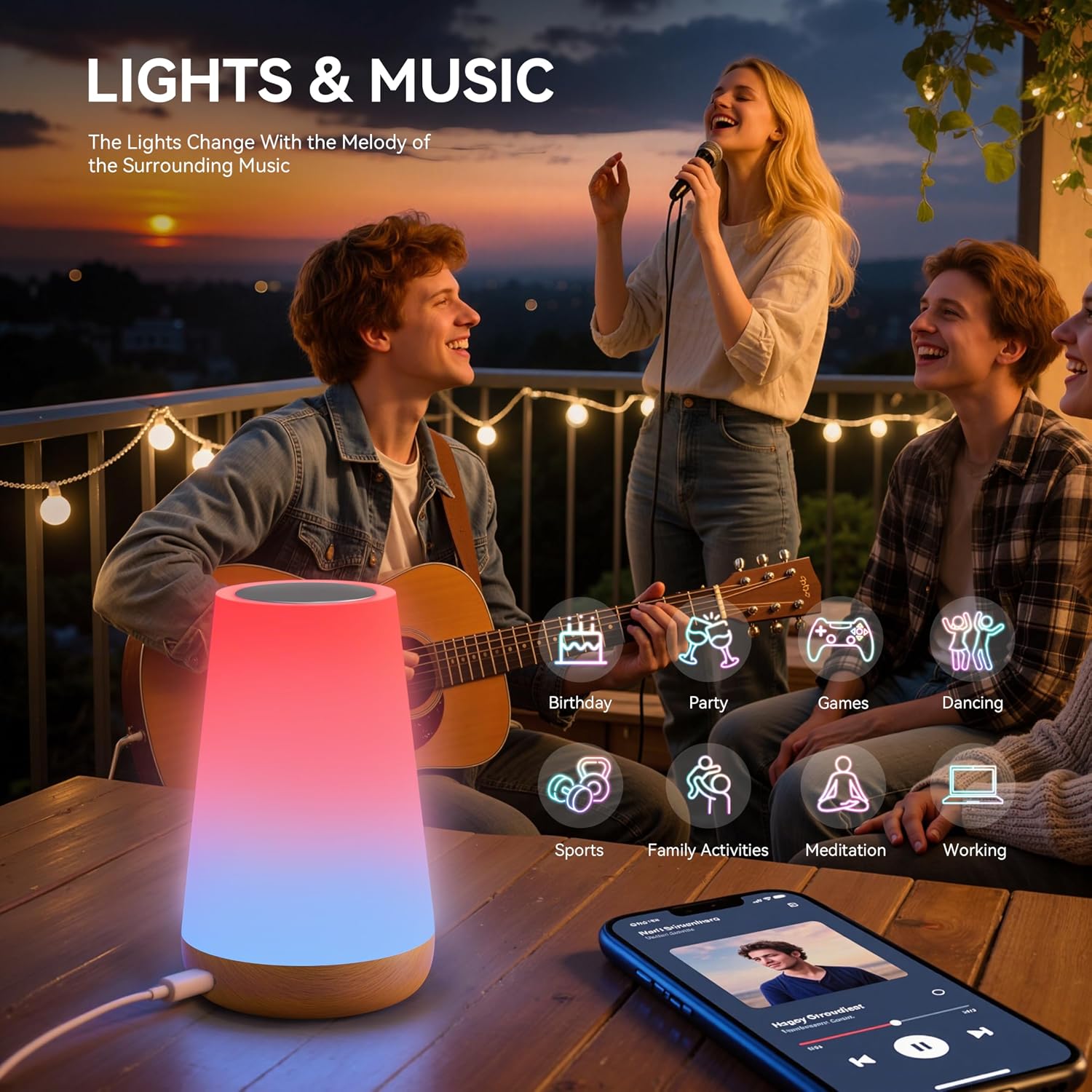
El lamp can synchronize its lighting effects with music, creating an immersive atmosphere.

- Activate 'Music Mode' within the mobile application.
- El lamp will use its built-in microphone to detect ambient music and adjust its lighting patterns accordingly.
7. Manteniment
- Neteja: Assegureu-vos que lamp is unplugged before cleaning. Wipe the exterior with a soft, dry, lint-free cloth. Do not use abrasive cleaners or solvents.
- Emmagatzematge: Quan no l'utilitzeu durant períodes prolongats, guardeu-loamp en un lloc fresc i sec, allunyat de la llum solar directa i de temperatures extremes.
- Manipulació: Manejar la lamp with care to avoid dropping or physical damage.
8. Solució De Problemes
| Problema | Causa possible | Solució |
|---|---|---|
| Lamp no s'encén. | Sense connexió elèctrica. | Ensure the USB-C cable is securely connected to both the lamp and a working power source. |
| No es pot connectar a la Wi-Fi. | Banda Wi-Fi incorrecta (5 GHz). Contrasenya incorrecta. Lamp no en mode d'aparellament. | Ensure your router is broadcasting a 2.4GHz Wi-Fi signal. Verify the Wi-Fi password. Long-press the touch panel for 5 seconds to enter pairing mode (rapid blinking). |
| El control per veu no funciona. | Account not linked. Nom de dispositiu incorrecte. Internet connectivity issues. | Ensure your smart lamp app account is linked to Alexa/Google Home. Check the device name in the app and use it in commands. Verify internet connection. |
| Lamp randomly changes color/mode. | Accidental touch. Interferència. | Ensure nothing is touching the touch panel. If issues persist, try resetting the lamp and re-pairing. |
| Music mode not responsive. | Low music volume. Microphone obstruction. | Increase music volume. Ensure the lamp's microphone (if applicable) is not covered. |
9. Especificacions
| Característica | Detall |
|---|---|
| Número de model | M4-WiFi Night Light |
| Dimensions (L x A x A) | 6.5 x 9.3 x 15.2 cm |
| Pes | 240 grams |
| Fabricant | Auxmir |
| Material base | Plàstic |
| Material d'ombra | Cotó |
| Lamp Tipus | Night Light / Bedside Lamp |
| Font de llum | LED (256 RGB colors + Warm White) |
| Mètode de control | Touch, Mobile App (Wi-Fi), Voice (Alexa, Google Home) |
| Protocol de connectivitat | Wi-Fi (només 2.4 GHz) |
| Font d'alimentació | USB-C Cable (constant power required, no built-in battery) |
| Impermeable | No |
| Entorn d'ús | Interior |
| Característiques especials | Dimmable, 100+ Scene Modes, DIY Lighting, Timer Function, Music Mode |
10. Garantia i Suport
Auxmir products come with a 3 anys de garantia from the date of purchase, covering manufacturing defects. Additionally, we offer Suport al client de per vida to assist you with any questions or issues you may encounter.
For warranty claims or technical assistance, please contact our customer service team via the contact information provided on our official website or through your purchase platform. Please have your order number and product model (M4-WiFi Night Light) ready when contacting support.