
1. Introducció
Thank you for choosing the FLEXISPOT Electric Standing Desk. This manual provides detailed instructions for the assembly, operation, and maintenance of your new adjustable height desk. Designed to promote a healthier work environment, this desk allows you to easily switch between sitting and standing positions, reducing the negative effects of prolonged sitting. Please read this manual thoroughly before assembly and use to ensure proper function and safety.
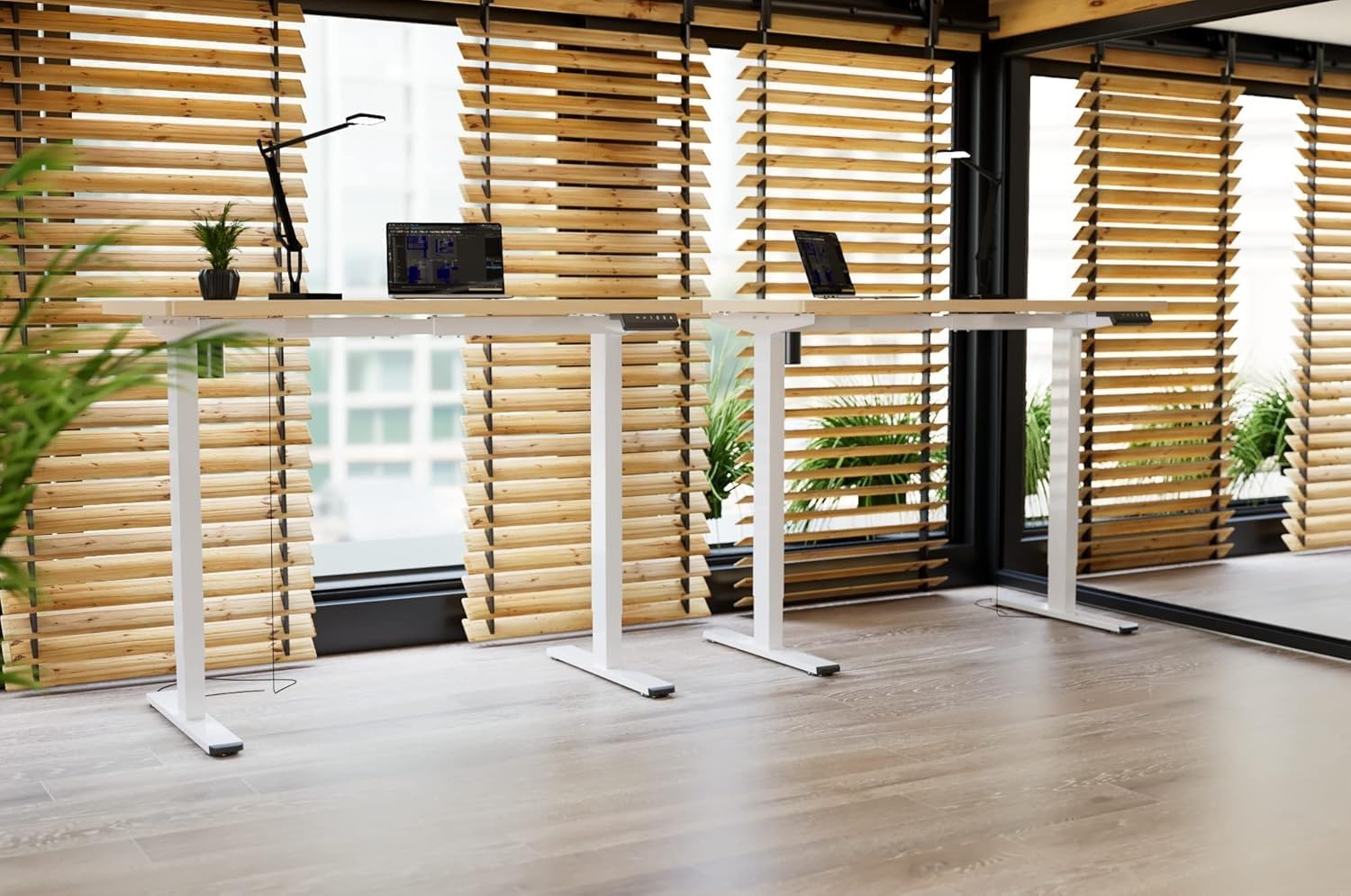
Image: Two FLEXISPOT electric standing desks with maple tops and white frames, set up in an office environment.
2. Informació de seguretat
- Assegureu-vos que tots els components siguin presents i no estiguin danyats abans del muntatge.
- Mantingueu els nens i les mascotes allunyats de l'escriptori durant el funcionament.
- Do not place hands or other body parts near moving parts of the desk frame.
- Avoid overloading the desk beyond its specified weight capacity.
- Feu servir només l'adaptador de corrent proporcionat i assegureu-vos que estigui connectat a una presa de corrent amb connexió a terra.
- Do not disassemble or modify the desk's motor or control system.
- If any unusual noise or movement occurs, immediately stop operation and unplug the desk.
- Aquest escriptori està dissenyat només per a ús interior.
3. Contingut del paquet
Si us plau, verifiqueu que tots els components següents estiguin inclosos al vostre paquet:
- Desktop (Maple, 140x60cm)
- Electric Lifting Columns (2x)
- Desk Feet (2x)
- Components de la barra transversal/marc
- Caixa de control
- Teclat multifunció
- Adaptador d'alimentació i cable
- Backpack Hook (2x)
- Maquinari de muntatge (cargols, claus Allen)
- Manual d'instruccions
4. Muntatge i muntatge
Follow these steps to assemble your FLEXISPOT Electric Standing Desk. It is recommended to have two people for assembly.
- Desempaquetar components: Traieu amb cura totes les peces de l'embalatge i col·loqueu-les sobre una superfície neta i suau per evitar ratllades.
- Assemble Desk Feet: Attach the desk feet to the bottom of the lifting columns using the provided screws.
- Connecta la barra transversal: Secure the crossbar components between the two lifting columns.
- Adjunta l'escriptori: Place the desktop upside down on a soft surface. Carefully position the assembled frame onto the desktop, aligning the pre-drilled holes. Secure the frame to the desktop with the appropriate screws.
- Install Control Box and Keypad: Mount the control box and multi-function keypad to the underside of the desktop using the provided hardware.
- Connectar els cables: Connect the motor cables from the lifting columns to the control box. Connect the keypad cable to the control box. Finally, connect the power adapter to the control box and then to a power outlet.
- Instal·lació d'accessoris: Attach the backpack hooks to the desired location on the desk frame or desktop edge.
- Gestió de cables: Organize all cables using cable ties or management trays (not included) to prevent tangles and ensure safe operation.
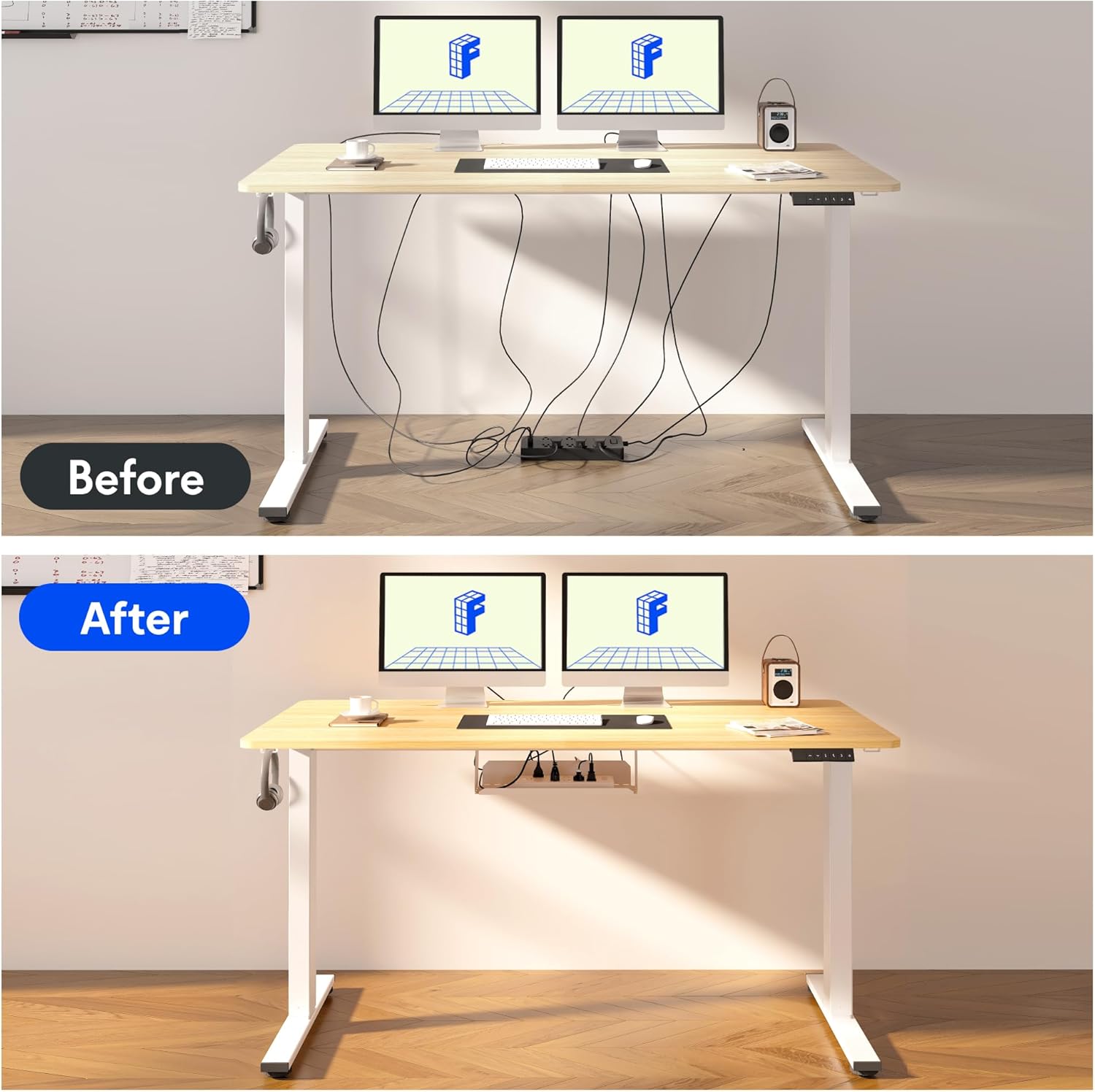
Image: Illustration of effective cable management for the desk, showing a 'before' state with loose cables and an 'after' state with cables neatly secured.

Imatge: Primer pla view of the optional cup holder and backpack hooks, demonstrating their attachment to the desk.
5. Instruccions de funcionament
Your FLEXISPOT desk features an intuitive multi-function keypad for easy height adjustment and memory presets.

Imatge: Detallada view of the multi-function keypad, highlighting the LED display, up and down adjustment keys, and four memory preset buttons.
- Ajust de l'alçada: Utilitza el Up (▲) i Avall (▼) keys to raise or lower the desk to your desired height. The current height will be displayed on the LED screen.
- Configuració de preajustos de memòria:
- Adjust the desk to your preferred sitting or standing height using the Up/Down keys.
- Premeu el botó "M" button (or similar memory set button, if present, otherwise directly press a number).
- Immediately press one of the numbered memory buttons (1, 2, 3 o 4) to save the current height to that preset. The LED display will confirm the setting.
- Recuperació de preajustos de memòria: Press any of the numbered memory buttons (1, 2, 3 o 4) per moure automàticament l'escriptori a l'alçada desada.
- Funció de restabliment: If the desk encounters an error or needs to be reset, press and hold the Avall (▼) button until the desk reaches its lowest position and then slightly rises, indicating a successful reset.
6. Manteniment
- Neteja: Netegeu la superfície i el marc de l'escriptori amb un drap suau iamp drap. Eviteu productes químics agressius o netejadors abrasius.
- Gestió de cables: Regularly check and organize cables to prevent damage and ensure smooth operation.
- Lubricació: The lifting mechanism is designed to be maintenance-free. Do not apply lubricants to the columns.
- Inspecció: Reviseu periòdicament tots els cargols i connexions per assegurar-vos que estiguin ben ajustats. Torneu a apretar-los si cal.
7. Solució De Problemes
| Problema | Causa possible | Solució |
|---|---|---|
| L'escriptori no es mou. | Power cable disconnected, control box cable loose, overload. | Check all cable connections. Reduce weight on the desk. Perform a reset (see Operating Instructions). |
| L'escriptori es mou de manera irregular o fa un soroll inusual. | Loose screws, obstruction, uneven load. | Check all assembly screws. Ensure no obstructions are in the path of the lifting columns. Distribute weight evenly. |
| Els preajustaments de memòria no funcionen. | Els preajustos no s'han desat correctament. | Re-save the memory presets following the steps in the Operating Instructions. |
| La pantalla LED mostra un codi d'error. | Error del sistema. | Perform a reset. If the error persists, contact customer support. |
8. Especificacions
- Dimensions de l'escriptori: 140 cm (Llargada) x 60 cm (Amplada)
- Interval d'alçada ajustable: 73.5 cm a 118 cm
- Material: Maple wood desktop, Metal frame (White)
- Motor: Single motor, quiet operation (below 50 dB)
- Característiques especials: Electric height adjustment, Smart memory panel (4 presets), Backpack hook (2x)
- Estabilitat: Enhanced frame design with wider feet and thicker columns for improved stability.

Image: Technical drawing illustrating the desktop dimensions (140x60cm) and the adjustable height range of the desk frame (73.5-118cm).

Imatge: Interna view of the desk's powerful and quiet motor, emphasizing its smooth and stable operation.
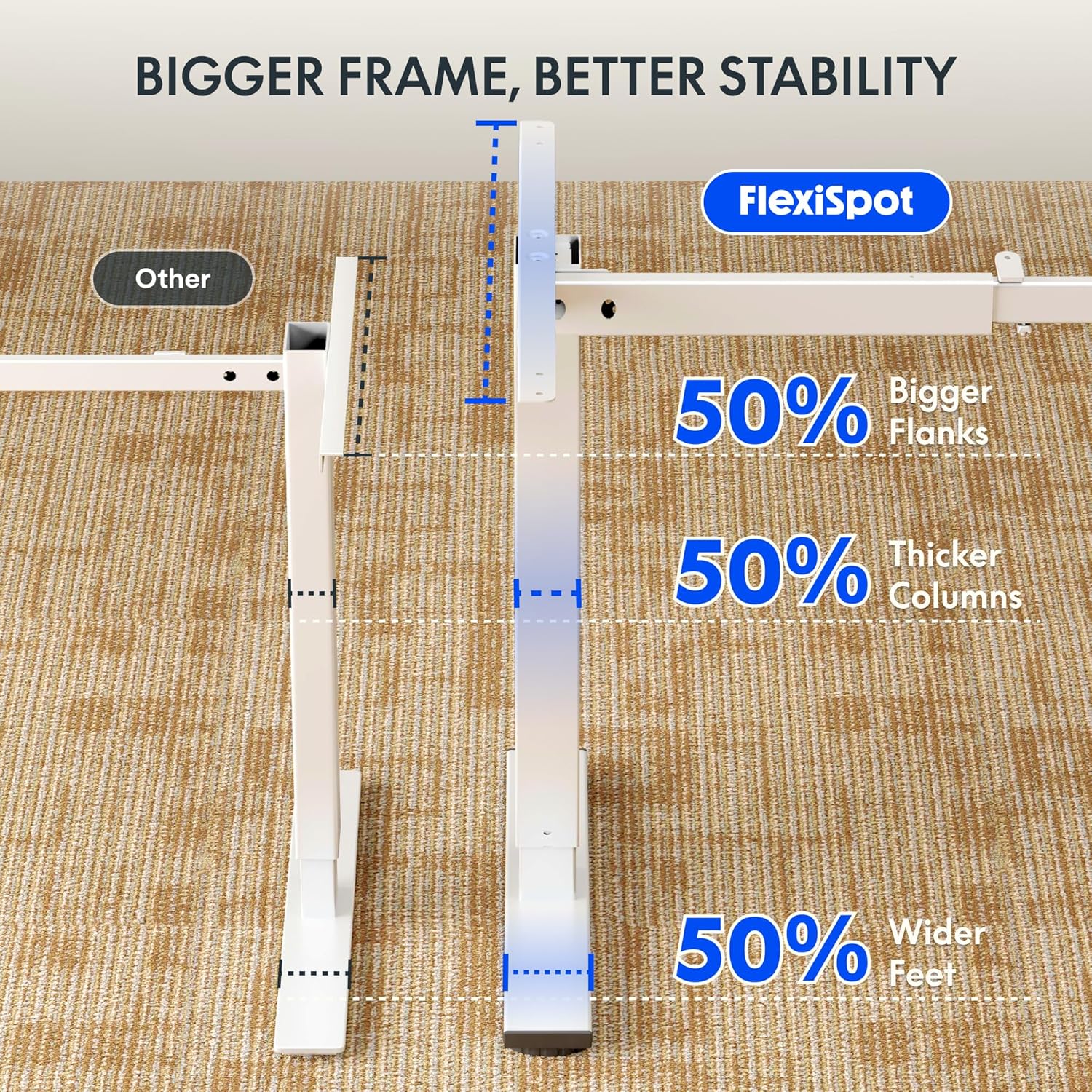
Image: Comparative diagram illustrating the superior stability of the FlexiSpot desk frame, featuring 50% bigger flanks, thicker columns, and wider feet compared to standard designs.
9. Informació de la garantia
This FLEXISPOT Electric Standing Desk is covered by a limited manufacturer's warranty. Please refer to the warranty card included in your package or visit the official FLEXISPOT website for detailed terms and conditions regarding coverage, duration, and claims process. Keep your proof of purchase for warranty service.
10. Atenció al client
If you have any questions, require assistance with assembly, or encounter issues not covered in this manual, please contact FLEXISPOT customer support. You can find contact information on the official FLEXISPOT weblloc web o a través del vostre distribuïdor.
Per a més informació, visiteu: www.flexispot.com