
Introducció
This manual provides essential instructions for the installation, operation, and maintenance of your Serenophile Smart Thermostat. This device is designed to control various heating systems, including electric floor heating, gas boilers, and water heating systems, offering smart temperature management through Wi-Fi connectivity. Please read this manual thoroughly before installation and use to ensure safe and efficient operation.

Figure 1: The thermostat is compatible with water, electric, and wall-mounted boiler heating systems.
Característiques del producte
- Compatibilitat de control de veu: Seamlessly integrates with voice platforms such as Alexa and Google Assistant for hands-free temperature adjustments.
- Control remot mitjançant l'aplicació: Manage your heating system from anywhere using the Tuya Smart app on your smartphone.
- Clear Display and Modern Design: Features an elegant touch interface (86 x 86 x 41 mm) with intuitive temperature readings, available in white or grey finishes.
- Integrated Safety Terminal: Equipped with a dedicated protection terminal to prevent electrical hazards and ensure safe operation.
- Estalvi d'energia: Intelligent control helps reduce annual heating or cooling costs by up to 23% while maintaining desired comfort levels.
Configuració
1. Instal·lació
Installation of the thermostat should be performed by a qualified electrician to ensure safety and proper functionality. Ensure the main power supply is turned off before beginning any wiring work.
2. Cablatge
The thermostat is available in two versions: 3A for gas boiler/water heating systems and 16A for electric floor heating systems. Refer to the wiring diagram provided with your specific model for correct connections. Ensure all connections are secure and properly insulated.
3. App Connection (Tuya Smart)
- Download the "Tuya Smart" app from your mobile device's app store (iOS or Android).
- Registra't o inicia la sessió al teu compte de Tuya Smart.
- Enceneu el termòstat.
- Follow the in-app instructions to add a new device. This typically involves putting the thermostat into pairing mode (refer to the thermostat's display for pairing indicators) and connecting it to your home Wi-Fi network.
- Un cop connectat, pots controlar el termòstat de forma remota a través de l'aplicació.
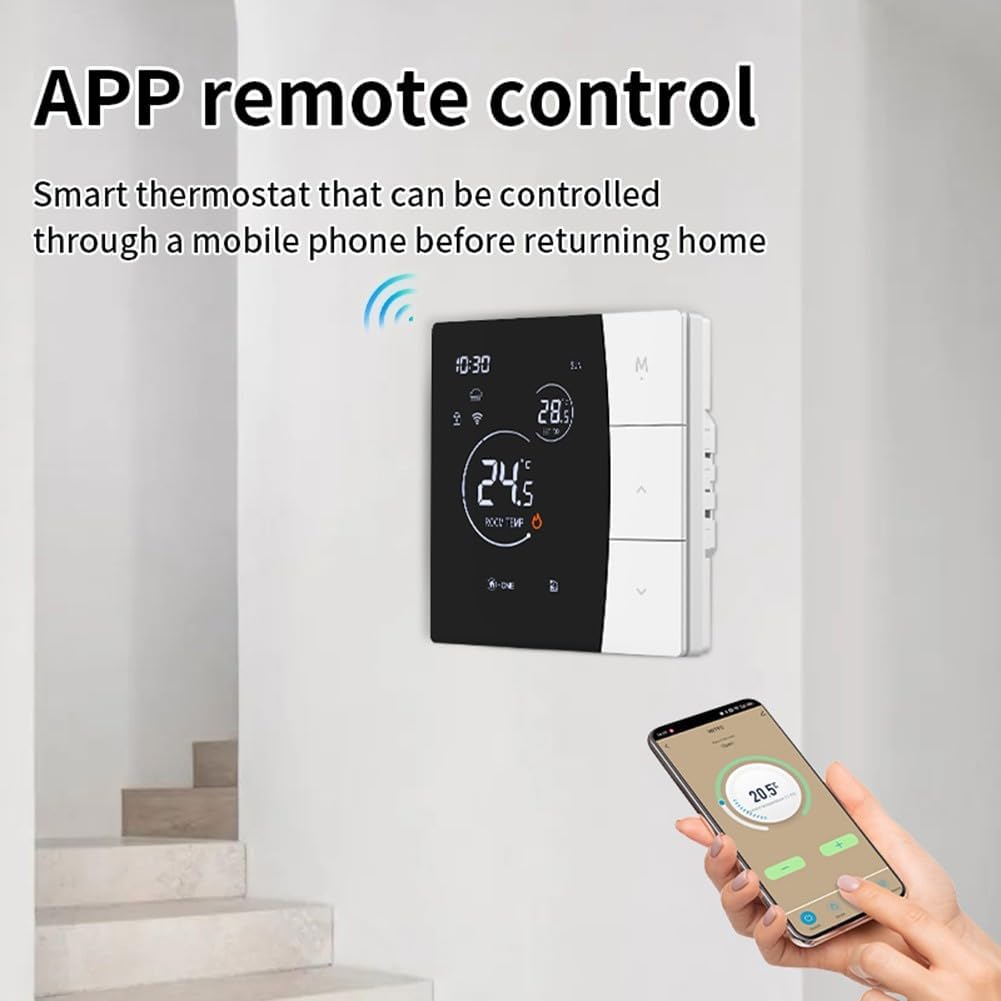
Figure 2: Remote control of the thermostat via the Tuya Smart app on a mobile phone.
Instruccions de funcionament
1. Funcionament bàsic
The thermostat features a touch-sensitive display. Use the up and down arrows on the right side of the unit to adjust the target temperature. The 'M' button typically cycles through different modes (e.g., manual, automatic, holiday). Refer to the on-screen icons for current status, such as Wi-Fi connectivity, lock status, and heating activity.

Figura 3: Frontal view of the thermostat display showing current settings and status.
2. Control per veu
Once connected to Alexa or Google Assistant through the Tuya Smart app, you can use voice commands to control your thermostat. Examples inclouen:
- "Alexa, configura [Nom del termòstat] a 22 graus."
- "Hey Google, what is the temperature in [Thermostat Name]?"
- "Alexa, activa [Nom del termòstat]."
3. Control remot
The Tuya Smart app allows you to:
- Adjust the temperature from anywhere.
- Set heating schedules and timers.
- Monitoritza la temperatura ambient actual.
- Canviar els modes de funcionament.
Manteniment
To ensure optimal performance and longevity of your thermostat:
- Neteja: Netegeu la pantalla i casinNetegeu amb un drap suau i sec. No utilitzeu productes de neteja abrasius ni dissolvents.
- Eviteu les obstruccions: Ensure the thermostat is not covered by furniture, curtains, or other objects that could interfere with accurate temperature sensing.
- Comprovacions periòdiques: Reviseu periòdicament les connexions del cablejat per detectar qualsevol signe de desgast o dany.
Resolució de problemes
- Sense energia: Check the circuit breaker and ensure all wiring connections are secure.
- Lectura de temperatura incorrecta: Assegureu-vos que el termòstat no estigui exposat a la llum solar directa, corrents d'aire ni fonts de calor que puguin afectar el seu sensor.
- Desconnexió Wi-Fi: Verify your home Wi-Fi network is active and the signal strength is adequate. Re-pair the device with the Tuya Smart app if necessary.
- La calefacció no s'activa: Check the thermostat's mode settings and target temperature. Ensure it is set to a temperature higher than the current room temperature in heating mode.
Especificacions
| Característica | Especificació |
|---|---|
| Dimensions del producte (L x A x A) | 12 x 12 x 8 cm |
| Material | Plàstic |
| Número de model | S7HNBW7JAATA324445UQ527293A0P6 |
| ASIN | B0FY5PRVXS |
| Color | White / Grey (as per variant) |
| Valoració actual | 3A (for gas boiler/water heating) or 16A (for electric floor heating) |
Informació de seguretat
- Always disconnect power before installing or servicing the thermostat.
- No exposeu el termòstat a l'aigua ni a una humitat excessiva.
- Mantenir fora de l'abast dels nens.
- Ensure proper grounding and adhere to all local electrical codes.
Garantia i Suport
For warranty information or technical support, please refer to the documentation included in your product packaging or contact Serenophile customer service directly. Keep your purchase receipt as proof of purchase.