
1. Introducció
This manual provides essential information for the safe and efficient operation of your Philips TAZ4300 Portable CD Player Boombox. Please read these instructions carefully before using the device and retain them for future reference.
The Philips TAZ4300 is a versatile portable audio system offering multiple playback options including CD, FM radio, USB, Bluetooth, and Aux input. It features 4W RMS stereo sound and is designed for both AC and battery power for portability.
2. Què hi ha a la caixa
- Main Unit (Philips TAZ4300 Portable CD Player Boombox)
- Cable d'alimentació
- Manual d'usuari

Video: Unboxing the Philips TAZ4300 CD Player Boombox. This video demonstrates the unboxing process, showing the contents of the package including the main unit, power cord, and user manual.
3. Producte acabatview
The Philips TAZ4300 features a compact design with clearly labeled controls for ease of use. Key components include:
- Top-loading CD Compartment: For playing CDs.
- Ponents: Dual 2.5-inch full-range speakers for stereo sound.
- Tauler de control: Buttons for power, function/EQ, volume, track navigation, scan, repeat, and memory.
- Pantalla de visualització: Shows current mode, track number, frequency, or volume level.
- Port USB: Per reproduir àudio des de unitats USB.
- Entrada AUX: Per connectar dispositius d'àudio externs.
- Auriculars Jack: Per a una escolta privada.
- Antena telescòpica FM: Per a una millor recepció de ràdio.
- Nansa de transport: Per a una fàcil portabilitat.

Imatge: Frontal view of the Philips TAZ4300 with key controls labeled, including the power button, function/EQ, volume controls, track navigation, USB port, AUX port, and headphone jack.
4. Configuració
4.1 Font d'alimentació
Your Philips TAZ4300 can be powered by either AC power or batteries.
Alimentació CA
- Assegureu-vos que la unitat estigui apagada.
- Connect the supplied AC power cord to the AC IN socket on the unit.
- Connecteu l'altre extrem del cable d'alimentació a una presa de corrent.
Potència de la bateria
For portable use, the unit requires 4 x C batteries (not included).
- Obriu la tapa del compartiment de la bateria situada a la part inferior de la unitat.
- Insert 4 C-size batteries, ensuring correct polarity (+/-).
- Tanqueu bé la tapa del compartiment de la bateria.
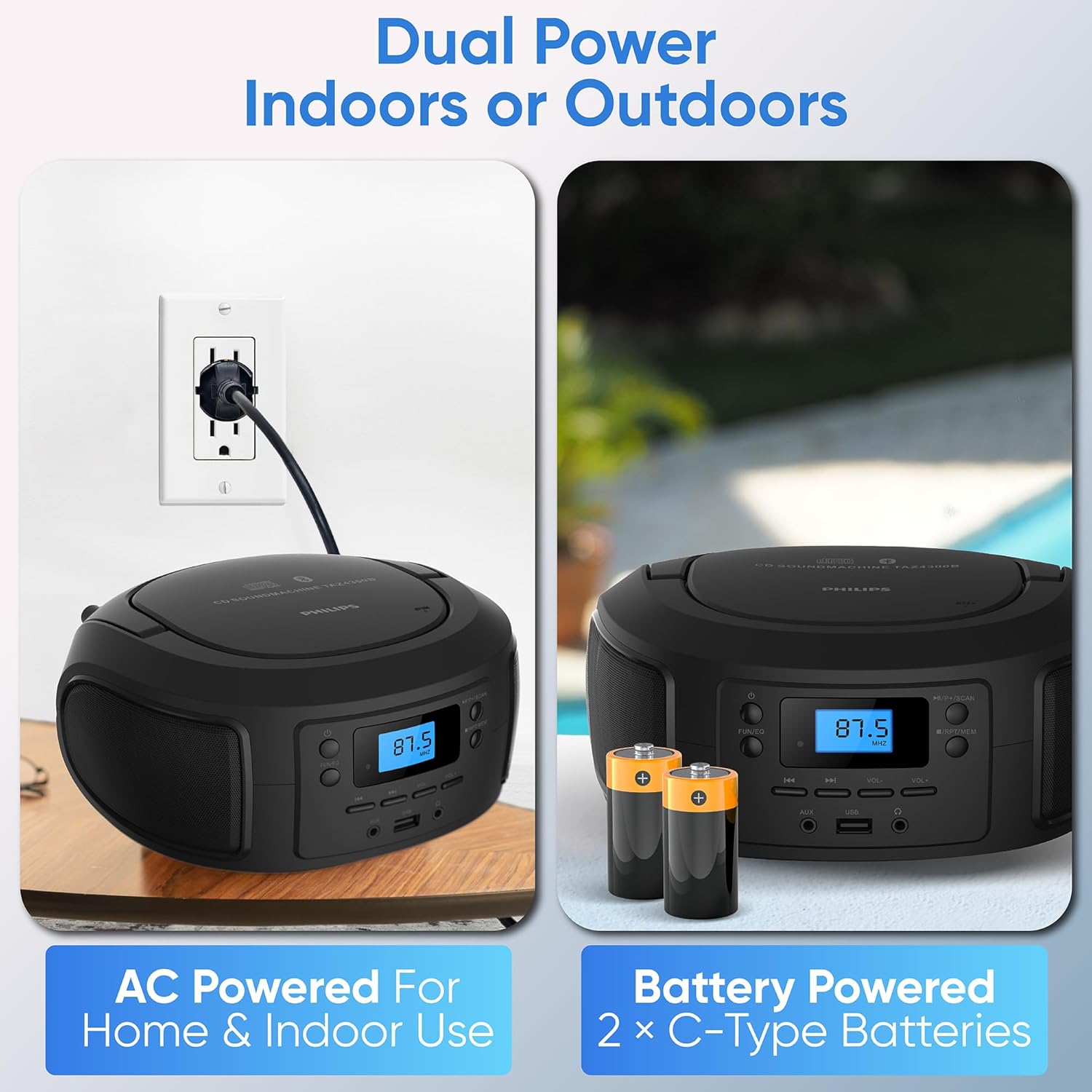
Image: Demonstrates the two power options for the Philips TAZ4300: connecting to an AC outlet and inserting C-type batteries.
4.2 Antena FM
For optimal FM radio reception, fully extend the telescopic antenna. Adjust its position for the best signal.
5. Instruccions de funcionament
5.1 Encès/Apagat
Premeu el botó Poder botó per encendre o apagar la unitat.
5.2 Ajust del volum
Utilitza el VOL- i VOL+ buttons to decrease or increase the volume level.
5.3 Selecció d'una font
Premeu el botó DIVERTIT/EQ button repeatedly to cycle through available sources: CD, Bluetooth, FM Radio, USB, and AUX.
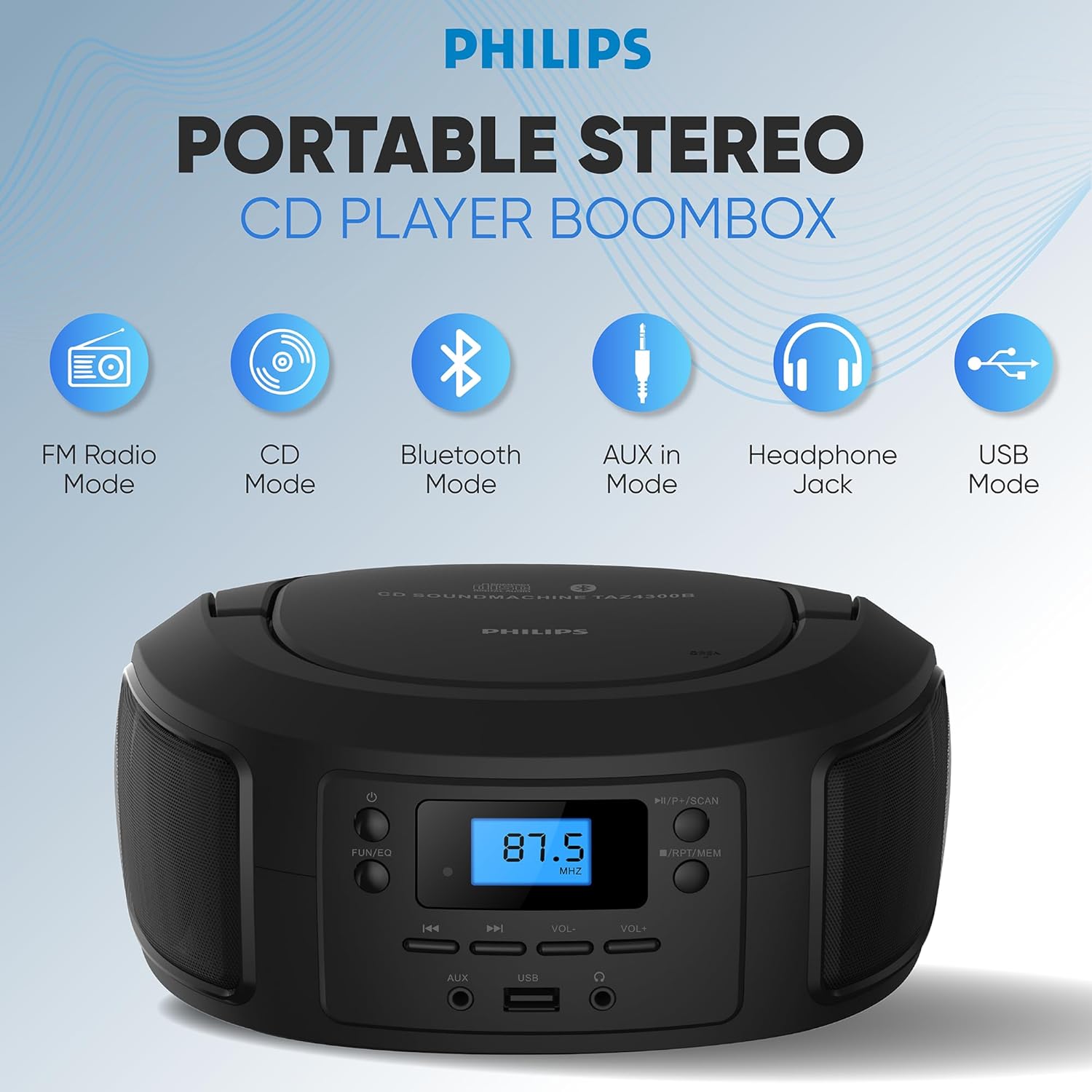
Image: Illustrates the different playback modes available on the Philips TAZ4300: FM Radio, CD, Bluetooth, AUX in, Headphone Jack, and USB Mode.
5.4 Reproducció de CD
The unit supports CD, CD-R, CD-RW, and MP3 discs.
- Open the top-loading CD compartment.
- Col·loca un CD amb l'etiqueta cap amunt.
- Tanqueu el compartiment del CD.
- Seleccioneu el mode CD amb el botó DIVERTIT/EQ botó.
- El CD començarà a reproduir-se automàticament. Si no, premeu el botó Reproduir/Pausa botó.
- Utilitza el Saltar endavant or Saltar cap enrere botons per navegar per pistes.
5.5 Vinculació Bluetooth
Reprodueix àudio en streaming sense fil des del teu dispositiu amb Bluetooth.
- Seleccioneu el mode Bluetooth amb el botó DIVERTIT/EQ botó. La pantalla mostrarà "BT" i parpellejarà, indicant que està en mode d'emparellament.
- Al dispositiu mòbil, activeu el Bluetooth i cerqueu els dispositius disponibles.
- Select "Philips TAZ4300" from the list.
- Once paired, the display will stop flashing and you can play audio from your device.

Image: A smartphone wirelessly connected to the Philips TAZ4300 via Bluetooth, demonstrating music streaming.
5.6 Ràdio FM
Enjoy your favorite radio stations with the digital FM tuner.
- Seleccioneu el mode de ràdio FM amb el botó DIVERTIT/EQ botó.
- Esteneu l'antena telescòpica per obtenir la millor recepció.
- Premeu el botó Escaneja botó per cercar i emmagatzemar automàticament les emissores disponibles.
- Utilitza el Saltar endavant or Saltar cap enrere buttons to manually tune or select preset stations.

Image: Highlights the digital FM tuner with 30 presets and a telescopic antenna for strong reception on the Philips TAZ4300.
Reproducció USB 5.7
Reprodueix àudio files from a USB drive (up to 128 GB).
- Inseriu una unitat USB al port USB.
- Seleccioneu el mode USB amb el botó DIVERTIT/EQ botó.
- The unit will automatically detect and play audio files.
- Utilitza el Saltar endavant or Saltar cap enrere botons per navegar per pistes.
5.8 Entrada AUX
Connecteu dispositius d'àudio externs amb un cable d'àudio de 3.5 mm (no inclòs).
- Connecteu un extrem d'un cable d'àudio de 3.5 mm al port AUX IN de la unitat.
- Connecteu l'altre extrem a la presa d'auriculars o a la sortida d'àudio del dispositiu extern.
- Seleccioneu el mode AUX amb el botó DIVERTIT/EQ botó.
- Controla la reproducció i el volum des del teu dispositiu extern.
5.9 Ús d'auriculars
For private listening, plug 3.5mm headphones into the headphone jack. The speakers will automatically mute.
6. Manteniment
6.1 Neteja de la unitat
Netegeu la unitat amb un suau, damp drap. No utilitzeu productes de neteja abrasius ni dissolvents. Assegureu-vos que la unitat estigui desendollada abans de netejar-la.
6.2 Cura de les lents de CD
To ensure optimal CD playback, occasionally clean the CD lens using a commercially available CD lens cleaner. Avoid touching the lens directly.
6.3 Substitució de la bateria
If using battery power, replace all batteries when the unit's performance diminishes. Do not mix old and new batteries or different types of batteries.
7. Solució De Problemes
If you encounter issues with your Philips TAZ4300, refer to the following common problems and solutions:
| Problema | Causa possible | Solució |
|---|---|---|
| La unitat no s'encén. | No AC power or dead batteries. | Check AC power connection or replace batteries. |
| Sense so. | Volume too low; headphones connected; incorrect source selected. | Increase volume; disconnect headphones; select correct source. |
| El CD salta o no es reprodueix. | CD brut o ratllat; CD inserit incorrectament; lent del CD bruta. | Clean or replace CD; reinsert CD correctly; clean CD lens. |
| El dispositiu Bluetooth no es pot emparellar. | Bluetooth no habilitat al dispositiu; la unitat no està en mode d'emparellament; el dispositiu és massa lluny. | Ensure Bluetooth is on and unit is in pairing mode; move device closer. |
| Mala recepció de ràdio FM. | Antenna not extended or positioned incorrectly. | Esteneu i ajusteu completament l'antena telescòpica. |
8. Especificacions
- Dimensions del producte: 8 x 6 x 5 polzades
- Pes de l'article: 2.65 lliures
- Número de model de l'article: TAZ4300
- Marca: Philips
- Tecnologia de connectivitat: Auxiliar, Bluetooth, USB
- Color: Negre
- Tipus d'altaveu: estèreo
- Fabricant: PHILIPS
- Compatibilitat amb CD: CD, CD-R, CD-RW, MP3
- Versió Bluetooth: 5.3
- Potència de sortida: 4W RMS
- Font d'alimentació: AC or 4 x C batteries (not included)
9. Garantia i Suport
For warranty information, product registration, or additional support, please visit the official Philips support weblloc web. Conserveu el rebut de compra com a comprovant de compra.