
1. Introducció i finalview
This manual provides detailed instructions for the installation, operation, and maintenance of your LongPlus Smart 4K 8CH Home Security Camera System, model LP8ME84D1. This system is designed to provide comprehensive surveillance with advanced features for both indoor and outdoor environments.
Característiques principals:
- Resolució 4K UHD: Captura vídeo nítidtage with 3840x2160 resolution and a 132° wide viewangle de ing.
- Detecció de moviment per IA: Features intelligent detection for humans and vehicles, reducing false alarms.
- Múltiples modes de visió nocturna: Offers IR Night Vision, Color Night Vision, and Smart Night Vision for optimal visibility in various lighting conditions up to 100ft/30m.
- Two-Way Audio & Strobe Light Alarm: Enables communication and deters intruders with an audible alarm and flashing lights.
- Emmagatzematge flexible: Includes a 2TB HDD, expandable up to 10TB, with optional cloud storage. Utilizes H.265+ compression for efficient storage.
- PoE (alimentació per Ethernet): Simplifies installation with a single cable for power and data transmission.
- Disseny impermeable: IP67 rated metal cameras suitable for extreme weather conditions (-4°F/-20°C to 140°F/60°C).
- Accés remot: View viu footage and playback via the Longvision APP/Client on iOS, Mac, Windows, and Android devices. Supports up to 32 users.
2. Què hi ha a la caixa
Desembaleu la caixa amb cura i assegureu-vos que tots els articles hi siguin presents i en bon estat. Si falta algun article o hi ha algun malmès, poseu-vos en contacte amb el servei d'atenció al client.

Imatge: Més deview of the LongPlus 4K Dome Security Camera System components.
- 1 x 8CH NVR with 48/1.875V Adaptor
- 4 x 4K PoE Dome Cameras
- 1 x ratolí USB
- 1 cable Cat1 d'5 m
- 1 cable HDMI de 1 m
- Cables Cat4 de 18 x 5M
- 2 x Extra Connectors
- 4 x paquets de cargols i altres accessoris
- 1 x Guia d'inici ràpid
3. Instruccions de configuració
Follow these steps to set up your LongPlus security camera system. For a visual guide, please refer to the setup video below.
Video: LongPlus 8MP 16CH NVR Security System Unboxing & Setup. This video demonstrates the unboxing and initial setup process for the NVR and cameras.
- Connecteu el NVR al monitor: Connect the NVR to a monitor using the provided HDMI or VGA cable. Ensure the monitor is powered on and set to the correct input source.
- Power on NVR: Connect the NVR to a power outlet using the provided power adapter. Turn on the NVR power switch.
- Connecteu el NVR al router: Connect an Ethernet cable from the LAN port of the NVR to a LAN port on your internet router. This provides network access for remote viewing and updates.
- Connecteu les càmeres a l'NVR: Connect each PoE camera to any of the PoE camera ports on the NVR using the provided Ethernet cables. The cameras will receive both power and data through these cables.
- Connecteu el ratolí USB: Connect the USB mouse to a USB port on the NVR for navigation and control of the system interface.
- Inicialització del sistema: The system should automatically detect and display the camera feeds. Follow any on-screen prompts for initial setup, such as setting a password and configuring basic network settings.
4. Instruccions de funcionament
4.1 Video Quality and Viewangle ing
Your LongPlus system delivers crystal-clear 4K UHD (3840x2160) video, ensuring sharp details for effective surveillance. The cameras feature a 132° wide viewing angle, providing extensive coverage with fewer blind spots.

Image: Demonstrates the superior clarity of 4K UHD video quality.

Image: Illustrates the broader coverage provided by the 132° wide-angle lens.
4.2 Modes de visió nocturna
The system offers three night vision modes to adapt to different lighting conditions:
- Mode a tot color: Provides vibrant, full-color footage en condicions de poca llum.
- IR Mode (Infrared): Standard black and white night vision for complete darkness.
- AI Mode (Smart Night Vision): Automatically activates lighting when people or vehicles are detected, offering color vision only when needed.

Image: Visual representation of the three available night vision modes.
4.3 Smart AI Motion Detection
The system's AI capabilities accurately detect humans and vehicles, minimizing false alarms from other movements. You can configure activity zones to focus detection on specific areas and ignore irrelevant motion.
- Detecció de persones/vehicles: Receive alerts only when a person or vehicle is identified.
- Zones d'activitat: Defineix àrees específiques dins de la càmera view for motion detection, ignoring activity outside these zones.
- Màscara de privadesa: Exclude certain areas from recording to protect privacy.

Image: Smart AI detection distinguishing between a person and a vehicle.

Image: Setting up motion detection zones and privacy masks for customized surveillance.
4.4 Two-Way Audio and Strobe Light Alarm
Engage with visitors or deter unwanted guests using the integrated two-way audio. The cameras can also trigger a strobe light alarm and siren upon detection of suspicious activity.

Image: Demonstrates the two-way audio function for communication.

Image: Visual of the strobe light alarm and siren activating to deter potential intruders.
4.5 Enregistrament i emmagatzematge
The NVR supports 24/7 continuous recording to the included 2TB HDD, which is expandable up to 10TB. H.265+ video compression technology saves over 75% of storage space compared to H.264, allowing for longer recording times. Cloud storage options are also available.
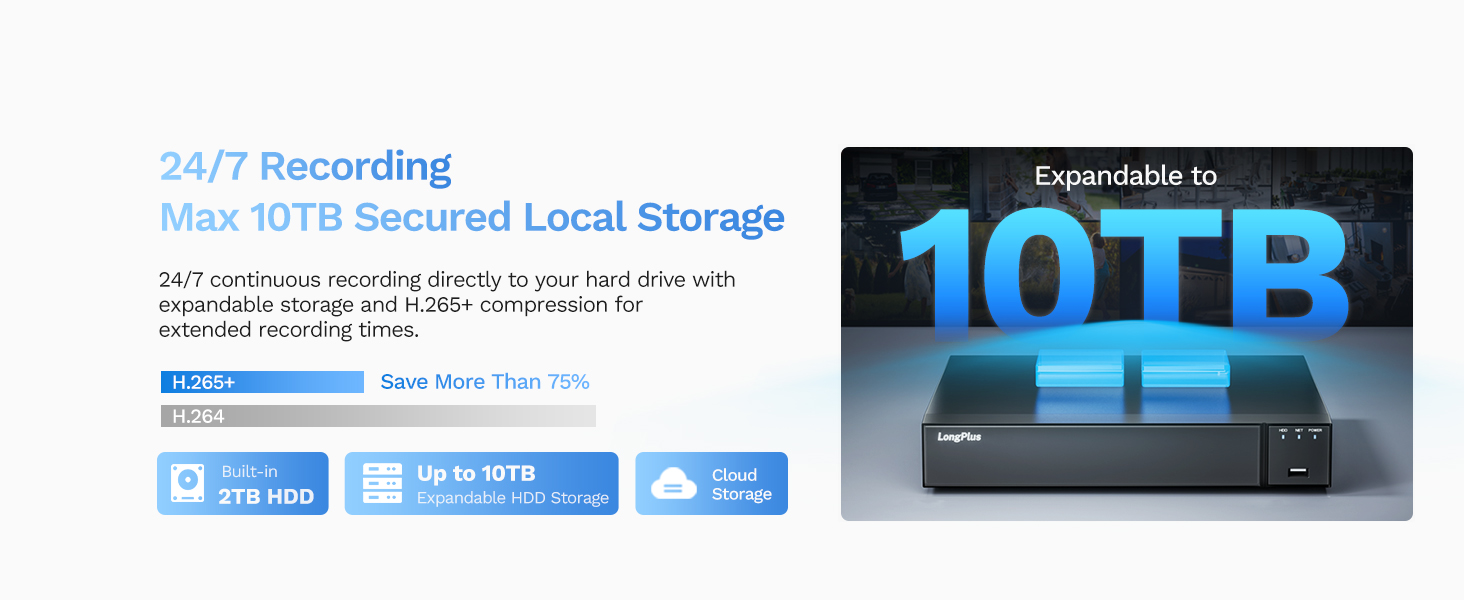
Image: The NVR supports up to 10TB of local storage for extensive recording.
4.6 Accés remot i compartició
Access your security system from anywhere using the Longvision APP/Client on your smartphone, tablet, or computer. You can view live feeds, playback recorded footage, and manage settings remotely. The system also allows sharing access with up to 31 other users.

Image: Demonstrates remote viewing capabilities on various devices.

Image: Illustrates the feature of sharing live video access with family members.
5. Manteniment
Un manteniment regular garanteix un rendiment òptim i una major longevitat del vostre sistema de seguretat.
- Càmeres netes: Netegeu periòdicament les lents de la càmera amb un drap suau i sec.amp cloth to remove dust, dirt, or water spots that may affect image clarity. Do not use harsh chemicals.
- Comproveu les connexions: Ensure all cable connections (PoE, HDMI, power) are secure and free from damage.
- Actualitzacions de firmware: Check for and install available firmware updates for the NVR and cameras through the Longvision APP/Client or NVR interface. Updates often include performance improvements and security enhancements.
- Estat del disc dur: Monitor the health of the NVR's hard drive through the system settings. Consider replacing the HDD if errors are detected or after several years of continuous operation.
- Backup Important Footage: Regularly back up any critical recorded footage to an external storage device or cloud service.
6. Solució De Problemes
If you encounter issues with your LongPlus security system, refer to the following common troubleshooting steps:
- Sense visualització de vídeo:
- Check if the NVR and monitor are powered on.
- Verify HDMI/VGA cable connections between the NVR and monitor.
- Ensure the monitor input source is correctly selected.
- Càmeres que no mostren:
- Check PoE cable connections from cameras to NVR.
- Ensure the NVR's PoE ports are functioning (check indicator lights).
- Restart the NVR.
- Sense accés remot:
- Verify the NVR is connected to your router via Ethernet and has internet access.
- Check your router's internet connection.
- Ensure the Longvision APP/Client is updated to the latest version.
- Confirm correct network settings on the NVR.
- Problemes de gravació:
- Check the NVR's hard drive status; ensure it's initialized and has sufficient space.
- Verifiqueu els horaris d'enregistrament i la configuració de la detecció de moviment.
- Mala qualitat d'imatge:
- Netegeu les lents de la càmera.
- Comproveu si hi ha obstruccions al camp de la càmera view.
- Assegureu-vos que les càmeres estiguin ben muntades i que no vibrin.
For further assistance, please contact LongPlus customer support.
7. Especificacions
| Característica | Especificació |
|---|---|
| Marca | LongPlus |
| Número de model | LP8MEF8 |
| Tecnologia de connectivitat | Cablejat (PoE) |
| Resolució de captura de vídeo | 4K (3840x2160) |
| Nombre de canals | 8 |
| Capacitat d'emmagatzematge de memòria | 2 TB (expandable up to 10 TB) |
| Color | Blanc |
| Font d'alimentació | Elèctric amb cable |
| Dimensions de l'article (L x A x A) | 13.3 x 9.23 x 9.4 polzades |
| Compatibilitat de sistemes operatius | Android, Mac OS, Windows, iOS |
| Usos recomanats | Interior, Exterior |
| Tecnologia de poca llum | Night Vision (IR, Color, Smart) |
| Gamma de visió nocturna | 100 peus |
| Velocitat de fotogrames | 30 FPS |
| Mode d'enregistrament | Motion-triggered, Scheduled, 24/7 |
| Interfície del maquinari | Ethernet, HDMI, USB, VGA |
| Tipus de lent | Gran Angular |
| Viewangle ing | 132 graus |
| Classificació resistent a la intempèrie | IP67 |
8. Garantia i Suport
LongPlus provides a 2 any de garantia for this product, covering manufacturing defects and malfunctions under normal use. Additionally, lifetime technical support is available to assist you with any inquiries or issues you may encounter.
If you have any questions, require technical assistance, or need to claim warranty service, please contact LongPlus customer support. Our professional technical team aims to respond to your queries within 24 hours.
For the most up-to-date contact information, please refer to the official LongPlus website or the contact details provided in your Quick Start Guide.