
1. Introducció
This manual provides comprehensive instructions for the ZYXEL NebulaFlex NWA30BE Dual Band Wi-Fi 7 Wireless Access Point. It covers setup, operation, maintenance, and troubleshooting to ensure optimal performance and reliable wireless connectivity.
Característiques clau
- BE5100 (2.4GHz: 2x2:2, 5GHz: 2x2:2) dual-radio access point offers blazingly fast WiFi 7 speeds of up to 5.1Gbps.
- WiFi 7's MLO allows simultaneous data transmission across multiple bands, increasing speed, lowering latency, and improving reliability.
- Desktop design requires no installation or mounting, enabling quick and effortless deployment.
- The 2.5GbE uplink port enables multi-gig speeds for WiFi 7 while staying compatible with existing networks.
- NebulaFlex allows users to switch between standalone or intuitive Nebula cloud managed modes as needed.

Figure 1: Main Features of the NWA30BE Access Point
2. Contingut del paquet
Verifiqueu que tots els elements siguin presents al vostre paquet:
- BE5100 4-Stream WiFi 7 Dual-Radio Desktop NebulaFlex Access Point
- Adaptador d'alimentació
- Cable Ethernet
3. Producte acabatview
Familiarize yourself with the physical components and indicators of your NWA30BE Access Point.
Ports i botons

Figure 2: Rear Ports of the NWA30BE
- Jack DC: Connecteu l'adaptador d'alimentació inclòs aquí.
- 2.5GbE Uplink: Connect an Ethernet cable from your router or switch to this port for network and internet access. This port supports multi-gig speeds.
- Botó de restabliment: Use a paperclip to press and hold for 5-10 seconds to restore factory default settings.
Indicadors LED

Figure 3: Front LED Indicator
- Verd (sòlid): El dispositiu està encès i funciona normalment.
- Verd (Intermitent): El dispositiu s'està engegant o realitzant una actualització del firmware.
- Ambre (sòlid): Device is in standalone mode and ready for initial configuration.
- Amber (Blinking): Network connectivity issue or error.
4. Configuració
The NWA30BE is designed for quick and effortless desktop deployment, requiring no complex installation or mounting.
Col·locació inicial
Place the access point on a flat, stable surface in a central location within the desired coverage area. Avoid placing it near large metal objects, concrete walls, or other devices that may cause interference.

Figure 4: Desktop Placement for Wi-Fi 7 Access Point
Connexió del punt d'accés
- Connect one end of the included Ethernet cable to the 2.5GbE Uplink port on the NWA30BE.
- Connect the other end of the Ethernet cable to a LAN port on your router or network switch.
- Connecteu l'adaptador d'alimentació a DC Jack on the NWA30BE and plug it into a power outlet.
- Wait for the LED indicator to turn solid green, indicating the device is ready.
5. Instruccions de funcionament
The NWA30BE offers flexible management options through NebulaFlex, allowing you to choose between standalone mode or cloud-managed mode via the ZYXEL Nebula platform.
NebulaFlex Modes
- Mode autònom: Configure the access point directly via its web interface. This is suitable for single-device deployments or small networks.
- Nebula Cloud Managed Mode: Integrate the access point into the ZYXEL Nebula cloud platform for centralized management of multiple devices, advanced features, and scalability.

Figure 5: Easy Configuration with Nebula

Figure 6: Scalability with Nebula Cloud Management
Enhancing Wi-Fi Coverage with Smart Mesh
The NWA30BE supports Smart Mesh with Multi-Link Operation (MLO), which allows for expanded Wi-Fi coverage without the need for extensive cabling. This feature uses dual-radio backhaul to achieve higher bandwidth, improved resistance to interference, and ultra-low latency, making it ideal for extending your network seamlessly.

Figure 7: Expand Wi-Fi Easily with Smart Mesh
6. Manteniment
Un manteniment regular garanteix la longevitat i el rendiment òptim del vostre punt d'accés.
- Actualitzacions de firmware: Periodically check for and install firmware updates to benefit from new features, security enhancements, and bug fixes. This can typically be done through the Nebula cloud platform or the device's standalone web interfície.
- Neteja: Mantingueu el dispositiu net i lliure de pols. Feu servir un drap suau i sec per netejar l'exterior. No utilitzeu netejadors líquids ni aerosols.
- Col·locació òptima: Ensure the access point remains in an open area, away from obstructions, to maintain strong signal strength and prevent overheating.
7. Solució De Problemes
If you encounter issues with your NWA30BE, refer to the following common troubleshooting steps:
- Sense connexió a Internet:
- Check if the Ethernet cable is securely connected to both the access point and your router/switch.
- Verify that your main internet connection is active.
- Restart the access point and your router.
- Velocitat Wi-Fi lenta:
- Ensure the access point is placed optimally, away from interference sources.
- Comproveu si hi ha actualitzacions de firmware.
- Confirm that your client devices support Wi-Fi 7 for maximum speeds.
- If using Nebula cloud, check network traffic and bandwidth limits.
- El dispositiu no respon:
- Feu un restabliment suau desconnectant i tornant a connectar l'adaptador de corrent.
- If the issue persists, perform a factory reset using the reset button (refer to Section 3). Note that a factory reset will erase all custom configurations.
8. Especificacions tècniques
Detailed specifications for the ZYXEL NebulaFlex NWA30BE Access Point:
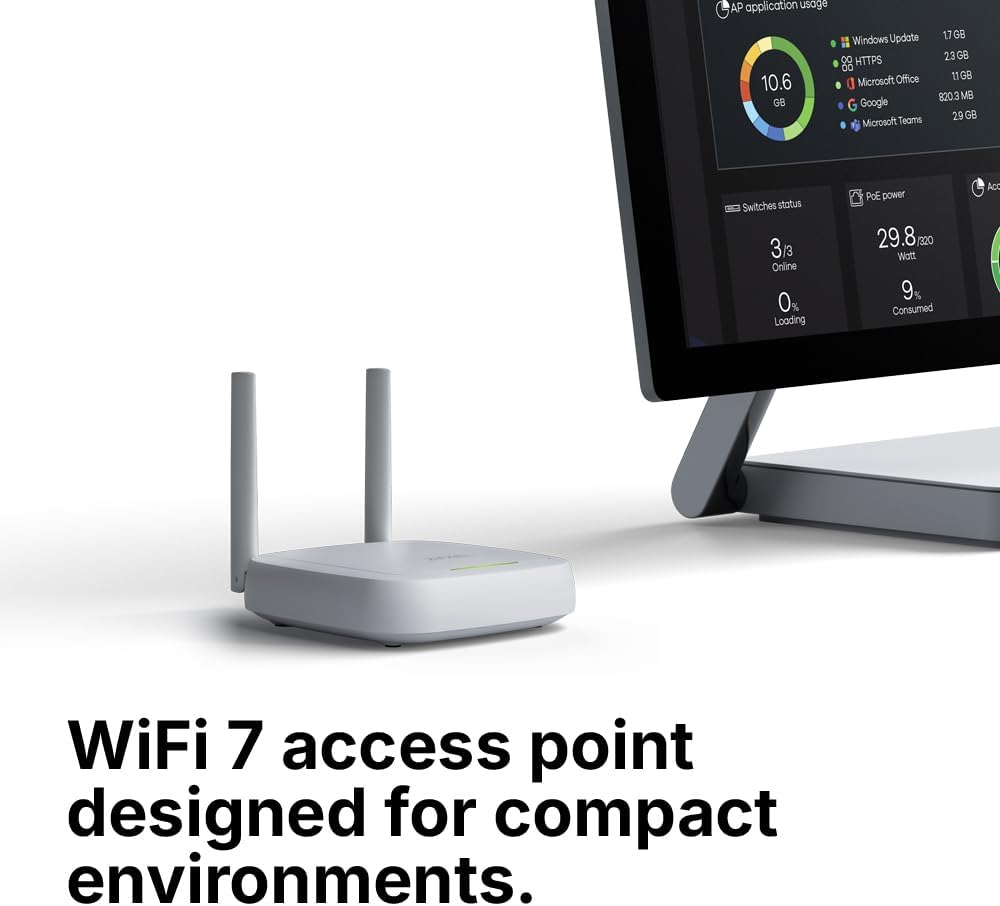
Figure 8: NWA30BE Dimensions
| Característica | Especificació |
|---|---|
| Marca | CYXEL |
| Nom del model | NebulaFlex |
| Número de model | NWA30BE |
| Classe de banda de freqüència | Doble banda |
| Comunicació sense fils estàndard | 802.11.be (Wi-Fi 7) |
| Velocitat de transferència de dades | 5.1 gigabits per segon |
| LAN Port Bandwidth | 2500 Mbps |
| Tecnologia de connectivitat | Wi-Fi, Ethernet |
| Pes de l'article | 1.5 lliures |
9. Garantia i Suport
Your ZYXEL NebulaFlex NWA30BE Access Point comes with a manufacturer's warranty and access to support resources.
Informació de la garantia
Aquest producte està cobert per a Garantia del fabricant d'2 anySi us plau, conserveu el comprovant de compra per a reclamacions de garantia.
Atenció al client
For technical assistance, troubleshooting, or warranty inquiries, please visit the official ZYXEL support website or contact their customer service. You can find additional resources and FAQs on the ZYXEL weblloc.
Per a més informació, visiteu el Botiga ZYXEL a Amazon.