
Introducció
This manual provides detailed instructions for the installation, operation, and maintenance of your Anona Pano 4K UHD Indoor Security Camera. Please read this manual thoroughly before using the product to ensure proper function and safety. Keep this manual for future reference.
Contingut del paquet
Verifiqueu que tots els elements que s'enumeren a continuació s'inclouen al vostre paquet:
- Anona Pano Camera (2 units)
- Mounting Plate (2 units)
- Guia d'inici ràpid
- 5V2A Power Adapter (with 3m power cable) (2 units)
- Screw and Anchor Set (2 sets)
Configuració
1. Instal·lació física
The Anona Pano camera is designed for indoor use and can be placed on a tabletop or mounted to a wall or ceiling.
- Col·locació de la taula: Place the camera on a stable, flat surface in your desired monitoring area. Ensure it has a clear line of sight.
- Muntatge a paret/sostre:
- Trieu un lloc de muntatge adequat.
- Use the mounting plate as a template to mark screw holes.
- Perforar forats i inserir ancoratges si cal.
- Secure the mounting plate with the provided screws.
- Attach the camera to the mounting plate by twisting it until it locks into place.
2. Connexió d'alimentació
Connect the provided 5V2A power adapter to the camera's power port and then plug it into a standard electrical outlet. The camera will power on automatically.
3. Descàrrega de l'aplicació i creació de compte
- Download the Anona app from your smartphone's app store (iOS or Android).
- Obre l'aplicació i segueix les instruccions que apareixen a la pantalla per crear un compte nou o iniciar la sessió si ja en tens un.
4. Connexió Wi-Fi
The Anona Pano camera supports dual-band Wi-Fi 6 (2.4 GHz and 5 GHz) for stable connectivity.
- In the Anona app, tap 'Add Device' or the '+' icon.
- Seleccioneu el model de la càmera de la llista.
- Follow the app's instructions to connect the camera to your home Wi-Fi network. This typically involves scanning a QR code displayed on your phone with the camera or entering your Wi-Fi credentials.
- Ensure your smartphone is connected to the same Wi-Fi network during the setup process.

Image: The Anona Pano camera supports dual-band Wi-Fi 6 for improved network performance. This image illustrates the camera and the benefits of Wi-Fi 6 over older Wi-Fi 4 technology, showing faster and smoother connectivity.
5. Instal·lació de la targeta MicroSD (opcional)
For local storage, you can insert a microSD card (up to 512 GB, not included).
- Locate the microSD card slot on the camera. This may require gently tilting the camera lens upwards to reveal the slot.
- Introduïu la targeta microSD amb els contactes daurats cap avall fins que encaixi al seu lloc.
- Format the microSD card via the Anona app settings for optimal performance.
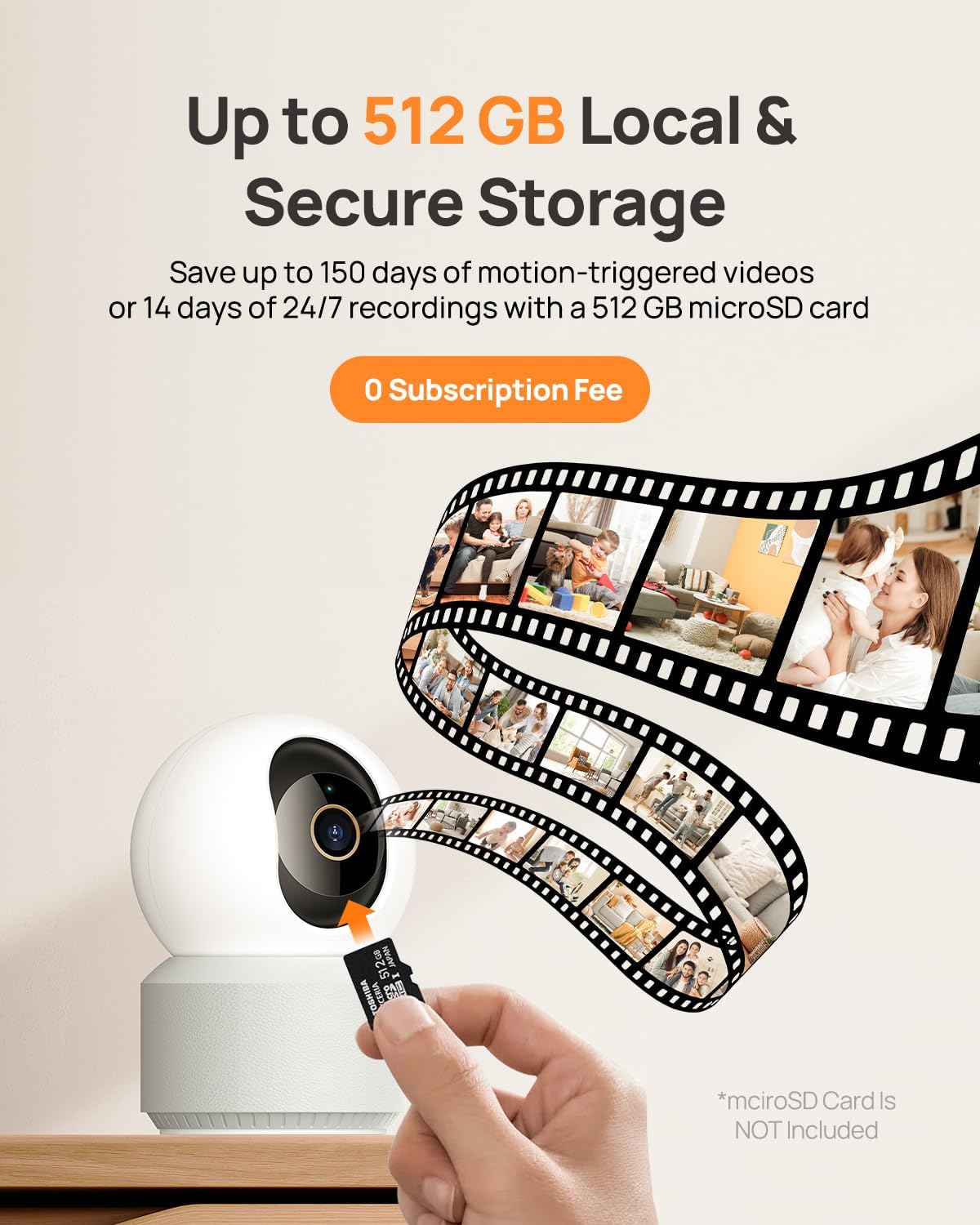
Image: A hand inserting a microSD card into the Anona Pano camera, demonstrating the local storage option. The graphic also shows a filmstrip, symbolizing video recordings saved to the card.
Instruccions de funcionament
1. En directe View i Enregistrament
Access the live video feed from your camera through the Anona app. The camera provides 4K UHD resolution with an 8x digital zoom capability.

Image: A visual comparison demonstrating the superior clarity of 4K UHD video (8 Megapixels) compared to 2K HD, highlighting the detail captured by the Anona Pano camera. The image features a baby interacting with a dog.
2. Control de panoràmica i inclinació
The camera offers a 360° horizontal pan and 110° vertical tilt range, allowing you to monitor a wide area.
- En directe view interface of the Anona app, use the directional controls to manually adjust the camera's viewangle de ing.

Image: The Anona Pano camera is shown with its 360° pan and 110° tilt capabilities, alongside a smartphone displaying the camera's live feed and control interface within the Anona app. This illustrates how users can remotely control the camera's movement.

Image: A close-up of the Anona Pano camera with graphical arrows indicating its 360° horizontal rotation (pan) and 110° vertical movement (tilt), demonstrating its extensive coverage range.
3. Auto-Tracking
Enable the auto-tracking feature in the app settings. When activated, the camera will automatically detect and follow moving objects within its field of view, ensuring continuous recording of activity.
4. AI Detection and Notifications
The camera utilizes AI algorithms to distinguish between different types of motion.
- Detecció de persones: Identifica figures humanes.
- Detecció d'animals de companyia: Reconeix les mascotes.
- Detecció de plors del nadó: T'avisa del so d'un nadó que plora.
Configure notification settings in the Anona app to receive instant alerts on your smartphone when specific events are detected.
5. Àudio bidireccional
The built-in microphone and speaker allow for two-way communication.
- En directe view, toca la icona del micròfon per parlar a través de la càmera.
- L'altaveu de la càmera transmetrà la teva veu i podràs sentir l'àudio des de la ubicació de la càmera.
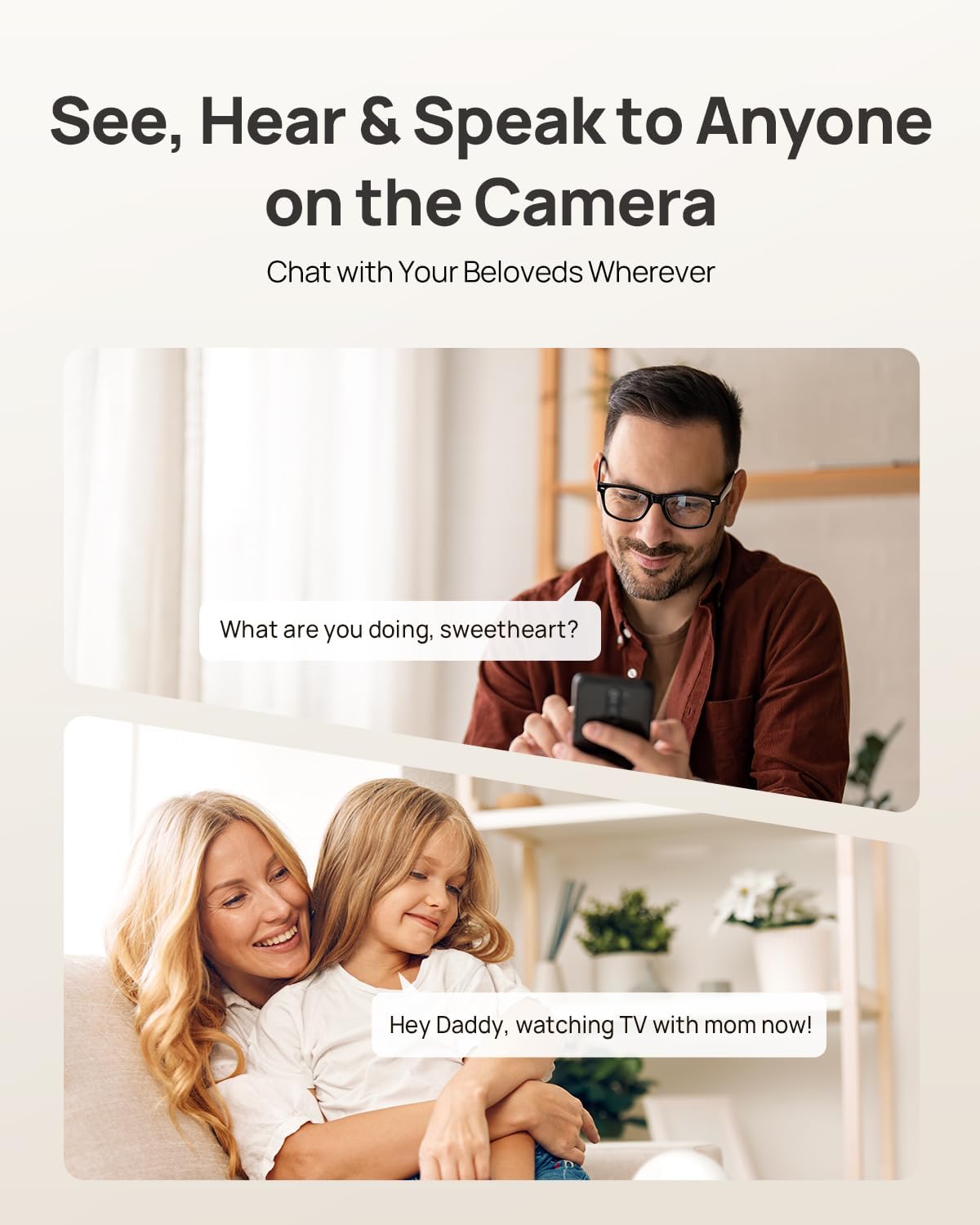
Image: This image illustrates the two-way audio functionality of the Anona Pano camera. A man is shown speaking into his phone, and a woman with a child is depicted listening, demonstrating how users can communicate remotely through the camera.
6. Mode de privadesa
Activate Privacy Mode via the Anona app to physically cover the camera lens, ensuring privacy when needed. This stops recording and live viewing without unplugging the device.

Image: The Anona Pano camera is shown with its lens physically covered, indicating Privacy Mode is active. A woman holding a baby is in the background, and a smartphone displays the Anona app interface confirming that Privacy Mode is enabled, emphasizing user control over privacy.
7. Opcions d'emmagatzematge
The Anona Pano camera offers two storage methods:
- Emmagatzematge local: Records to a microSD card (up to 512 GB, not included).
- Emmagatzematge al núvol: Optional Anona Cloud service provides AES-128 encrypted storage for your recordings.
8. Integració de la llar intel·ligent
The camera is compatible with Amazon Alexa and Google Assistant. Follow the instructions in the Anona app or your smart home assistant app to link your camera for voice control and integration.
Manteniment
1. Neteja de la càmera
Per mantenir una qualitat d'imatge òptima, netegeu regularment la lent i el cos de la càmera.
- Use a soft, dry, lint-free cloth to wipe the lens. For stubborn smudges, a lens cleaning solution designed for optics can be used sparingly.
- Wipe the camera body with a soft, slightly damp tela. Eviteu productes químics agressius o materials abrasius.
- Assegureu-vos que la càmera estigui apagada abans de netejar-la.
2. Actualitzacions de firmware
Anona regularly releases firmware updates to improve performance, add features, and enhance security. Check for updates through the Anona app settings and install them as prompted.
3. Gestió de l'emmagatzematge
- Targeta MicroSD: Periòdicament review and delete old recordings from the microSD card via the app to free up space. The card will typically overwrite the oldest footage when full.
- Emmagatzematge al núvol: Manage your cloud recordings and subscription details through the Anona app.
Resolució de problemes
| Problema | Causa possible | Solució |
|---|---|---|
| La càmera no s'encén | Power adapter not connected; faulty outlet. | Ensure power adapter is securely connected to camera and outlet. Try a different outlet. |
| No es pot connectar a la Wi-Fi | Incorrect Wi-Fi password; camera too far from router; Wi-Fi signal interference; incorrect band (2.4GHz vs 5GHz). | Verify Wi-Fi password. Move camera closer to router. Ensure router is broadcasting both 2.4GHz and 5GHz bands and try connecting to both. Reduce interference from other devices. |
| No video feed / Offline | No internet connection; camera disconnected from power. | Check your home internet connection. Restart the camera by unplugging and replugging the power. |
| La targeta microSD no grava | Card not inserted correctly; card full; card not formatted; faulty card. | Reinsert the card. Format the card via the app. Replace with a new, compatible microSD card if necessary. |
| La detecció de moviment no funciona | Detection sensitivity too low; detection zone not set; feature disabled. | Adjust detection sensitivity in the app. Define detection zones. Ensure motion detection is enabled. |
Especificacions
| Característica | Especificació |
|---|---|
| Nom del model | Anona Pano |
| Resolució de vídeo | 4K UHD (8 MP) |
| Resolució d'imatge fixa | 8 MP |
| Pan Range | 360° |
| Interval d'inclinació | 110° |
| Zoom òptic | 8x |
| Connectivitat | Wireless (Wi-Fi 6, Dual-band 2.4GHz/5GHz) |
| Detecció d'IA | Person, Pet, Baby Crying |
| Àudio | Àudio bidireccional |
| Opcions d'emmagatzematge | MicroSD card (up to 512 GB, not included), Cloud Storage |
| Compatibilitat amb la llar intel·ligent | Amazon Alexa, Google Assistant |
| Font d'alimentació | 5V2A Power Adapter (10W) |
| Ús interior/exterior | Interior |
| Dimensions | 8.2 x 7.9 x 12.1 cm |
| Pes | 500 grams |
| Components inclosos | Camera, Mounting Plate, Quick Start Guide, Power Adapter, Screw/Anchor Set |
Garantia
The Anona Pano 4K UHD Indoor Security Camera comes with a Garantia limitada d'1 any des de la data de compra. Aquesta garantia cobreix els defectes de fabricació i els mals funcionaments en condicions d'ús normal. No cobreix els danys causats per un mal ús, accidents, modificacions no autoritzades o desastres naturals. Conserveu el comprovant de compra per a reclamacions de garantia.
Suport
For technical assistance, troubleshooting beyond this manual, or warranty inquiries, please refer to the official Anona website or contact Anona customer support. Contact information can typically be found on the product packaging or the manufacturer's weblloc.