Introducció
The pTron MHR1 is an ergonomically designed phone clip camera grip handle, engineered to enhance your mobile photography and videography experience. It provides a stable and comfortable grip, reducing camera shake and improving control. Featuring a detachable Bluetooth v5.4 remote shutter, it allows for convenient remote operation, making it easier to capture photos and record videos. The universal clamp accommodates smartphones with widths between 55mm and 90mm, and its rotatable design supports both horizontal and vertical shooting modes.
Contingut del paquet
Si us plau, verifiqueu que tots els elements siguin presents al vostre paquet:
- 1 x pTron MHR1 Phone Clip Camera Grip Handle
- 1 x cable de càrrega USB tipus C
- 1 x Use Guide Card
Producte acabatview
Familiarize yourself with the components of your pTron MHR1 device.

Figura 1: Acabatview of the pTron MHR1 grip, highlighting the integrated Bluetooth remote, built-in stand, and camera-like textured grip for enhanced handling.

Figura 2: Detallada view of the pTron MHR1, pointing out the anti-slip handle, silicone-based phone clamp, cold shoe port for accessories, and the Type-C charging port on the remote control.
- Empunyadura ergonòmica: Designed for comfortable, one-handed operation.
- Telèfon Universal Clamp: Cl retràctilamp with a 55-90mm range, featuring silicone anti-slip pads for secure phone placement.
- Comandament a distància Bluetooth desmuntable: Bluetooth v5.4 remote for wireless photo and video capture.
- Disseny giratori: Allows quick switching between horizontal and vertical shooting orientations.
- Suport integrat: Enables the grip to stand independently on flat surfaces.
- Cold Shoe Port: For attaching external accessories like microphones or LED lights.
- Port de càrrega tipus C: Located on the remote control for convenient charging.
Instruccions de configuració
1. Connectar el telèfon intel·ligent
- Gently pull the retractable clamp outwards to expand its width.
- Col·loca amb cura el teu telèfon intel·ligent a la tapa.amp, ensuring it is centered and securely held by the silicone pads. The clamp supports phones with widths between 55mm and 90mm.
- Allibera el clamp slowly to allow it to grip your phone firmly.
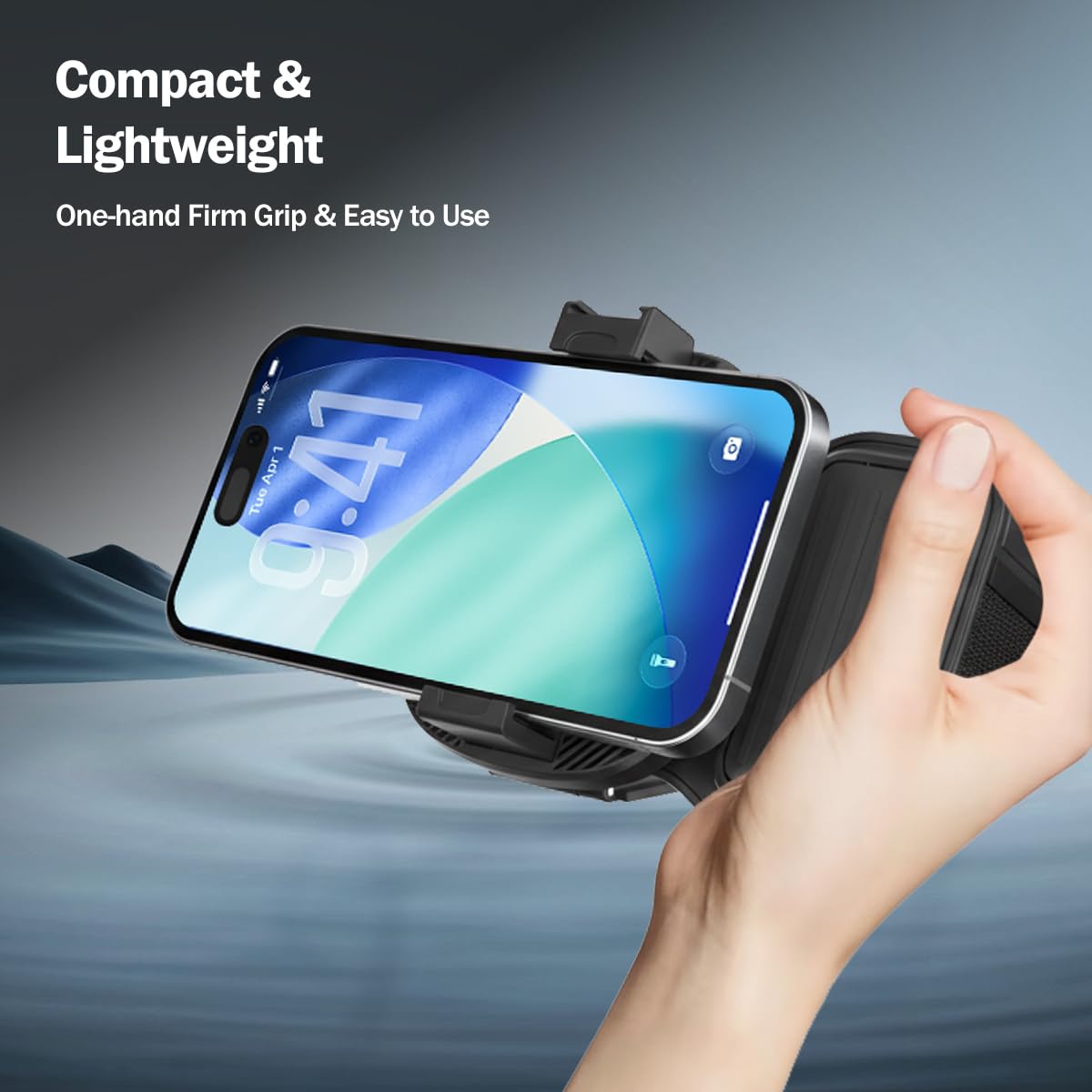
Figura 3: Demonstrating secure smartphone attachment and comfortable one-hand use of the grip.

Figura 4: The rotatable universal clamp, showing its 55-90mm width compatibility and silicone anti-slip design.
2. Pairing the Bluetooth Remote Shutter
- Ensure the remote control is charged. Connect the provided Type-C cable to the remote's charging port and a USB power source if needed.
- Press and hold the power button on the detachable Bluetooth remote until the indicator light begins to flash, indicating it is in pairing mode.
- Al teu telèfon intel·ligent, navega fins a la configuració de Bluetooth.
- Cerca available devices and select "pTron MHR1" (or similar name) from the list.
- Once paired, the indicator light on the remote will stop flashing and remain solid, or turn off, depending on the remote's design.
- Open your smartphone's camera application to test the remote shutter functionality.
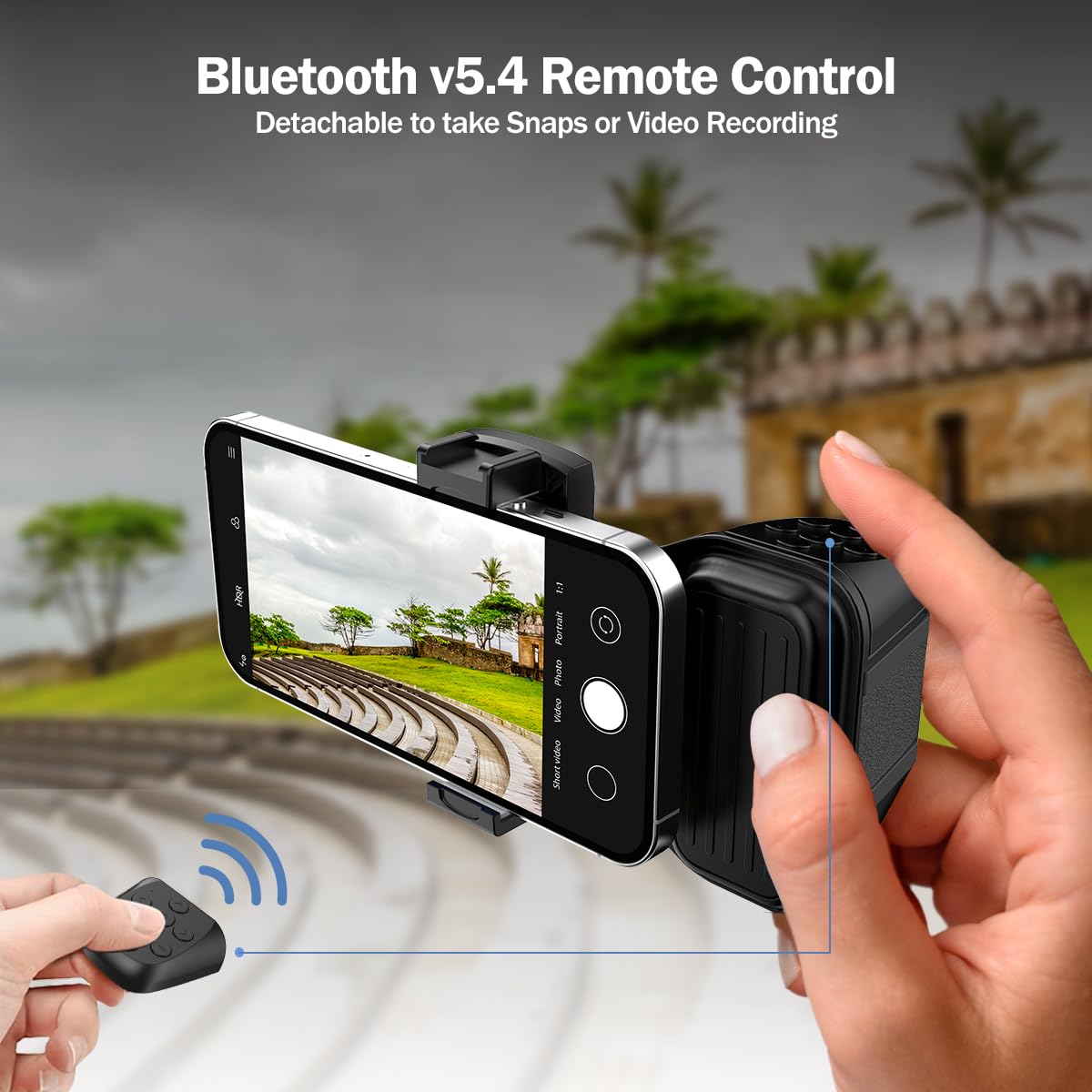
Figura 5: Using the detachable Bluetooth v5.4 remote control for taking snaps or recording videos.
Instruccions de funcionament
Fer fotos i gravar vídeos
- Once your smartphone is securely mounted and the Bluetooth remote is paired, open your preferred camera or video recording application.
- Use the buttons on the detachable remote to trigger the shutter for photos or start/stop video recording. Refer to your phone's camera app for specific remote control compatibility.
Switching Shooting Orientation (Horizontal/Vertical)
- L'universal clamp allows for easy rotation. Gently rotate your smartphone within the clamp to switch between horizontal (landscape) and vertical (portrait) shooting modes.
- Ensure the phone is securely seated after rotation.

Figura 6: Illustrating the seamless transition between vertical and horizontal shooting views.
Using the Built-in Stand
- To use the MHR1 as a stand, extend the built-in stand located on the back of the grip.
- Place the grip on a flat, stable surface. This is useful for hands-free viewing, video calls, or self-timer photography.
Manteniment
- Neteja: Netegeu el dispositiu amb un drap suau i sec. No utilitzeu productes de neteja abrasius ni dissolvents.
- Emmagatzematge: Store the MHR1 in a cool, dry place away from direct sunlight and extreme temperatures.
- Cura de la bateria: Charge the remote control regularly, even if not in frequent use, to maintain battery health. Avoid overcharging.
- Evitar l'impacte: No deixeu caure el dispositiu ni el sotmeteu a impactes forts, ja que això podria danyar els components interns.
Resolució de problemes
| Problema | Causa possible | Solució |
|---|---|---|
| Remote not pairing with phone. | Remote battery low; Bluetooth off on phone; remote not in pairing mode; interference. | Charge the remote. Ensure phone's Bluetooth is on. Press and hold remote button to enter pairing mode. Move closer to the phone and away from other Bluetooth devices. |
| Remote not taking photos/videos. | Not paired correctly; camera app not open; remote not compatible with specific app functions. | Re-pair the remote. Ensure the camera app is active. Test with the phone's native camera app first. Some third-party apps may have limited remote compatibility. |
| Phone not held securely. | Phone width outside 55-90mm range; improper placement; silicone pads worn. | Verify your phone's width. Ensure the phone is centered and fully seated in the clamp. Contact support if silicone pads are damaged. |
Especificacions
| Model | MHR1 |
| Dimensions del producte | 7.8 x 8.2 x 5.3 cm |
| Pes de l'article | 100 g |
| Dispositius compatibles | Smartphones (55-90mm clamping range) |
| Connectivitat | Bluetooth v5.4, USB Type-C (for charging) |
| Material | Acrylonitrile Butadiene Styrene (ABS) + Silicone |
| Característiques especials | Adjustable, Lightweight, Rotatable, Built-in Stand, Cold Shoe Port |
| Tipus de bateria | Internal Lithium Polymer (rechargeable) |
Informació de la garantia
The pTron MHR1 Phone Clip Camera Grip Handle comes with a 6 mesos de garantia del fabricant des de la data de compra. Aquesta garantia cobreix els defectes de fabricació. Si us plau, conserveu el rebut de compra com a comprovant de compra per a reclamacions de garantia. La garantia no cobreix els danys causats per un mal ús, accidents, modificacions no autoritzades o desgast normal.
Informació de suport
For technical assistance, warranty claims, or any other inquiries regarding your pTron MHR1, please contact pTron customer support:
- Correu electrònic: suport@ptron.in
- Telèfon: 040-67138888
Please have your product model number (MHR1) and purchase details ready when contacting support.