
1. Introducció
The Alesis Teacher's Choice 61 is a 61-key portable electronic keyboard designed for beginners and returning players. It features an intuitive learning system with light-up keys, a wide range of sounds, and comprehensive practice support functions. This manual provides essential information for setting up, operating, and maintaining your instrument.
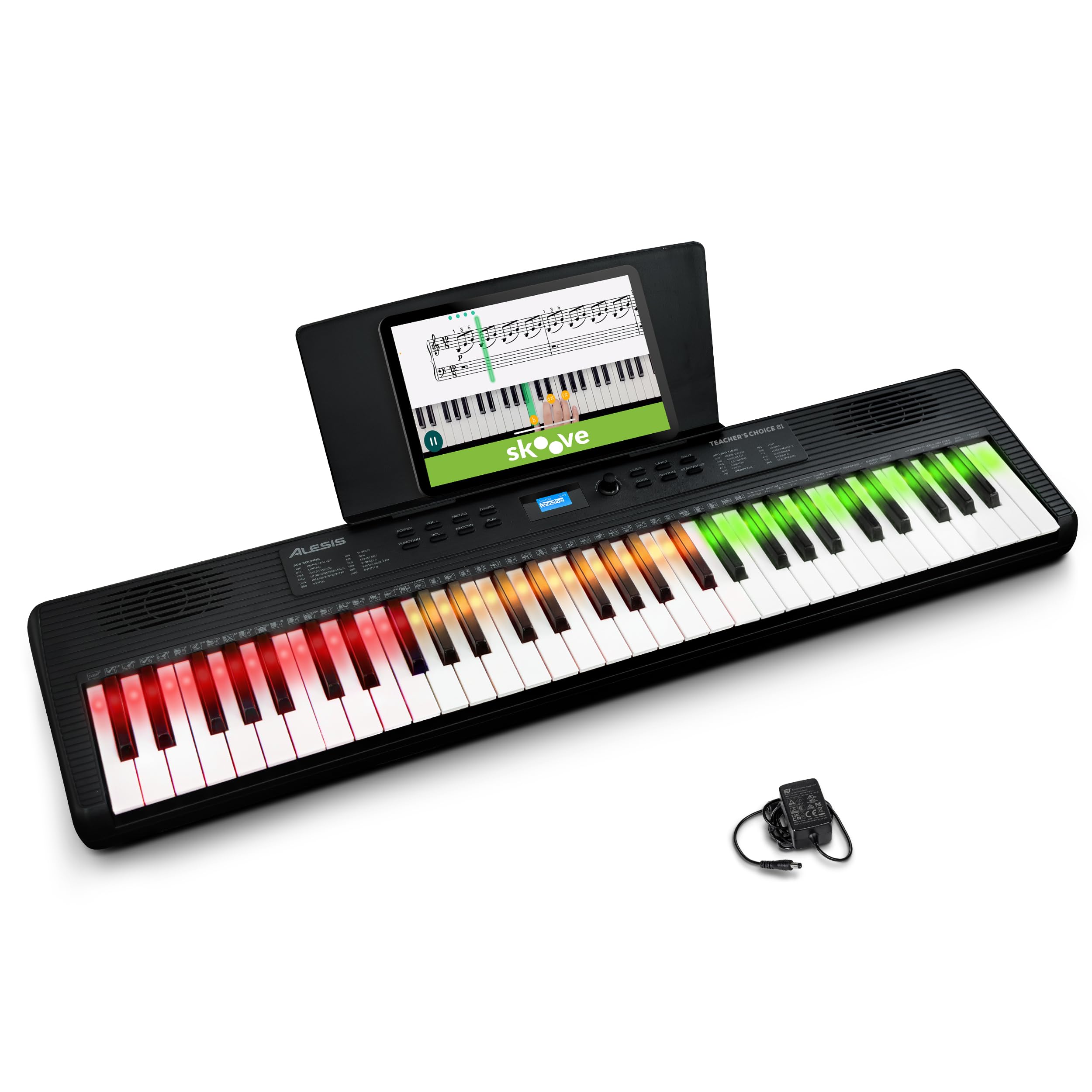
Image: The Alesis Teacher's Choice 61 electronic keyboard, showcasing its light-up keys and compact design.
2. Característiques del producte
- Intuitive Learning System: Designed for enjoyable and smooth progress, this 61-key electronic keyboard integrates with the Skoove app. It features smart learning functions that guide the notes to play in real-time with red, green, and amber LEDs.
- Diverse Tones for Expanded Expression: Includes 300 built-in tones such as piano, strings, brass, guitar, and synthesizer, along with 300 accompaniment rhythms and 30 demo songs. Layer mode and Split mode allow for more creative performances.
- Comprehensive Practice Support Functions: Features a metronome adjustable from 40-280 BPM, a convenient transpose function, and a record/playback function to objectively review your own performance. This efficiently supports daily practice.
- Connectivitat versàtil: Equipped with a headphone jack (3.5mm) for private practice, an AUX input for connecting external audio devices, a USB-MIDI output for PC connection, and a sustain pedal input (6.35mm), offering broad expandability.
- Portable Design for Anywhere Play: The compact body with built-in speakers can be powered not only by the included AC adapter but also by 6 AA batteries (sold separately). Enjoy playing and practicing anywhere, from your living room to outdoors.
3. Configuració
3.1 Desembalatge i inspecció inicial
Carefully remove all components from the packaging. Ensure all items listed in the packing contents are present and undamaged. If any items are missing or damaged, contact customer support immediately.
3.2 Engegar el teclat
The Teacher's Choice 61 can be powered in two ways:
- Adaptador de CA: Connect the included AC power adapter to the 12V DC input on the rear panel of the keyboard and then to a power outlet.
- Bateries: For portable use, insert 6 AA batteries (not included) into the battery compartment on the underside of the keyboard.

Image: The Alesis Teacher's Choice 61 keyboard with its power adapter and USB-C cable, ready for connection.
3.3 Music/Tablet Stand Installation
Insert the included music/tablet stand into the slot located on the top panel of the keyboard. Ensure it is securely seated.

Image: The Alesis Teacher's Choice 61 keyboard with a tablet placed on the music stand, displaying sheet music.
4. Instruccions de funcionament
4.1 Encès/Apagat
Premeu el botó PODER button located on the control panel to turn the keyboard on or off.
4.2 Ajust del volum
Utilitza el VOL + i VOLUM - buttons to adjust the master volume of the keyboard.
4.3 Selecting Tones (Voices)
Premeu el botó VEU button, then use the number keys or the data wheel to select from 300 available tones. The selected tone will be displayed on the LCD screen.

Image: A close-up of the keyboard's display, showing 'GrandPno' as the selected sound.
4.4 Selecting Rhythms (Accompaniment)
Premeu el botó RITME button, then use the number keys or the data wheel to select from 300 accompaniment rhythms. Press INICI/PARA per començar o acabar el ritme.

Imatge: Una imatge detallada view of the rhythm selection area on the control panel.
4.5 Layer Mode
To layer two different tones simultaneously, press the CAPA button. Select the first tone, then select the second tone. Both will sound when keys are pressed.
4.6 Mode dividit
To split the keyboard into two sections with different tones, press the SPLIT button. The left and right sections can then be assigned different voices.

Image: Two individuals playing the keyboard, demonstrating the split mode functionality.
5. Practice Functions
5.1 Metrònom
Premeu el botó METRO botó per activar el metrònom. Feu servir el botó TEMPO button and data wheel to adjust the tempo from 40 to 280 BPM.
5.2 Transposar
The transpose function allows you to shift the pitch of the entire keyboard up or down in semitone steps. Refer to the full manual for specific key combinations to activate and adjust transpose.
5.3 Record and Playback
Premeu el botó REGISTRAR button to start recording your performance. Press JUGAR to listen to your recorded performance. This feature helps in self-assessment and improvement.

Imatge: Un primer pla view of the record and play buttons on the control panel.
5.4 Skoove App Integration
Connect your keyboard to the Skoove app via USB-MIDI for interactive lessons. The light-up keys will guide you through exercises and songs in real-time. A 3-month Skoove Premium subscription is included with your purchase.

Image: The Skoove logo, representing the integrated learning platform.
6. Connectivitat
The Teacher's Choice 61 offers various connection options:
- Sortida d'auriculars (3.5 mm): Connect headphones for silent practice. The internal speakers will be muted automatically.
- Entrada AUX (3.5 mm): Connect an external audio device (e.g., smartphone, tablet) to play along with your favorite music.
- USB-MIDI Output: Connect the keyboard to a computer or mobile device using the included USB-C cable for MIDI communication with music software or learning apps like Skoove.
- Sustain Pedal Input (6.35mm): Connect an optional sustain pedal (not included) for expressive playing.

Image: The rear panel of the keyboard, highlighting the various input and output ports.
7. Manteniment
To ensure the longevity of your Alesis Teacher's Choice 61 keyboard, follow these maintenance guidelines:
- Neteja: Use a soft, dry cloth to wipe the surface of the keyboard. Do not use abrasive cleaners, waxes, or solvents.
- Emmagatzematge: Guardeu el teclat en un lloc fresc i sec, allunyat de la llum solar directa, de temperatures extremes i d'alta humitat.
- Manipulació: Eviteu deixar caure el teclat ni sotmetre'l a impactes forts. No hi col·loqueu objectes pesats a sobre.
- Potència: Disconnect the AC adapter when not in use for extended periods. Remove batteries if storing the unit for a long time to prevent leakage.
8. Solució De Problemes
| Problema | Causa possible | Solució |
|---|---|---|
| Sense so | Volum massa baix; auriculars connectats; problema d'alimentació. | Increase volume; disconnect headphones; check power connection/batteries. |
| Les tecles no s'il·luminen | Learning mode not active; app not connected. | Ensure learning mode is enabled or Skoove app is properly connected via USB-MIDI. |
| El teclat no respon | Problema d'alimentació; bloqueig del sistema. | Check power supply; turn off and on again. |
If you encounter issues not listed here or if the problem persists, please contact Alesis customer support.
9. Especificacions
- Marca: Alesis
- Model: TEACHRCHCE61KO
- Nombre de claus: 61
- Tipus de clau: Light-up keys
- Built-in Tones: 300
- Accompaniment Rhythms: 300
- Cançons de demostració: 30
- Connectivitat: 3.5mm Headphone Output, 3.5mm AUX Input, USB-MIDI Output, 6.35mm Sustain Pedal Input
- Potència: AC Adapter (included) or 6 AA Batteries (sold separately)
- Dimensions (L x P x A): 91.4 cm x 23.1 cm x 7.4 cm (aprox. 36 polzades x 9.1 polzades x 2.9 polzades)
- Pes: Aproximadament 3.3 kg (7.27 lliures)
- Color: Negre
- UPC: 694318026953
- País d'origen: Xina
10. Garantia i Suport
10.1 Garantia del fabricant
This Alesis product is covered by a 1-year manufacturer's warranty from the date of purchase. The warranty covers defects in materials and workmanship under normal use. Please retain your proof of purchase for warranty claims.
10.2 Atenció al client
For technical support, troubleshooting assistance, or warranty inquiries, please visit the official Alesis website or contact their customer service department. Contact information can typically be found on the Alesis weblloc o a l'embalatge del producte.
Online resources, including FAQs and additional documentation, may also be available on the Alesis support page.


