
1. Acabatview
The Havit H2015YG is a versatile quad-mode gaming headphone designed for an immersive audio experience across multiple platforms. It offers 2.4GHz wireless, Bluetooth, wired USB-C, and 3.5mm audio connectivity, ensuring compatibility with various devices. Key features include 53mm drivers for spatial audio, a detachable microphone, and extended battery life for prolonged gaming sessions.
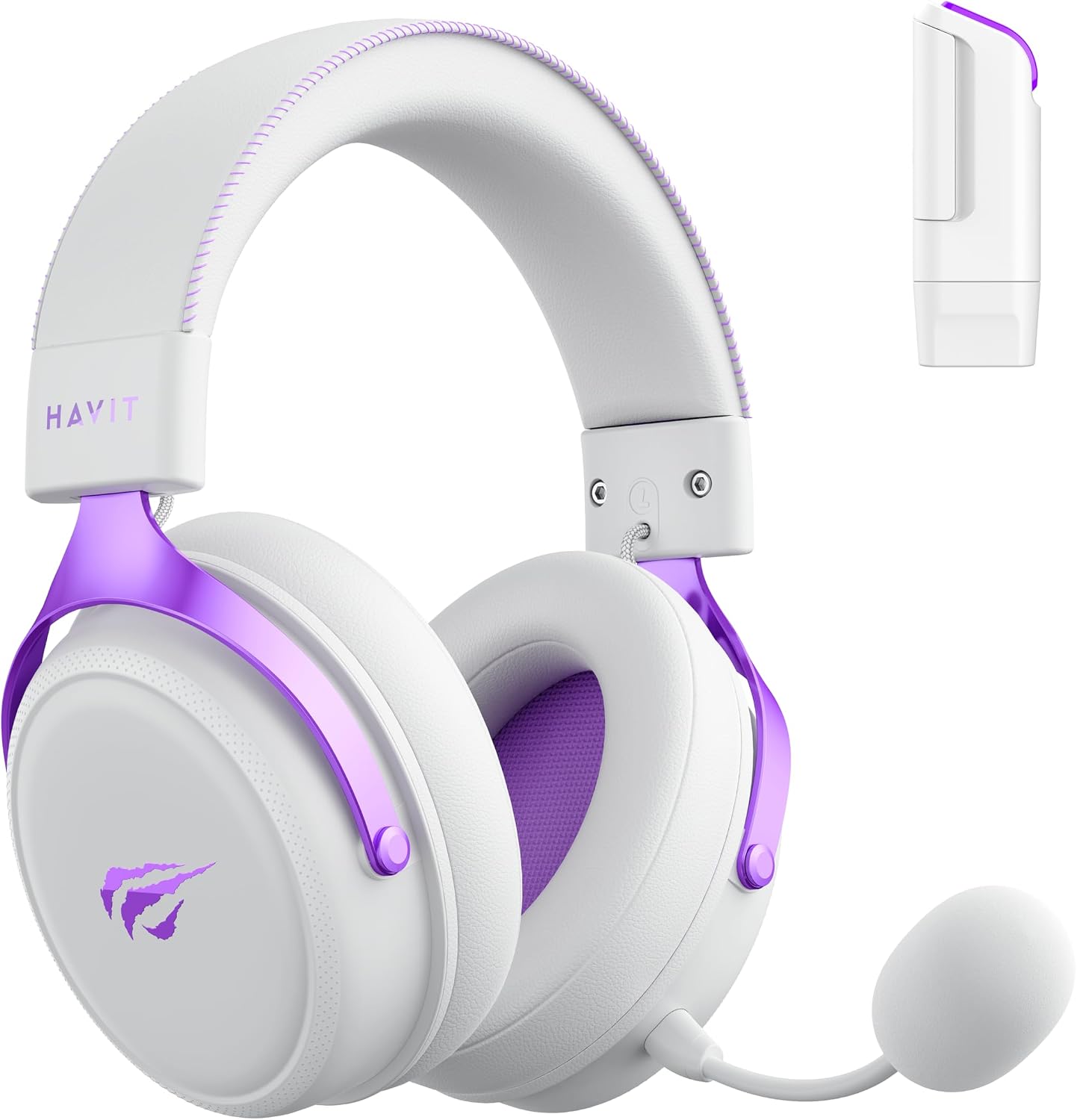
Havit H2015YG Quad-Mode Gaming Headphone with its key features highlighted, including the detachable microphone and multi-platform compatibility.
2. Configuració
2.1 Contingut del paquet
Please verify that all the following components are present in your Havit H2015YG package:
- Havit H2015YG Headphone
- Micròfon desmuntable
- 2.4GHz Wireless Dongle (Type-C + USB-A)
- USB-C to USB-A Charging/Audio Cable
- Cable d'àudio de 3.5 mm
2.2 Charging the Headphone
Before initial use, fully charge the headphone. Connect the USB-C end of the provided cable to the headphone's charging port and the USB-A end to a compatible power source (e.g., computer USB port, wall adapter). The LED indicator on the headphone will show the charging status. A full charge provides approximately 111 hours in 2.4GHz mode or 131 hours in Bluetooth mode, depending on usage.
2.3 Connectar el micròfon
Align the detachable microphone with the port located on the left earcup. Gently push the microphone into the port until it clicks securely into place. Ensure it is firmly connected for optimal voice pickup.
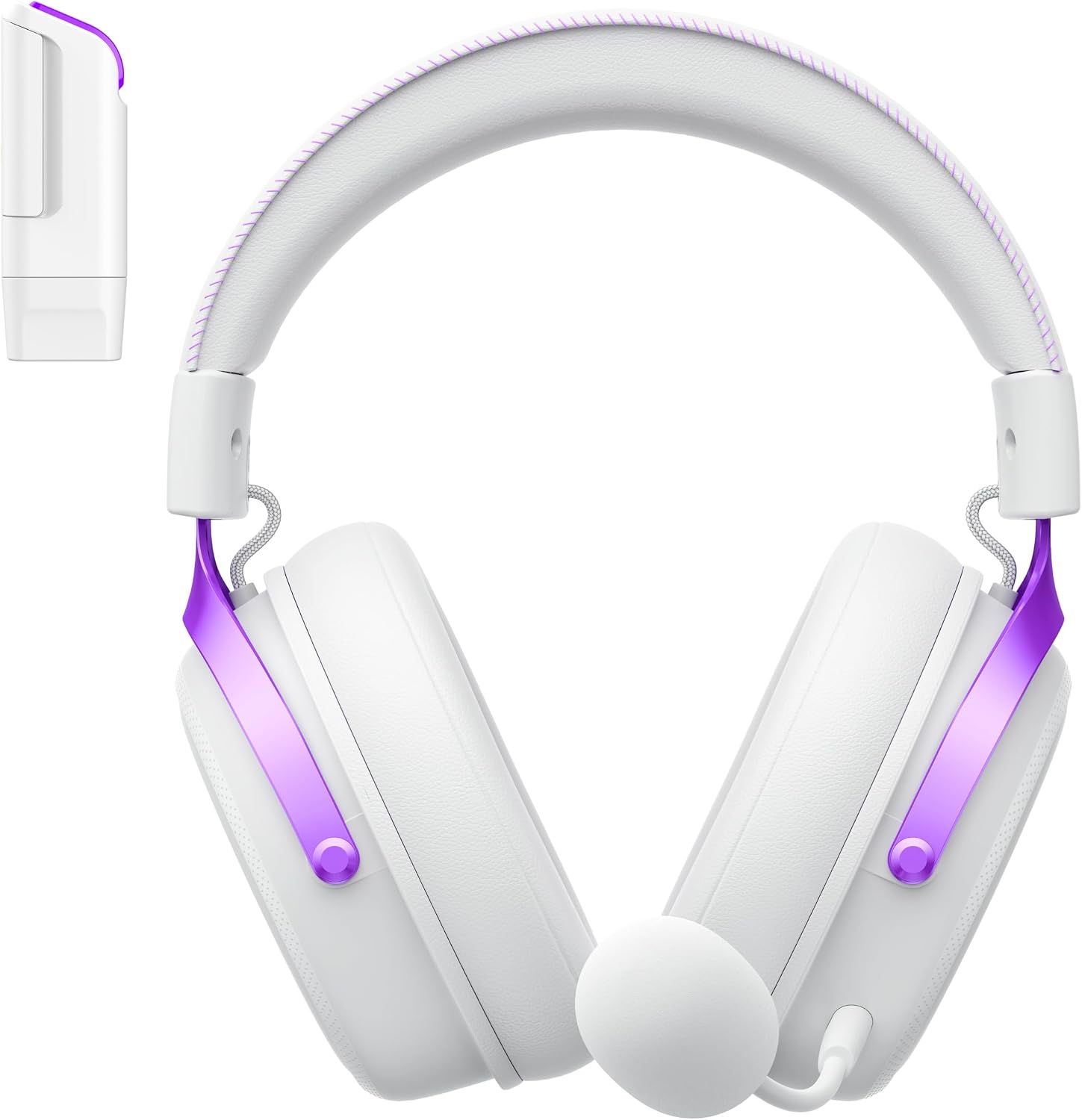
Davant view of the Havit H2015YG headphone with the detachable microphone attached, ready for use.
3. Instruccions de funcionament
3.1 Encès/Apagat
To power on the headphone, press and hold the power button (usually located on one of the earcups) for approximately 3 seconds. An audible prompt or LED indicator will confirm that the headphone is powered on. To power off, repeat the same action.
3.2 Modes de connectivitat
The Havit H2015YG supports four distinct connectivity modes:
- Mode sense fil de 2.4 GHz: For low-latency gaming, insert the 2.4GHz wireless dongle (which includes both Type-C and USB-A connectors) into your device (PC, PlayStation, Nintendo Switch, etc.). The headphone will automatically connect. Ensure the headphone is set to 2.4GHz mode, typically indicated by an LED.
- Mode Bluetooth: To connect via Bluetooth, ensure the headphone is powered on and in Bluetooth pairing mode (refer to the mode switch or button on the headphone). On your device, search for 'Havit H2015YG' in the Bluetooth settings and select it to pair. The LED will indicate a successful connection.
- Wired USB-C Mode: Connect the USB-C to USB-A cable from the headphone's USB-C port to your device's USB port. This provides a wired digital audio connection and allows for simultaneous charging.
- Wired 3.5mm Audio Mode: Connect the 3.5mm audio cable from the headphone's 3.5mm jack to your device's audio output. This provides a traditional analog wired connection. Note that the microphone functionality may vary or be unavailable in this mode on some devices.

Diagram illustrating the Havit H2015YG headphone's quad-mode connectivity options: 2.4GHz wireless (Type-C and USB-A), wired USB-C, and Bluetooth, compatible with various devices.
3.3 Controls
The headphone features integrated controls on the earcup for convenient adjustments:
- Rodet de volum: Use the dedicated roller to adjust the audio output level.
- Silència del micròfon: A specific button or switch allows you to quickly mute or unmute the detachable microphone.
- Interruptor de mode: A switch or button may be present to cycle between 2.4GHz, Bluetooth, and wired modes.

Primer pla view of the Havit H2015YG headphone's earcup, showing the volume control wheel and other operational buttons.
3.4 Àudio espacial
The Havit H2015YG incorporates advanced spatial audio technology. This feature amplifies critical in-game audio cues such as footsteps (direction and distance), bullet trajectories, and ability sounds, providing a more immersive and competitive gaming experience.
4. Manteniment
4.1 Neteja
To maintain the headphone's condition, regularly wipe its surfaces, including the earcups and headband, with a soft, dry cloth. For more persistent dirt, a slightly damp cloth with a mild soap solution can be used, followed by wiping dry. Avoid using harsh chemicals, abrasive cleaners, or excessive moisture. The breathable leather earcups are designed to be skin-friendly.
4.2 Emmagatzematge
Store the headphone in a cool, dry place away from direct sunlight and extreme temperatures. Avoid placing heavy objects on the headphone to prevent structural damage.
4.3 Cura de la bateria
To prolong the lifespan of the internal lithium battery, avoid frequently allowing it to fully discharge. Charge the headphone regularly, even if it is not in use for extended periods. Do not expose the battery to high temperatures.
5. Solució De Problemes
If you encounter issues with your Havit H2015YG headphone, please refer to the following common solutions:
- Sense so:
- Check volume levels on both the headphone and the connected device.
- Ensure the correct audio output device is selected in your computer or console's sound settings.
- Verify the headphone is properly connected in the chosen mode (2.4GHz dongle inserted, Bluetooth paired, cables securely plugged in).
- El micròfon no funciona:
- Ensure the detachable microphone is securely attached to the headphone.
- Check if the microphone mute function is active on the headphone or your device.
- Verify microphone input settings on your computer or console.
- Problemes de connectivitat:
- For 2.4GHz wireless, try re-inserting the dongle or moving closer to the dongle to ensure a strong signal.
- For Bluetooth, try unpairing and then re-pairing the headphone with your device.
- Assegureu-vos que no hi hagi altres dispositius sense fil que causin interferències.
- Try restarting both the headphone and the connected device.
- Problemes de càrrega:
- Ensure the USB-C cable is properly connected to both the headphone and the power source.
- Try using a different USB port or a different charging adapter.
- Inspect the charging cable for any visible damage.
6. Especificacions
| Diàmetre del conductor | 53 mm |
| Impedància | 64 ± 15% Ω |
| Sensibilitat | 96 ± 3dB (2.4G) |
| Resposta de freqüència | 20 Hz - 20 kHz |
| Mides del micròfon | ø6.0 x 2.7 mm |
| Sensibilitat del micròfon | -13dB ± 3dB (2.4G) |
| Distància sense fils | 10 metres |
| Opcions de connectivitat | 2.4GHz (Type-C + USB), Bluetooth, Wired USB-C, Wired 3.5mm |
| Capacitat de la bateria | Bateria de liti de 2000 mAh |
| Battery Life (2.4GHz) | Up to 111 hours (may vary by usage) |
| Durada de la bateria (Bluetooth) | Up to 131 hours (may vary by usage) |
| Material | Plàstic |
| Color | Blanc morat |
7. Garantia
The Havit H2015YG Headphone comes with a 1-year manufacturer's warranty from the date of purchase. This warranty covers defects in materials and workmanship under normal use. For warranty claims, please retain your proof of purchase and contact Havit customer support.
8. Suport
For further assistance, technical support, or detailed product information, please visit the official Havit website or contact their customer service department. Refer to the product packaging or Havit's website for specific contact details and support resources.