
1. Informació de seguretat
Please read all safety instructions carefully before assembly and use. Retain this manual for future reference.
- Assegureu-vos sempre que l'escriptori estigui correctament ancorat al terra per evitar que bolqui.
- No supereu la capacitat màxima de pes de 180 lliures (81.6 kg).
- Use LED lights in a well-lit environment and avoid prolonged direct exposure to prevent eye strain.
- Mantingueu els nens i les mascotes allunyats de l'escriptori durant l'ajust d'alçada per evitar lesions.
- Ensure all cables are properly managed to avoid entanglement or damage during desk movement.
- Do not place liquids directly on the desk surface without proper coasters or protection.
2. Contingut del paquet
Verify that all components are present before beginning assembly. Refer to the detailed parts list in the assembly video for specific part identifiers.
- Desktop sections (Carbon Fiber Surface)
- Desk Legs (Alloy Steel)
- Crossbeams and Support Structure
- Motor elèctric i caixa de control
- Tauler de control intel·ligent
- Cintes de llum LED
- Ganxo per a auriculars
- All necessary screws, bolts, and tools for assembly
- Adaptador d'alimentació
3. Muntatge i muntatge
Follow these steps to assemble your HLDIRECT Gaming Standing Desk. It is recommended to have two people for assembly.
3.1 Guia de vídeo de muntatge
For a visual step-by-step guide, please watch the official installation video:
Descripció del vídeo: This video provides a detailed, step-by-step guide on how to correctly install the HLDIRECT electric standing desk. It covers the entire assembly process from unboxing to final setup, ensuring proper construction and functionality.
3.2 Muntatge pas a pas
- Instal·lació de peus: Attach the foot pads to the bottom of the desk legs. Ensure they are securely fastened.
- Instal·lació del motor: Insert the motor into the designated slot on one of the desk legs. Connect the drive rod to the motor and the other leg, ensuring proper alignment.
- Instal·lació de la biga: Attach the crossbeams to the top of the desk legs. These beams provide structural support for the desktop.
- Desktop Panel Installation: Carefully place the desktop sections onto the assembled frame. Secure them using the provided screws.
- Accessory and Line Connection: Install the headphone hook and connect all necessary cables, including the power cable, motor cable, and control panel cable. Ensure all connections are firm and organized.

Descripció de la imatge: This diagram illustrates the dimensions of the HLDIRECT 63-inch gaming desk, including its length (63 inches), depth (23.7 inches), and adjustable height range (27.8 to 44.5 inches).

Descripció de la imatge: This image displays the HLDIRECT gaming desk at its lowest (27.8 inches) and highest (44.5 inches) adjustable positions, demonstrating its stable height adjustment mechanism.
4. Instruccions de funcionament
Your HLDIRECT Gaming Standing Desk offers electric height adjustment and integrated LED lighting for an enhanced user experience.
4.1 Ajust d'alçada
The desk's height can be adjusted between 27.8 polzades (70.6 cm) i 44.5 polzades (113 cm).
- Botons amunt / avall: Use the ▲ (Up) and ▼ (Down) buttons on the smart control panel to manually adjust the desk to your desired height.
- Preajustos de memòria: The control panel features three memory height settings (1, 2, 3). To save a height, adjust the desk to the desired position, then press and hold one of the memory buttons (1, 2, or 3) until you hear a beep or see the display flash. To recall a saved height, simply press the corresponding memory button.
- Bloqueig per a nens: Activate the child lock feature (indicated by a lock icon on the panel) to prevent accidental height adjustments.
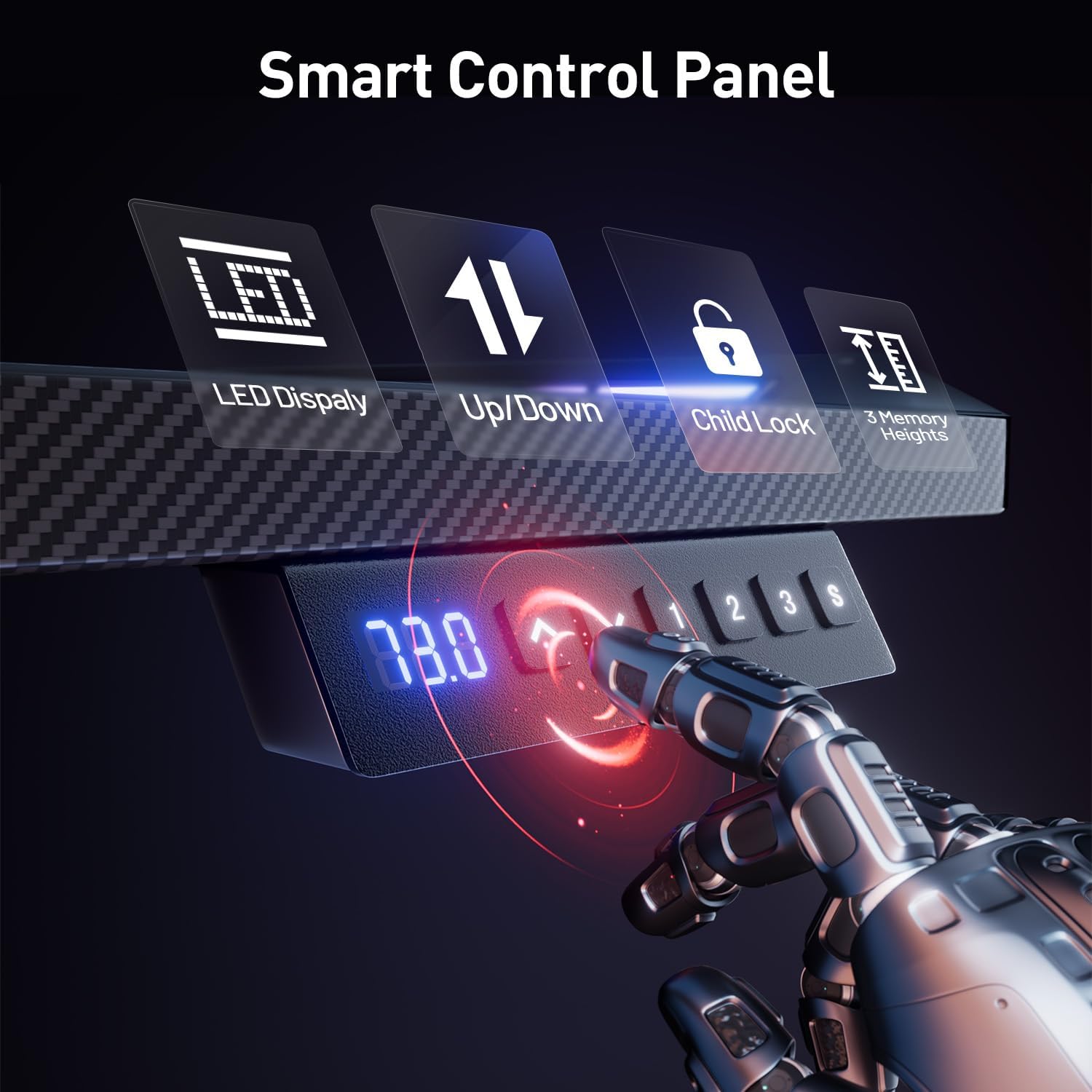
Descripció de la imatge: Un primer pla view of the smart control panel on the HLDIRECT gaming desk, showing buttons for LED display, up/down adjustment, child lock, and three memory height settings.
4.2 Funcionament dels llums LED
The integrated LED lights offer multiple modes and colors.
- LED Display Button: Use the dedicated LED button on the control panel to cycle through different lighting modes and colors.
- Modes d'il·luminació: Options typically include multi-color gradient, single-color cycling, and static color modes.
- Brightness and Speed: Adjust brightness and speed of dynamic modes as per the control panel or any included remote (if applicable).

Descripció de la imatge: This image highlights the integrated LED lights on the HLDIRECT gaming desk, showcasing their vibrant colors and how they enhance the gaming ambiance.
4.3 Anti-Collision Function
The desk is equipped with an intelligent anti-collision detection system.
- If the desk encounters an obstacle during height adjustment, it will automatically stop and reverse slightly to prevent damage or injury.
- Ensure the area around the desk is clear before and during adjustment for optimal safety.

Descripció de la imatge: An illustration of the anti-collision technology feature of the HLDIRECT gaming desk, showing the desk stopping its movement when an obstruction is detected.
4.4 Producte acabatview Vídeo
View un breu sobreview of the HLDIRECT Gaming Standing Desk features:
Descripció del vídeo: This video provides a dynamic overview of the HLDIRECT Gaming Standing Desk, showcasing its design, LED lighting, and electric height adjustment capabilities in a gaming environment.
5. Manteniment
Un manteniment adequat garanteix la longevitat i el rendiment òptim del vostre escriptori.
- Neteja: Wipe the carbon fiber surface with a soft, damp drap. Eviteu netejadors abrasius o productes químics agressius que puguin danyar l'acabat.
- Gestió de cables: Regularly check and organize cables to prevent pinching or damage during height adjustments.
- Cura del motor: The motor is designed for low noise and durability. Avoid obstructing the motor mechanism. No special lubrication is typically required.
- Elements de fixació: Reviseu periòdicament tots els cargols i perns per assegurar-vos que romanen ajustats. Torneu a apretar-los si cal.
6. Solució De Problemes
Si teniu problemes amb el vostre escriptori, consulteu les solucions habituals següents:
- Desk Not Adjusting Height:
- Check if the power cable is securely plugged into both the desk and a working power outlet.
- Assegureu-vos que tots els cables del motor i del panell de control estiguin connectats correctament.
- Verify that the child lock is not activated.
- If an error code appears on the display, consult the manufacturer's support for specific instructions.
- Els llums LED no funcionen:
- Check the power connection for the LED strips.
- Ensure the LED control button on the panel is pressed.
- Unstable Desk:
- Assegureu-vos que tots els cargols de muntatge estiguin ben apretats.
- Verify the desk is on a flat, level surface. Adjust foot pads if necessary to balance.
- No supereu la capacitat màxima de pes.
If the issue persists, please contact HLDIRECT customer support.
7. Especificacions
| Característica | Detall |
|---|---|
| Marca | HLDIRECT |
| Número de model | Z-160 |
| Dimensions del producte (P x A x A) | 23.7" de profunditat x 63" d'amplada x 44.5" d'alçada (60.2 cm de profunditat x 160 cm d'amplada x 113 cm d'alçada) |
| Interval d'alçada ajustable | 27.8" - 44.5" (70.6 cm - 113 cm) |
| Material de taula | Fibra de carboni |
| Gruix de la taula | 0.63 polzades (1.6 cm) |
| Material base | Acer d'aliatge |
| Recomanació de pes màxim | 180 lliures (81.6 kg) |
| Característiques especials | Adjustable Height, Electric, LED Lights, Anti-Collision Function, Headphone Hook |
| Nivell de soroll del motor | Menys de 50 decibels |
| Muntatge obligatori | Sí |
8. Garantia i Suport
HLDIRECT is committed to providing quality products and customer satisfaction.
- Garantia: This product comes with a limited warranty. Please refer to your purchase documentation for specific warranty terms and conditions.
- Atenció al client: For any questions regarding assembly, operation, troubleshooting, or warranty claims, please contact HLDIRECT customer service. A professional after-sales service team is available to assist you.
- Contacte: You can typically find contact information on the HLDIRECT official weblloc web o a través de la vostra plataforma de compra.