
1. Introducció
Thank you for choosing the EENOUR Golf Rangefinder U1. This device is designed to provide accurate distance measurements for an enhanced golf experience. It features multi-mode functionality, precision optics, and a compact, durable design. Please read this manual carefully to ensure proper use and optimal performance.
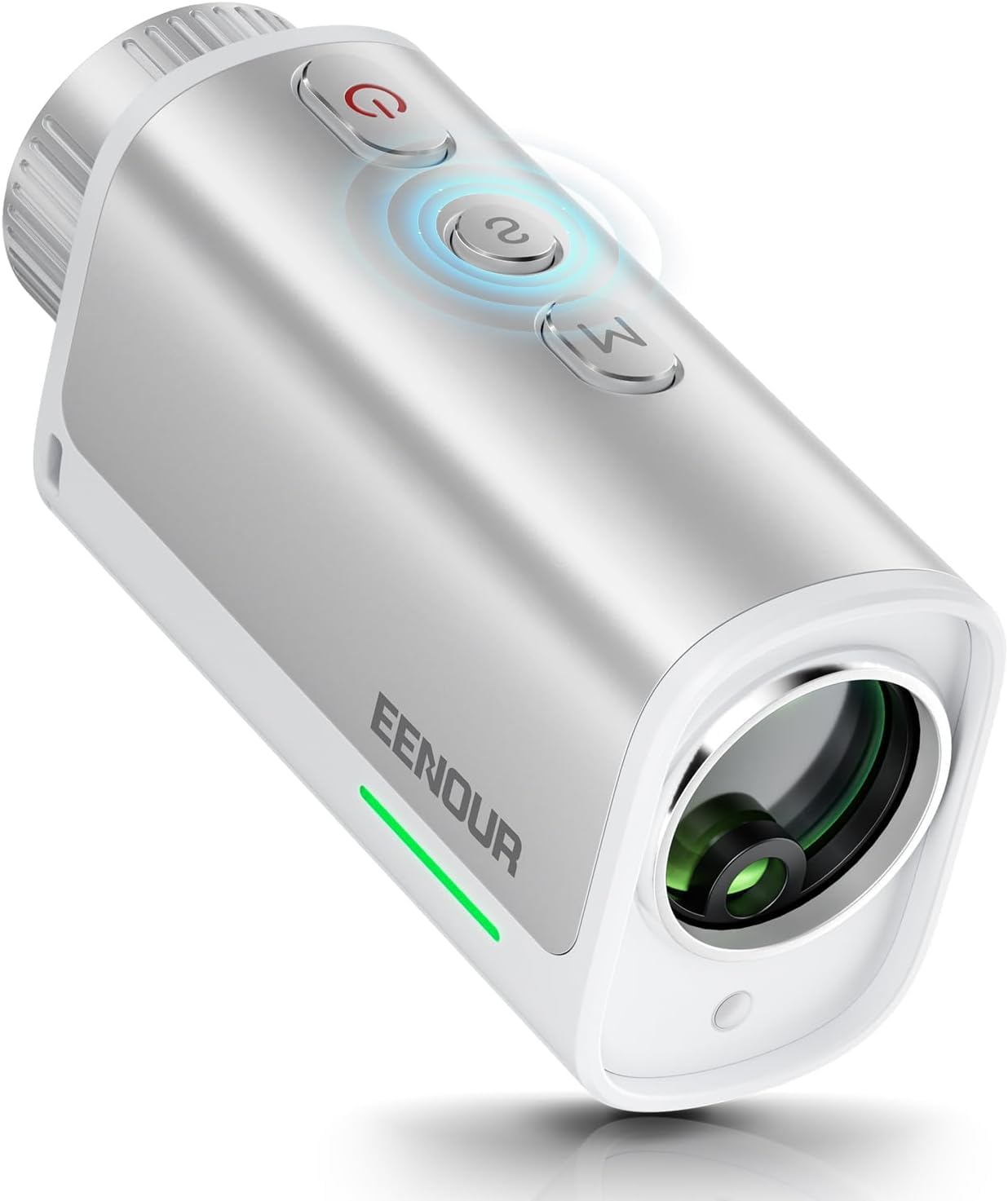
Image 1.1: EENOUR Golf Rangefinder U1
2. Informació de seguretat
This device contains a Class 1 laser product. Avoid direct eye exposure to the laser beam. Do not look directly into the sun through the rangefinder. Keep the device away from children. Do not attempt to disassemble or modify the device, as this may cause damage and void the warranty.
3. Contingut del paquet
Upon opening your EENOUR Golf Rangefinder U1 package, please verify that all the following items are included:
- EENOUR Golf Rangefinder U1
- Sivella d'alpinisme
- Drap de neteja
- Quick-Start Card
- Cable USB-Type C
- Manual d'usuari (aquest document)
- Corretja
- Estoig d'emmagatzematge
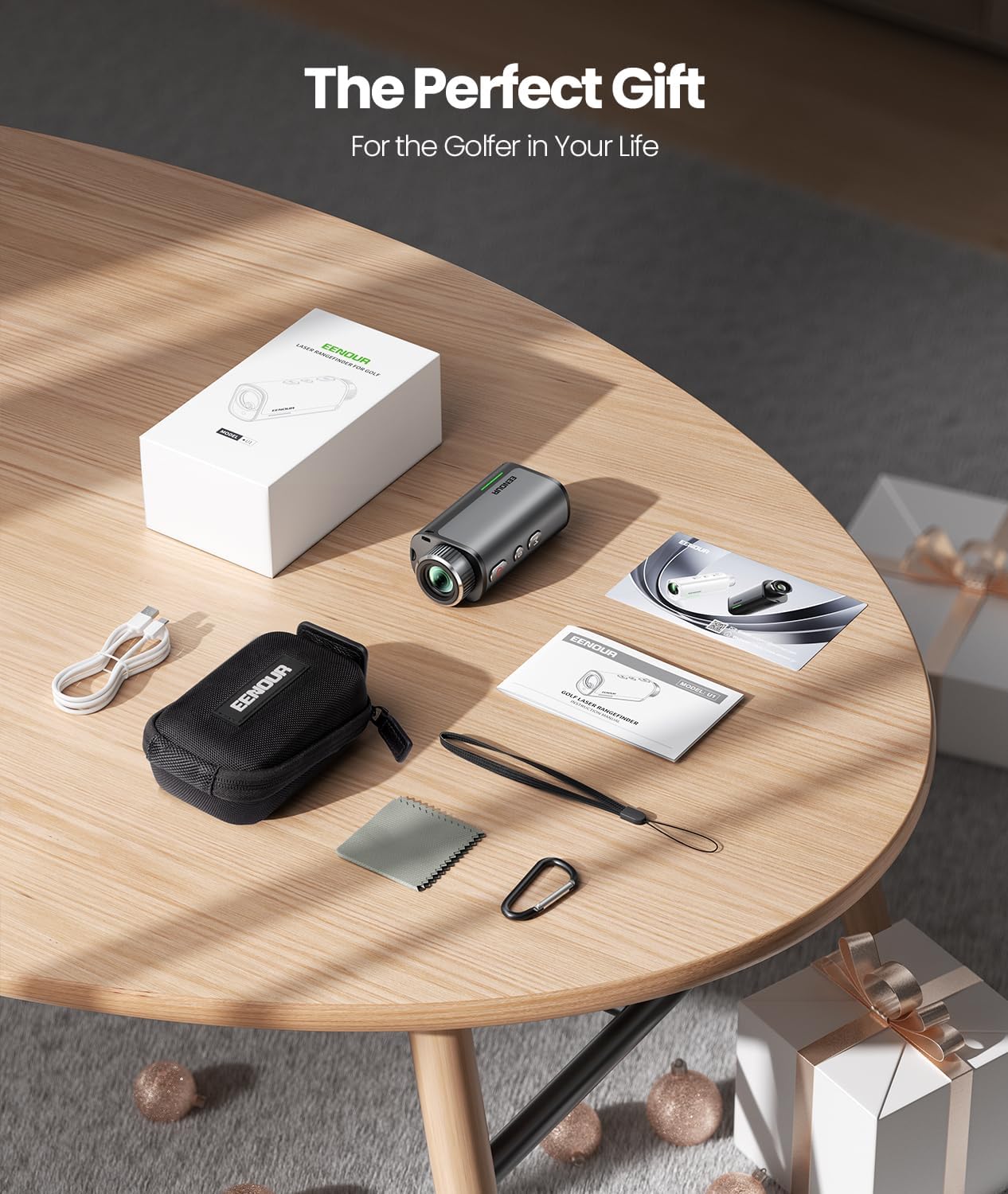
Imatge 3.1: Contingut del paquet
4. Producte acabatview
The EENOUR Golf Rangefinder U1 is a professional-grade laser distance measurement device designed for golfers. It combines advanced features with a compact and durable design.
Característiques principals:
- Funcionalitat multimode: Includes Pin Lock mode for flag targeting, Line mode for straight distance, and Three-point measurement for enhanced accuracy.
- Precision Optics: High-clarity lens with 7X magnification and 23mm objective lens for clear viewing.
- Mesura instantània: Provides distance readings in approximately 0.02 seconds.
- Compensació de pendent: Built-in slope adjustment technology, which can be toggled on/off.
- Alerta de vibració: Provides haptic feedback upon successful target lock.
- Compacte i lleuger: Disseny ergonòmic per a un fàcil maneig i portabilitat.
- Construcció duradora: Features a premium metal body and IP54 waterproof rating.
- Bateria recarregable: Equipped with a Type-C rechargeable battery.

Image 4.1: Compact Design and Lens Size
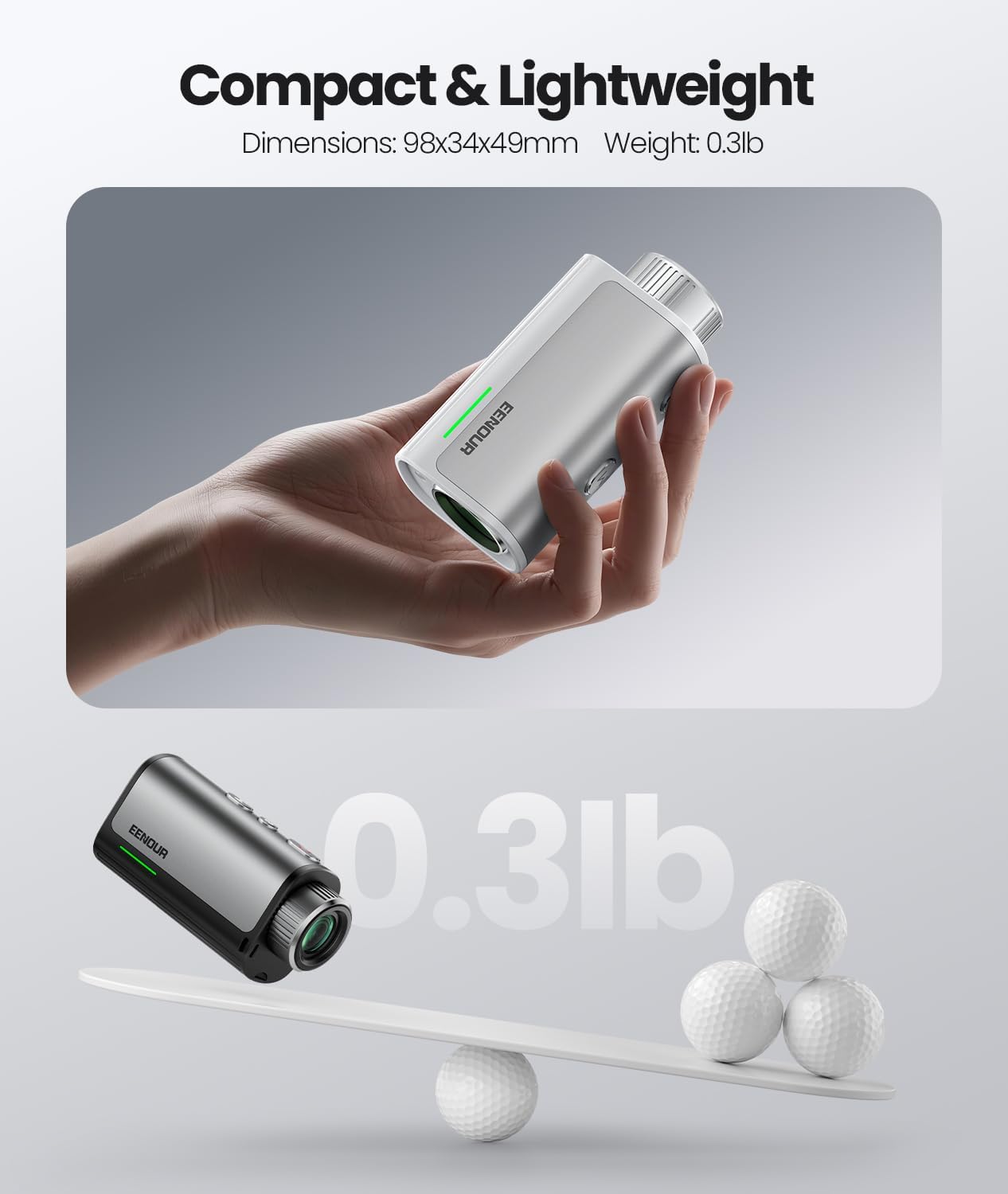
Image 4.2: Lightweight Design

Image 4.3: Optical Clarity

Image 4.4: IP54 Protection
5. Configuració
5.1 Càrrega de la bateria
The rangefinder is equipped with a rechargeable battery. Before first use, fully charge the device using the provided USB Type-C cable. Connect the cable to the Type-C port on the rangefinder and to a standard USB power source.

Image 5.1: Type-C Charging Port
5.2 Encès/Apagat
Press the Power button (usually marked with a power symbol) to turn the device on. The display will activate. To turn off, press and hold the Power button, or the device may automatically power off after a period of inactivity to conserve battery.
5.3 Ajust de diòptries
Per garantir una clara view through the eyepiece, rotate the 12mm eyepiece knob until the display and target appear sharp and in focus. This adjustment compensates for individual eyesight differences.

Image 5.2: Eyepiece Knob for Diopter Adjustment
6. Instruccions de funcionament
The EENOUR Golf Rangefinder U1 features a simple three-button interface for easy operation.
6.1 Mesura bàsica
- Enceneu el dispositiu.
- Apunta la creueta a l'objectiu desitjat.
- Press the Power/Measurement button once to get an instant distance reading.
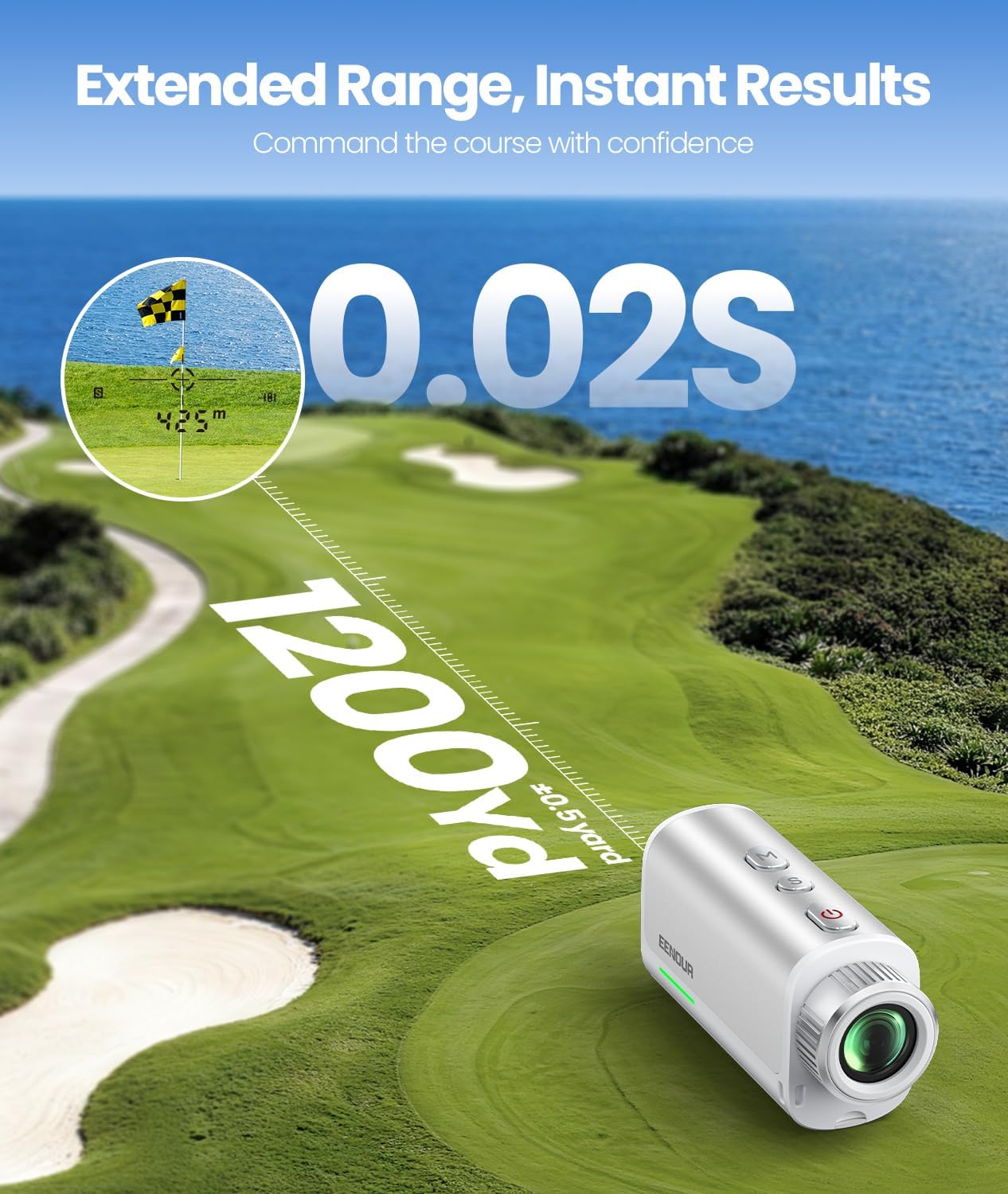
Image 6.1: Instant Measurement
6.2 Multi-Mode Functionality
The rangefinder offers three distinct modes:
- Mode de bloqueig de PIN: Designed for easily targeting the flagstick, even with background objects. The device will vibrate when the flag is successfully locked.
- Mode de línia: Provides straight-line distance measurement to any target.
- Three-point Measurement: For advanced accuracy, this mode may involve measuring multiple points to calculate a precise distance. Refer to the quick-start card for specific steps.
Use the Mode button (usually marked 'M') to cycle through the available measurement modes.
6.3 Slope Compensation
The EENOUR Golf Rangefinder U1 includes a slope adjustment feature that calculates the adjusted distance based on elevation changes. This feature can be toggled on or off using the dedicated 'S' key or slope switch button.
- Quan ON, the device provides an adjusted distance, accounting for uphill or downhill shots.
- Quan OFF, the device provides the straight-line distance only, suitable for tournament play where slope features are prohibited.

Image 6.2: Slope Compensation and Vibration Alert
7. Manteniment
7.1 Neteja
To maintain optimal performance and clarity, regularly clean the lens and body of the rangefinder. Use the provided cleaning cloth to gently wipe the lens surfaces. For the body, a soft, dry cloth is sufficient. Avoid using abrasive materials or chemical cleaners.
7.2 Emmagatzematge
When not in use, store the rangefinder in its protective storage case to prevent dust, scratches, and impact damage. Store in a cool, dry place away from direct sunlight and extreme temperatures.
8. Solució De Problemes
If you encounter issues with your EENOUR Golf Rangefinder U1, please refer to the following common solutions:
- El dispositiu no s'encén: Ensure the battery is fully charged. Connect the device to a power source using the Type-C cable and allow it to charge for at least 30 minutes before attempting to power on again.
- Lectures inexactes: Ensure the lens is clean and free from smudges or debris. Verify that you are in the correct measurement mode for your target. For distant targets, ensure a steady hand or use a stable surface.
- Display is blurry: Adjust the diopter by rotating the eyepiece knob until the display text and target image are clear.
- Sense retroalimentació de vibració: Check if the Pin Lock mode is active. Ensure the target is clearly acquired.
If the problem persists, please contact EENOUR Customer Service for further assistance.
9. Especificacions
| Característica | Especificació |
|---|---|
| Marca | EENOUR |
| Número de model | U1 |
| Interval de mesura | 5-1200 iardes |
| Ampliació | 7x |
| Diàmetre de la lent objectiu | 23 mm |
| Tipus de bateria | Lithium (Rechargeable via Type-C) |
| Classificació impermeable | IP54 |
| Dimensions del producte (L x A x A) | 10.9 L x 4 W x 6.8 H centímetres |
| Material | Alumini |
| Grau làser | Grau 1 |
10. Garantia i Suport
EENOUR is committed to providing high-quality products and customer satisfaction.
10.1 Informació de la garantia
Your EENOUR Golf Rangefinder U1 comes with a 2-Year Full-Length Protection Warranty des de la data de compra. Aquesta garantia cobreix els defectes de fabricació i garanteix que el producte funcioni tal com està previst en condicions d'ús normal. Si us plau, conserveu el comprovant de compra per a reclamacions de garantia.
10.2 Política de devolucions
Oferim Devolució gratuïta de 90 dies for your convenience. Please refer to the retailer's return policy for specific conditions and procedures.
10.3 Atenció al client
For any technical assistance, questions, or support needs, EENOUR provides:
- 7x24 Hour Tech Assistance
- Suport de tota la vida
You can find contact information for EENOUR Customer Service on the Quick-Start Card or by visiting the official EENOUR weblloc.

Image 10.1: EENOUR Support Services


