
1. Introducció
Thank you for choosing the EENOUR U1200 Golf Rangefinder. This device is designed to provide accurate distance measurements for golf, hunting, and other outdoor activities. It features 7X magnification, a 1200-yard range, slope compensation, pin lock with vibration, and a durable, waterproof design. Please read this manual thoroughly before use to ensure proper operation and to maximize the product's lifespan.
2. Informació de seguretat
- Seguretat làser: This product uses a Class 1 laser. Do not stare directly into the laser beam or aim it at others. Direct eye exposure to the laser can cause permanent eye damage.
- No desmunteu: Attempting to disassemble, modify, or repair the device may cause damage and will void the warranty.
- Resistència a l'aigua: The device is IP54 rated, meaning it is dust-resistant and splash-proof. Do not immerse it in water.
- Seguretat de la bateria: Use only the provided charging cable. Do not expose the battery to extreme temperatures or dispose of it in fire.
- Nens: Mantingueu el dispositiu fora de l'abast dels nens.
3. Contingut del paquet
Verifiqueu que tots els elements siguin presents al vostre paquet:
- EENOUR U1200 Golf Rangefinder
- Estoig d'emmagatzematge
- Cable de càrrega USB tipus C
- Drap de neteja
- Corretja de mà
- Mountaineering Buckle (Carabiner)
- Manual d'usuari (aquest document)
- Quick-Start Card

4. Producte acabatview
The EENOUR U1200 Golf Rangefinder features a compact design with intuitive controls.

4.1 Components
- Objectiu de la lent: 23.5mm extra-large lens for a wider field of view and 95%+ light transmittance.
- Ajust de l'ocular/diòptria: Gireu per ajustar l'enfocament i obtenir una visió clara viewing.
- Botó d'encesa/mesura: Premeu per encendre i iniciar les mesures.
- Botó de mode: Press to cycle through different measurement modes.
- Interruptor de pendent: Activates or deactivates the slope compensation function. A side-mounted indicator light shows its status.
- Magnetic Strip: Located on the side for secure attachment to golf carts.
- Port de càrrega USB-C: Per recarregar la bateria interna.

5. Configuració
5.1 Càrrega de la bateria
The EENOUR U1200 is equipped with a rechargeable lithium-ion battery. Before first use, fully charge the device.
- Connect the provided USB Type-C cable to the charging port on the rangefinder.
- Connecteu l'altre extrem del cable a una font d'alimentació USB (per exemple, un ordinador, un adaptador de paret).
- The charging indicator light will illuminate. Once fully charged, the light will change or turn off (refer to the quick-start guide for specific indicator behavior).
- A full charge provides approximately 20,000 measurements.
5.2 Engegada/apagada
- Encès: Press the Power/Measurement button once to turn on the device. The display will activate.
- Tancament automàtic: The device will automatically power off after 20 seconds of inactivity to conserve battery.
5.3 Ajust de diòptries
Per garantir una clara view a través de l'ocular, ajusteu la diòptria:
- Mira a través de l'ocular.
- Rotate the eyepiece knob until the display and target appear sharp and in focus.
5.4 Unit Switching (Yards/Meters)
To switch between yards (Y) and meters (M):
- With the device powered on, press and hold the Mode button for approximately 3 seconds. The unit will toggle between Y and M.
6. Instruccions de funcionament
The EENOUR U1200 offers six measurement modes to suit various needs.

6.1 Selecció del mode
Press the Mode button repeatedly to cycle through the available measurement modes:
- Straight-Line Distance Mode
- Mode d’escaneig
- Mode de bloqueig de bandera
- Slope Compensation Mode (Golf Compensation)
- Horizontal/Vertical Distance Measurement Mode
- Mode de mesura de velocitat
6.2 Straight-Line Distance Measurement
This is the default mode for measuring the direct distance to a target.
- Apunta la retícula a l'objectiu desitjat.
- Press the Power/Measurement button once. The distance will be displayed instantly (0.04 seconds response time).
6.3 Mode d'escaneig
For continuous measurement of multiple targets or moving objects.
- Enter Scan Mode.
- Press and hold the Power/Measurement button while sweeping the rangefinder across different targets. The display will update distances continuously.
6.4 Flag-Lock with Vibration Alert
This mode helps to lock onto the flagstick, ignoring background objects, and provides a vibration alert when locked.
- Enter Flag-Lock Mode.
- Apunta la retícula al pal de la bandera.
- Press and hold the Power/Measurement button. Slowly move the reticle across the flagstick. The device will vibrate and display the distance to the flag once locked.
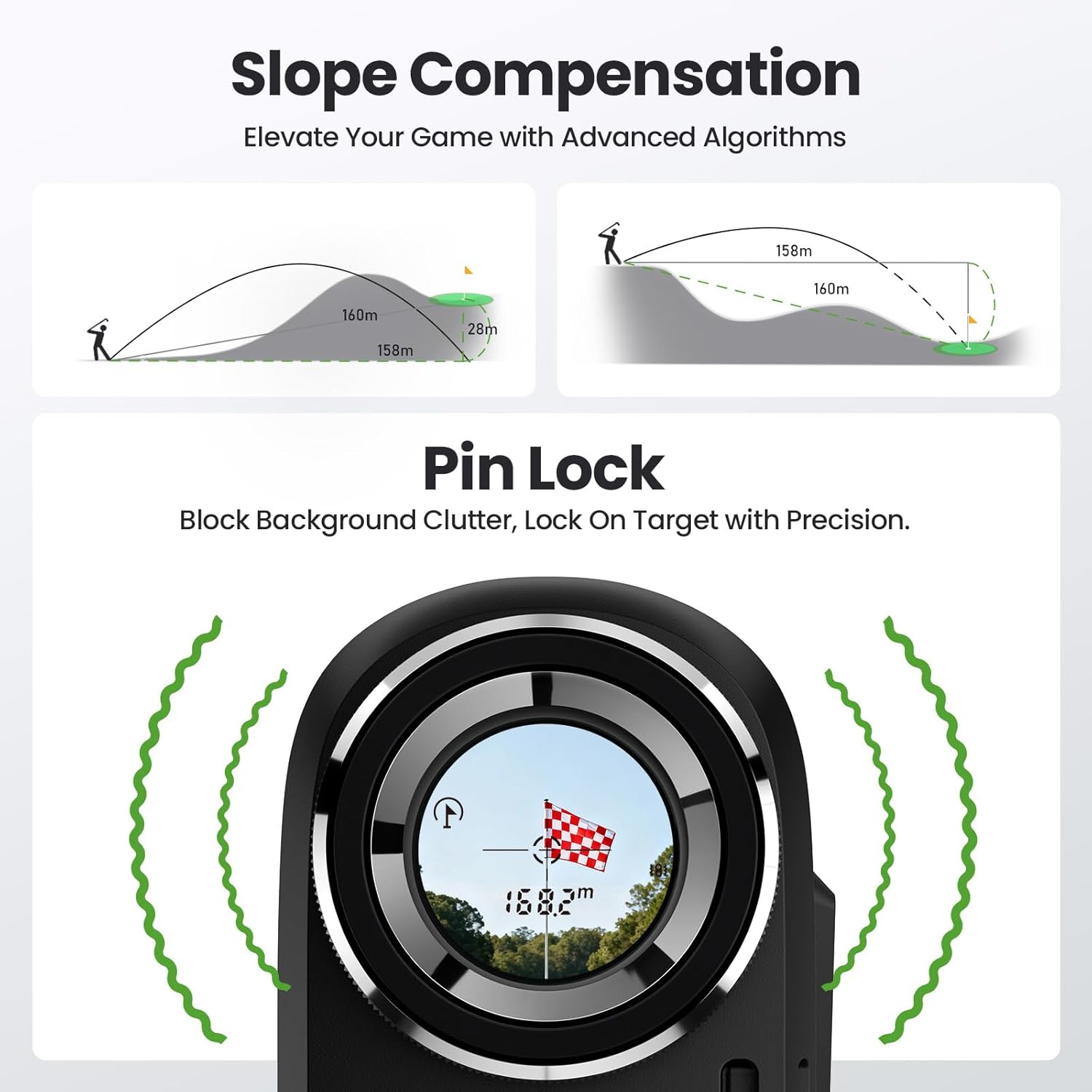
6.5 Slope Compensation (Golf Compensation)
This mode calculates the adjusted distance based on elevation changes, providing a more accurate
Documents relacionatsU1200


Ask a question about this manual
Ask about setup, troubleshooting, compatibility, parts, safety, or missing instructions. Manuals+ will review the question and use this page’s manual context to help answer it.