
1. Introducció
This manual provides essential information for setting up, operating, and maintaining your DOOGEE Note 56 X PRO Android 16 smartphone. Please read this guide thoroughly to ensure proper usage and to maximize the device's capabilities. Keep this manual for future reference.
2. Què hi ha a la caixa
En obrir el paquet, comproveu que hi hagi tots els elements que s'enumeren a continuació:
- 1x DOOGEE NOTE 56 X PRO Cell Phone
- 1 cable USB tipus C
- 1x Carregador
- 1 funda de telèfon
- 1x Targeta de garantia
- 1x Manual d'usuari (aquest document)
- 1x Pin d'extracció de targetes
- 1x Pel·lícula protectora (preaplicada)

Image: Contents of the DOOGEE Note 56 X PRO retail box.
3. Dispositiu acabatview
Familiarize yourself with the physical components of your DOOGEE Note 56 X PRO smartphone.

Imatge: Anvers i revers view of the DOOGEE Note 56 X PRO.
Imatge: Side profile of the DOOGEE Note 56 X PRO, demonstrating its slim design.

Imatge: Superior i inferior view of the DOOGEE Note 56 X PRO, indicating port locations.
4. Configuració
4.1. Instal·lació de targetes SIM i TF
- Localitza la safata de la targeta SIM al lateral del telèfon.
- Inseriu el passador d'extracció de la targeta proporcionat al petit forat que hi ha al costat de la safata per expulsar-la.
- Place your Nano-SIM card(s) and/or TF (microSD) card into the tray according to the diagram. The phone supports dual SIM (SIM1 + SIM2) or one SIM card and one TF card for expandable storage up to 2TB.
- Torneu a inserir la safata amb cura al telèfon fins que quedi alineada amb la carcassa del dispositiu.
4.2. Engegada i càrrega inicials
- Press and hold the Power button (located on the side) until the DOOGEE logo appears.
- Seguiu les instruccions que apareixen a la pantalla per completar la configuració inicial, inclosa la selecció d'idioma, la connexió Wi-Fi i la configuració del compte de Google.
- To charge the phone, connect the Type-C USB cable to the phone's charging port and the other end to the provided charger. Plug the charger into a power outlet. The phone supports 10W fast charging.
- For optimal battery life, fully charge the device before first use.
5. Com utilitzar el telèfon
5.1. Sistema operatiu Android 16
The DOOGEE Note 56 X PRO runs on the Android 16 operating system, offering an intuitive user experience with enhanced features:
- Espai de joc: Optimize gaming performance and manage notifications during gameplay.
- Smart Body Sensing: Utilize advanced sensor capabilities for various applications.
- Screen Sense: Intelligent screen features for improved interaction.
- Millora de la visualització de vídeo: Optimized visual quality for video playback.
- Subtítols en directe: Subtítols en temps real per a contingut d'àudio.
- Espai privat: Create a secure, isolated environment for sensitive apps and data.
- Mode de sistema dual: Run two separate system environments for enhanced privacy or work/personal separation.
- Superporta-retalls: Advanced clipboard functionality for efficient copy-pasting.
- Pantalla dividida: Use two applications simultaneously on the same screen for multitasking.

Imatge: Més deview of Android 16 features.
5.2. Calls, Messages, and Internet
- Fer trucades: Toqueu la icona Telèfon, introduïu el número i toqueu el botó de trucada.
- Enviament de missatges: Toca la icona Missatges, inicia una conversa nova, introdueix el destinatari i el missatge i, a continuació, envia.
- Connectivitat a Internet: Connect to Wi-Fi via Settings > Network & internet > Wi-Fi. Ensure mobile data is enabled via Settings > Network & internet > Mobile network for cellular internet access.
5.3. Funcions de la càmera
The phone features a 13MP main camera and an 8MP front camera, enhanced by Google intelligent camera features.
- Fent fotos: Obre l'aplicació Càmera, emmarca la foto i toca el botó de l'obturador.
- Canvi de càmeres: Tap the camera switch icon to toggle between the main and front cameras.
- Càmera intel·ligent de Google: Utilize features like homework analysis, view search, and e-commerce search directly from the camera interface.

Image: Camera specifications and capabilities.
5.4. Característiques de seguretat
- Desbloqueig facial: Register your face for quick and secure unlocking.
- Reconeixement d'empremtes dactilars laterals: Use the side-mounted fingerprint sensor for convenient access.
5.5. NFC and GPS
- NFC (comunicació de camp proper): Enable NFC in settings to use features like Google Pay for contactless payments.
- GPS: The phone supports Beidou, Galileo, Glonass, and GPS navigation systems for accurate location services.
5.6. Google Gemini AI Assistant
The integrated Google Gemini AI assistant offers advanced functionalities:
- Bessons en directe: Engage in real-time conversations with the AI.
- Unleash Creativity: Generate ideas and creative content.
- Smarter Insights: Gain deeper understanding from information.
- Language Partner: Assist with language learning and translation.

Image: Key connectivity and security features.
6. Manteniment
6.1. Cura de la bateria
The DOOGEE Note 56 X PRO is equipped with a 6150mAh Silicon-Carbon battery.
- Use only the provided charger and cable to prevent damage.
- Eviteu exposar el telèfon a temperatures extremes.
- The phone supports OTG reverse charging, allowing it to act as a power bank for other devices.

Image: Battery capacity and usage estimates.
6.2. Neteja del dispositiu
Netegeu suaument la pantalla i el cos amb un drap suau i sense borrissol. Eviteu utilitzar productes químics agressius o materials abrasius.
7. Solució De Problemes
Si teniu problemes amb el dispositiu, proveu les solucions habituals següents:
- El telèfon no s'encén: Assegureu-vos que la bateria estigui carregada. Connecteu el carregador i espereu uns minuts abans d'intentar tornar-lo a engegar.
- Les aplicacions es bloquegen: Tanca i reinicia l'aplicació. Si el problema persisteix, esborra la memòria cau de l'aplicació o torna-la a instal·lar.
- Senyal de xarxa deficient: Comproveu la instal·lació de la targeta SIM. Traslladeu-vos a una zona amb millor cobertura de xarxa.
- La pantalla no respon: Restart the phone by holding the power button.
- La bateria s'esgota ràpidament: Reduce screen brightness, close unused apps, or disable unnecessary features like GPS or Bluetooth when not in use.
For more complex issues, refer to the official DOOGEE support resources or contact customer service.
8. Especificacions
Key technical specifications for the DOOGEE Note 56 X PRO:
| Característica | Especificació |
|---|---|
| Nom del model | DOOGEE NOTE 56 X PRO |
| Sistema operatiu | Android 16 |
| Processador | Unisoc T7225 Octa-Core Chipset |
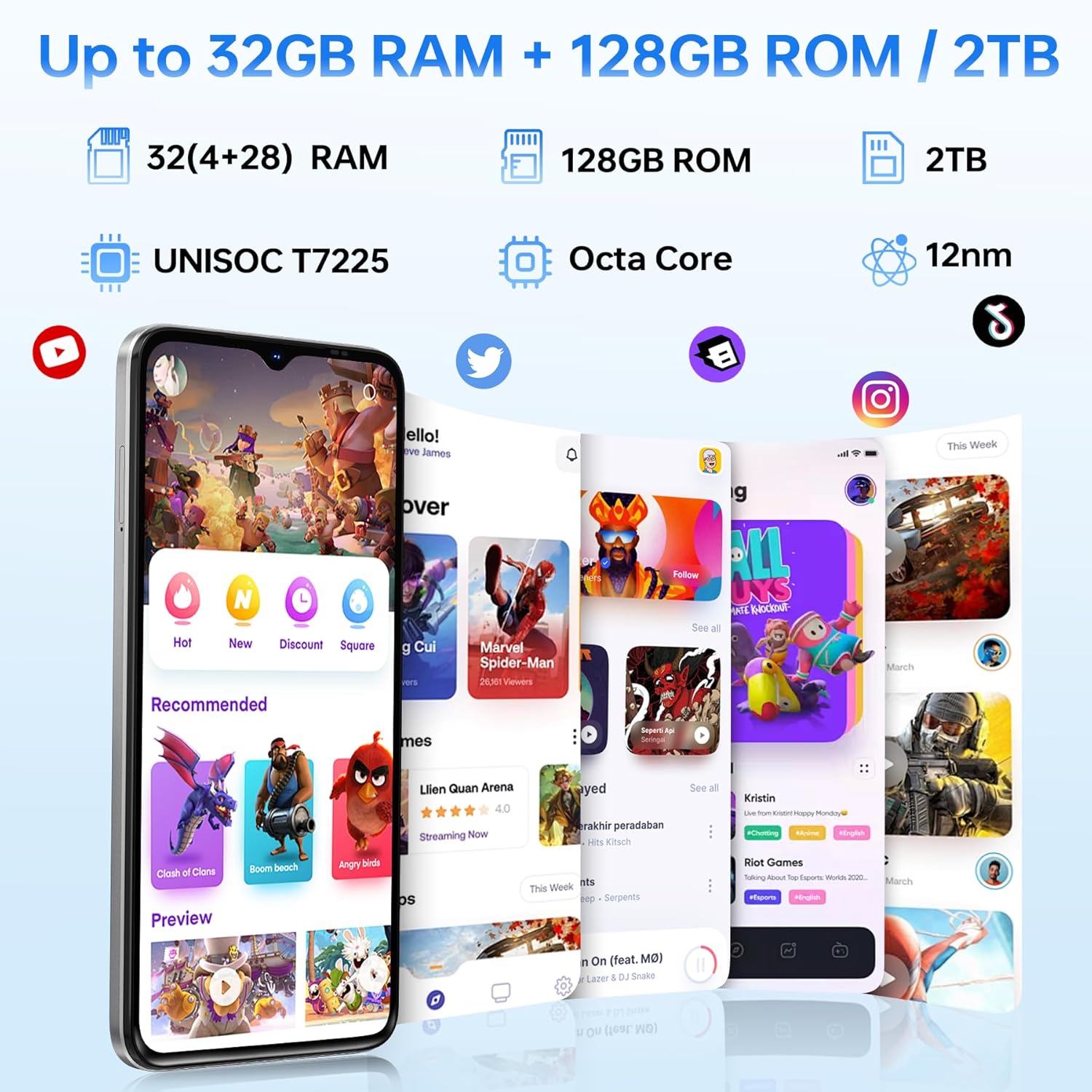
| RAM | 32GB (4GB basic + up to 28GB extended) |
| Emmagatzematge intern | 128 GB |
| Emmagatzematge ampliable | Fins a 2 TB mitjançant targeta TF |
| Mida de la pantalla | 6.56 polzades |
| Tipus de visualització | HD+ IPS Waterdrop Display |
| Resolució | 720*1612 |
| Freqüència d'actualització | 90 Hz |
| Càmera principal | 13MP |
| Càmera frontal | 8MP |
| Capacitat de la bateria | 6150mAh Silicon-Carbon |
| Carregant | Càrrega ràpida de 10 W, càrrega inversa OTG |
| Connectivitat | 4G, Bluetooth 5.0, NFC, Wi-Fi 2.4G/5G |
| Navegació | GPS, Glonass, Galileo, Beidou |
| Jack d'àudio | 3.5 mm |
| Dimensions | 8.45mm Ultra-Slim |
| Pes | 195 g |
9. Producte acabatview Vídeo
Mireu aquest vídeo per obtenir una visió generalview of the DOOGEE Note 56 X PRO's design and key features.
Video: DOOGEE Note 56 X PRO Android 16 Cell Phone Unlocked - Product Overview.
10. Garantia i Suport
DOOGEE provides a 30-day no-reason return policy for this product. Additionally, long-term technical support and 24-hour online customer service are available. If you have any questions or require assistance with your DOOGEE Note 56 X PRO, please contact the DOOGEE customer service team.