
1. Introducció
This manual provides essential information for the proper setup, operation, and maintenance of your STRICH SDP-350S 88-Key Digital Piano. Please read this manual thoroughly before using the instrument to ensure safe and efficient operation. The STRICH SDP-350S is designed to offer an authentic piano playing experience with its hammer-action weighted keys and versatile sound capabilities.
2. Què hi ha a la caixa
Desembaleu amb cura tots els components i assegureu-vos que hi hagi els elements següents:
- STRICH SDP-350S Digital Piano Unit
- Piano Stand Components
- Triple Pedal Unit
- Auriculars
- Key Stickers
- Adaptador d'alimentació
- Manual d'usuari (aquest document)

Image: All included components for the STRICH SDP-350S Digital Piano.
3. Instruccions de configuració
Follow these steps to assemble and set up your digital piano:
- Muntar el suport: Attach the piano legs to the main piano unit using the provided screws and tools. Ensure all connections are secure.
- Col·loca el piano: Carefully place the assembled piano on a stable, level surface.
- Connect the Triple Pedal: Locate the pedal input port on the rear of the piano (labeled 'PEDAL') and connect the triple pedal unit cable.
- Connectar l'alimentació: Insert the power adapter cable into the DC 9V-12V input port on the rear of the piano. Plug the adapter into a standard electrical outlet.
- Connecteu els auriculars (opcional): For private practice, plug the headphones into the 6.35mm headphone output jack on the rear panel.
- Apply Key Stickers (Optional): If desired, apply the included key stickers to assist with learning note identification.

Image: The STRICH SDP-350S Digital Piano assembled and ready for use.

Imatge: Detallada view of the rear panel connections, including power, pedal, and audio ports.
4. Instruccions de funcionament
4.1. Encendre/apagar
To power on the piano, press the 'On/Off' button located on the rear panel. Press it again to power off the instrument.
4.2. Característiques de so
The SDP-350S offers a rich array of sound options:
- Tons: Select from 128 preset timbres to explore various instrument sounds.
- Ritmes: Utilize 200 drum rhythms for accompaniment and practice.
- Polifonia: Enjoy a maximum of 128-note polyphony, allowing complex musical passages without note drop-out.
- Funció d'acord automàtic: The intelligent auto chord function provides depth to your playing.

Imatge: Més deview of the piano's authentic and rich sound features.
4.3. Key Action and Feel
The 88 fully weighted, full-size keys feature a hammer-action mechanism with simulated ivory texture, designed to replicate the touch and response of an acoustic grand piano. This provides a dynamic and expressive playing experience.

Image: Demonstrating the true-to-acoustic piano touch of the hammer-action keyboard.
4.4. Connectivitat
- Port d'entrada d'àudio: Connect external audio sources to play along through the piano's speakers.
- MIDI USB: Connect to a computer or other MIDI devices for recording, sequencing, or using educational software.
- Wireless Connect (Bluetooth): Pair your piano with compatible devices wirelessly for audio streaming or MIDI data transfer.
- Auriculars Jack: Use the 6.35mm jack for silent practice.

Image: Bluetooth and MIDI connectivity options for versatile use.
4.5. Funcions addicionals
Explore various functions to enhance your musical expression:
- Efectes de cor: Add depth and richness to your sound.
- Capa/Divisió: Layer two different tones or split the keyboard for dual-voice or duet playing.
- Canvi d’octava: Adjust the pitch of the keyboard in octave increments.
- Transposar: Change the key of the entire keyboard without altering your finger positions.
4.6. Sistema d'altaveus
The piano features two 25W speakers, delivering clear and balanced stereo sound. The professional balance ensures an immersive audio experience.

Image: The stereo surround sound speaker system.
4.7. Sliding Key Cover
The integrated sliding key cover protects the keys from dust when not in use. When closed, it transforms the piano into a sleek tabletop, offering both protection and functionality.

Image: The piano with its sliding key cover closed, functioning as a desktop.
5. Manteniment
Proper care will extend the life and performance of your digital piano:
- Neteja: Feu servir un drap suau i sec per netejar la superfície del piano. Per a la brutícia persistent, netegeu lleugerament.ampen the cloth with water. Avoid abrasive cleaners, solvents, or waxes, as they can damage the finish.
- Atenció clau: Keep the keys clean. If they become dirty, wipe them gently with a soft, slightly damp tela.
- Protecció contra la pols: Always close the sliding key cover when the piano is not in use to prevent dust accumulation.
- Medi ambient: Avoid exposing the piano to direct sunlight, extreme temperatures, high humidity, or excessive dust. Keep it away from heat sources and strong electromagnetic fields.
- Transport: When moving the piano, ensure it is properly disassembled or handled with care to prevent damage.
6. Solució De Problemes
If you encounter issues with your STRICH SDP-350S, refer to the following common problems and solutions:
| Problema | Causa possible | Solució |
|---|---|---|
| Sense so | Power not connected, volume too low, headphones connected. | Check power adapter connection. Increase master volume. Disconnect headphones if using speakers. |
| Les claus no responen | Piano not powered on, internal issue. | Ensure piano is powered on. If problem persists, power cycle the unit (turn off, wait 10 seconds, turn on). |
| El so està distorsionat o poc clar | Volume too high, speaker obstruction, audio cable issue. | Reduce volume. Ensure speakers are not obstructed. Check audio cable connections if external audio is used. |
| Settings reset after power off | Normal operation for some settings. | Some settings are designed to reset to default upon power cycle. Reconfigure desired settings after turning on. |
| El pedal de sustain no funciona | Pedal cable loose or disconnected, faulty pedal. | Ensure the triple pedal unit is securely connected to the 'PEDAL' input. Test with another compatible pedal if available. |
| Problemes de connectivitat Bluetooth | Device not in pairing mode, interference, distance. | Ensure both devices are in pairing mode. Reduce distance between devices. Avoid sources of interference. |
If the problem persists after attempting these solutions, please contact STRICH customer support for further assistance.
7. Especificacions
Key technical specifications for the STRICH SDP-350S Digital Piano:
- Marca: STRICH
- Nom del model: SDP-350S
- Nombre de claus: 88
- Key Action: Hammer Action, Weighted Keys with Simulated Ivory Texture
- Polifonia: 128 (màxim)
- Tons: 128 Preset Timbres
- Ritmes: 200 Drum Rhythms
- Ponents: 2 x 25W Built-In Speakers
- Connectivitat: MIDI USB, Wireless (Bluetooth), Audio-in, 6.35mm Headphone Jack
- Font d'alimentació: Corded Electric (Power Adapter included)
- Components inclosos: Headphones, Key Stickers, Triple Pedal, User Manual, Power Adapter
- Dimensions (P x A x A): 12.6" de profunditat x 51.6" d'amplada x 34.3" d'alçada (32 cm de profunditat x 131 cm d'amplada x 87 cm d'alçada)
- Estil: Vintage Furniture Look
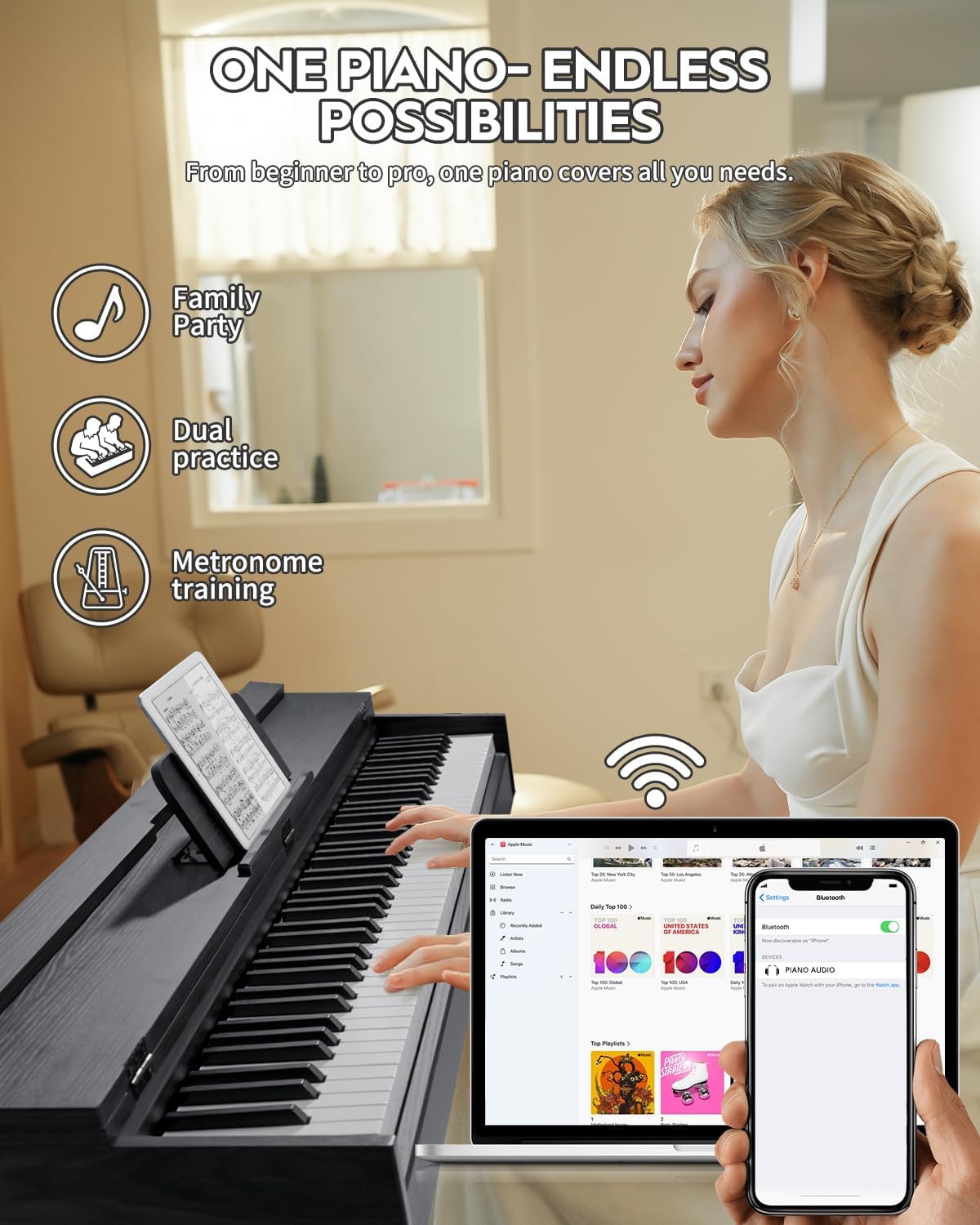
Image: The STRICH SDP-350S Digital Piano in use, highlighting its design and functionality.
8. Garantia i Suport
For warranty information and customer support, please refer to the documentation included with your purchase or visit the official STRICH weblloc web. Conserveu el rebut de compra com a comprovant de compra per a qualsevol reclamació de garantia.
For direct assistance, you may contact STRICH customer service through their official channels. Please have your model number (SDP-350S) and purchase date ready when contacting support.