
1. Introducció
Thank you for choosing the GEEKOM GT1 Mega Mini PC. This manual provides essential information for setting up, operating, maintaining, and troubleshooting your device. Please read it carefully before use and keep it for future reference.
The GEEKOM GT1 Mega is a high-performance mini PC equipped with the Intel Core Ultra 9 185H processor, Intel AI Boost (dedicated NPU), and integrated Intel Arc graphics. It is designed for demanding tasks such as AI applications, advanced multitasking, 4K video editing, photo retouching, virtualization, and professional software.
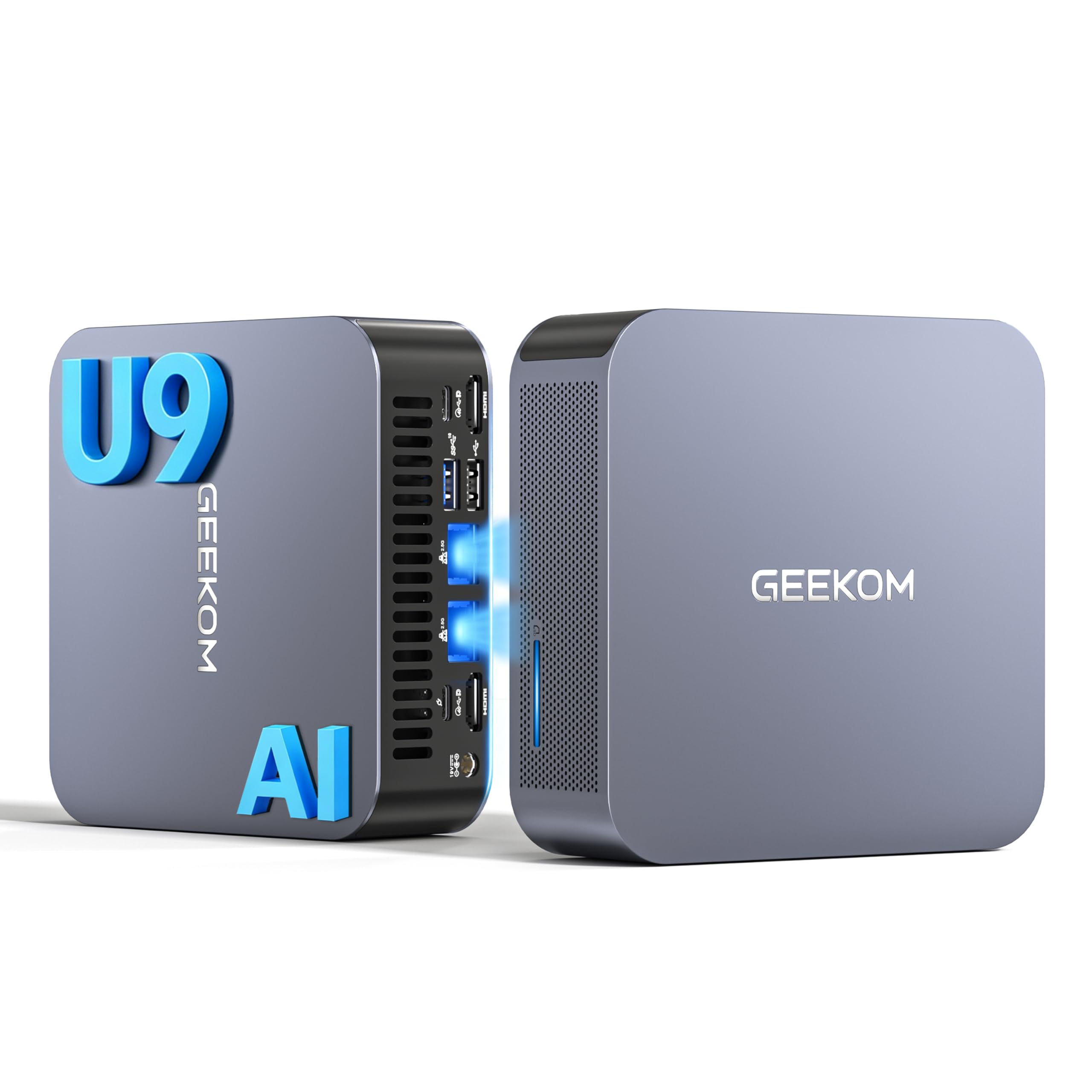
Imatge 1.1: Frontal view of the GEEKOM GT1 Mega Mini PC.
2. Informació de seguretat
Si us plau, observeu les següents pautes de seguretat per evitar danys al dispositiu o lesions personals:
- Utilitzeu només l'adaptador d'alimentació subministrat amb el dispositiu.
- No exposeu el dispositiu a l'aigua, la humitat ni a temperatures extremes.
- Eviteu col·locar el dispositiu a la llum solar directa o a prop de fonts de calor.
- Assegureu-vos que la ventilació sigui adequada; no obstruïu cap obertura de ventilació.
- No intenteu obrir ni reparar el dispositiu vosaltres mateixos. Poseu-vos en contacte amb personal qualificat per al servei tècnic.
- Mantingueu el dispositiu allunyat de camps magnètics forts.
3. Contingut del paquet
Verifiqueu que tots els elements siguin presents al vostre paquet:
- 1 x GEEKOM GT1 Mega Mini PC
- 1 x VESA Mount with Screws
- 1 x adaptador de corrent
- 1 x cable HDMI
- 1 x Manual d'usuari
- 1 x targeta d'agraïment

Image 3.1: Contents included in the GEEKOM GT1 Mega Mini PC package.
4. Producte acabatview
4.1. Ports frontal i posterior
The GEEKOM GT1 Mega Mini PC offers a comprehensive set of ports for versatile connectivity:

Image 4.1: Diagram illustrating the front and rear ports of the GEEKOM GT1 Mega Mini PC.
- Ports frontals:
- 4 x USB 3.2 Gen2 Type-A (one with Always On power)
- 1 presa d'auriculars de 3.5 mm
- 1 x botó d'engegada
- Ports posteriors:
- 2 x USB4 (40 Gbps, eGPU compatible, one with power delivery)
- 2 x HDMI 2.0
- 2 x RJ45 2.5Gbps Ethernet Ports
- 1 x USB 3.2 Gen2 tipus A
- 1 x USB 2.0 tipus A
- 1 entrada de CC
- 1 x Lector de targetes SD
- 1 x ranura de bloqueig Kensington
4.2. Característiques clau
- Processador: Intel Core Ultra 9 185H (16 Cores, 22 Threads, up to 5.1 GHz) with Intel AI Boost (NPU).
- Gràfics: Integrated Intel Arc Graphics.
- Memòria: 16GB DDR5 5600MHz dual-channel RAM (upgradable up to 128GB).
- Emmagatzematge: 1TB NVMe PCIe Gen4 SSD (expandable up to 4TB).
- Xarxa: Dual 2.5G Ethernet, WiFi 7, Bluetooth 5.4.
- Suport de visualització: Up to four 4K displays or one 8K display via USB4 and HDMI.
- Refrigeració: IceBlast 2.0 advanced cooling system with dual copper heat pipes and high-efficiency fan.
- Xassís: Premium metallic chassis, 0.78 L volume, withstands pressure up to 200 kg.
5. Configuració
5.1. Connexió inicial
- Connecta la pantalla: Connect your monitor(s) to the Mini PC using the HDMI or USB4 ports. The GT1 Mega supports up to four 4K displays or one 8K display.
- Connecteu els perifèrics: Connecteu el teclat, el ratolí i qualsevol altre dispositiu USB als ports USB disponibles.
- Connectar la xarxa: For wired internet, connect an Ethernet cable to one of the 2.5G RJ45 ports. For wireless, ensure your WiFi network is available during initial setup.
- Connectar l'alimentació: Connect the power adapter to the DC input port on the Mini PC, then plug the adapter into a power outlet.
5.2. Primera arrencada
- Premeu el botó d'engegada a la part frontal del Mini PC.
- The device will boot into Windows 11 Pro. Follow the on-screen instructions to complete the initial Windows setup, including language, region, network connection, and user account creation.
- Once Windows is set up, it is recommended to check for and install any available system updates.

Imatge 5.1: Ex.ample of a multi-monitor setup with the GEEKOM GT1 Mega Mini PC.
6. Instruccions de funcionament
6.1. Encendre/apagar
- Encès: Premeu el botó d'encesa una vegada.
- Apagar: Feu clic al botó Inici del Windows i, a continuació, seleccioneu Energia > Apagar.
- Reinicia: Feu clic al botó Inici del Windows i, a continuació, seleccioneu Energia > Reiniciar.
- Dormir: Feu clic al botó Inici del Windows i, a continuació, seleccioneu Energia > Suspensió.
6.2. Connectivitat de xarxa
- Cablejat (Ethernet): Connect an Ethernet cable to one of the two 2.5G RJ45 ports. The system will automatically detect the connection.
- Wireless (Wi-Fi 7): A Windows, feu clic a la icona de xarxa de la barra de tasques, seleccioneu la vostra xarxa Wi-Fi, introduïu la contrasenya i connecteu-vos.
- Bluetooth 5.4: To pair Bluetooth devices, go to Windows Settings > Bluetooth & devices, turn on Bluetooth, and select 'Add device'.
6.3. Configuració de la pantalla
The Mini PC supports multiple displays. To configure them:
- Feu clic amb el botó dret a l'escriptori i seleccioneu "Configuració de la pantalla".
- Windows will detect connected displays. You can arrange them, change resolution, and set display modes (Extend, Duplicate, Second screen only).
7. Manteniment
7.1. Neteja
- Regularly clean the exterior of the Mini PC with a soft, dry cloth.
- Use compressed air to gently clear dust from the ventilation openings to maintain optimal cooling performance.
- No utilitzeu netejadors líquids ni materials abrasius.
7.2. Actualitzacions del sistema
Keep your Windows operating system and drivers updated to ensure optimal performance and security:
- Go to Windows Settings > Windows Update to check for and install system updates.
- Visit the GEEKOM official website for the latest driver updates for your GT1 Mega.
7.3. Hardware Upgrades
The GEEKOM GT1 Mega allows for memory and storage upgrades:
- RAM: The device supports up to 128GB of DDR5 SODIMM memory.
- SSD: The 1TB NVMe PCIe Gen4 SSD can be expanded up to 4TB. An additional M.2 2242 SATA SSD slot is available for up to 2TB.
For detailed instructions on how to perform hardware upgrades, please refer to the comprehensive guide on the GEEKOM support website or consult a professional technician.

Image 7.1: Illustration of the GEEKOM GT1 Mega's upgradable DDR5 memory and SSD storage.

Imatge 7.2: Desplegada view of the GEEKOM GT1 Mega, highlighting the IceBlast 2.0 cooling system components.
8. Solució De Problemes
If you encounter issues with your GEEKOM GT1 Mega, refer to the following common solutions:
| Problema | Causa possible | Solució |
|---|---|---|
| Sense poder | Power adapter not connected, faulty outlet | Ensure power adapter is securely connected to both the PC and a working power outlet. Try a different outlet. |
| Sense pantalla | Monitor not connected, incorrect input source, faulty cable | Check HDMI/USB4 cable connections. Ensure monitor is on and set to the correct input source. Try a different cable or monitor. |
| No internet (Wi-Fi) | Wi-Fi desactivat, contrasenya incorrecta, problema amb l'encaminador | Check Wi-Fi settings in Windows. Verify Wi-Fi password. Restart your router. |
| No internet (Ethernet) | Ethernet cable disconnected, network driver issue | Ensure Ethernet cable is securely connected. Check network adapter status in Device Manager. Update network drivers. |
| System slow/unresponsive | Too many applications running, overheating, outdated drivers | Close unnecessary applications. Ensure proper ventilation. Update drivers and Windows. |
If the problem persists, please contact GEEKOM customer support for further assistance.
9. Especificacions
Detailed technical specifications for the GEEKOM GT1 Mega Mini PC:
| Característica | Especificació |
|---|---|
| Marca | GEEKOM |
| Nom del model | GT1 Mega |
| Sistema operatiu | Windows 11 Pro |
| Model de CPU | Intel Core Ultra 9-185H |
| Velocitat de la CPU | 5.1 GHz (Max Turbo Frequency) |
| Gràfics | Gràfics integrats d'Intel Arc |
| RAM | 16 GB DDR5 (5600MHz, expandable to 128 GB) |
| Emmagatzematge | 1 TB NVMe PCIe Gen4 SSD (expandable to 4 TB) |
| Tecnologia de disc dur | SSD |
| Connectivitat | 2x 2.5G Ethernet, Wi-Fi 7, Bluetooth 5.4 |
| Ports USB | 2x USB4 (40Gbps), 5x USB 3.2 Gen2 Type-A, 1x USB 2.0 Type-A |
| Sortida de vídeo | 2x HDMI 2.0, 2x USB4 (DisplayPort 1.4) |
| Resolució màxima de pantalla | 8K (via USB4), 4K (via HDMI) |
| Sortida d'àudio | 3.5mm Àudio Jack |
| Lector de targetes | Lector de targetes SD |
| Font d'alimentació | Type C/EF – 2 pins (European/Hybrid FR-DE plug) |
| Certificacions | CE, FCC, RoHS |

Image 9.1: GEEKOM GT1 Mega Mini PC certifications including CB, ROHS, FCC ID, EPR, CEC, UKCA, UL4200A.
10. Garantia i Suport
The GEEKOM GT1 Mega Mini PC comes with a 3-year manufacturer's warranty and professional technical support.
10.1. Informació de la garantia
Your device is covered by a 3-year warranty from the date of purchase, ensuring peace of mind against manufacturing defects. Please retain your proof of purchase for warranty claims.
10.2. Suport tècnic
For any technical issues or support inquiries, please use one of the following methods:
- Contact Seller on Amazon: Log in to your Amazon account, navigate to 'Your Orders', and click 'Get Help' for assistance.
- Suport per correu electrònic: Send an email to the GEEKOM support team at pan.he@geekom.tw. Our team will respond as soon as possible.