
1. Introducció
This manual provides detailed instructions for the Earbay Wireless Headset, model BT882CD. It covers product features, setup procedures, operational guidelines, maintenance tips, troubleshooting, and technical specifications. Please read this manual thoroughly before using the headset to ensure proper function and longevity.
2. Contingut del paquet
Verifiqueu que tots els elements siguin presents al vostre paquet:
- Earbay Wireless Headset (BT882CD)
- Estació de càrrega
- Cable de càrrega USB tipus C
- USB Dongle (for PC connection)
- Manual d'usuari
3. Producte acabatview
The Earbay BT882CD is a wireless headset designed for clear communication and comfortable listening. It features Bluetooth 5.3 connectivity, a built-in microphone with environmental noise cancellation, and dual device connection capability.
Característiques principals:
- Connectivitat sense fils: Bluetooth 5.3 for stable, low-latency connection.
- Micròfon integrat: Features environmental noise cancellation for clear voice calls.
- Disseny còmode: Over-ear style with soft ear pads and an adjustable headband for extended wear.
- Connexió dual: Es connecta a dos dispositius Bluetooth simultàniament.
- Llarga vida útil de la bateria: Fins a 50 hores de temps de conversa.
- Silenciament amb un clic: Dedicated mute button for privacy during calls.
- 40mm Stereo Sound: Dynamic drivers for clear audio.

Figure 3.1: Earbay BT882CD Headset with labeled components and controls. This image shows the adjustable headband, soft ear pads, flexible boom mic (up to 270° rotatable), mic mute button, mic mute indicator light, Type-C charge port, power switch, volume controls, play/pause button, and answer/reject call/Siri button. It also highlights the circle indicator light for charge status, incoming calls, and busy status.
4. Configuració
4.1 Càrrega dels auriculars
Before first use, fully charge the headset. The headset can be charged using the included charging station or directly via the USB Type-C cable.
- Ús de l'estació de càrrega: Place the headset onto the charging station. Ensure the charging contacts align. The indicator light on the station will show charging status.
- Càrrega directa per USB-C: Connect the USB Type-C cable to the headset's charging port and to a USB power source.
The headset will remain powered on during charging. A full charge takes approximately 3 hours and provides up to 50 hours of talk time.

Figure 4.1: Earbay BT882CD Headset on its charging station, indicating convenient charging.

Figure 4.2: Illustration of the two charging methods: direct Type-C cable connection and placement on the charging base.
4.2 Engegada/apagada
- Per encendre: Press and hold the Power Switch until the indicator light illuminates.
- Per apagar: Press and hold the Power Switch until the indicator light turns off.
4.3 Connexió a dispositius
The Earbay BT882CD supports connection via Bluetooth or a USB dongle for PC. It can connect to two devices simultaneously.
4.3.1 Bluetooth Connection (for Phones, Tablets, Laptops)
- Ensure the headset is powered on and in pairing mode (indicator light flashing blue). If not, press and hold the Answer/Reject Call button until it enters pairing mode.
- On your device (phone, tablet, laptop), go to Bluetooth settings.
- Cerca available devices and select "BT882CD" from the list.
- Once connected, the indicator light on the headset will turn solid blue.

Figure 4.3: Visual representation of the headset connecting to a smartphone via Bluetooth, showing "BT-88" as the device name.
4.3.2 USB Dongle Connection (for PC)
- Connecteu el dongle USB a un port USB disponible de l'ordinador.
- Engegueu els auriculars. Intentaran connectar-se automàticament al dongle.
- The dongle's LED light will flash blue during pairing and turn solid blue once connected.
- On your computer, ensure "BT882CD-DONGLE" (or similar) is selected as the input and output audio device in your sound settings.
Note: If the headset fails to connect, please update your computer's Bluetooth driver or use a Bluetooth adapter.

Figure 4.4: Flowchart illustrating PC connection settings for both direct Bluetooth and USB dongle connections, including steps for setting input/output devices.

Figure 4.5: The headset simultaneously connected to a laptop via a USB dongle and a smartphone via Bluetooth, demonstrating dual device connectivity.
5. Instruccions de funcionament
5.1 Controls bàsics
Refer to Figure 3.1 for the location of controls.
- Interruptor d'alimentació: Power on/off the headset.
- Volum +/-: Ajusta el volum de l'àudio.
- Botó Reproduir/Pausa: Reproduir o posar en pausa la música.
- Answer/Reject Call / Siri Button:
- Pressió curta: Respondre/finalitzar una trucada.
- Long press: Reject an incoming call.
- Double press: Activate voice assistant (Siri, Google Assistant).
- Botó de silenci del micròfon: Mute or unmute the microphone during calls. The Mic Mute Indicator Light will show the mute status.
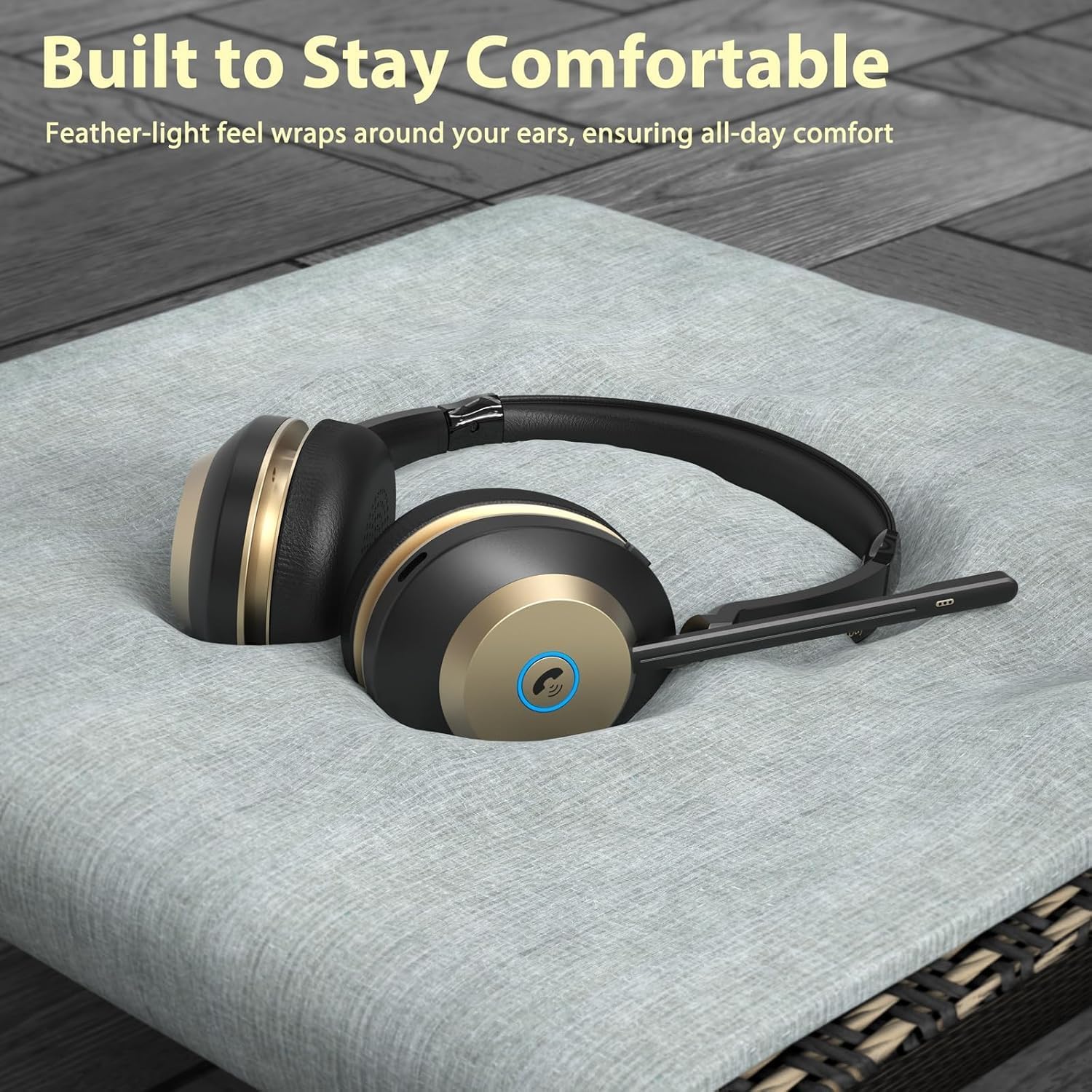
Figura 5.1: Primer pla view of the one-click mute button on the headset, designed for quick privacy control during calls.
5.2 Ús del micròfon
The flexible boom microphone can be rotated up to 270 degrees. Position the microphone close to your mouth for optimal voice pickup. The environmental noise cancellation feature helps reduce background noise during calls.

Figure 5.2: A user wearing the Earbay BT882CD headset in an office environment, illustrating the headset's ability to provide a quiet environment for calls through noise reduction.
5.3 Using with Communication Apps
The headset is compatible with various communication platforms such as Zoom, Microsoft Teams, Google Meet, WebEx, and Skype. Ensure the headset is selected as the audio input and output device within the application's settings.

Figure 5.3: The headset shown in context with various video conferencing and communication applications, highlighting its broad compatibility.
6. Manteniment
- Neteja: Use a soft, dry cloth to clean the headset. Do not use abrasive cleaners or solvents.
- Emmagatzematge: Guardeu els auriculars en un lloc fresc i sec, allunyat de la llum solar directa i de temperatures extremes.
- Cura de la bateria: Per allargar la durada de la bateria, eviteu descarregar completament els auriculars amb freqüència. Carregueu-los regularment, fins i tot si no els feu servir durant períodes prolongats.
- Resistència a l'aigua: Aquests auriculars no són resistents a l'aigua. Eviteu l'exposició a líquids.
7. Solució De Problemes
| Problema | Causa possible | Solució |
|---|---|---|
| Els auriculars no s'encén. | Bateria baixa. | Carregueu completament els auriculars. |
| No es pot emparellar per Bluetooth. | Headset not in pairing mode; device's Bluetooth is off; too far from device. | Ensure headset is in pairing mode (flashing blue light). Turn on Bluetooth on your device. Move headset closer to the device (within 15 meters). |
| No hi ha so o hi ha mala qualitat de so. | Volume too low; incorrect audio output selected; headset not connected properly. | Increase volume on headset and device. Check device's audio settings to ensure BT882CD is selected. Reconnect the headset. |
| El micròfon no funciona. | Microphone muted; incorrect audio input selected; microphone boom not positioned correctly. | Unmute the microphone using the mute button. Check device's audio input settings. Adjust the microphone boom closer to your mouth. |
| Cannot connect to PC via USB dongle. | Dongle not recognized; incorrect audio device selected. | Ensure dongle is fully inserted. Check PC sound settings to select the dongle as audio device. Update PC Bluetooth drivers if connecting directly via PC Bluetooth. |
8. Especificacions
| Característica | Detall |
|---|---|
| Nom del model | BT882CD |
| Marca | Earbay |
| Tecnologia de connectivitat | Sense fil (Bluetooth) |
| Tecnologia de comunicació sense fils | Bluetooth 5.3 |
| Interval Bluetooth | 15 metres |
| Control de soroll | Cancel·lació de soroll ambiental |
| Mida del controlador d'àudio | 40 mil·límetres |
| Impedància | 32 ohms |
| Sensibilitat | 95 dB |
| Conector d'auriculars | No |
| Material | Acrilonitril butadiè estirè (ABS) |
| Tipus de control | Touch Control, Push Button |
| Interfície del maquinari | USB tipus C |
| Bateria | 1 bateria no estàndard (inclosa) |
| Pes de l'article | 1.34 lliures |
| Dimensions del paquet | 8.07 x 7.87 x 3.86 polzades |
| Nivell de resistència a l'aigua | No resistent a l'aigua |
9. Garantia i Suport
Earbay products come with a standard manufacturer's warranty. For detailed warranty information, please refer to the warranty card included in your package or visit the official Earbay website. If you encounter any issues or require technical assistance, please contact Earbay customer support.
Atenció al client: Please refer to the contact information provided on the product packaging or the official Earbay weblloc de suport.
10. Vídeo del producte
Video 10.1: Official product video for the Earbay BT882CD Wireless Headset, demonstrating its features, design, and connectivity options. This video highlights the headset's sound processing system, Bluetooth V5.0 chip, dual device connection, two charging methods (USB-C and charging station), noise cancellation capabilities, long battery life, soft ear cushions, and adjustable headband.