
Introducció
The Chirp Halo Wireless Muscle Stimulator is a portable EMS (Electrical Muscle Stimulation) device designed to assist with muscle recovery, pain relief, and strength training. This manual provides essential information for safe and effective use of your device.
Key features include wireless operation, EMS technology for muscle enhancement, multiple modes and intensity levels, a compact design for portability, and fast charging with long battery life.
Informació important de seguretat
ADVERTIMENT: Statements regarding dietary supplements have not been evaluated by the FDA and are not intended to diagnose, treat, cure, or prevent any disease or health condition. Consult with a healthcare professional before using this device, especially if you have pre-existing medical conditions, are pregnant, or have a pacemaker.
- No utilitzar en pell trencada o irritada.
- Mantenir fora de l'abast dels nens.
- No l'utilitzeu mentre conduïu o utilitzeu maquinària pesada.
- Avoid placing pads over the heart, on the head, or on the front of the neck.
- Deixeu d'utilitzar-lo si experimenteu alguna molèstia o reacció adversa.
Contingut del paquet
Your Chirp Halo Wireless Muscle Stimulator package includes:
- Chirp Halo Wireless Muscle Stimulator device(s)
- Comandament a distància sense fil
- Estoig de càrrega
- Adhesive pads (various sizes)
- Cable de càrrega USB-C
- Manual d'usuari (aquest document)

Image: The Chirp Halo Wireless Muscle Stimulator, its remote, and charging case, illustrating key features such as FDA clearance, guided trigger point placement, wireless remote control, and quick magnetic attachments.
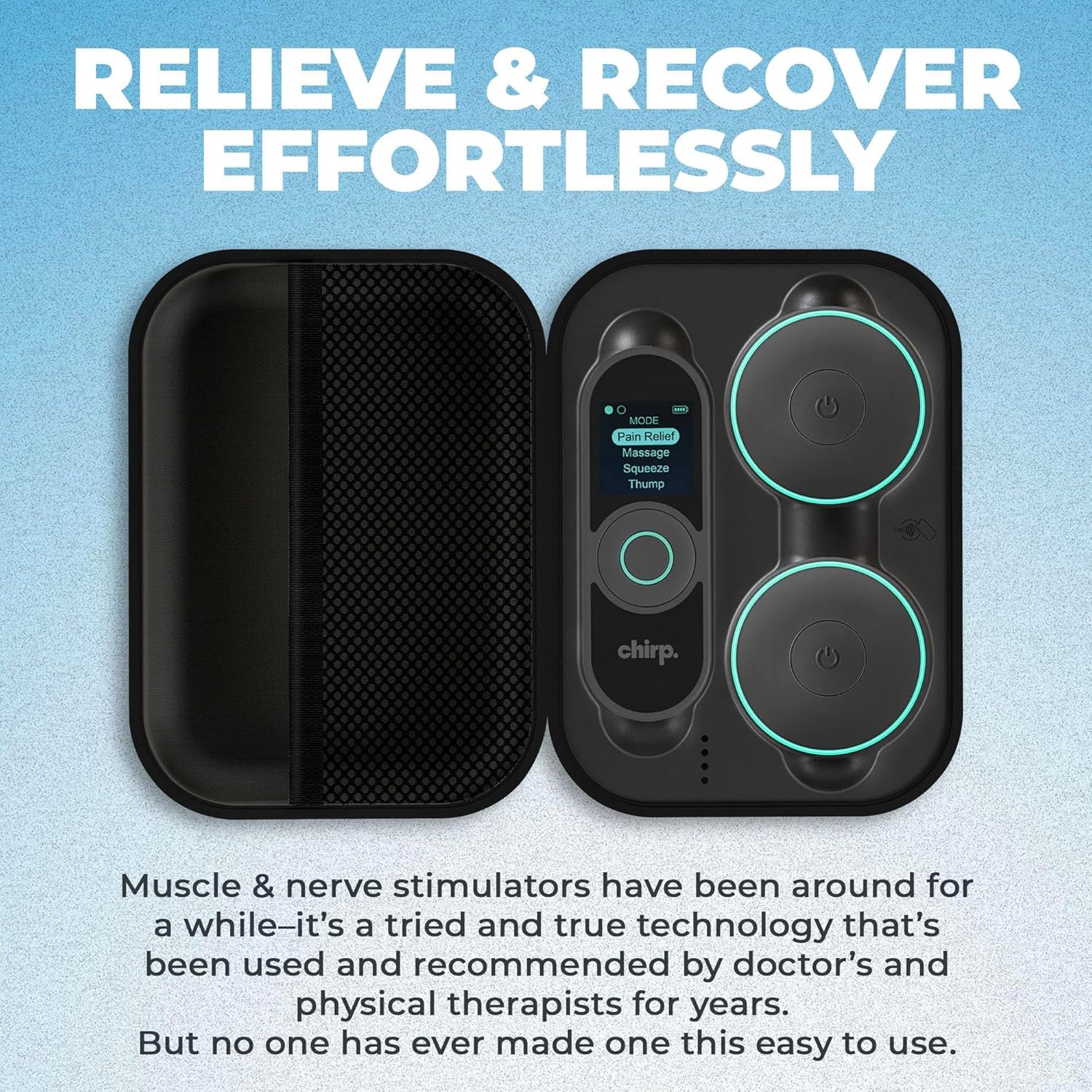
Image: The Chirp Halo Wireless Muscle Stimulator and its remote neatly arranged within the charging case, emphasizing ease of setup and portability.
Configuració
- Carregueu el dispositiu: Place the stimulator device(s) and remote into the charging case. Connect the USB-C cable to the charging case and a power source. Ensure the devices are fully charged before first use.
- Prepare the Pads: Remove the protective film from the adhesive pads. Ensure your skin is clean, dry, and free of lotions or oils for optimal adhesion.
- Attach Pads to Device: Connect the stimulator device(s) to the adhesive pads using the magnetic attachments.
Instruccions de funcionament
- Encès: Press and hold the power button on the stimulator device(s) until the indicator light illuminates.
- Aplicar coixinets: Carefully place the adhesive pads with the attached device(s) onto the desired muscle area. Ensure good skin contact.
- Engegada remota: Premeu i manteniu premut el botó d'engegada del comandament a distància per encendre'l.
- Seleccioneu el mode: Use the remote to select your desired stimulation mode (e.g., Pain Relief, Massage, Squeeze, Thump). The device offers various modes for different needs.
- Ajustar la intensitat: Increase or decrease the intensity level using the remote control. Start with a low intensity and gradually increase until you feel a comfortable, yet effective, sensation.
- Durada establerta: The device may have preset durations or allow you to adjust the treatment time via the remote or companion app.
- Apagar: After your session, press and hold the power button on the device(s) and remote to turn them off.

Image: A smartphone screen showing the Chirp Halo app, which provides guided pad placement instructions for various body parts, ensuring confident and effective use.
Video: A physical therapist reviews the Chirp Halo Wireless TENS EMS Unit, demonstrating its features and benefits for muscle stimulation and pain relief.
Pad Placement Guide
Proper pad placement is crucial for effective stimulation. Refer to the companion app for detailed guided placement specific to your pain or recovery area. General guidelines include:
- Place pads on clean, dry skin.
- Ensure pads are not overlapping.
- For pain relief (TENS), place pads around the area of discomfort.
- For muscle recovery/strengthening (EMS), place pads on the muscle belly.

Image: Visual guide explaining TENS (Transcutaneous Electrical Nerve Stimulation) for pain relief and EMS (Electrical Muscle Stimulation) for muscle recovery, with example pad placements on the back and shoulder.
Manteniment i cura
- Coixinets de neteja: Gently wipe the adhesive side of the pads with a damp cloth after each use. Allow them to air dry. Do not use harsh chemicals.
- Emmagatzematge: Store the pads on their protective film and keep all components in the charging case when not in use. Store in a cool, dry place away from direct sunlight.
- Neteja del dispositiu: Wipe the device and remote with a soft, dry cloth.
Resolució de problemes
- Sense energia: Ensure devices are fully charged. Check USB-C cable connection.
- No Sensation: Increase intensity gradually. Ensure pads have good contact with skin. Check if the device is properly attached to the pads.
- Coixinets que no s'enganxen: Clean pads and skin thoroughly. Replace pads if adhesion is lost after repeated cleaning.
- Problemes de connexió: Ensure Bluetooth is enabled on your smartphone if using the app. Restart devices and app if necessary.
Especificacions
- Dimensions del paquet: 8.19 x 6.73 x 3.11 polzades
- Pes de l'article: 1.54 lliures
- Fabricant: Xiular
- ASIN: B0DF43HH1T
- Primera data disponible: 23 d'agost de 2024
Garantia i Suport
For warranty information or technical support, please refer to the contact details provided in your product packaging or visit the official Chirp weblloc web. Conserveu el comprovant de compra per a reclamacions de garantia.
Fabricant: Xiular
Botiga Amazon: Visit the Chirp Store


