
1. Introducció
The SOLAKAKA SM802 is a versatile tri-mode wireless gaming mouse designed for various computing needs. It offers 2.4GHz wireless, Bluetooth 5.0, and wired USB-C connectivity, along with customizable features such as replaceable shells, microswitches, and programmable buttons. This manual provides detailed instructions for setup, operation, maintenance, and troubleshooting to ensure optimal performance.
2. Contingut del paquet
Verifiqueu que tots els elements siguin presents al vostre paquet:
- SOLAKAKA SM802 Tri-Mode Wireless Gaming Mouse
- Cable de càrrega USB-C
- Receptor USB de 2.4 GHz (emmagatzemat dins del ratolí)
- Additional Set of Micro Switches (Gaming Switch and Office Mute Switch)
- Additional Set of Shells (Hollowed-out Shell and Classic Shell)
- Manual d'instruccions

Video: This video demonstrates the unboxing and contents of the SOLAKAKA SM802 gaming mouse package, including the mouse, cables, and interchangeable parts.
3. Producte acabatview
Components del ratolí
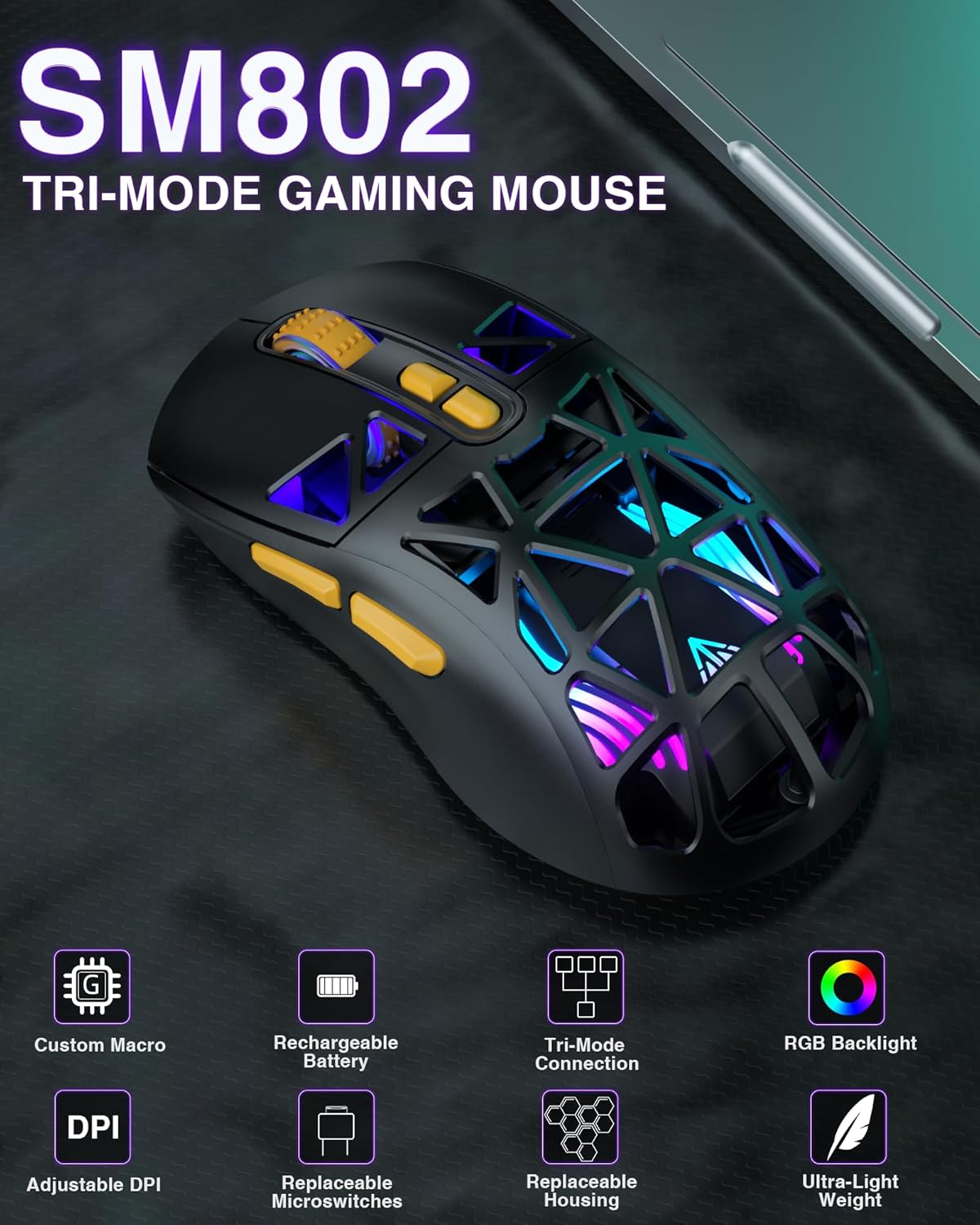
Imatge: Vista de dalt a baix view of the SM802 mouse, showcasing its overall design and accessible buttons.
Característiques clau
- Connectivitat trimodal: Supports 2.4GHz wireless, Bluetooth 5.0, and wired USB-C connections. Can save up to 4 devices simultaneously.
- DIY Personalized Hotswap: Comes with two sets of micro switches (gaming and office mute) that users can easily change. Compatible with most branded microswitches.
- Customizable Shells: Includes two sets of shells (hollowed-out and classic) allowing for four different aesthetic styles.
- 7 botons programables: Buttons can be customized via software (Windows system only) to reset functions, adjust DPI, and configure macros.
- DPI ajustable: Six DPI levels available (1000, 1200, 1600, 2400, 4800, 10000).
- Bateria recarregable: Built-in 450mAh lithium battery with USB-C charging. Supports use while charging. Low battery indicator flashes red.
- Power Saving Design: RGB lighting automatically turns off when the mouse is in motion in wireless mode. A toggle switch on the bottom can turn off partial RGB lights (keeping wheel and logo lights on).
4. Configuració i connectivitat
Carregant el ratolí
Connect the mouse to your computer using the provided USB-C cable. The mouse can be used while charging. A red flashing light indicates a low battery.
Connexió sense fils a 2.4 GHz
- Locate the 2.4GHz USB receiver stored in the compartment on the bottom of the mouse.
- Connecteu el receptor USB a un port USB disponible de l'ordinador.
- Toggle the mode switch on the bottom of the mouse to the '2.4G' position. The mouse will automatically connect.
Connexió Bluetooth 5.0
- Toggle the mode switch on the bottom of the mouse to either 'BT1' or 'BT2' position.
- On your device (laptop, tablet, etc.), enable Bluetooth and search for new devices.
- Select 'SM802' from the list of available devices to pair.
Connexió per cable
Connect the mouse to your computer using the provided USB-C cable. The mouse will automatically switch to wired mode.
Canvi de modes de connexió
Use the mode switch located on the bottom of the mouse to select between 2.4GHz wireless, Bluetooth 1 (BT1), Bluetooth 2 (BT2), or wired mode. Ensure the mouse's signal source matches the selected device for proper connection.

Image: The SM802 mouse demonstrating its tri-mode connectivity options, connecting to a laptop via 2.4GHz, a tablet via Bluetooth, and a PC via wired USB-C.
5. Funcionament
Ajust de DPI
The mouse supports 6 adjustable DPI levels: 1000, 1200, 1600, 2400, 4800, and 10000. Use the DPI button, typically located behind the scroll wheel, to cycle through these settings. The current DPI level may be indicated by an LED color change or through the customization software.
Control d'il·luminació RGB
The SM802 features RGB backlighting. You can adjust lighting effects using a dedicated light button on the mouse or through the customization software. In wireless mode, RGB lighting automatically turns off when the mouse is moved to conserve power. A toggle switch on the bottom allows for partial RGB light deactivation (wheel and logo lights remain on).
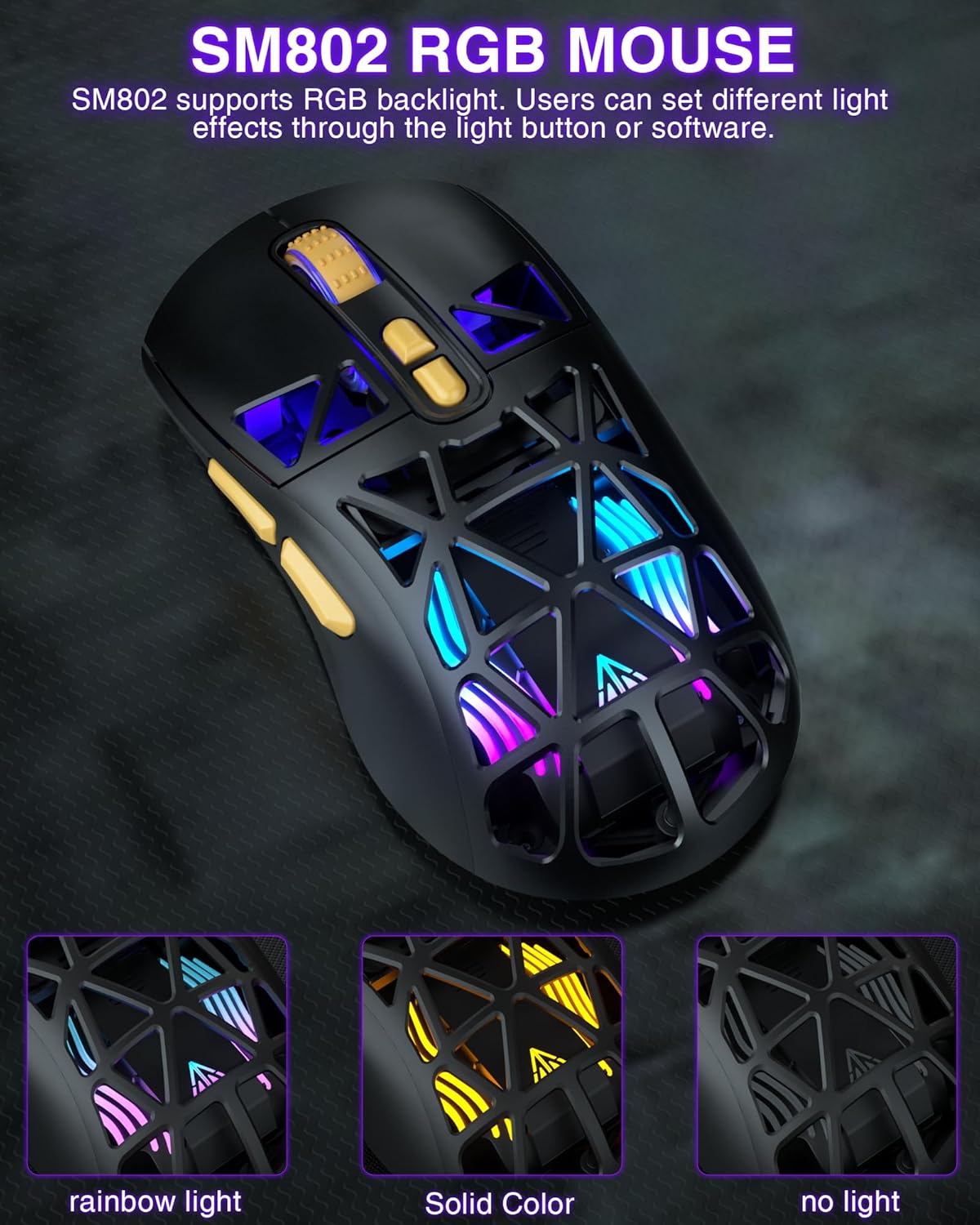
Image: The SM802 mouse displaying its vibrant RGB lighting, alongside information on its 6-level adjustable DPI up to 10000 and its rechargeable battery.
Customizable Shells
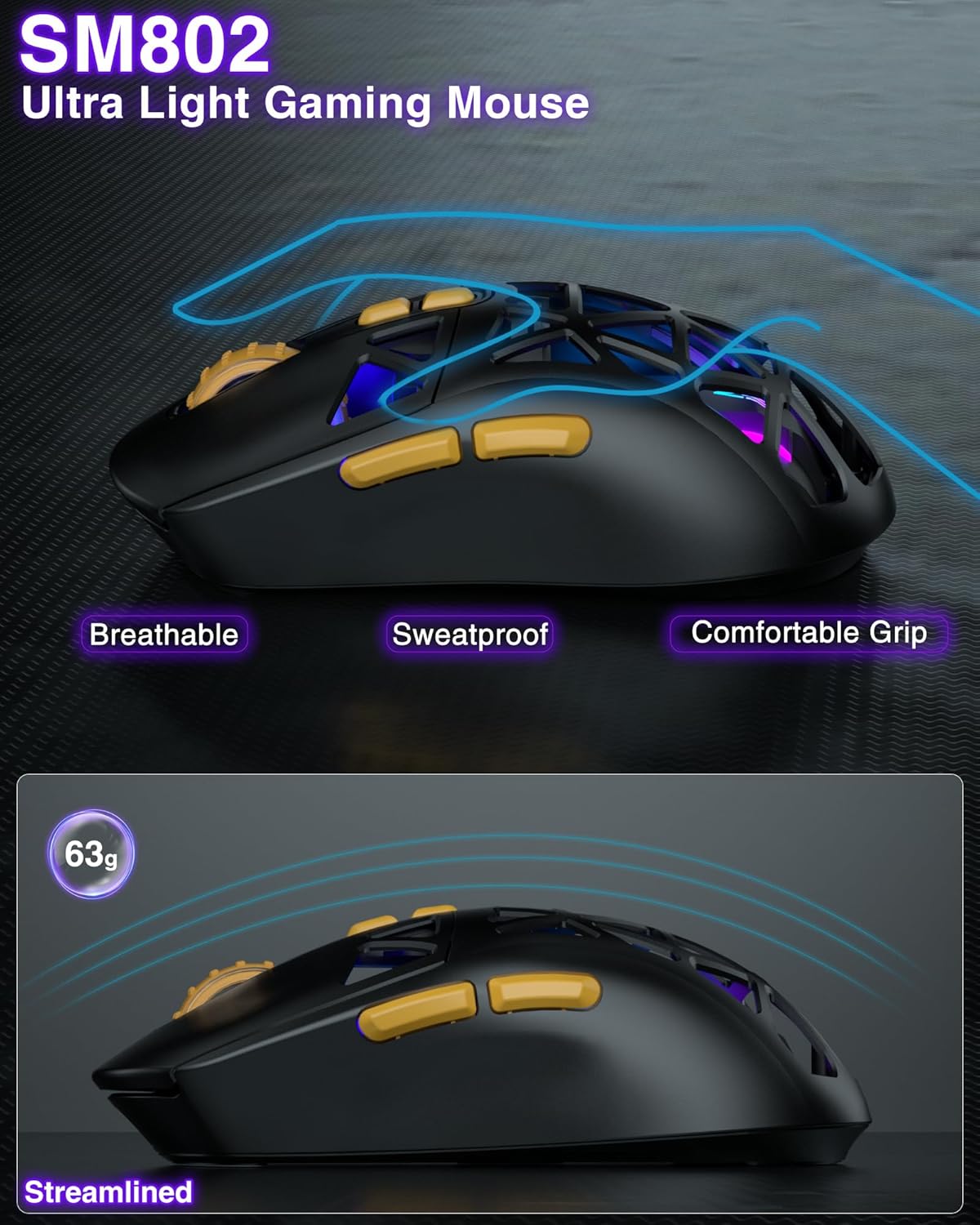
The SM802 mouse comes with two sets of shells: a hollowed-out shell and a classic shell. These can be interchanged to customize the mouse's appearance and feel. The hollowed-out shell enhances the RGB lighting and provides a breathable, sweat-proof design, while the classic shell offers a more traditional and versatile look.
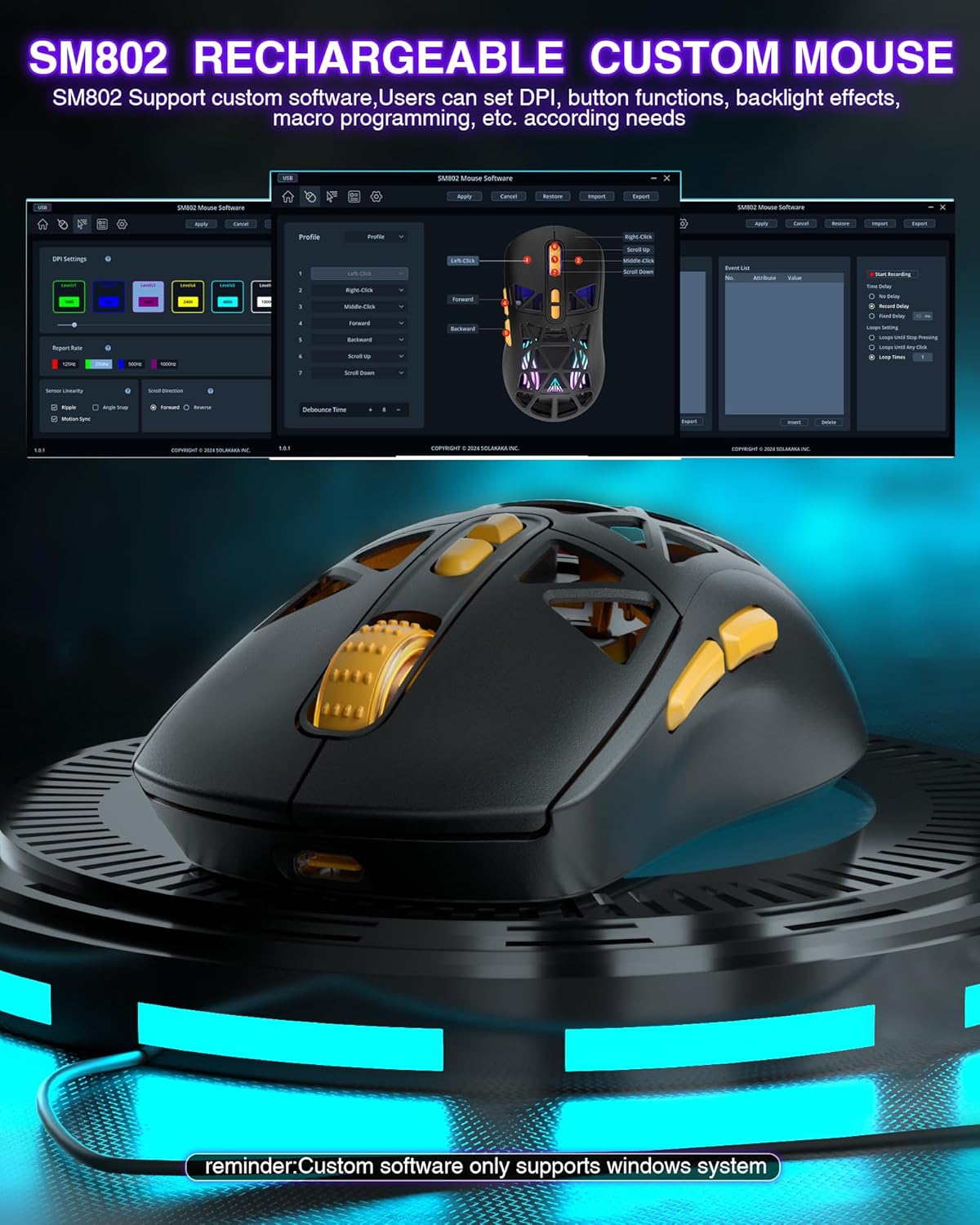
Image: The SM802 mouse with its two interchangeable shell options, showing how users can switch between a hollowed-out design and a solid classic design.
Replaceable Microswitches
The mouse includes two types of microswitches: a gaming switch and an office mute switch. Users can replace these switches according to their preference for click feel and sound. The hotswap design allows for easy replacement and compatibility with most standard microswitches.
Imatge: Un primer pla view of the SM802 mouse's internal structure, illustrating how to replace the microswitches with either a click switch or a silent switch.
Programmable Buttons and Software
The SM802 mouse features 7 programmable buttons. Customization is available through dedicated software, which allows users to reset button functions, adjust DPI settings, and configure macro files. Nota: The customization software is only compatible with Windows operating systems and functions in wired mode.
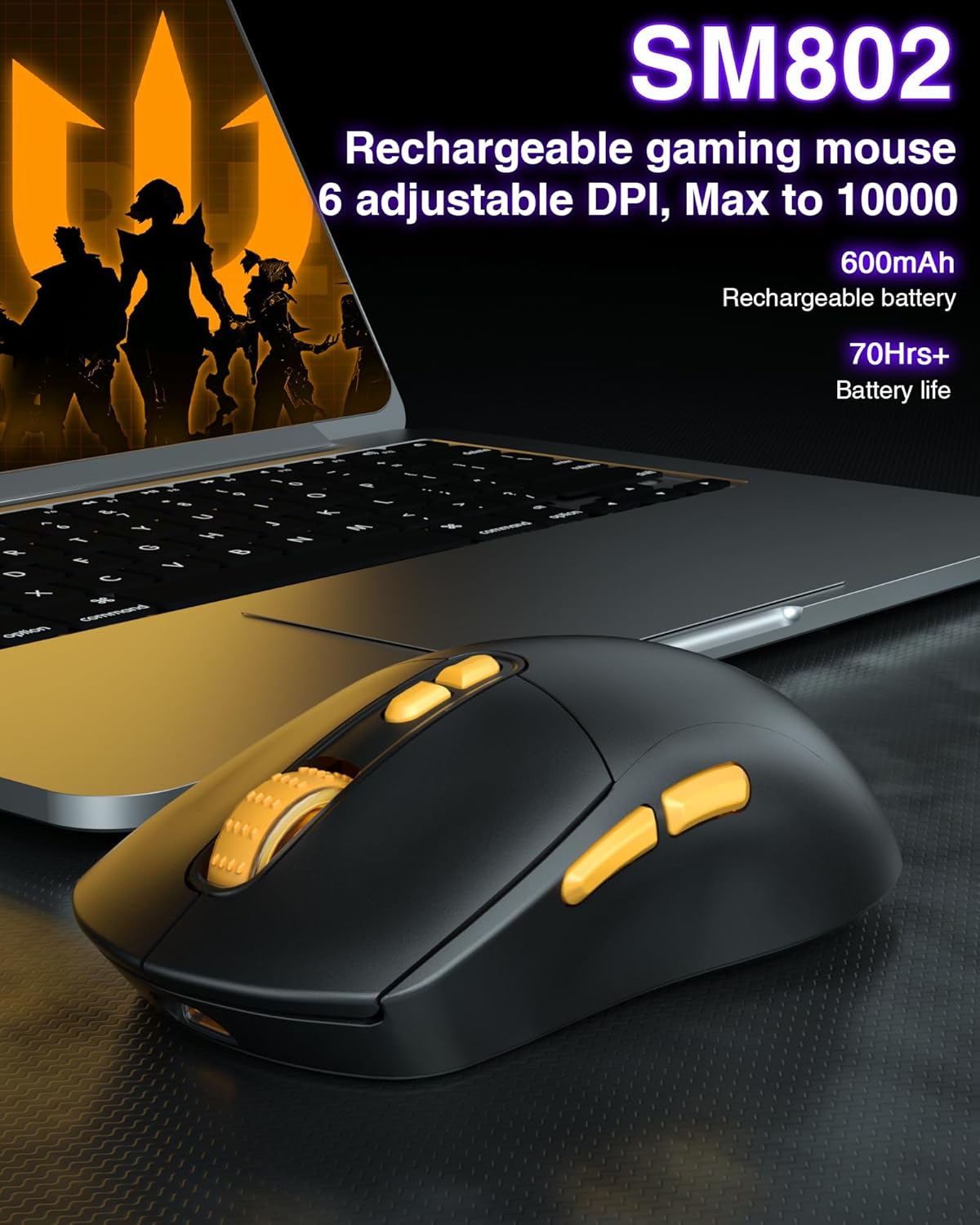
Image: A visual representation of the SM802 mouse customization software, demonstrating its interface for adjusting button assignments, DPI, and macro settings.
6. Manteniment
To ensure the longevity and optimal performance of your SOLAKAKA SM802 mouse, follow these maintenance guidelines:
- Neteja: Feu servir un drap suau i sec per netejar la superfície del ratolí. Per a la brutícia persistent, netegeu lleugerament.amp es pot fer servir un drap, però assegureu-vos que no entri humitat als components interns. Eviteu productes químics agressius o netejadors abrasius.
- Cura del sensor: Keep the optical sensor on the bottom of the mouse clean and free from dust or debris to maintain tracking accuracy.
- Emmagatzematge: Guardeu el ratolí en un lloc fresc i sec, allunyat de la llum solar directa i de temperatures extremes.
- Bateria: Avoid fully discharging the battery frequently. Charge the mouse when the low battery indicator appears.
7. Solució De Problemes
If you encounter issues with your SM802 mouse, refer to the following common solutions:
- El ratolí no respon:
- Assegureu-vos que el ratolí estigui carregat.
- Check the connection mode switch on the bottom of the mouse. Make sure it matches your intended connection (2.4G, BT1, BT2, or wired).
- For 2.4GHz, ensure the USB receiver is securely plugged into a working USB port.
- For Bluetooth, ensure Bluetooth is enabled on your device and the mouse is paired correctly. Try re-pairing if necessary.
- For wired mode, ensure the USB-C cable is properly connected to both the mouse and the computer.
- Connexió amb retard o intermitent:
- Reduïu la distància entre el ratolí i el receptor/dispositiu.
- Elimineu qualsevol font potencial d'interferència (per exemple, altres dispositius sense fil, objectes metàl·lics grans).
- Assegureu-vos que la bateria del ratolí no estigui críticament baixa.
- Els DPI no canvien:
- Premeu fermament el botó DPI.
- If using customization software, ensure settings are applied and saved to the mouse.
- RGB lights not working or behaving unexpectedly:
- Check the RGB light button on the mouse.
- Verify settings in the customization software.
- Ensure the power-saving feature is not active if you expect constant lighting during movement.
- Customization software not detecting mouse:
- Ensure the mouse is connected in wired mode.
- Confirm your operating system is Windows.
- Torneu a instal·lar el programari si cal.
8. Especificacions
| Característica | Detall |
|---|---|
| Marca | SOLAKAKA |
| Número de model | SM802 |
| Tecnologia de connectivitat | 2.4GHz Wireless, BT5.0, USB-C Wired |
| Tecnologia de detecció de moviment | Òptic |
| Maximum Sensitivity (DPI) | 10000 |
| Nivells de DPI ajustables | 1000, 1200, 1600, 2400, 4800, 10000 |
| Quantitat de botons | 7 (programable) |
| Orientació de la mà | D'acord |
| Font d'alimentació | Battery Powered (Built-in 450mAh Lithium Battery) |
| Dispositius compatibles | Ordinador portàtil, ordinador personal, tauleta |
| Compatibilitat de sistemes operatius | Android, Windows (Windows 10 minimum), iOS |
| Material de tancament | Plàstic |
| Pes de l'article | 0.43 lliures |
9. Garantia i Suport
The SOLAKAKA SM802 Wireless Gaming Mouse comes with a manufacturer's warranty. For specific warranty details, please refer to the documentation included with your purchase or contact SOLAKAKA customer support.
For technical support, troubleshooting assistance, or further inquiries, please visit the official SOLAKAKA weblloc web o poseu-vos en contacte amb el seu departament d'atenció al client. La informació de contacte normalment es pot trobar a l'embalatge del producte o a la botiga en línia de la marca.