
1. Introducció
The Bisofice Z58-IV is a compact 58mm thermal receipt printer designed for various business environments. It offers high-speed printing, clear output, and flexible connectivity options including Bluetooth and USB. This manual provides detailed instructions for setup, operation, maintenance, and troubleshooting to ensure optimal performance of your printer.

Figure 1.1: Bisofice Z58-IV Thermal Receipt Printer in a retail setting.
2. Informació de seguretat
- Ensure the printer is placed on a stable, flat surface.
- No exposeu la impressora a l'aigua, la humitat ni a temperatures extremes.
- Utilitzeu només l'adaptador d'alimentació subministrat.
- Eviteu tocar el capçal d'impressió immediatament després d'imprimir, ja que pot estar calent.
- Mantenir fora de l'abast dels nens.
- Desconnecteu l'alimentació abans de netejar o realitzar tasques de manteniment.
3. Contingut del paquet
Verifiqueu que tots els elements siguin presents al paquet:
- Bisofice Z58-IV Thermal Receipt Printer
- Adaptador d'alimentació
- Cable USB
- Rotlle de paper tèrmic
- Manual d'usuari (aquest document)
4. Producte acabatview
Familiarize yourself with the printer's components and ports:
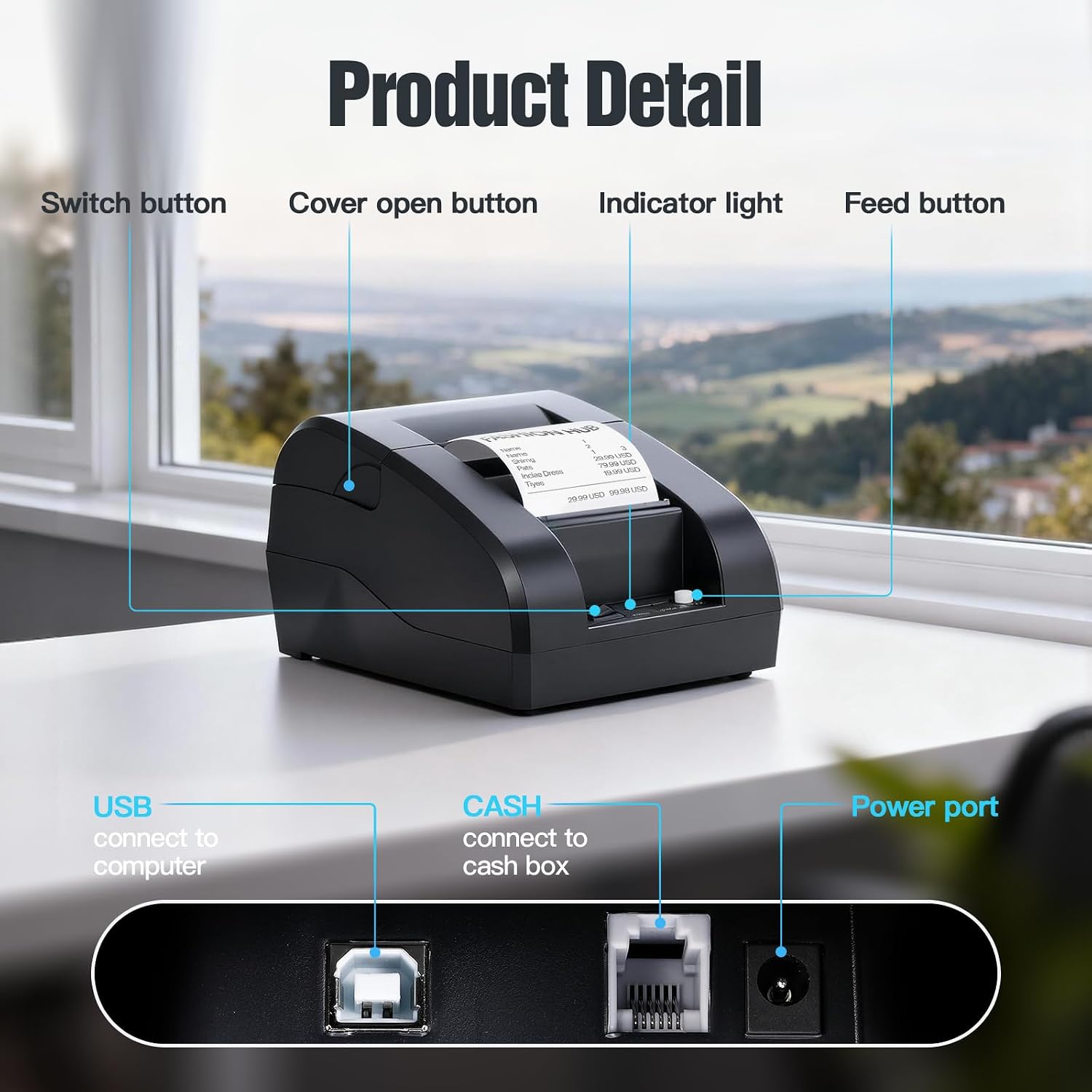
Figure 4.1: Front and Rear Panel Details.
- Botó de canvi: Powers the printer On/Off.
- Botó d'obertura de la coberta: Releases the top cover for paper roll installation.
- Llum indicadora: Displays printer status (e.g., power, error, paper out).
- Botó d'alimentació: Manually feeds paper.
- Port USB: Connects the printer to a computer via USB cable.
- CASH Port: Connects to a cash drawer.
- Port d'alimentació: Es connecta a l'adaptador de corrent.
5. Configuració
5.1. Instal·lació del rotlle de paper
- Press the Cover Open Button to open the top cover.
- Insert a 58mm thermal paper roll into the compartment, ensuring the paper feeds from the bottom and the leading edge extends slightly out of the printer.
- Tanqueu la coberta superior fermament fins que encaixi al seu lloc.

Figure 5.1: Installing the thermal paper roll.
5.2. Connexió d'alimentació
Connect the power adapter to the printer's Power Port and then plug the adapter into a power outlet.
5.3. Connexió a un ordinador (USB)
The printer supports USB connection for Windows and Linux operating systems. Note: This printer is not compatible with iOS or Mac OS via USB.
- Connecteu la impressora a l'ordinador mitjançant el cable USB proporcionat.
- Enceneu la impressora.
- Download and install the appropriate printer driver for your operating system (Windows/Linux) from the Bisofice official weblloc o el suport d'instal·lació proporcionat.
- Seguiu les instruccions a la pantalla per completar la instal·lació del controlador.
5.4. Connecting to a Mobile Device (Bluetooth)
The printer supports Bluetooth connection for Android smartphones. Note: This printer is not compatible with iOS via Bluetooth.
- Assegureu-vos que la impressora estigui engegada.
- Enable Bluetooth on your Android smartphone.
- Cerca available Bluetooth devices and select the printer (usually named 'Z58-IV' or similar).
- Enter the pairing PIN if prompted (common PINs are '0000' or '1234').
- Once paired, you can use compatible Android applications (e.g., Loyverse, iREAP, CasierStock, Kyte) to print.

Figure 5.2: Connectivity options: USB to computer and Bluetooth to mobile phone.
6. Instruccions de funcionament
6.1. Printing a Receipt
After successful setup and connection, you can initiate printing from your application or system. The printer supports ESC/POS commands for various printing functions.
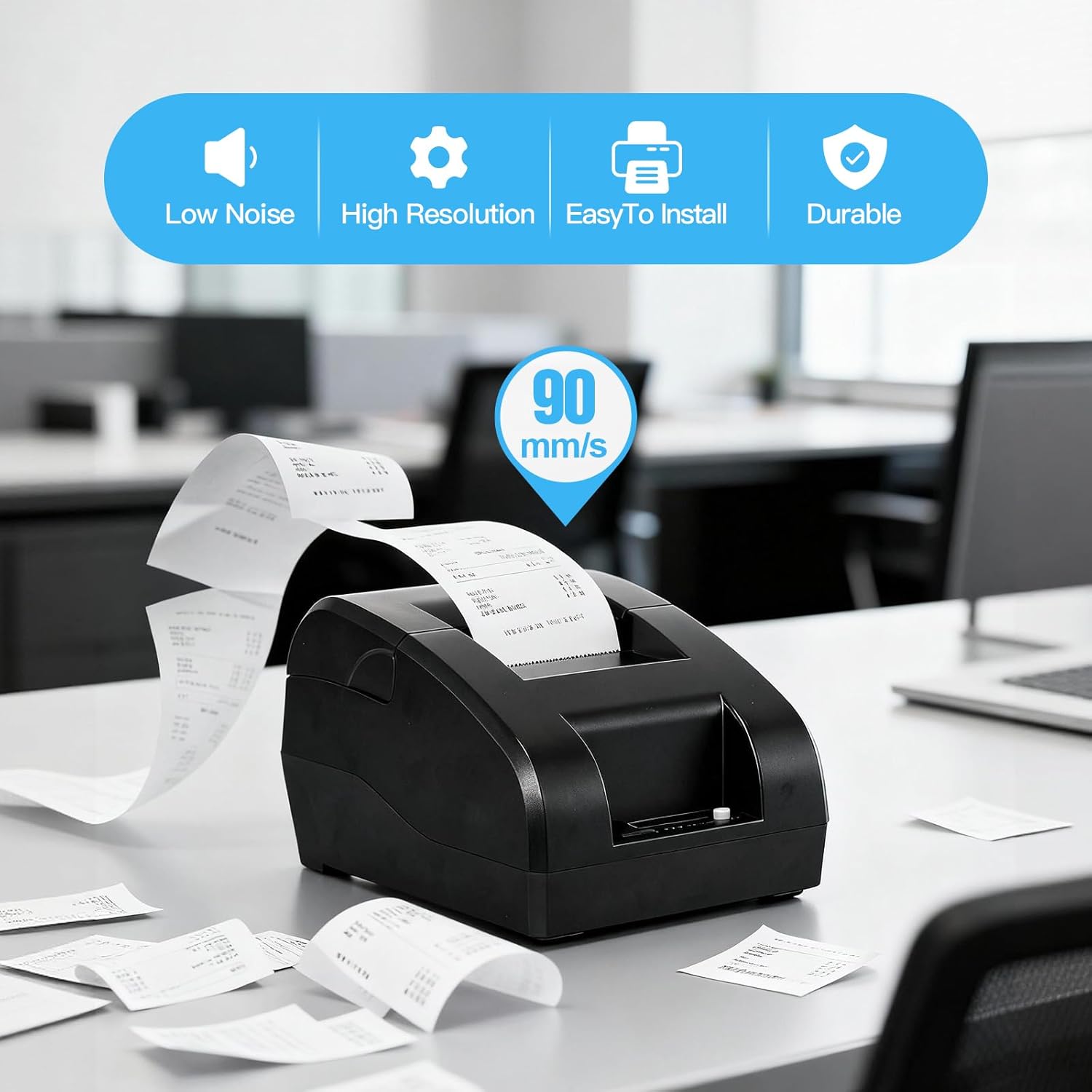
Figure 6.1: High-speed printing at 90mm/s.
6.2. Manual Paper Feed
Press the Feed Button briefly to advance the paper by one line. Press and hold the Feed Button to continuously feed paper.
7. Manteniment
7.1. Neteja del capçal d'impressió
To maintain print quality, clean the thermal print head regularly (e.g., once a month or after every 10 rolls of paper). Use a cotton swab lightly moistened with isopropyl alcohol. Gently wipe the print head surface. Allow it to dry completely before use.
7.2. Neteja exterior
Netegeu l'exterior de la impressora amb un drap suau i secamp tela. No utilitzeu productes químics aggressivs ni netejadors abrasius.
7.3. Substitució del rotlle de paper
Refer to Section 5.1 for instructions on replacing the thermal paper roll when it runs out.
8. Solució De Problemes
- La impressora no s'encén: Check the power adapter connection and ensure the power outlet is functional.
- La impressora no imprimeix:
- Ensure the paper roll is correctly installed and not empty.
- Check the connection (USB or Bluetooth) to your device.
- Verifiqueu que el controlador d'impressora correcte estigui instal·lat i seleccionat a l'ordinador.
- For Bluetooth, ensure the printer is paired and connected to your Android device.
- Mala qualitat d'impressió: Clean the print head as described in Section 7.1. Ensure you are using high-quality thermal paper.
- Problemes de compatibilitat:
- La impressora és no compatible with iOS and Mac OS.
- La impressora és no compatible with POS systems such as Square, Hellocash, and Zettle.
- For Android, ensure your application supports this printer model.
9. Especificacions
| Característica | Especificació |
|---|---|
| Marca | Bisofici |
| Nom del model | Z58-IV |
| Tecnologia de connectivitat | Bluetooth, USB |
| Tecnologia d'impressió | Tèrmica |
| Color | Negre |
| Sortida de la impressora | Monocromàtic |
| Velocitat màxima d'impressió (blanc i negre) | 90 mm/s |
| Max Paper Size Supported | 58 mm |
| Dimensions del producte | 18P x 10.5L x 13H cm |
| Components inclosos | Paper tèrmic |
| Funcions addicionals de la impressora | Imprimeix només |
10. Garantia i Suport
For warranty information and technical support, please refer to the documentation provided with your purchase or visit the official Bisofice weblloc web. Conserveu el rebut de compra com a comprovant de compra per a reclamacions de garantia.