
1. Introducció
This manual provides essential information for setting up, operating, maintaining, and troubleshooting your HP Stream 14 Laptop. Please read this guide thoroughly to ensure optimal performance and longevity of your device.
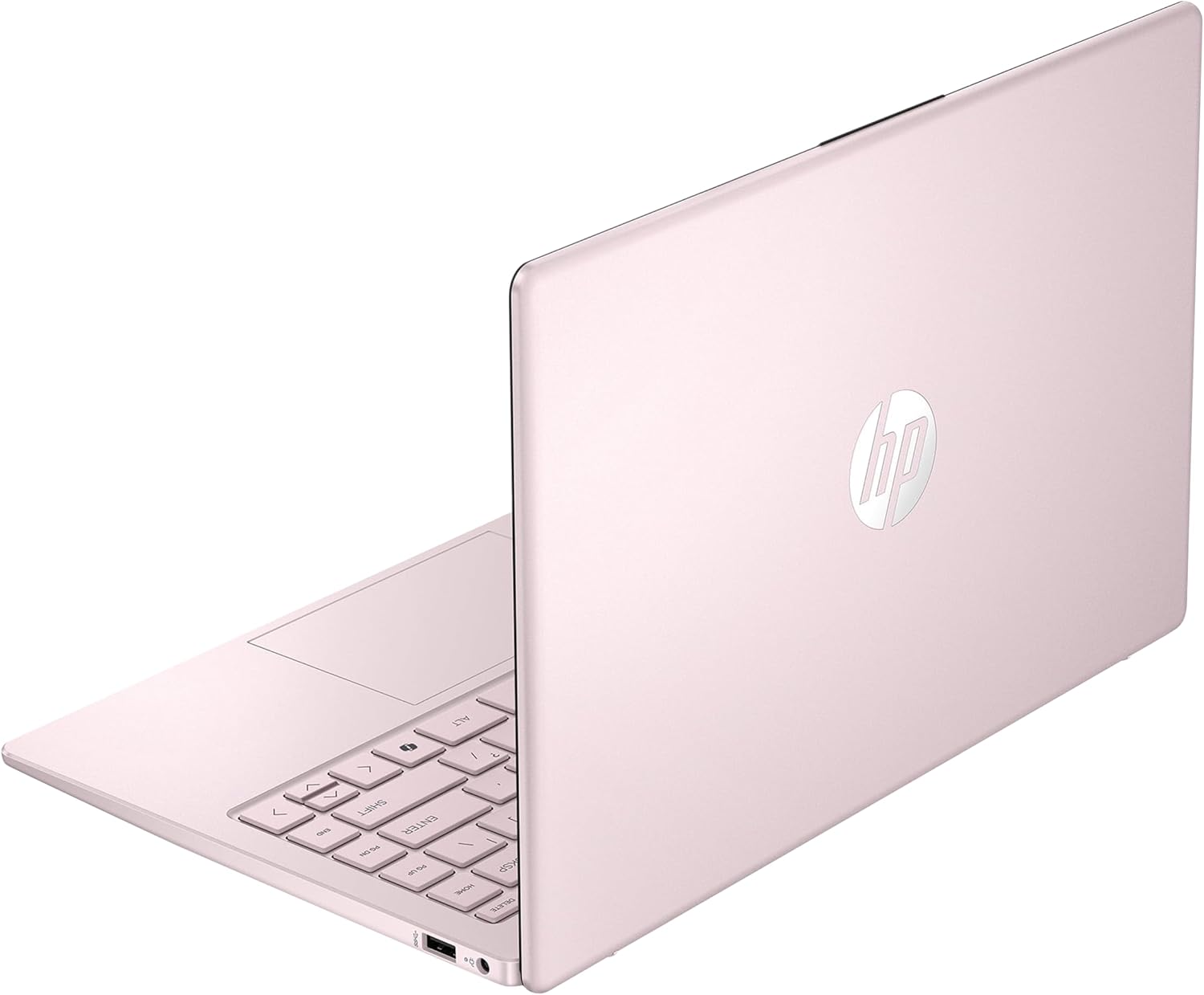
Figure 1: HP Stream 14 Laptop (Pink)
2. Configuració
2.1 Desembalatge i inspecció inicial
Traieu amb cura el portàtil i tots els accessoris de l'embalatge. Verifiqueu que hi hagi tots els components: portàtil, adaptador de corrent i documentació. Inspeccioneu el portàtil per detectar qualsevol dany físic.
2.2 Connexió de l'adaptador de corrent
Before first use, connect the power adapter to the AC Smart pin port on your laptop and then to a power outlet. Allow the battery to charge fully.

Figure 2: Laptop Ports and AC Smart Pin
2.3 First Boot and Windows 11 S Setup
Press the power button to turn on your laptop. Follow the on-screen instructions to complete the Windows 11 S setup process. This includes selecting your region, connecting to a Wi-Fi network, and creating a user account.
2.4 Connexió de perifèrics
Your HP Stream 14 Laptop features various ports for connecting external devices:
- USB tipus C: Per a la transferència de dades i la connexió de dispositius compatibles.
- USB tipus A (x2): Per connectar dispositius USB com ara ratolins, teclats o emmagatzematge extern.
- HDMI 1.4b: Per connectar pantalles o projectors externs.
- Combinació d'auriculars/micròfon: Per a l'entrada i sortida d'àudio.
To connect to wireless accessories, ensure Bluetooth is enabled in Windows settings.
3. Instruccions de funcionament
3.1 Encès/Apagat
- Per encendre: Premeu el botó d'engegada que es troba al teclat.
- Per apagar: Feu clic al botó Inici del Windows i, a continuació, seleccioneu Energia > Apagar.
3.2 Using the Touch Pad and Keyboard
The integrated touch pad supports multi-touch gestures for navigation. The chiclet-style keyboard provides a comfortable typing experience.
3.3 Característiques de visualització
The 14-inch HD display offers a resolution of 1366 x 768 pixels. It features a micro-edge design for an immersive viewing experience and Bright View technology for vibrant colors.

Figure 3: HD Micro-edge Display
3.4 Camera and Connectivity
The integrated 720p HD camera is suitable for video calls and online meetings. The laptop supports Wi-Fi 5 (802.11ax) and Bluetooth for wireless connectivity.

Figure 4: Stay Connected Features
3.5 Rendiment i emmagatzematge
Equipped with an Intel Processor N150 and 4GB DDR4 RAM, the laptop provides efficient performance for everyday tasks and multitasking. The 128GB UFS storage offers quick boot-up times and ample space for documents and applications.
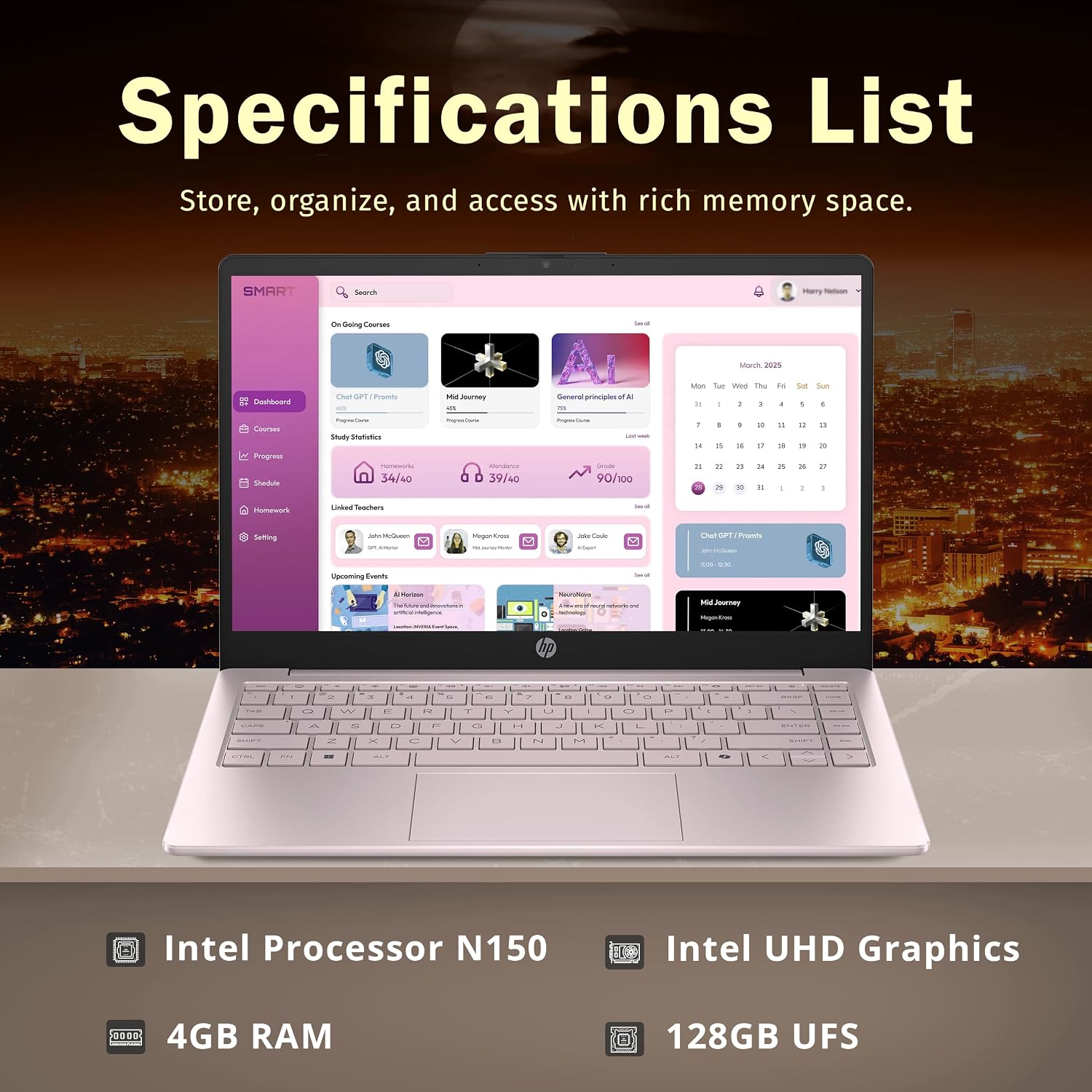
Figura 5: Especificacions clau a continuacióview
4. Manteniment
4.1 Neteja del portàtil
- Pantalla: Utilitzeu un drap suau i sense pelusa lleugerament dampNetegeu amb aigua o un netejador de pantalles. Eviteu productes químics agressius.
- Teclat i Casing: Use a soft, dry cloth. A can of compressed air can remove debris from between keys.
4.2 Cura de la bateria
To maximize battery life, avoid extreme temperatures and allow the battery to discharge partially before recharging. For long-term storage, charge the battery to about 50%.
4.3 Actualitzacions de programari
Regularly check for and install Windows 11 S updates to ensure system stability, security, and optimal performance.
5. Solució De Problemes
If you encounter issues with your HP Stream 14 Laptop, refer to the following common solutions:
5.1 Rendiment lent o retard
- Reinicia: A simple restart can resolve many temporary performance issues.
- Tanca les aplicacions no utilitzades: Too many open programs can consume RAM and CPU resources.
- Comprova l'emmagatzematge: Ensure you have sufficient free space on your 128GB UFS drive. Delete unnecessary files or transfer them to external storage.
- Update Windows: Assegureu-vos que el vostre sistema operatiu estigui actualitzat.
5.2 Battery Drain Issues
- Ajusteu la configuració d'energia: Optimize power settings in Windows to conserve battery.
- Reduir la brillantor de la pantalla: Lowering display brightness significantly extends battery life.
- Tanca les aplicacions en segon pla: Applications running in the background can consume power.
5.3 Problemes de connectivitat (Wi-Fi/Bluetooth)
- Activa/desactiva: Turn Wi-Fi or Bluetooth off and then on again.
- Reinicieu l'encaminador/mòdem: For Wi-Fi issues, restart your network equipment.
- Actualitzar els controladors: Ensure your wireless and Bluetooth drivers are current.
6. Especificacions
| Característica | Detall |
|---|---|
| Marca | HP |
| Nom del model | HP Stream |
| Mida de la pantalla | 14 polzades |
| Resolució de visualització | 1366 x 768 píxels (HD) |
| Processador | Intel Processor N150 (3.6 GHz, 4 Cores) |
| Memòria RAM | 4 GB de DDR4 (3200 MHz) |
| Emmagatzematge | 128 GB UFS (Solid State) |
| Gràfics | Gràfics Intel (integrats) |
| Sistema operatiu | Windows 11 S |
| Connectivitat | Wi-Fi 5 (802.11ax), Bluetooth |
| Ports | 1x USB Type-C, 2x USB Type-A, 1x HDMI 1.4b, 1x Headphone/microphone combo, 1x AC Smart pin |
| Càmera | Càmera HD de 720p |
| Dimensions (L x A x A) | 12.76 x 8.86 x 0.71 inches (Product description) / 19"L x 12"W x 3"Th (Specification list) |
| Pes | 3.24 lbs (Product description) / 5 pounds (Specification list) |
| Característica especial | Revestiment anti-enlluernament |
Note: Dimensions and weight may vary slightly based on specific configuration or measurement method.
7. Garantia i Suport
7.1 Garantia del fabricant
Your HP Stream 14 Laptop is covered by a manufacturer's warranty. Please refer to the warranty card included with your product for specific terms, conditions, and duration. Keep your proof of purchase for warranty claims.
7.2 Suport tècnic
For technical assistance, driver downloads, or further troubleshooting, visit the official HP support website. You can also contact Amazon Renewed support for issues related to your renewed product purchase.