
Introducció
The ATTACK SHARK X8 Ultimate is a high-performance wireless gaming mouse designed for precision and responsiveness. It features a lightweight design, tri-mode connectivity, an advanced PixArt PAW3950MAX sensor, and an 8K polling rate for an optimal gaming experience.

Imatge: Més deview of the ATTACK SHARK X8 Ultimate Wireless Gaming Mouse highlighting its key features.
Característiques principals:
- Disseny ultralleuger: Weighing only 55g, with a Nano-ice coating for comfortable grip during extended use.
- Taxa de sondeig de 8K: Supports up to 8KHz polling rate in both wireless and wired modes for low latency and fast response.
- Connectivitat trimodal: Seamlessly switch between Bluetooth, 2.4GHz wireless, and wired USB connections.
- PixArt PAW3950MAX Sensor: Advanced gaming sensor with up to 42,000 DPI sensitivity, 700 IPS accuracy, and 60G acceleration.
- Durable Switches & Long Battery Life: Equipped with Omron micro switches rated for over 100 million clicks and an 800mAh battery providing up to 800 hours of intermittent use at 1000Hz polling rate.
- Cloud Driver: Innovador web-based driver for DPI adjustment, polling rate settings, competitive mode, customized buttons, macro recording, and personalized key mapping.
Contingut del paquet
Si us plau, comproveu el paquet per veure si hi ha els elements següents:
- ATTACK SHARK X8 Ultimate Wireless Gaming Mouse
- Receptor USB (2.4 GHz)
- Cable de càrrega/dades USB-C
- Manual d'usuari (aquest document)
Guia de configuració
1. Càrrega del ratolí
Abans del primer ús, es recomana carregar completament el ratolí. Connecteu el cable USB-C proporcionat al port de càrrega del ratolí i l'altre extrem a una font d'alimentació USB (per exemple, un port USB de l'ordinador, un adaptador de paret USB).

Image: The ATTACK SHARK X8 Ultimate mouse connected via its USB-C charging cable, illustrating the 800mAh battery capacity.
The LED indicator on the mouse will show charging status. A full charge provides up to 800 hours of intermittent use at a 1000Hz polling rate.
2. Connecting the Mouse (Tri-mode Connectivity)
The X8 Ultimate mouse offers three connection modes: 2.4GHz Wireless, Bluetooth, and Wired USB.

Image: The ATTACK SHARK X8 Ultimate mouse illustrating its three connection modes: Type-C wired, 2.4GHz wireless, and Bluetooth wireless.
2.1. Connexió sense fil de 2.4 GHz
- Localitzeu el receptor USB (dongle) inclòs al paquet.
- Connecteu el receptor USB a un port USB disponible de l'ordinador.
- Turn on the mouse using the power switch located on the bottom. Ensure it is set to 2.4GHz mode (usually indicated by a specific switch position or LED color).
- El ratolí s'hauria de connectar automàticament a l'ordinador.
2.2. Connexió Bluetooth
- Turn on the mouse and set it to Bluetooth mode (usually indicated by a specific switch position or LED color).
- On your computer or device, go to Bluetooth settings and enable Bluetooth.
- Cerca new devices. The mouse should appear as "ATTACK SHARK X8 Ultimate" or similar.
- Seleccioneu el ratolí per emparellar-lo.
2.3. Connexió USB amb cable
- Connecteu el cable USB-C proporcionat al port frontal del ratolí.
- Connecteu l'altre extrem del cable USB-C a un port USB disponible de l'ordinador.
- El ratolí canviarà automàticament al mode amb cable i començarà a carregar-se.
Instruccions de funcionament
1. Funcions bàsiques del ratolí
- Clic esquerre: Acció primària.
- Clic dret: Menú contextual/d'acció secundària.
- Roda de desplaçament: Desplaça't amunt/avall, fes clic amb el botó central.
- Botons laterals: Typically for forward/backward navigation in web browsers. These can be customized.
2. Ajust de DPI
The X8 Ultimate features an adjustable DPI range from 50 to 42,000. DPI settings can be changed using the dedicated DPI button (if present) or through the Cloud Driver software. Refer to the Cloud Driver section for detailed customization.

Image: The ATTACK SHARK X8 Ultimate mouse highlighting the PixArt PAW3950MAX sensor and its capabilities (750 IPS, 60G, 8000Hz wireless polling rate, 50-42000 DPI).
3. Configuració de la taxa de sondeig
The mouse supports an 8KHz polling rate for both wireless (2.4GHz) and wired modes, reducing operation latency to 0.163ms. The polling rate can be configured via the Cloud Driver software.
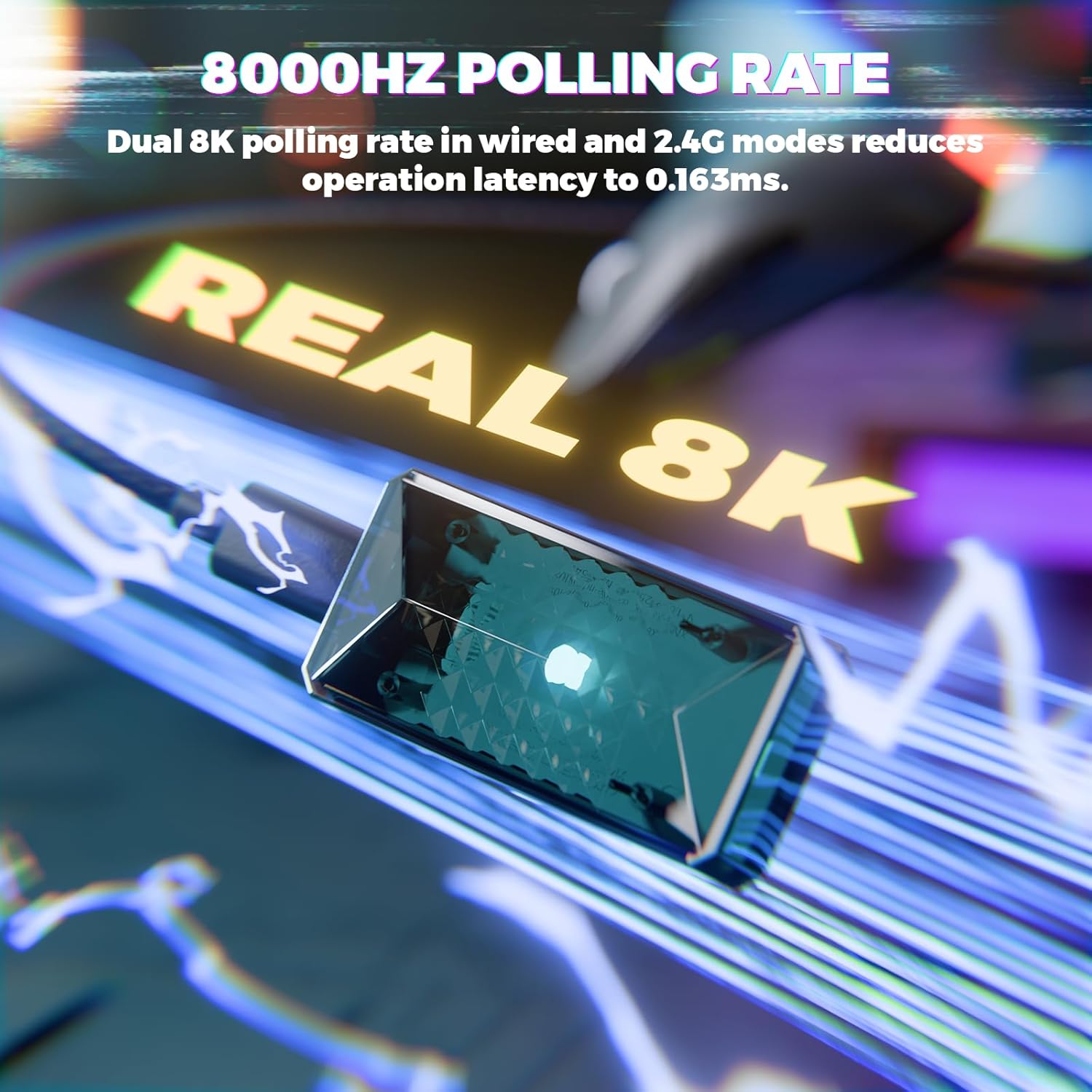
Image: Visual representation of the 8000Hz polling rate feature of the ATTACK SHARK X8 Ultimate mouse.
4. Cloud Driver Software
The X8 Ultimate utilizes an innovative cloud-driven webpage for customization. This eliminates the need for traditional software installation.
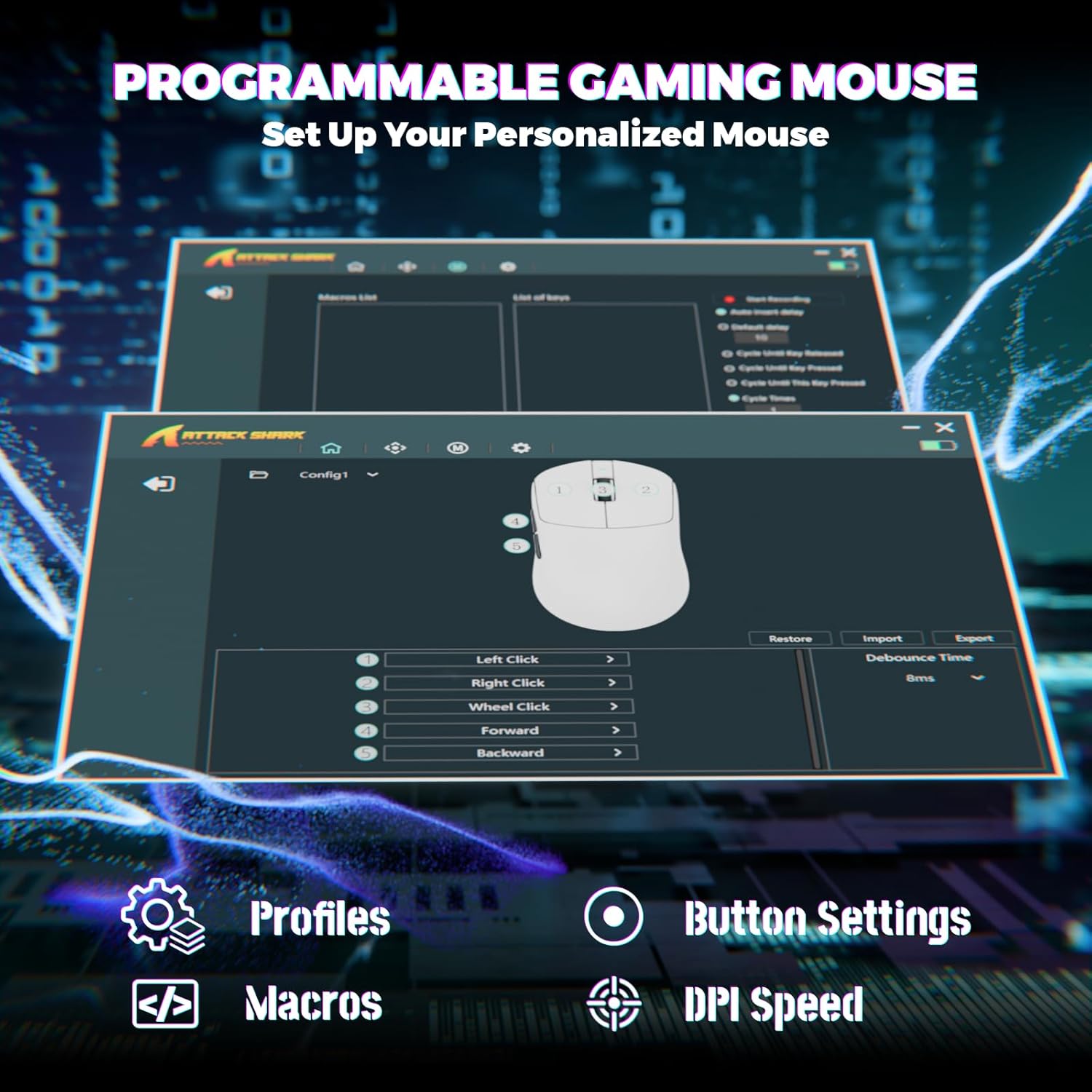
Image: Screenshot of the Cloud Driver interface for the ATTACK SHARK X8 Ultimate mouse, showing options for profiles, button settings, macros, and DPI speed.
To access the Cloud Driver:
- Ensure your mouse is connected to your computer.
- Obre a web browser and navigate to the official ATTACK SHARK support page or the specific Cloud Driver URL (refer to packaging or official website for the exact link).
- The open-source driver will automatically identify your computer system.
- From the Cloud Driver interface, you can:
- Adjust DPI sensitivity.
- Set polling rate.
- Configura els modes competitius.
- Personalitza les assignacions de botons.
- Record and assign macros.
- Personalize key mapping and other advanced functions.
Manteniment
1. Neteja
Per mantenir un rendiment i un aspecte òptims, netegeu el ratolí regularment:
- Utilitzeu un drap suau i sense pelusa lleugerament dampamb aigua o una solució de neteja suau.
- Avoid harsh chemicals, solvents, or abrasive materials.
- Clean the optical sensor on the bottom of the mouse gently with a cotton swab to ensure accurate tracking.
2. Cura de la bateria
Per allargar la durada de la bateria:
- Avoid exposing the mouse to extreme temperatures (hot or cold).
- Do not fully discharge the battery frequently. Charge it when the battery indicator is low.
- Si guardeu el ratolí durant un període prolongat, carregueu-lo al 50% aproximadament abans de guardar-lo.
Resolució de problemes
If you encounter issues with your ATTACK SHARK X8 Ultimate mouse, try the following solutions:
- El ratolí no respon:
- Assegureu-vos que el ratolí estigui encès.
- Comproveu el nivell de la bateria i carregueu-la si cal.
- Verify the connection mode (2.4GHz, Bluetooth, or Wired) is correctly selected and established.
- Per a 2.4 GHz, assegureu-vos que el receptor USB estigui ben connectat.
- For Bluetooth, ensure Bluetooth is enabled on your device and the mouse is paired.
- Try connecting the mouse via the wired USB cable.
- Connexió intermitent o retard:
- Ensure the USB receiver is not obstructed and is close to the mouse.
- Avoid using the mouse near other wireless devices that may cause interference.
- Update your computer's USB or Bluetooth drivers.
- DPI or button settings not working:
- Access the Cloud Driver software to verify and reconfigure your settings.
- Ensure the mouse firmware is up to date (check via Cloud Driver).
- Mouse tracking issues:
- Netegeu el sensor òptic de la part inferior del ratolí.
- Feu servir el ratolí sobre una superfície neta i uniforme o sobre una alfombrilla de ratolí d'alta qualitat.
Especificacions
| Característica | Descripció |
|---|---|
| Marca | ATACA AL TAURON |
| Model | X8 Ultimate |
| Tecnologia de connectivitat | 2.4Ghz Wireless, Bluetooth, USB (Tri-mode) |
| Tecnologia de detecció de moviment | Optical (PixArt PAW3950MAX Sensor) |
| Sensibilitat DPI | 50 - 42,000 DPI (ajustable) |
| Taxa de votació | Fins a 8000 Hz (sense fil/amb cable) |
| Acceleració | 60G |
| Taxa de seguiment | 700 IPS |
| Pes | 55g (Ultra-Lightweight) |
| Capacitat de la bateria | 800 mAh |
| Tipus de canvi | Omron Micro Switches (100 Million Clicks lifespan) |
| Quantitat de botons | 5 (programable) |
| Orientació de la mà | Ambidextre |
| Dispositius compatibles | Gaming Console, Personal Computer, Tablet |
| Plataforma de maquinari | PC |
| UPC | 752010401109 |

Image: The ATTACK SHARK X8 Ultimate mouse emphasizing its 59g ultra-light design and smooth-gliding double-layer feet.

Imatge: Detallada view of the optical micro switches inside the ATTACK SHARK X8 Ultimate mouse, highlighting their instant click and zero rebound lag features, and 100 million click lifespan.
Garantia i Suport
The ATTACK SHARK X8 Ultimate Wireless Gaming Mouse comes with a 1 anys de garantia des de la data de compra.
For technical support, warranty claims, or further assistance, please contact ATTACK SHARK customer service through their official website or the retailer where the product was purchased. Please have your proof of purchase and product model information ready.
Official ATTACK SHARK Store: Botiga ATTACK SHARK a Amazon