
Introducció
The ORDRO AC5 Plus is a versatile 4K video camera camcorder designed for capturing high-quality video and photos. It features 12X optical zoom, 120X digital zoom, a rotatable touch screen, anti-shake technology, autofocus, and time-lapse capabilities. This manual provides essential information for setting up, operating, and maintaining your camcorder.

Image: The ORDRO AC5 Plus camcorder highlighting 4K video quality, 12X optical zoom, and 24MP photo resolution.
Què hi ha a la caixa
Verifiqueu que tots els elements que s'enumeren a continuació s'inclouen al vostre paquet:
- 1x ORDRO AC5 Plus 4K Camcorder
- 1x Tapa d'objectiu
- 1 targeta SD de 64 GB
- 1x LED RGB Light
- 2x Rechargeable Lithium-Ion Batteries
- 1x Micròfon extern
- 1x Macro Lens
- 1x Wide-Angle Lens
- 1x Lens Hood
- 1x Camera Bracket
- 1x cable HDMI
- 1x 1-to-2 Adapter
- 1x comandament a distància
- 1x cable USB
- 1 x manual d'usuari
- 1x Camcorder Bag
- 1x Bossa de transport

Image: Visual representation of all components included in the ORDRO AC5 Plus package.
Vídeo d'unboxing
Video: An unboxing video demonstrating the contents of the ORDRO AC5 Plus 4K video camera package.
Configuració
1. Instal·lació de la bateria i la targeta SD
- Insert the rechargeable lithium-ion battery into the battery compartment. Ensure it is correctly oriented.
- Insert a high-speed U3 Class 10 SD card (up to 512GB) into the SD card slot until it clicks into place.
2. Fixació d'accessoris
- Micròfon extern: Attach the external microphone to the camcorder's hot shoe mount. Connect the microphone cable to the appropriate audio input port. Adjust the microphone gain switch (+0dB for normal, +10dB for long distance).
- LED RGB Light: Mount the LED RGB light onto the camcorder's hot shoe or an external bracket. Connect it via USB-C for power. Adjust color temperature and brightness as needed.
- Wide-Angle/Macro Lens: Screw the wide-angle lens onto the front of the camcorder's main lens. For macro shots, detach the wide-angle component to use the macro lens.
- Handheld Holder/Bracket: Secure the camcorder to the handheld holder or bracket for improved stability and ergonomic grip, especially for low-angle shots.

Image: The ORDRO AC5 Plus camcorder fully assembled with its external microphone, LED light, and handheld holder.
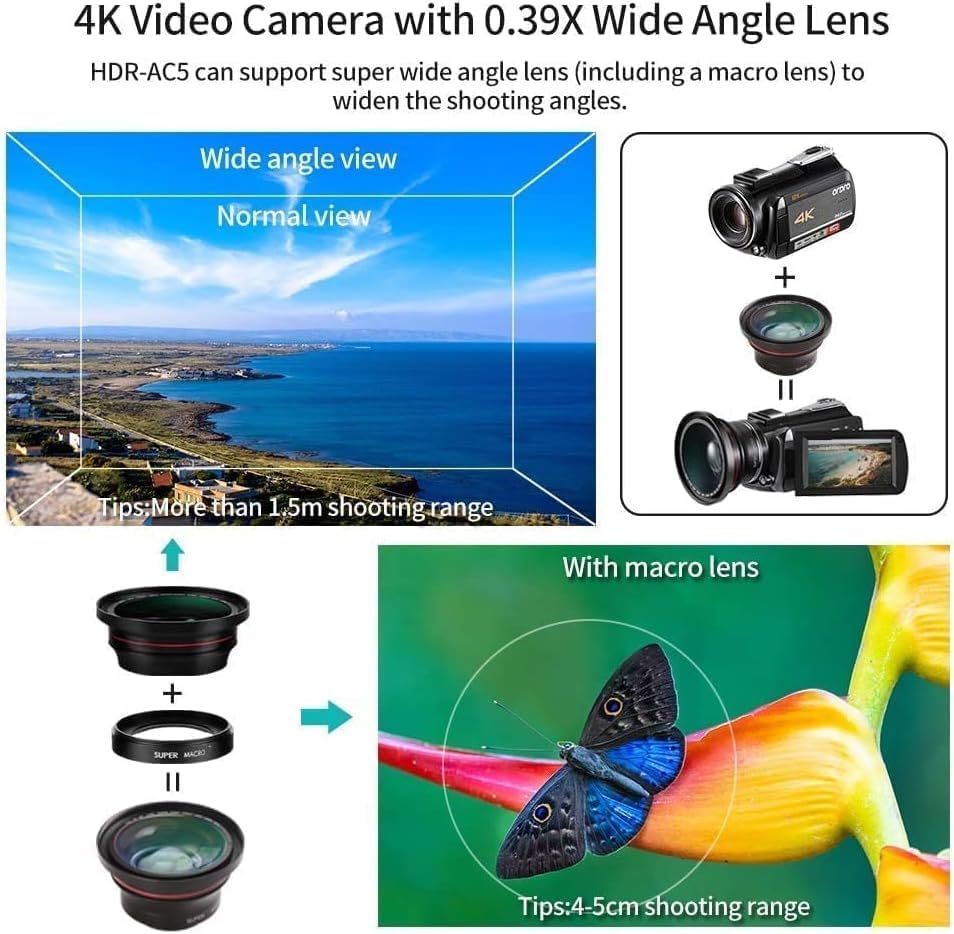
Image: Illustration of the wide-angle and macro lens attachment process, showing the expanded field of view and close-up macro capability.
Instruccions de funcionament
1. Encendre/apagar
- To power on, open the LCD screen or press the power button.
- To power off, close the LCD screen or press and hold the power button.
2. Recording Video and Photos
- Gravació de vídeo: Premeu el botó REGISTRAR button to start recording 4K video. Press again to stop.
- Captura de fotos: Premeu el botó FOTO button to take 24MP still images.
- Funció de pausa: Durant la gravació de vídeo, premeu el botó FOTO button to pause, and press again to resume recording.

Image: Visual guide for using the pause and restart functions during video recording.
3. Funcions de zoom
- Use the zoom lever to control the Zoom òptic 12X for clear magnification without pixelation.
- The camcorder also supports Zoom digital 120X for further magnification.
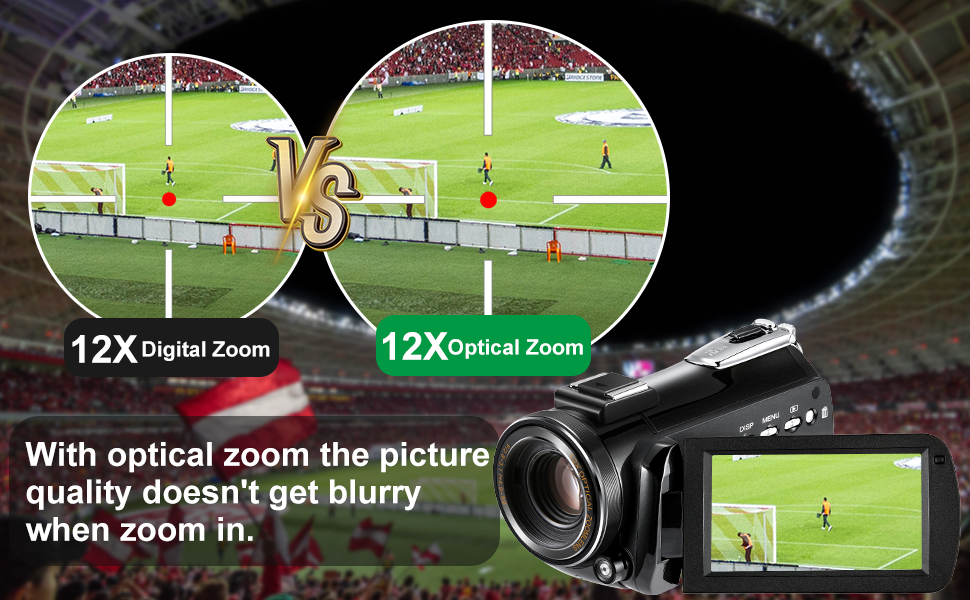
Image: A visual comparison demonstrating the clarity of 12X optical zoom versus digital zoom.
4. Funcionament de la pantalla tàctil
- The 3.1-inch IPS rotatable touch screen allows for intuitive navigation of menus and settings.
- Tap on the screen to adjust focus, change settings, or review footage.

Image: The 3.1-inch IPS touch screen in use, demonstrating its rotatable feature.
5. Transmissió en directe i WebFuncionalitat de la càmera
- Connect the camcorder to your computer via the USB cable.
- On the camcorder screen, select "PC Camera" mode.
- The camcorder will now function as a full HD webcam for platforms like Zoom, Twitch, or YouTube.

Image: The camcorder connected to a computer and TV, illustrating its use as a webcàmera per a transmissió en directe i videotrucades.

Image: A user demonstrating the camcorder's webcam functionality with a laptop.
6. Wi-Fi and Smartphone App
- Download the companion app (available for Android and iOS).
- Connecteu el vostre telèfon intel·ligent a la xarxa Wi-Fi de la càmera de vídeo.
- Use the app to control settings, start/stop recording, and transfer photos/videos for sharing on social media.
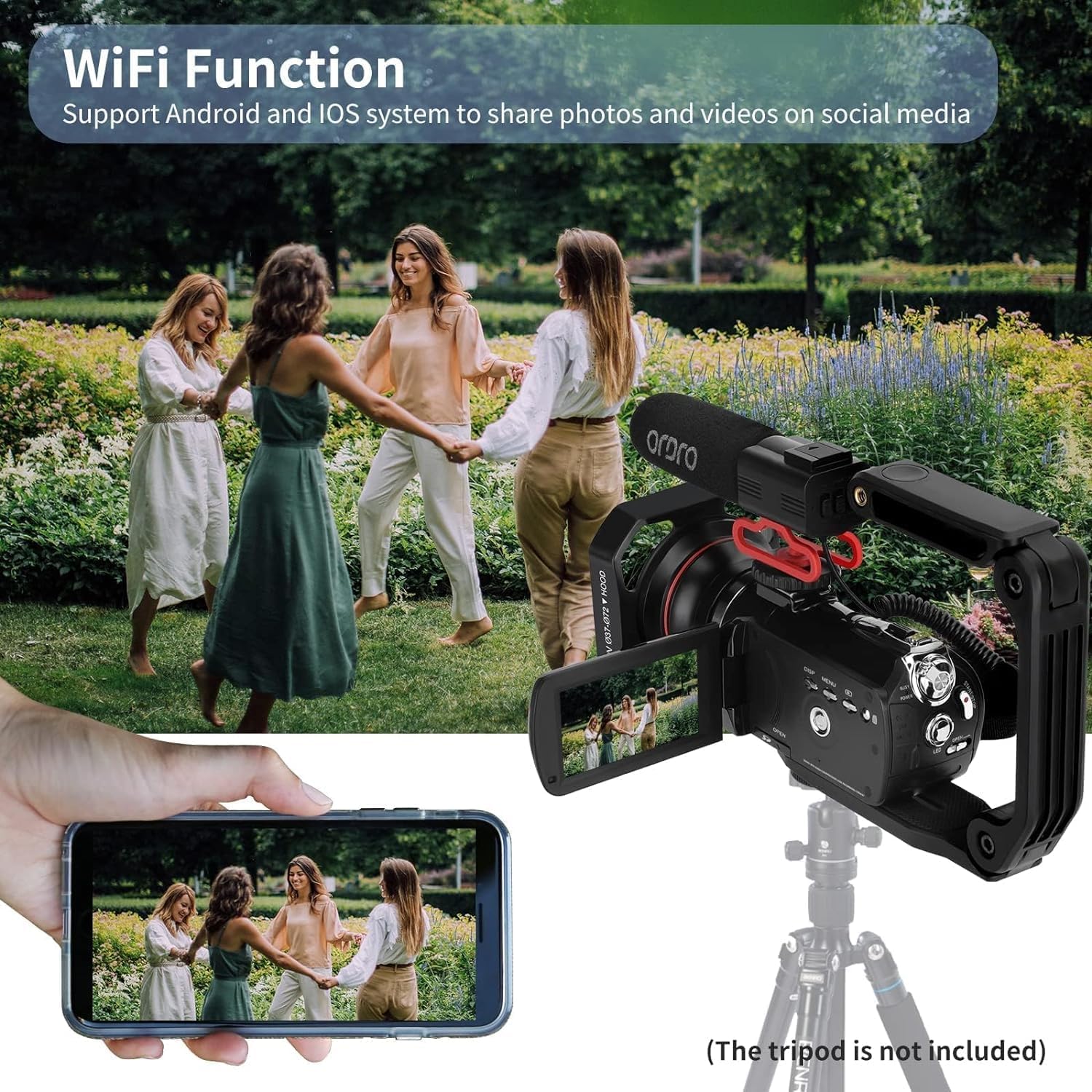
Image: The camcorder's Wi-Fi function in action, showing a smartphone mirroring the camera's display for remote control and sharing.
7. Autofocus and Smart Focus-Following
- The camcorder features automatic focus adjustment.
- Activate the focus-locking mode for one-key focus-locking and instant focusing.
- Smart focus-following helps keep subjects in focus, especially useful for vlogging.
8. Funció Time-Lapse
- Access the menu to select the time-lapse recording mode.
- Set your desired interval and duration for capturing time-lapse videos.
9. Control remot
- Use the included 7-meter IR remote control to operate the camcorder wirelessly.
- Functions include start/stop recording, zoom, and menu navigation.
10. Recording While Charging
- The camcorder supports recording while connected to an external power source via USB, ensuring uninterrupted shooting.
11. Connecting to TV or Computer
- Use the HDMI cable to connect the camcorder to a TV for viewreproducció.
- Connect via USB to a computer for file transferència o webmode de càmera.

Image: Instructions for connecting the camcorder to a TV using an HDMI cable and to a computer using a USB cable for data transfer or webús de la càmera.
Live Streaming Features Overview
Vídeo: Una projecció de vídeoasing the ORDRO AC5 Plus camcorder's features for live streaming, including setup, focus-following, remote control, and power options.
Manteniment
- Neteja: Use a soft, dry cloth to clean the camcorder body. For the lens, use a specialized lens cleaning cloth and solution. Avoid abrasive materials.
- Emmagatzematge: Store the camcorder in a cool, dry place away from direct sunlight and extreme temperatures. Remove batteries if storing for extended periods.
- Cura de la bateria: Fully charge batteries before use. Avoid overcharging or completely draining them to prolong their lifespan.
- Actualitzacions de firmware: Comproveu el del fabricant weblloc web periòdicament per a les actualitzacions de firmware disponibles per garantir un rendiment òptim.
Resolució de problemes
- La càmera de vídeo no s'encén: Ensure the battery is fully charged and correctly inserted. Try connecting to external power via USB.
- No es pot gravar: Check if an SD card is inserted and has sufficient free space. Ensure the card is not locked.
- Mala qualitat d'imatge/vídeo: Clean the lens. Check lighting conditions. Ensure focus is properly set.
- Problemes de connexió Wi-Fi: Ensure the camcorder's Wi-Fi is enabled and your smartphone is within range. Restart both devices.
- El comandament a distància no funciona: Check the remote control battery. Ensure there are no obstructions between the remote and the camcorder's IR receiver.
Especificacions
| Característica | Especificació |
|---|---|
| Marca | ORDRO |
| Nom del model | AC5 PLUS |
| Tipus de càmera de vídeo | Càmera de vídeo |
| Resolució de captura de vídeo | 3880p (4K) |
| Resolució de fixes efectius | 24 MP |
| Zoom òptic | 12x |
| Zoom digital | 120x |
| Mida de la pantalla | 3.5 Inches (3.1-inch IPS rotatable touch screen mentioned in features) |
| Tecnologia del sensor fotogràfic | CMOS |
| Tipus de memòria flash | Micro SDXC (fins a 512 GB) |
| Tecnologia de connectivitat | USB, Wi-Fi |
| Tipus d'enfocament | Enfocament automàtic |
| Estabilització d'imatge | Digital |
| Característiques | 4K Video Recording, Optical Lens, Built-In Light, Face Detection, Time Lapse |
| Poder | Calen 1 piles de 9V (incloses) |
| Color | Negre |
Garantia i Suport
ORDRO stands behind its products with a 1-year support and free replacement plan to ensure your complete satisfaction. For technical assistance, warranty claims, or product inquiries, please refer to the contact information provided in the included user manual or visit the official ORDRO weblloc.
Manufacturer: Shiliyunsheng