

1. Introducció
Thank you for choosing the AcclaFit D2 Smartwatch. This manual provides essential information for setting up, operating, and maintaining your device. Please read it carefully to ensure optimal performance and longevity of your smartwatch.
Què hi ha a la caixa
- AcclaFit D2 Smartwatch
- Corretja de rellotge
- Cable de càrrega
- Manual d'usuari
Producte acabatview
The AcclaFit D2 Smartwatch features a 1.38-inch full touch display and offers comprehensive health and fitness tracking. Key functionalities include 24/7 heart rate, blood oxygen, and blood pressure monitoring, over 120 sport modes, enhanced sleep and stress tracking, and smart connectivity for calls and notifications. It boasts a long battery life of up to 15 days on a single charge and is compatible with both Android and iOS devices.
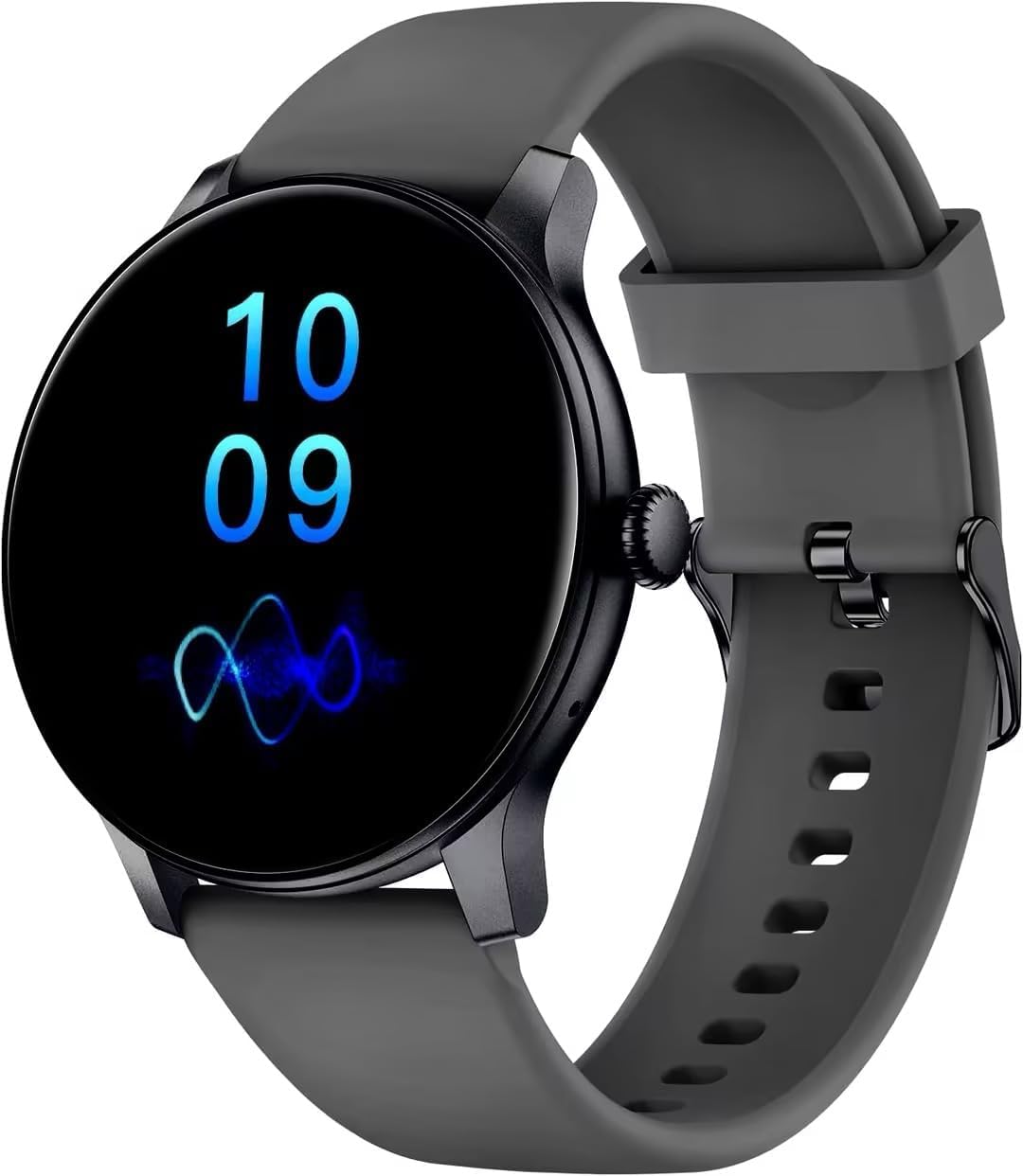
Image of the AcclaFit D2 Smartwatch in Aaric Grey, showcasing its round display and strap.
2. Primers passos
Carregant el rellotge intel·ligent
Before first use, fully charge your AcclaFit D2 Smartwatch. Connect the provided charging cable to the charging port on the back of the watch and plug the USB end into a standard USB power adapter (not included). A full charge typically provides up to 15 days of use, depending on usage patterns.
Installing the Da Fit App
- Scan the QR code in the user manual or search for "Da Fit" in your smartphone's app store (Google Play Store for Android, Apple App Store for iOS).
- Download and install the "Da Fit" application.
- Obriu l'aplicació i seguiu les instruccions a la pantalla per crear un compte o iniciar sessió.
Vinculació amb el vostre telèfon intel·ligent
- Assegureu-vos que el Bluetooth estigui habilitat al vostre telèfon intel·ligent.
- Obre l'aplicació "Da Fit".
- Navigate to the "Device" section within the app and tap "Add Device" or "Bind Device".
- Select "D2" from the list of available devices.
- Confirma la sol·licitud d'emparellament tant al teu telèfon intel·ligent com al rellotge intel·ligent.
- Once paired, the app will synchronize data with your smartwatch.
3. Smartwatch Operation
Navegació bàsica
- Llisca cap avall: Access quick settings (e.g., brightness, DND mode).
- Llisca cap amunt: View notificacions.
- Llisca cap a l'esquerra/dreta: Navega pels widgets (per exemple, dades d'activitat, freqüència cardíaca, temps).
- Toca: Seleccioneu un element o entreu en un menú.
- Premeu el botó lateral: Torna a l'esfera del rellotge o accedeix al menú principal.
Funcions de trucada
After successful Bluetooth pairing, you can make and receive calls directly from your smartwatch.
- Contestar trucades: Quan rebis una trucada, toca la icona verda a la pantalla del rellotge per respondre.
- Marcar trucades: Access the dial pad or contact list through the watch's menu to initiate a call.
Modes esportius
The AcclaFit D2 supports over 120 sport modes. Select your desired activity from the sport menu to track specific metrics such as distance, pace, calories burned, and heart rate during your workout.

Image of the AcclaFit D2 Smartwatch on a person's wrist, likely tracking a sport activity.
Vigilància de la salut
The smartwatch continuously monitors various health parameters:
- Freqüència cardíaca: Seguiment de la freqüència cardíaca en temps real durant tot el dia.
- Oxigen en sang (SpO2): Mesura els nivells de saturació d'oxigen a la sang.
- Pressió arterial: Proporciona lectures estimades de la pressió arterial.
- Monitorització del son: Fa un seguiment del sontages (profund, lleuger, REM) i durada.
- Monitorització de l'estrès: T'ajuda a entendre i gestionar els teus nivells d'estrès.

Image of the AcclaFit D2 Smartwatch on a woman's wrist, suitable for illustrating health tracking or yoga mode.
Notificacions
Receive instant notifications for messages, calls, and app alerts directly on your smartwatch. Ensure notification permissions are granted in the "Da Fit" app and your phone's settings.
4. Cura i Manteniment
Neteja del teu rellotge intel·ligent
Regularly clean your smartwatch and strap to prevent skin irritation and maintain device hygiene. Use a soft, lint-free cloth. If necessary, dampen the cloth with a small amount of water. Avoid harsh chemicals or abrasive materials.
Resistència a l'aigua (IP68)
The AcclaFit D2 Smartwatch is IP68 water-resistant, meaning it can withstand dust, dirt, and sand, and is resistant to submersion up to a maximum depth of 1.5m for up to thirty minutes. It is suitable for daily use, such as hand washing or light rain. However, it is not recommended for swimming, diving, or exposure to hot water or steam.
5. Solució De Problemes
- El rellotge intel·ligent no s'encén: Assegura't que el rellotge estigui completament carregat. Connecta'l al cable de càrrega i a una font d'alimentació durant almenys 30 minuts.
- No es pot emparellar amb el telèfon intel·ligent:
- Assegureu-vos que el Bluetooth estigui habilitat al vostre telèfon.
- Assegureu-vos que el rellotge intel·ligent estigui dins de l'abast del Bluetooth (normalment 10 metres).
- Reinicieu tant el telèfon intel·ligent com el rellotge intel·ligent.
- Clear the Bluetooth cache on your phone (Android) or forget the device and try pairing again.
- Dades de salut inexactes: Assegureu-vos de portar el rellotge ben ajustat al canell, aproximadament a l'amplada d'un dit per sobre de l'os del canell. Eviteu moviments excessius durant les mesures.
- Notificacions no rebudes:
- Check if notification permissions are enabled for the "Da Fit" app in your phone's settings.
- Ensure the "Da Fit" app is running in the background.
- Disable any power-saving modes on your phone that might restrict background app activity.
- Autonomia curta de la bateria: Reduce screen brightness, disable continuous heart rate monitoring if not needed, and limit the number of active notifications.
6. Especificacions del producte
| Marca | AcclaFit |
| Número de model | D2 |
| Color | Aaric Grey |
| Sistema operatiu | Wear OS 3.0 |
| Mida de la pantalla | 1.38 polzades |
| Connectivitat | Bluetooth |
| Característiques especials | Phone Call, Voice Call, Text Messaging, Notification, Multisport Tracker |
| Dispositius compatibles | Smartphone |
| Tipus de bateria | Ió de liti |
| Bateria recarregable | Sí |
| Capacitat de la bateria | 400 mAh |
| Capacitat d'emmagatzematge de memòria | 128 MB |
| GPS | GPS via telèfon intel·ligent |
| Forma | Ronda |
7. Garantia i Suport
Informació de la garantia
The AcclaFit D2 Smartwatch comes with a 2-year manufacturer's warranty. This warranty covers defects in materials and workmanship under normal use. It does not cover damage caused by misuse, accidents, unauthorized modifications, or normal wear and tear. Please retain your proof of purchase for warranty claims.
Atenció al client
For any questions, technical assistance, or warranty claims, please contact AcclaFit customer support through the retailer's platform or visit the official AcclaFit website for contact details. Our support team is available to assist you with any issues you may encounter.


