
1. Introducció
The KONNWEI MAXOBD OBD2 Scanner is a professional diagnostic tool designed to read and clear diagnostic trouble codes (DTCs) from your vehicle's engine control unit (ECU). It provides access to various vehicle systems, allowing users to monitor live data, perform I/M readiness tests, and retrieve vehicle information. This manual provides detailed instructions for the proper use and maintenance of your MAXOBD scanner.
2. Informació de seguretat
Before operating the MAXOBD OBD2 Scanner, please read and understand all safety messages and instructions in this manual. Failure to do so may result in personal injury or damage to the vehicle or the scanner.
- Realitzeu sempre proves d'automoció en un entorn segur.
- Utilitzeu protecció ocular que compleixi els estàndards ANSI.
- Mantingueu la roba, els cabells, les mans, les eines, els equips de prova, etc. allunyats de totes les parts del motor en moviment o calentes.
- Manejar el vehicle en una zona de treball ben ventilada; els gasos d'escapament són verinosos.
- Posa la transmissió a PARK (per a la transmissió automàtica) o NEUTRE (per a la transmissió manual) i assegureu-vos que el fre d'estacionament estigui activat.
- Keep a fire extinguisher suitable for gasoline/electrical fires nearby.
- No connecteu ni desconnecteu cap equip de prova mentre l'encesa estigui activada o el motor estigui en marxa.
3. Producte acabatview
The MAXOBD scanner features a clear display and intuitive button layout for easy navigation and operation. It connects directly to your vehicle's OBD-II port to retrieve diagnostic information.
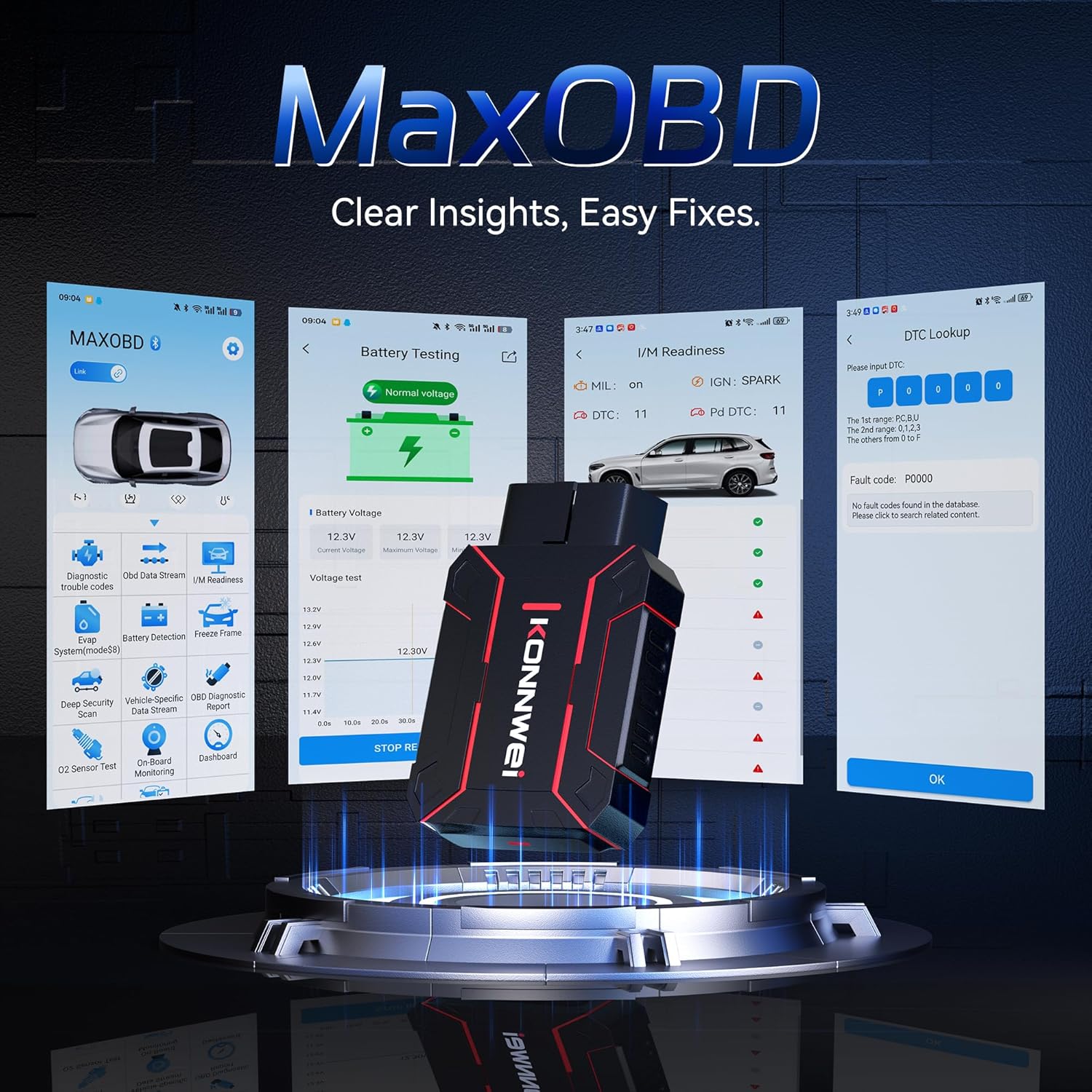
Image: The KONNWEI MAXOBD OBD2 Scanner device, illustrating its physical form and various diagnostic screen interfaces such as battery testing, I/M readiness, and DTC lookup.
Components clau:
- Connector OBD-II: Connects to the vehicle's Data Link Connector (DLC).
- Pantalla LCD: Mostra els resultats de les proves i les opcions del menú.
- Botons de navegació: Serveix per desplaçar-se pels menús i seleccionar opcions.
- Enter/Exit Buttons: Confirm selections or return to previous screens.
4. Configuració
Follow these steps to set up your MAXOBD OBD2 Scanner:
- Locate the Vehicle's OBD-II Port: The 16-pin Data Link Connector (DLC) is usually located under the dashboard on the driver's side of the vehicle. Refer to your vehicle's service manual for the exact location if you cannot find it.
- Connecteu l'escàner: Plug the MAXOBD scanner's OBD-II connector firmly into the vehicle's DLC. Ensure a secure connection.
- Encès: Once connected, the scanner will automatically power on. If it does not, turn the vehicle's ignition to the 'ON' position (engine off).
5. Instruccions de funcionament
The MAXOBD scanner offers various diagnostic functions. Use the navigation buttons to move through menus and the Enter button to select options.

Image: A visual representation of a vehicle highlighting various systems (Engine, ABS, SAS, SRS, DPF, TPMS) that the MAXOBD scanner can perform a full system scan on.
Funcions del menú principal:
- Llegir codis: Retrieves Diagnostic Trouble Codes (DTCs) from the vehicle's ECU. These codes indicate specific issues detected by the vehicle's onboard diagnostic system.
- Esborra codis: Clears all DTCs from the vehicle's ECU and turns off the Malfunction Indicator Lamp (MIL). Assegureu-vos que el problema subjacent s'hagi resolt abans d'esborrar els codis.
- Preparació I/M: Checks the status of emission-related monitoring systems to determine if they are ready for an emissions test.
- Flux de dades: Displays real-time operational parameters from the vehicle's sensors and components. This can include engine RPM, vehicle speed, oxygen sensor readings, and more.
- Congelar fotograma: Captures a snapshot of sensor data at the moment a DTC was set. This data can help identify the conditions under which a fault occurred.
- Prova del sensor d'O2: Retrieves O2 sensor monitoring test results for the most recently completed tests from the vehicle's onboard computer.
- Prova del monitor integrat: Recupera resultats per a components i sistemes de transmissió relacionats amb les emissions que no es controlen contínuament.
- Prova del sistema EVAP: Inicia una prova de fuites per al sistema de control d'emissions evaporatives del vehicle.
- Informació del vehicle: Mostra el número d'identificació del vehicle (VIN), l'ID de calibratge (CALID) i el número de verificació de calibratge (CVN).
Performing a Diagnostic Scan:
- Connect the scanner to the vehicle's DLC and turn the ignition to 'ON'.
- From the main menu, select 'Read Codes' and press Enter.
- L'escàner es comunicarà amb el vehicle i mostrarà tots els DTC detectats.
- Use the navigation buttons to scroll through the codes and their descriptions.
- To clear codes, return to the main menu, select 'Erase Codes', and confirm.
6. Manteniment
Proper maintenance ensures the longevity and reliable operation of your MAXOBD scanner.
- Neteja: Utilitzeu un suau, damp cloth to clean the scanner's exterior. Do not use abrasive cleaners or solvents.
- Emmagatzematge: Store the scanner in a dry, clean environment away from extreme temperatures and direct sunlight. Keep it in its original packaging or a protective case when not in use.
- Actualitzacions de programari: Consulteu periòdicament el registre oficial de KONNWEI website for available software updates to ensure your scanner has the latest vehicle compatibility and features. Follow the instructions provided on the website for updating the device.
7. Solució De Problemes
If you encounter issues with your MAXOBD scanner, refer to the following common problems and solutions:
| Problema | Causa possible | Solució |
|---|---|---|
| L'escàner no s'encén. | Loose connection; vehicle ignition off; faulty OBD-II port. | Ensure the scanner is securely plugged into the DLC. Turn vehicle ignition to 'ON'. Test on another vehicle if possible. |
| Missatge "Error d'enllaç" o "Error de comunicació". | Loose connection; vehicle not OBD-II compliant; ignition off; communication protocol issue. | Verify connection. Ensure vehicle is OBD-II compliant (most vehicles 1996 and newer). Turn ignition to 'ON'. Try a different vehicle if available. |
| La pantalla està en blanc o congelada. | Software glitch; power interruption. | Disconnect and reconnect the scanner. If the issue persists, contact customer support. |
If the problem persists after attempting these solutions, please contact KONNWEI customer support for further assistance.
8. Especificacions
- Marca: KONNWEI
- Model: maxobdTM
- Font d'alimentació: Battery Powered (via OBD-II port)
- Sistema operatiu: Linux
- Mida de la pantalla: 2.8 polzades
- Tipus d'ajust per a automòbils: Universal Fit (for OBD-II compliant vehicles)
- Dimensions del paquet: 10.04 x 7.28 x 2.76 polzades
9. Garantia i Suport
KONNWEI products are designed for reliability and performance. For warranty information, please refer to the documentation included with your purchase or visit the official KONNWEI website. For technical support, troubleshooting assistance, or any other inquiries, please contact KONNWEI customer service through their official channels.
KONNWEI Official Weblloc: Visita la botiga KONNWEI a Amazon