
1. Introducció
This manual provides detailed instructions for the CallToU TY01WH WiFi Wireless Caregiver Pager and 2-Way Intercom Bundle. This system is designed to facilitate communication and monitoring within homes, care facilities, and other environments. It combines a wireless caregiver alert system with a long-range two-way intercom for comprehensive coverage.
2. Producte acabatview
The CallToU TY01WH bundle includes a wireless caregiver pager system and a two-way intercom system. The caregiver pager system features a wearable call button and a Wi-Fi enabled receiver that sends alerts to a mobile application. The two-way intercom system allows for direct voice communication over long distances.
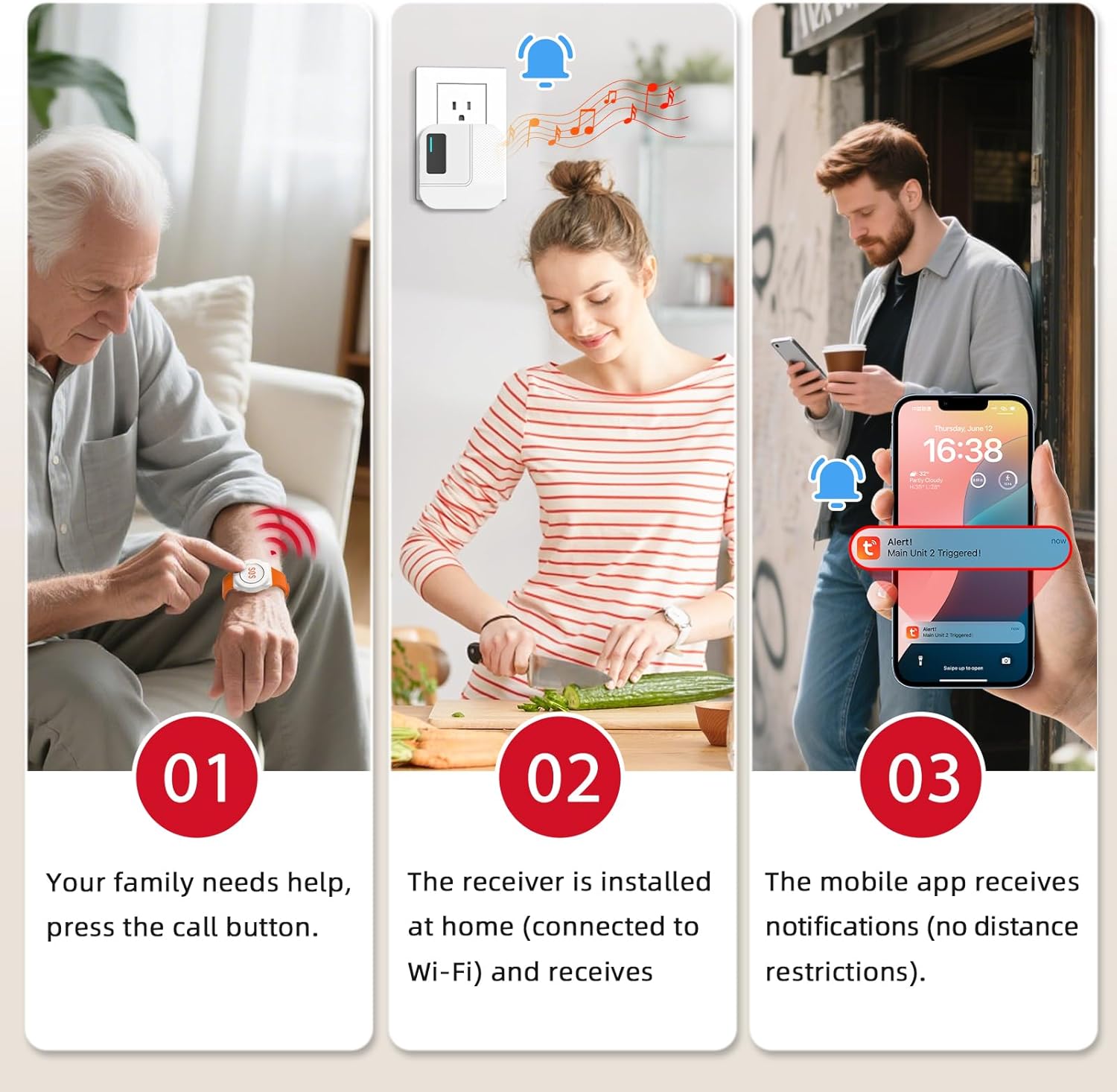
Figure 2.1: System Functionality Overview
This image illustrates the three main steps of the CallToU caregiver alert system. Step 1 shows an elderly person pressing a wearable call button. Step 2 shows the receiver unit plugged into a wall outlet, emitting an alert sound. Step 3 shows a smartphone displaying a notification from the mobile app, indicating an alert has been triggered.

Figure 2.2: System Components and Remote Monitoring
This image displays the CallToU system components: a wearable call button, a receiver unit, and a two-way intercom unit. It also shows a map of the United States with alert notifications appearing on a smartphone, emphasizing remote monitoring capabilities via 2.4GHz Wi-Fi. The image indicates a range of 100m/328ft for the pager and 60m for the intercom within a home setting, and a Wi-Fi range of less than 10m from the router.
3. Configuració
3.1. Caregiver Pager System Setup
- Col·locació del receptor: Plug the wireless receiver into a standard wall outlet in a central location within your home. For optimal performance and mobile app notifications, ensure the receiver is placed close to your 2.4GHz Wi-Fi router.
- Connexió Wi-Fi: Connect the receiver to your home's 2.4GHz Wi-Fi network. Note: The system only supports 2.4GHz Wi-Fi; 5G networks are not compatible. Refer to the separate quick start guide for detailed Wi-Fi pairing instructions via the mobile application.
- Instal·lació d'aplicacions mòbils: Download and install the CallToU mobile application on your smartphone. Follow the in-app instructions to register an account and add your receiver device.
- Pager Pairing: The wearable call button is typically pre-paired with the receiver. If re-pairing is necessary, consult the quick start guide for specific steps.

Figure 3.1: Optimal Receiver Placement
This image demonstrates the 328ft/100m working range of the caregiver pager system within a home environment. It shows the receiver unit plugged into an outlet, with the call button being used from various rooms. A smartphone displays an alert notification, and a note advises placing the pager's receiver close to the Wi-Fi router for optimal performance.
3.2. 2-Way Intercom System Setup
- Càrrega: Ensure both intercom units are fully charged before first use.
- Encès/apagat: Press and hold the power button on each intercom unit to turn them on or off.
- Selecció de canals: If your intercoms have multiple channels, select the same channel on both units to enable communication. Refer to the intercom's specific instructions for channel adjustment.
4. Instruccions de funcionament
4.1. Using the Caregiver Pager System
- Initiating an Alert: To send an alert, press the call button on the wearable pager.
- Recepció d'alertes:
- The wireless receiver will emit an audible alert sound.
- Your mobile application will receive a notification on your smartphone, regardless of your location, as long as the receiver is connected to Wi-Fi and your phone has internet access.
- Rang del sistema: The caregiver pager system operates effectively up to 328ft (100m) from the receiver, even through walls and doors.
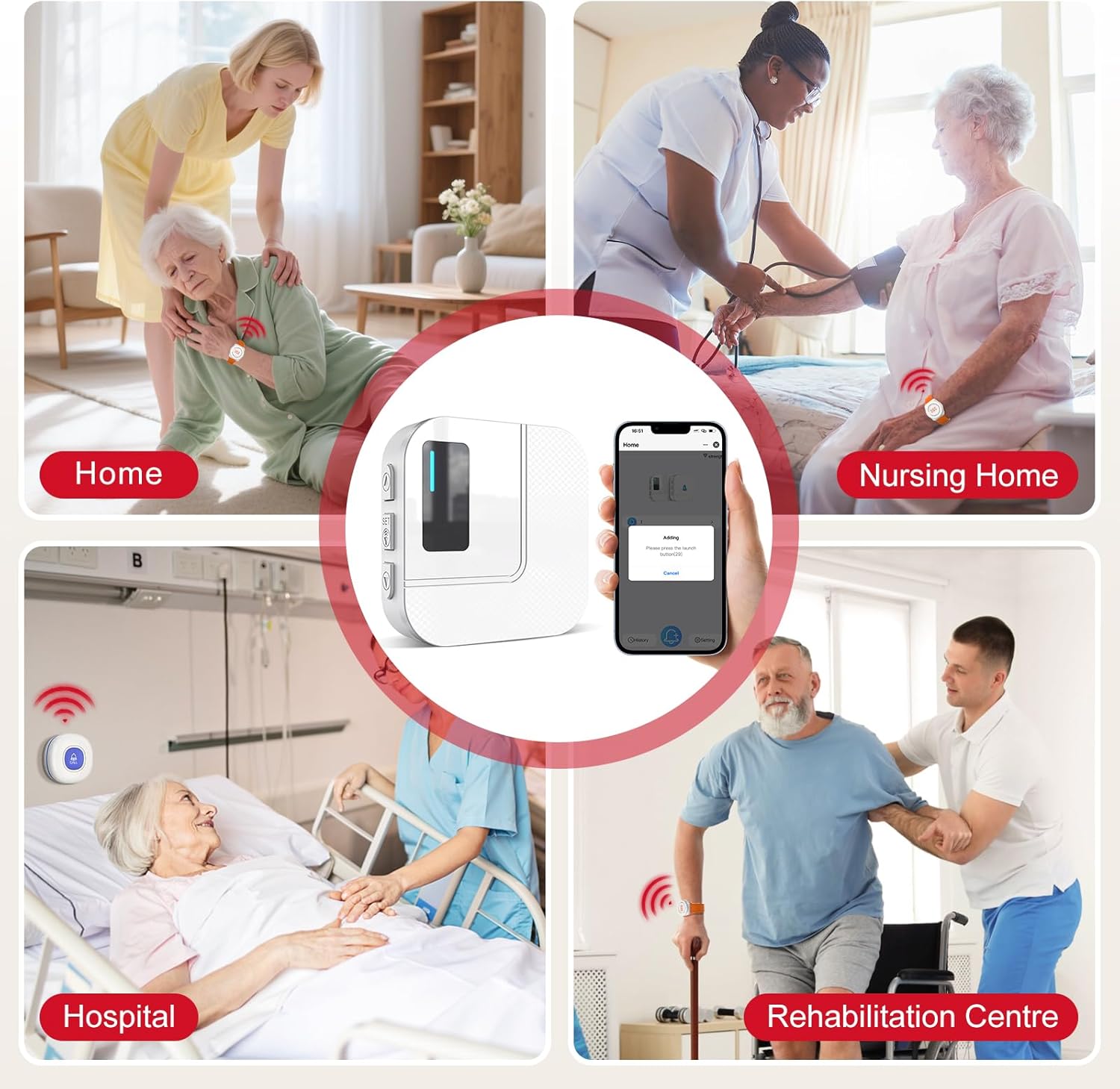
Figure 4.1: Versatile Application Scenarios
This image showcases various application scenarios for the CallToU caregiver pager system, including use in a home, nursing home, hospital, and rehabilitation center. It emphasizes the system's versatility in different caregiving environments, with the receiver and app notification central to the setup.
4.2. Using the 2-Way Intercom System
- Comunicació: To speak, press and hold the Push-to-Talk (PTT) button on your intercom unit. Release the button to listen.
- Ajust de volum: Use the volume controls on the intercom unit to adjust the listening volume.
- Rang del sistema: The two-way intercom system provides clear communication up to 3300ft (approximately 1000m) in open areas, making it suitable for large properties.
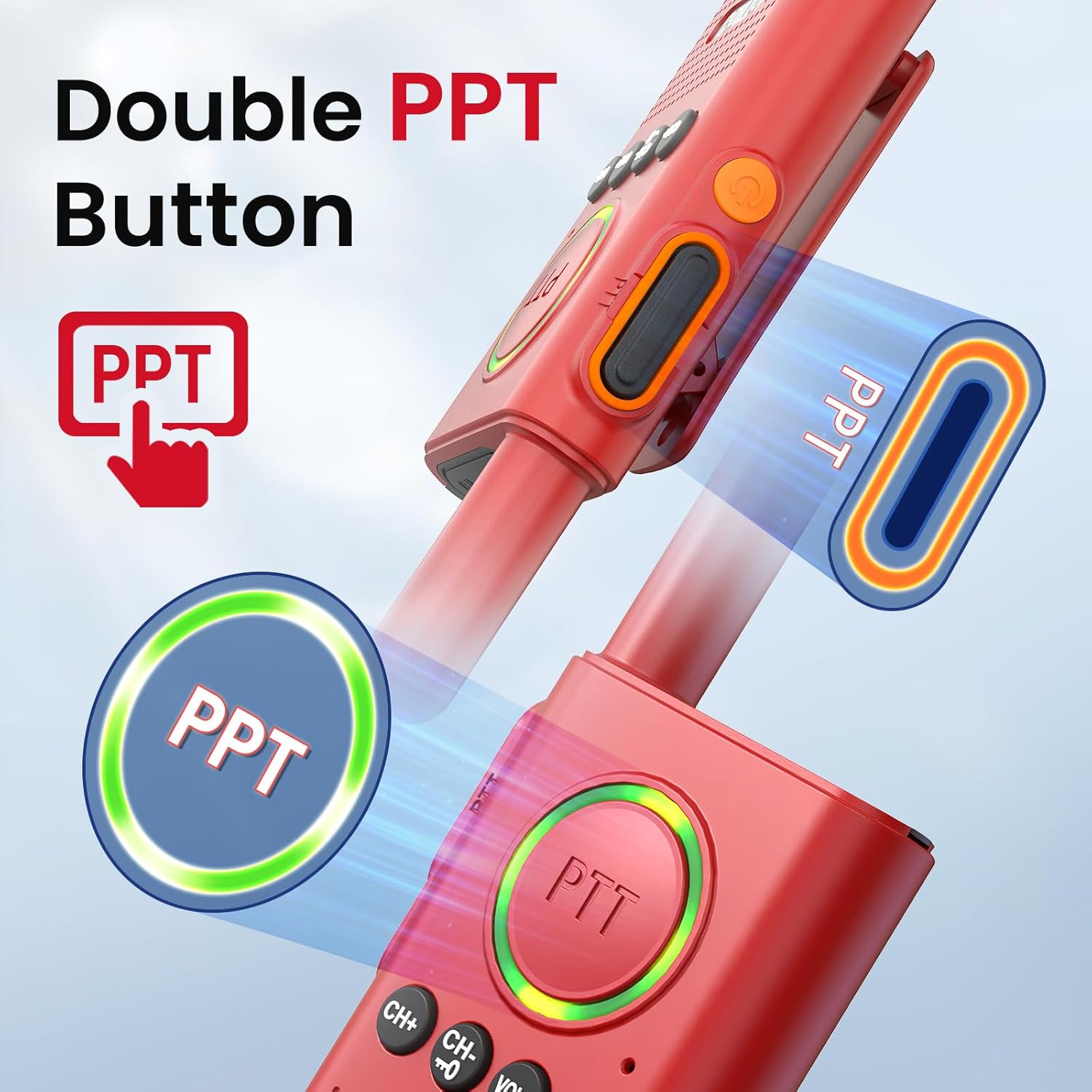
Figure 4.2: Push-to-Talk (PTT) Button
Aquesta imatge ofereix un primer pla view of the CallToU two-way intercom unit, specifically highlighting the 'Double PTT Button' (Push-to-Talk). It shows the button being pressed, indicating its function for initiating communication.

Figure 4.3: Long-Range Intercom Communication
This image illustrates the long-range capability of the two-way intercom system, extending up to 3300ft. It depicts two individuals communicating using the intercom units across a large multi-story house, highlighting its effectiveness for communication over significant distances.

Figure 4.4: Enhanced Communication Efficiency
This image contrasts traditional shouting for communication with the efficient use of the two-way intercom. The left side shows a person shouting 'Dinner's ready!' up a staircase, while the right side shows a person calmly communicating the same message using the CallToU intercom in a kitchen setting.
4.3. Notification Options and Subscriptions
The CallToU system offers various notification methods, some of which may require a subscription.

Figure 4.5: Notification Services and Subscription Details
This table outlines the notification options for the CallToU system, differentiating between free and subscription-based services. It details features like receiver ringtone notifications, Tuya APP notifications, SMS notifications, and phone call notifications, along with their associated costs for subscription plans.
5. Manteniment
- Neteja: Netegeu els dispositius amb un drap suau i sec. No utilitzeu productes de neteja abrasius ni dissolvents.
- Cura de la bateria: For intercom units and wearable pagers, ensure batteries are charged regularly or replaced as needed.
- Actualitzacions de firmware: Periodically check the mobile application for any available firmware updates for the receiver to ensure optimal performance and security.
6. Solució De Problemes
- No Receiver Alert:
- Assegureu-vos que el receptor estigui connectat a una presa de corrent que funcioni.
- Verify the pager button is within the 328ft (100m) range of the receiver.
- Check if the pager is properly paired with the receiver.
- No Mobile App Notifications:
- Confirm the receiver is connected to a 2.4GHz Wi-Fi network.
- Assegureu-vos que el vostre telèfon intel·ligent tingui una connexió a Internet activa.
- Check app notification settings on your phone and within the CallToU application.
- Verify the receiver is placed close to the Wi-Fi router.
- Intercom Communication Issues:
- Ensure both intercom units are powered on and fully charged.
- Verify both units are set to the same channel.
- Check if units are within the 3300ft range. Obstructions can reduce range.
- Ensure the PTT button is pressed correctly when speaking.
7. Especificacions
| Característica | Especificació |
|---|---|
| Model | TY01WH |
| Caregiver Pager Frequency | 433 MHz |
| Caregiver Pager Range | Fins a 328 peus (100 m) |
| Gamma d'intercomunicació | Fins a 3300 peus (1000 m) |
| Connectivitat Wi-Fi | 2.4GHz only (not compatible with 5G) |
| Aplicació mòbil | CallToU App (available for iOS/Android) |
8. Garantia i assistència
For warranty information, technical support, or further assistance, please refer to the contact information provided with your product packaging or visit the official CallToU website. Our customer service team is available to help with any questions or issues you may encounter.