
1. Introducció
The Beelink MINI S13 Mini PC is a compact and efficient desktop computer designed for a variety of uses, including office work, home entertainment, online education, and industrial applications. Powered by an Intel Twin Lake N150 processor, it offers smooth performance for everyday tasks and supports dual 4K display output.
2. Contingut del paquet
Si us plau, verifiqueu que tots els elements siguin presents al paquet:
- 1 x Beelink Mini PC
- 1 x adaptador de corrent
- 1 x VESA Mount & Screws
- 1 x Manual d'usuari
- 1 x cable HDMI

Figure 2.1: Included accessories for the Beelink MINI S13 Mini PC, showing the Mini PC, power adapter, VESA mount, user manual, and HDMI cables.
3. Producte acabatview
3.1 Característiques clau
- Processador: Intel Twin Lake 4-Cores N150 (up to 3.6GHz)
- Memòria: 12GB LPDDR5 RAM
- Emmagatzematge: 500GB M.2 SATA SSD, configurable up to 4TB storage with optional 2.5-inch drive.
- Visualització: Dual HDMI 4K 60Hz output for ultra-high definition visuals.
- Connectivitat: 2.5G Ethernet, WiFi 6 (802.11ax) Dual Band 2.4 & 5GHz, Bluetooth 5.2.
- Sistema operatiu: Windows 11 Home.
- Funcions addicionals: Wake On LAN, PXE Boot, RTC Wake, Auto Power On.
3.2 Ports i interfícies
The Beelink MINI S13 Mini PC is equipped with a variety of ports for versatile connectivity:
- 4 x USB 3.2 Gen2 (10Gbps) ports
- 2 x HDMI 4K 60Hz ports
- 1 x RJ45 2.5G LAN port
- 1 x presa d'àudio
- 1 x DC Jack (Power Input)
- 1 x RTC Key (Clear CMOS)
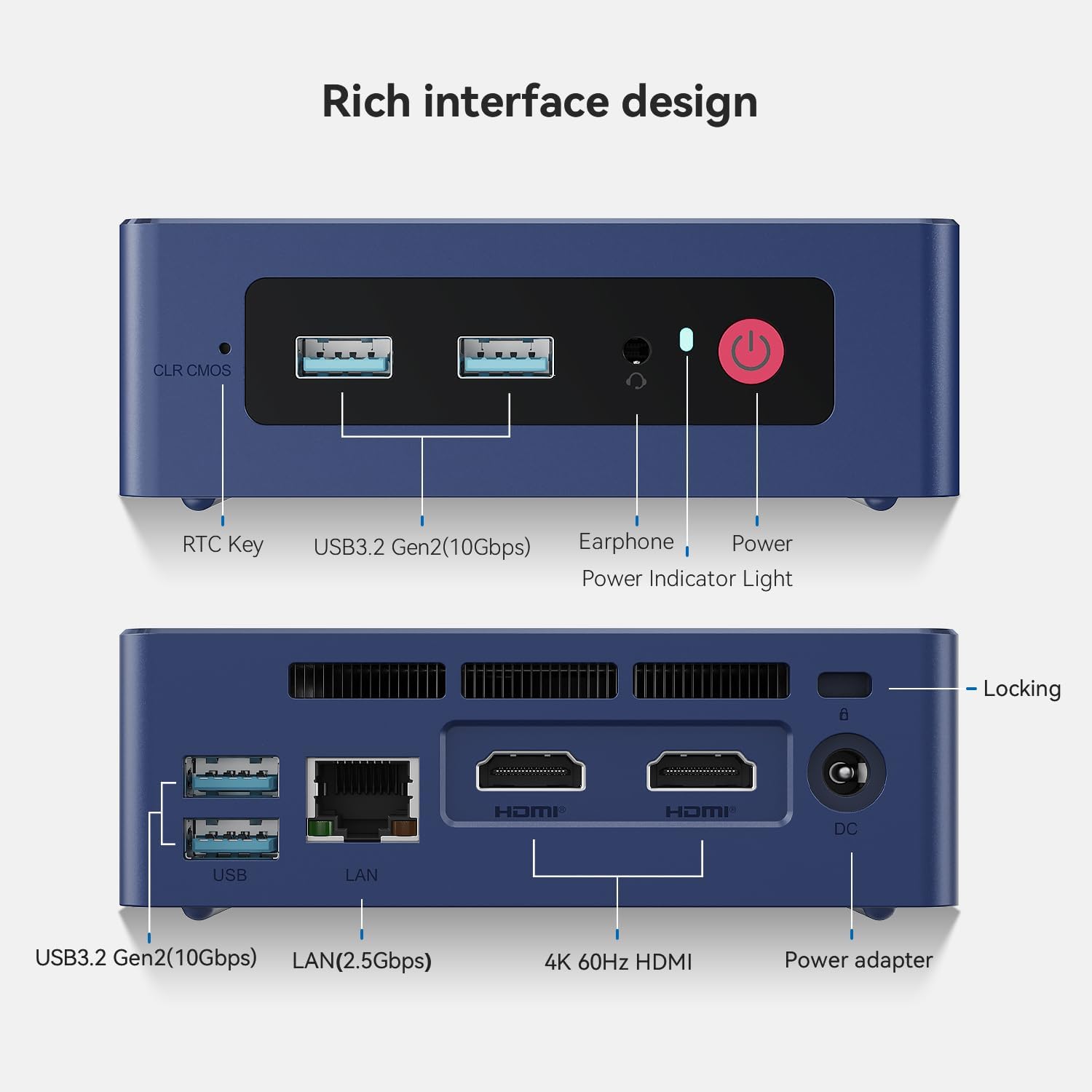
Figura 3.1: Detallada view of the front and rear ports on the Beelink MINI S13 Mini PC, including USB, HDMI, LAN, and audio jacks.
3.3 Components interns anteriorsview
The internal design of the MINI S13 includes efficient cooling and accessible storage options.
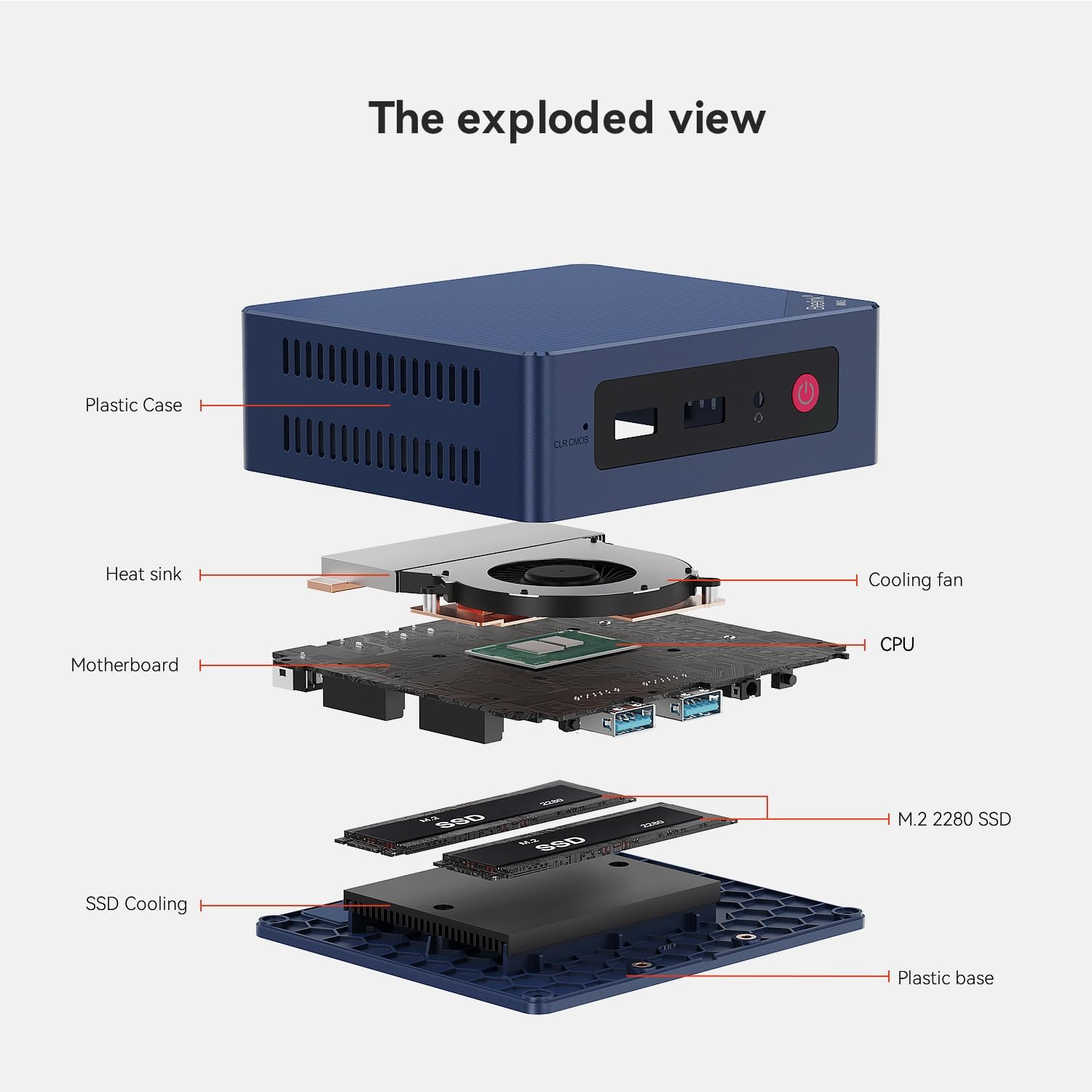
Figura 3.2: Explotat view of the Beelink MINI S13 Mini PC, showing the plastic case, heat sink, cooling fan, motherboard, CPU, M.2 2280 SSD, SSD cooling, and plastic base.
4. Instruccions de configuració
4.1 Configuració inicial
- Connect your monitor(s) to the HDMI ports on the back of the Mini PC.
- Connecteu un teclat i un ratolí als ports USB disponibles.
- Connect the power adapter to the DC Jack on the Mini PC and then to a power outlet.
- Premeu el botó d'engegada a la part frontal del Mini PC per engegar-lo.
- Follow the on-screen instructions to complete the Windows 11 Home setup, including network configuration and user account creation.
4.2 Hardware Installation (SSD/RAM)
The Beelink MINI S13 allows for easy installation of an additional 2.5-inch SATA SSD for expanded storage. The following video demonstrates the process:
Video 4.1: This video provides a detailed tutorial on how to replace or install an SSD in your Beelink Mini PC, including opening the casing and connecting the drive.
5. Instruccions de funcionament
The Beelink MINI S13 is designed for smooth and efficient operation across various applications. It supports dual 4K displays for enhanced productivity and is compatible with multiple operating systems.
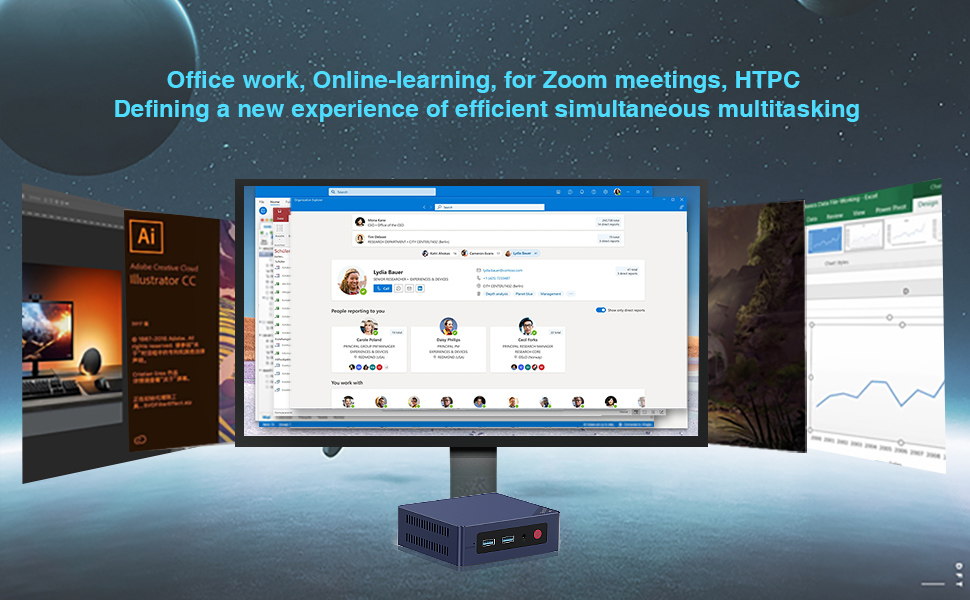
Figure 5.1: The Beelink MINI S13 is suitable for office work, online learning, Zoom meetings, and HTPC use, offering efficient simultaneous multitasking.

Figure 5.2: The Beelink MINI S13 supports various operating systems including Windows 11 Pro, Windows 10 Pro, Ubuntu, Debian, and CentOS.
6. Manteniment
To ensure optimal performance and longevity of your Beelink MINI S13 Mini PC, regular maintenance is recommended.
6.1 Cooling and Ventilation
The MINI S13 features an efficient cooling fan and heat sink design to prevent overheating. Ensure proper airflow around the device and keep ventilation openings clear of obstructions.
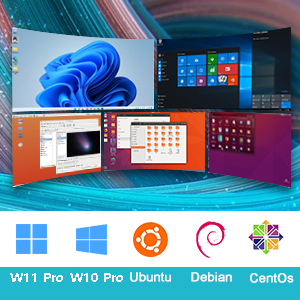
Figure 6.1: Illustration of the new airflow design (MSC2.0) in the Beelink Mini PC, highlighting its efficient heat dissipation.
6.2 Storage and Memory Upgrades
For storage expansion or replacement, refer to the 'Hardware Installation (SSD/RAM)' section (4.2) for detailed instructions on accessing and installing components.
7. Solució De Problemes
If you encounter issues with your Beelink MINI S13 Mini PC, please try the following basic troubleshooting steps:
- Sense energia: Ensure the power adapter is securely connected to both the Mini PC and a working power outlet. Try a different outlet.
- Sense pantalla: Check that the HDMI cables are firmly connected to both the Mini PC and the monitor. Try a different HDMI port or cable. Ensure the monitor is set to the correct input source.
- Problemes perifèrics: If a keyboard, mouse, or other USB device is not working, try connecting it to a different USB port. Ensure drivers are up to date if necessary.
- Rendiment lent: Close unnecessary applications. Check for background updates. Ensure adequate ventilation to prevent thermal throttling.
- Connectivitat de xarxa: For wired connections, ensure the Ethernet cable is properly connected. For Wi-Fi, verify the network password and signal strength.
Per a problemes més complexos, consulteu la secció d'assistència o poseu-vos en contacte amb el servei d'atenció al client.
8. Especificacions
Detailed technical specifications for the Beelink MINI S13 Mini PC:
| Característica | Especificació |
|---|---|
| Marca | Beelink |
| Sistema operatiu | OS (Windows 11 Home) |
| Model de CPU | Intel N150 |
| Velocitat de la CPU | 3.6 GHz |
| Descripció de la targeta gràfica | Integrat (gràfics Intel UHD) |
| Mida instal·lada de la memòria RAM | 12 GB |
| Tecnologia de memòria RAM | LPDDR5 |
| Descripció del disc dur | SSD |
| Interfície del maquinari | Ethernet, HDMI, USB |
| Pes de l'article | 0.69 quilos |
| Ports USB totals | 4 |
| Total Number of HDMI Ports | 2 |
| Resolució de pantalla màxima | 3840 x 2160 @ 60Hz |
| Tecnologia de connectivitat | Ethernet, HDMI, Wi-Fi |
9. Garantia i Suport
Beelink is committed to providing excellent customer service and support for your Mini PC.
9.1 Informació de la garantia
All Beelink Mini PCs undergo strict inspection before shipping. This product comes with a 3 any de garantia.
9.2 Atenció al client
We offer lifetime technical support and 24/7 after-sales service. If you have any questions or require assistance, please do not hesitate to contact us.
Video 9.1: This video explains how to contact Beelink customer support for any inquiries or assistance with your product.