
Vonztek BT783BJ-DG
Vonztek Wireless Headset BT783BJ-DG Instruction Manual
Model: BT783BJ-DG | Brand: Vonztek
Introducció
This manual provides detailed instructions for the Vonztek Wireless Headset BT783BJ-DG. Please read this guide thoroughly before using the headset to ensure proper operation and to maximize its features. This headset is designed for clear communication and audio playback in various environments, including office, remote work, and personal use.
Què hi ha a la caixa
- Wireless Headset ×1
- Manual d'usuari × 1
- Cable de càrrega tipus C × 1
- USB Dongle ×1
Producte acabatview
The Vonztek Wireless Headset BT783BJ-DG features a lightweight design with a flexible, rotatable microphone and comfortable ear cushions. It includes a USB dongle for plug-and-play compatibility with devices without built-in Bluetooth.

Image: The Vonztek Wireless Headset BT783BJ-DG in Champagne Gold & White, showcasinel seu disseny i components.

Image: The Vonztek Wireless Headset alongside its USB dongle, highlighting its wireless capabilities.
Configuració
1. Connexió Bluetooth
- Assegureu-vos que els auriculars estiguin carregats.
- Power on the headset by pressing and holding the power button until the LED indicator flashes blue and red, indicating pairing mode.
- Al dispositiu (telèfon intel·ligent, tauleta, ordinador portàtil), aneu a la configuració de Bluetooth i activeu-lo.
- Cerca available devices and select "BT783BJ-DG" from the list.
- Once connected, the LED indicator on the headset will show a solid blue light.
Nota: If your computer does not have built-in Bluetooth or you experience connection issues, use the provided USB dongle.
2. Connexió de dongle USB (per a PC/portàtil)
- Connecteu el dongle USB a un port USB disponible de l'ordinador.
- Power on the headset. The headset and dongle will automatically pair.
- The LED on the dongle will turn solid blue once paired.
- On your computer's sound settings, ensure "BT783BJ-DG Dongle" is selected as the input and output device.

Image: Diagram illustrating PC connection settings for both Bluetooth and USB dongle, including steps for sound device selection.
Instruccions de funcionament
The headset features intuitive controls for various functions.
Controls acabatsview
- Botó d'encesa: Press and hold to power on/off. Short press to answer/end calls.
- Pujar/baixar el volum: Ajusta el volum de l'àudio.
- Botó de silenci del micròfon: Located on the microphone boom, press to mute/unmute the microphone during calls.
- Botó multifunció: (Often combined with power button or a separate button) May activate voice assistant (Siri/Google Assistant) with a long press.
Vinculació de dos dispositius
The headset supports simultaneous connection to two Bluetooth devices (e.g., a smartphone and a computer). This allows for seamless switching between calls on your phone and audio on your computer.
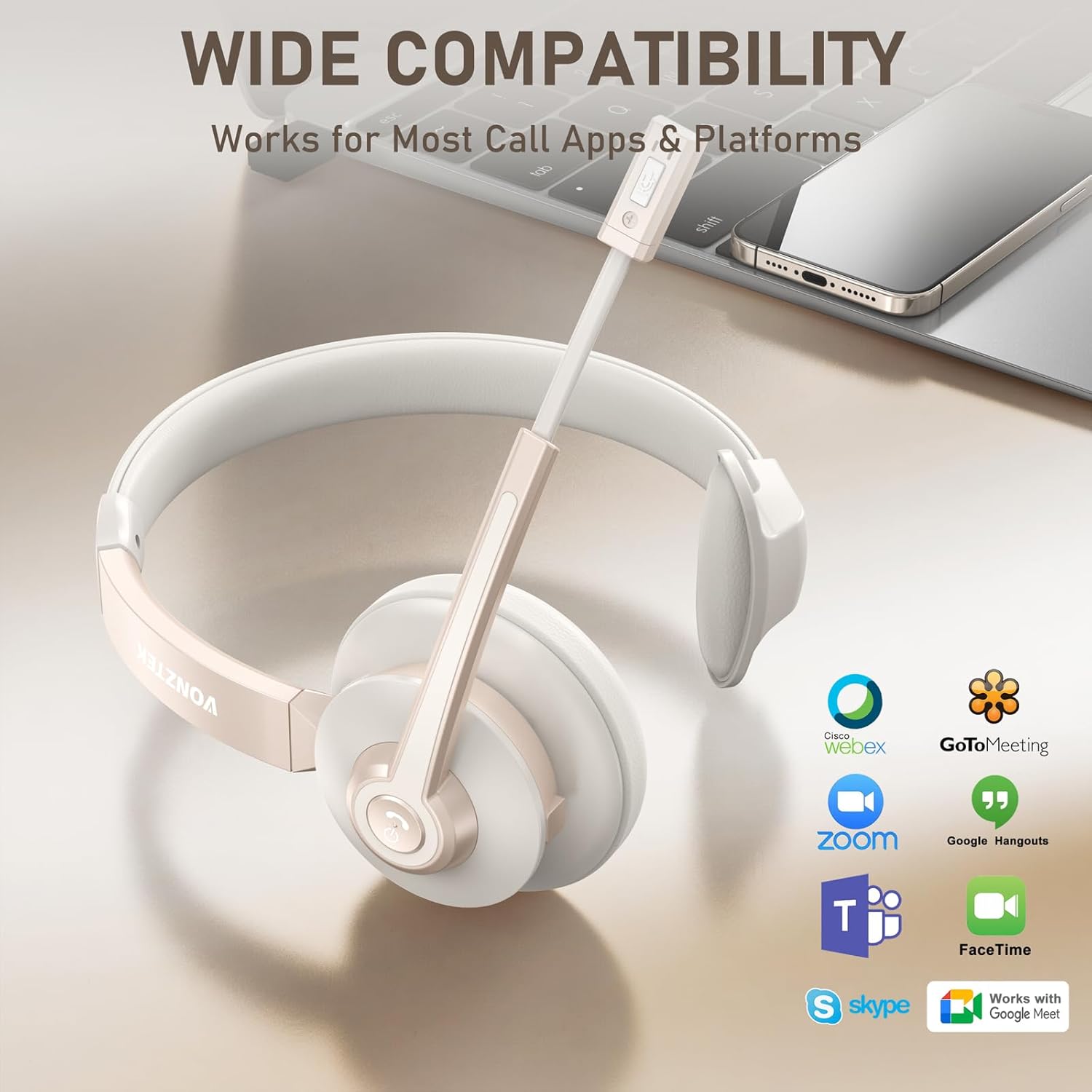
Image: Illustration of the headset connected to both a laptop and a smartphone, demonstrating dual device connectivity. Music playback is limited to one device, but calls can be managed from both.
Nota: While connected to two devices, music can typically only be played from one device at a time. However, you can pick up or dial calls from either connected device.
Ajust del micròfon
The 270° rotatable noise-canceling microphone can be positioned on either your left or right ear for optimal voice pickup. Adjust the boom arm to bring the microphone close to your mouth for the best audio clarity.

Imatge: Un primer pla view of the headset demonstrating the 270-degree rotation of the microphone boom, allowing it to be worn on either ear.
Carregant
To charge the headset, connect the included Type-C cable to the charging port on the headset and the other end to a USB power source (e.g., computer USB port, wall adapter). The LED indicator will show charging status.
- Temps de càrrega: Aproximadament 2 hores per a una càrrega completa.
- Temps de conversa: Fins a 26 hores amb una sola càrrega.
- Temps d'espera: Fins a 210 hores.

Image: Graphic illustrating the battery life of the Vonztek headset, showing 2 hours of charge time for 26 hours of talk time and 210 hours of standby time.
Manteniment
- Netegeu els auriculars regularment amb un drap suau i sec.
- Eviteu exposar els auriculars a temperatures extremes, humitat o llum solar directa.
- Do not attempt to disassemble or modify the headset, as this will void the warranty.
- Guardeu els auriculars en un lloc fresc i sec quan no els feu servir.
Resolució de problemes
| Problema | Solució |
|---|---|
| Els auriculars no s'encén. | Assegureu-vos que els auriculars estiguin completament carregats. Connecteu-los a una font d'alimentació amb el cable tipus C. |
| No es pot emparellar amb un dispositiu. |
|
| No hi ha so o hi ha mala qualitat de so. |
|
| El micròfon no funciona. |
|
Especificacions
| Característica | Detall |
|---|---|
| Nom del model | BT783BJ-DG |
| Tecnologia de connectivitat | Sense fil (Bluetooth 5.0) |
| Versió Bluetooth | 5.0 |
| Interval Bluetooth | Up to 49 Feet (approx. 15 meters) |
| Control de soroll | Environmental Noise Cancellation (AI-powered) |
| Micròfon | 270° Rotatable, Noise-Cancelling |
| Durada de la bateria (temps de conversa) | Fins a 26 hores |
| Durada de la bateria (temps d'espera) | Fins a 210 hores |
| Temps de càrrega | 2 Hours (via USB-C) |
| Mida del controlador d'àudio | 40 mil·límetres |
| Resposta de freqüència | 20 Hz (Lower limit provided, typical range is 20Hz-20kHz) |
| Sensibilitat | 98 dB |
| Impedància | 32 ohms |
| Material | Faux Leather, Foam, Plastic |
| Pes de l'article | 7.2 unces |
| Dispositius compatibles | Computer, Laptops, Smartphone, Tablets |
| Característiques especials | Adjustable Headband, Foldable, Microphone Included, Noise Cancellation, Wireless |

Image: Diagram illustrating the internal Bluetooth V5.0 chip, emphasizing stable connection, fast pairing, and low delay.

Image: Graphic highlighting the AI Noise Cancellation feature, indicating its effectiveness in filtering background noise.

Image: Visual representation of the headset's 49-foot Bluetooth range, showing connectivity between a laptop, headset, and smartphone.
Vídeo oficial del producte
Video: An official product video from Vonztek-Direct showcasing the Wireless Headset BT783BJ-DG, its features, and design. This video provides a visual overview of the headset's capabilities and comfort.
Garantia i Suport
The Vonztek Wireless Headset BT783BJ-DG comes with a Garantia de 12 mesos sense preocupacions. For any questions, technical assistance, or warranty claims, please contact Vonztek's dedicated 24/7 customer support.
For further assistance, please refer to the contact information provided on the Vonztek official website or the packaging.
Ask a question about this manual
Ask about setup, troubleshooting, compatibility, parts, safety, or missing instructions. Manuals+ will review the question and use this page’s manual context to help answer it.