
1. Introducció
This manual provides essential information for the proper use and care of your Tecmojo UL Listed Ultra-Slim Cat6a Ethernet Cable. Designed for high-speed data transmission, this cable ensures reliable network connectivity for various devices. Please read this manual thoroughly before use to ensure optimal performance and safety.
2. Característiques del producte
- Transferència de dades d'alta velocitat de 10 Gbps: Supports data transmission speeds up to 10Gbps with 550MHz bandwidth. Built with 30AWG 100% pure copper conductors for stable, low-loss signal performance.
- UL-Listed & Safety Certified: UL-tested and certified Cat6a slim patch cable meets strict safety and material quality standards for professional and commercial use.
- Ultra-Slim, Space-Saving Design: The ultra-slim Cat6a cable is ideal for high-density racks and cabinets. Its slim profile helps reduce congestion and improves airflow inside network enclosures.
- Premium Materials & Durable Jacket: Constructed with 100% pure copper wire and gold-plated RJ45 connectors. The flexible PVC jacket resists wear, bending fatigue, and facilitates installations in tight spaces.
- Wide Compatibility & Backward Support: Compatible with PCs, printers, routers, switches, NAS, VoIP phones, PoE devices, and more. Backward compatible with Cat6, Cat5e, and Cat5 networks.

Image: Internal structure of the Tecmojo Cat6a Ethernet cable, highlighting 100% bare copper conductors and a flexible PVC jacket for reliable transmission.

Image: Visual comparison illustrating the space-saving, easier routing, and improved airflow benefits of the 30AWG Ultra-Slim cable compared to a standard 24AWG cable.
3. Configuració i instal·lació
- Identifica els ports: Locate the Ethernet ports (RJ45) on your network devices, such as your router, modem, computer, or gaming console. These ports are typically rectangular with a small clip.
- Connecta el primer extrem: Insert one end of the Tecmojo Cat6a Ethernet cable into an available Ethernet port on your primary network device (e.g., router or modem). Ensure the RJ45 connector clicks securely into place.
- Connecta el segon extrem: Insert the other end of the Ethernet cable into the Ethernet port of the device you wish to connect to the network (e.g., computer, Xbox, network switch). Again, ensure a secure click.
- Verifica la connexió: Most network devices have LED indicators next to the Ethernet port. A solid or blinking light typically indicates a successful network connection.
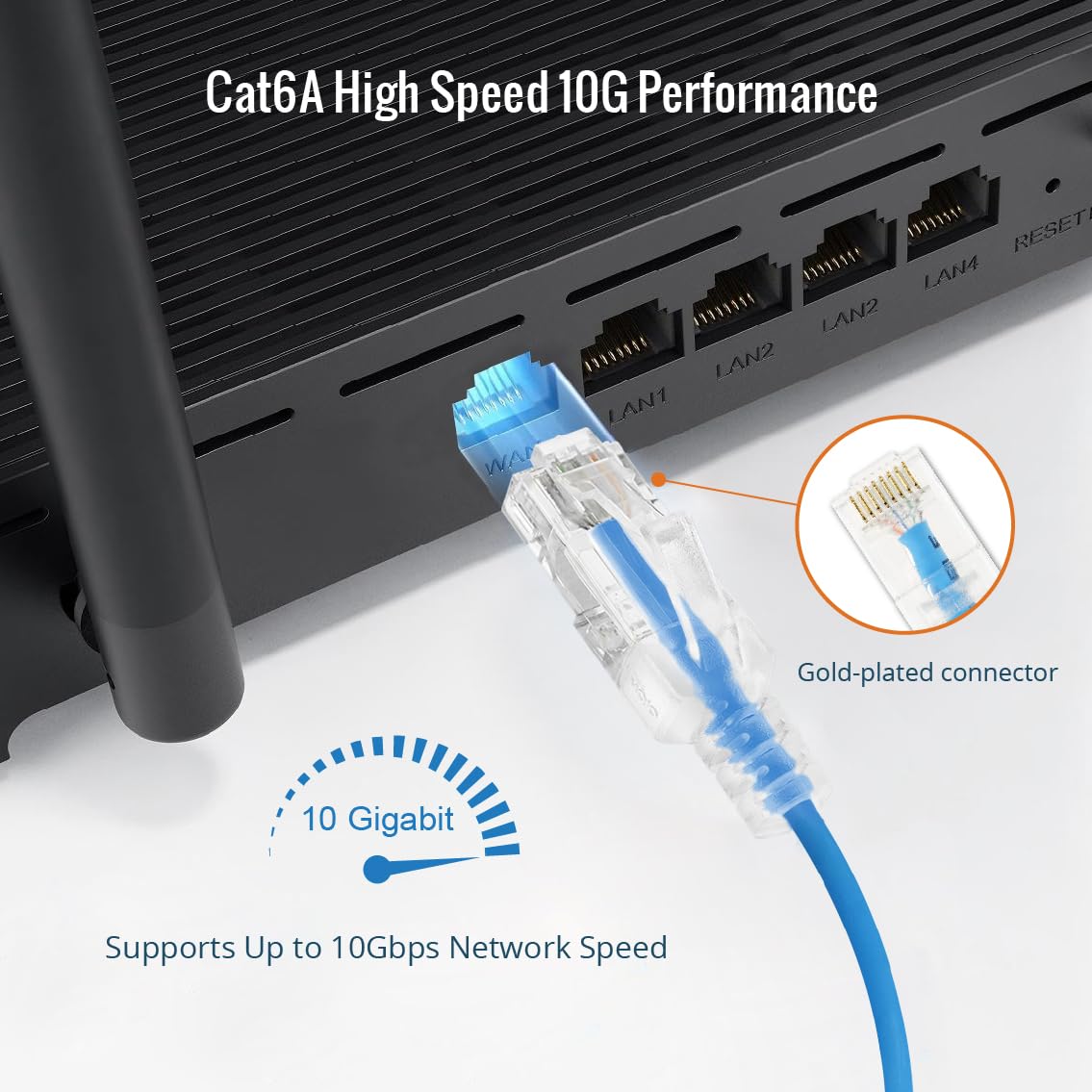
Image: A Tecmojo Cat6a Ethernet cable being connected to a router, demonstrating the secure fit of the gold-plated RJ45 connector for 10 Gigabit performance.

Image: Ultra-slim Tecmojo Cat6a cables organized within a patch panel, illustrating how the design allows for a clean and efficient setup in network racks.
4. Instruccions de funcionament
Once connected, the Tecmojo Cat6a Ethernet cable facilitates data communication between your devices and the network. It operates passively, transmitting data signals without requiring external power or configuration. The cable supports full-duplex communication, allowing data to be sent and received simultaneously at speeds up to 10Gbps.
- Xarxes d'alta velocitat: Utilize the cable for applications requiring high bandwidth, such as online gaming, 4K video streaming, large file transfers, and connecting to network-attached storage (NAS) devices.
- Alimentació per Ethernet (PoE): This cable is compatible with PoE devices, allowing both data and power to be transmitted over a single cable, simplifying installations for devices like IP cameras or VoIP phones (requires PoE-enabled network equipment).
Video: An official Tecmojo video demonstrating the ultra-slim design of the Cat6a Ethernet patch cable and its ease of use in tight spaces, highlighting its 10G transmission speed.
5. Manteniment i cura
- Eviteu corbes pronunciades: Do not bend the cable sharply, especially near the connectors, as this can damage the internal wires and affect performance.
- Protegir els connectors: Keep the RJ45 connectors clean and free from dust or debris. If necessary, use compressed air to gently clean the ports.
- Emmagatzematge adequat: Quan no l'utilitzeu, enrotlleu el cable sense apretar. Eviteu enredar-lo ni fer nusos amb el cable.
- Condicions ambientals: Store and use the cable in a dry environment, away from extreme temperatures and direct sunlight.
6. Solució De Problemes
Si teniu problemes de connectivitat de xarxa, tingueu en compte els passos següents per resoldre problemes:
- Comproveu les connexions: Ensure both ends of the Ethernet cable are securely plugged into their respective ports. Listen for a click when inserting the RJ45 connector.
- Inspeccionar el cable: Visually inspect the cable for any signs of physical damage, such as cuts, kinks, or frayed connectors. If damage is present, replace the cable.
- Reinicieu els dispositius: Power cycle your network devices (modem, router, computer). Unplug them from power for 30 seconds, then plug them back in and wait for them to fully restart.
- Prova amb un altre cable/port: If possible, try using a different Ethernet cable or connecting to a different port on your router/switch to determine if the issue lies with the cable, port, or device.
- Verifiqueu la configuració de la xarxa: Ensure your device's network settings are correctly configured (e.g., DHCP enabled for automatic IP address assignment).
7. Especificacions
| Característica | Detall |
|---|---|
| Marca | Tecmojo |
| Número de model | 16112248B |
| Tipus de cable | Cat6a Ethernet |
| Longitud | 30 peus |
| Mesurador de filferro | 30 AWG |
| Material conductor | 100% Pure Copper |
| Velocitat de transferència de dades | Fins a 10 Gbps |
| Ample de banda | 550 MHz |
| Tipus de connector | RJ45 (Gold-plated) |
| Material de la jaqueta | PVC flexible |
| Certificació | Llistat UL |
| Color | Blau |
| Dispositius compatibles | Laptop, Modem, Personal Computer, Printer, Router, Switches, NAS, VoIP phones, PoE devices, Xbox |

Image: UL Certificate of Compliance for the Tecmojo Cat6a cable, verifying its adherence to safety and material quality standards.
8. Garantia i Suport
The Tecmojo UL Listed Ultra-Slim Cat6a Ethernet Cable comes with a 3 any de garantia del fabricant.
For technical support, warranty claims, or additional product information, please visit the official Tecmojo store or contact customer service through the details provided on your purchase receipt.
Official Tecmojo Store: Tecmojo Official Store